মেম্বারশিপ প্ল্যান ও সার্ভিস
GymCity Plans & Services হলো যেখানে জিম বা পার্সোনাল ট্রেইনার তাদের বিক্রির জিনিস সেটআপ করে। আপনি একবার দাম আর বিলিং সাইকেল ঠিক করেন, সব মেম্বারকে একটা প্ল্যানে রাখেন, আর ইনভয়েসগুলো সেই অনুযায়ী চলে।
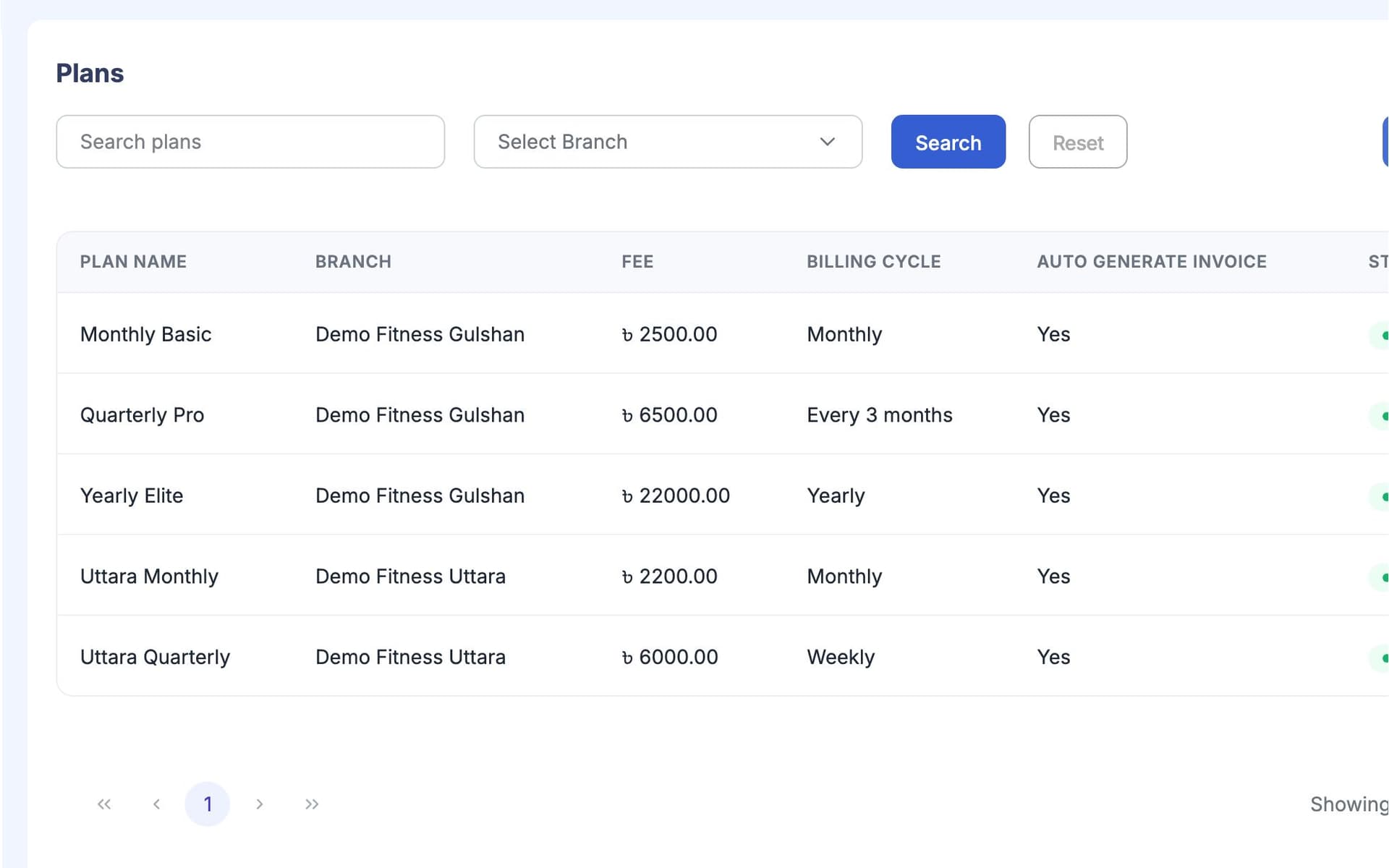
GymCity প্ল্যান ও সার্ভিস কী?
GymCity Plans & Services হলো জিম বা পার্সোনাল ট্রেইনারের প্রাইস লিস্ট: মেম্বারশিপ প্ল্যান আর প্যাকেজ, ফি আর বিলিং সাইকেলসহ, সাথে এক্সট্রা সার্ভিস যা আপনি বিক্রি করেন। প্রতিটা মেম্বারকে একটা প্ল্যানে রাখা হয়, ইনভয়েস সেখান থেকে তৈরি হয়, আর আপনি ঠিক করেন কোন প্ল্যান আর দাম পাবলিক পেজে দেখাবেন।
কেন জিম ও ট্রেইনাররা প্ল্যান ও সার্ভিস ব্যবহার করেন
লোকভেদে দাম বদলে যায়
প্রতিটা রিসেপশনিস্ট আলাদা ফি বলে, আর মেম্বাররা চেঞ্জিং রুমে আলোচনা করে।
একটা প্রাইস লিস্ট যেটা সব ডেস্ক আর ইনভয়েসে ব্যবহার হয়।রিনিউয়াল স্পষ্ট না
কার কখন মাস শেষ হয় ভুলে যাই, তাই রিনিউয়াল এক-দুই সপ্তাহ পিছিয়ে যায়।
প্রতিটা প্রোফাইলে পরের বিলের তারিখ দেখায়, আর ইনভয়েস তার আগেই তৈরি হয়।এলোমেলো ডিসকাউন্ট
স্টাফরা বন্ধুদের ডিসকাউন্ট দেয়, আমি মাস শেষে টের পাই।
প্রতিটা স্টাফ রোলে ডিসকাউন্টের লিমিট, আর প্রতিটা ডিসকাউন্টের কারণ থাকে।3 ধাপ-এ প্ল্যান ও সার্ভিস
আপনার প্ল্যান তৈরি করুন
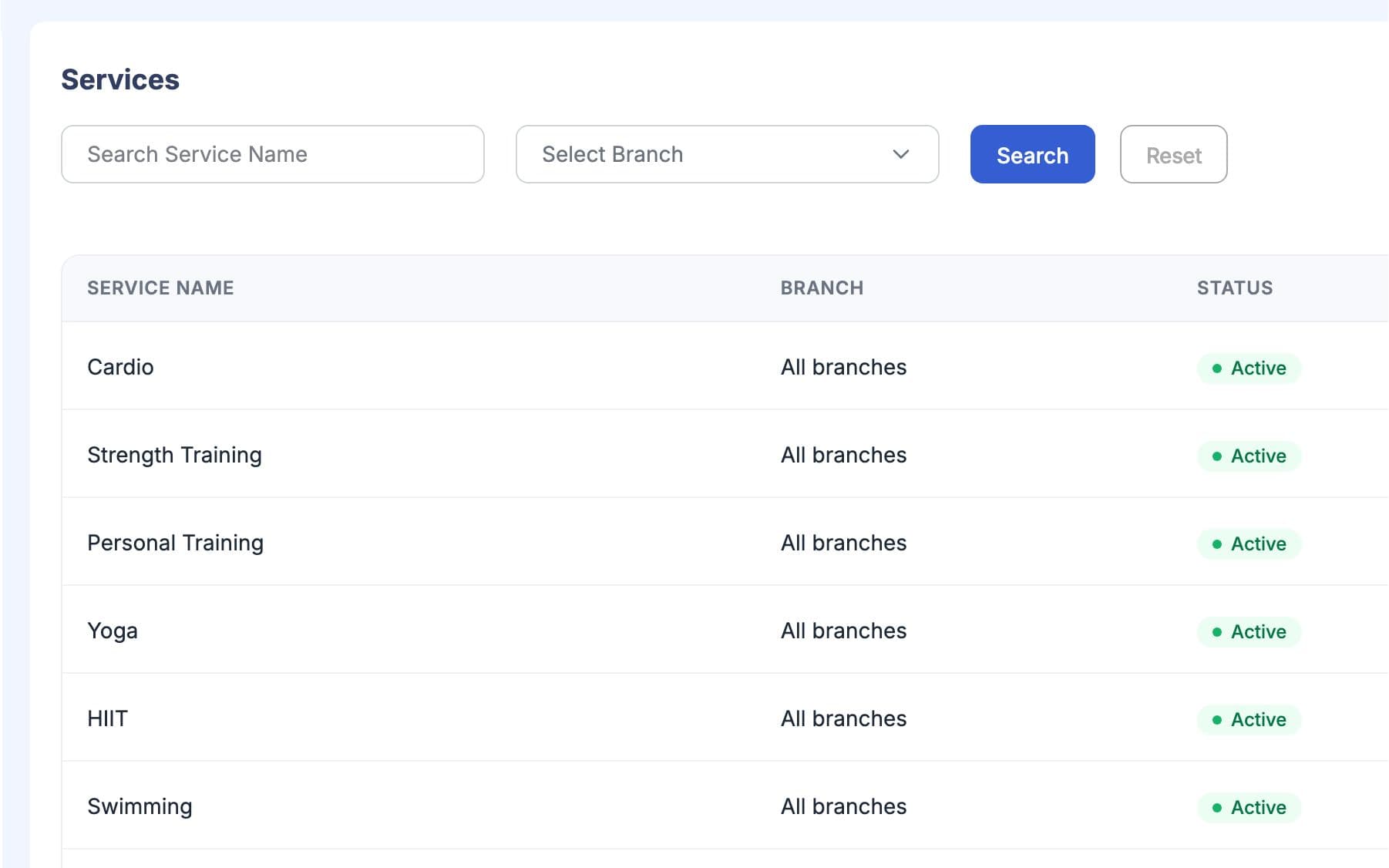
প্রতিটা প্ল্যানের নাম, দাম আর বিলিং সাইকেল দিন, যেমন মাসিক বা তিন মাসের। মেম্বার জয়েন করলে এডমিশন ফি নিলে সেটাও যোগ করুন। দাম আপনার লোকাল কারেন্সিতে। সার্ভিসগুলো প্ল্যানের পাশে থাকে, যেমন পার্সোনাল ট্রেইনিং সেশন বা লকার।
মেম্বারদের প্ল্যানে রাখুন
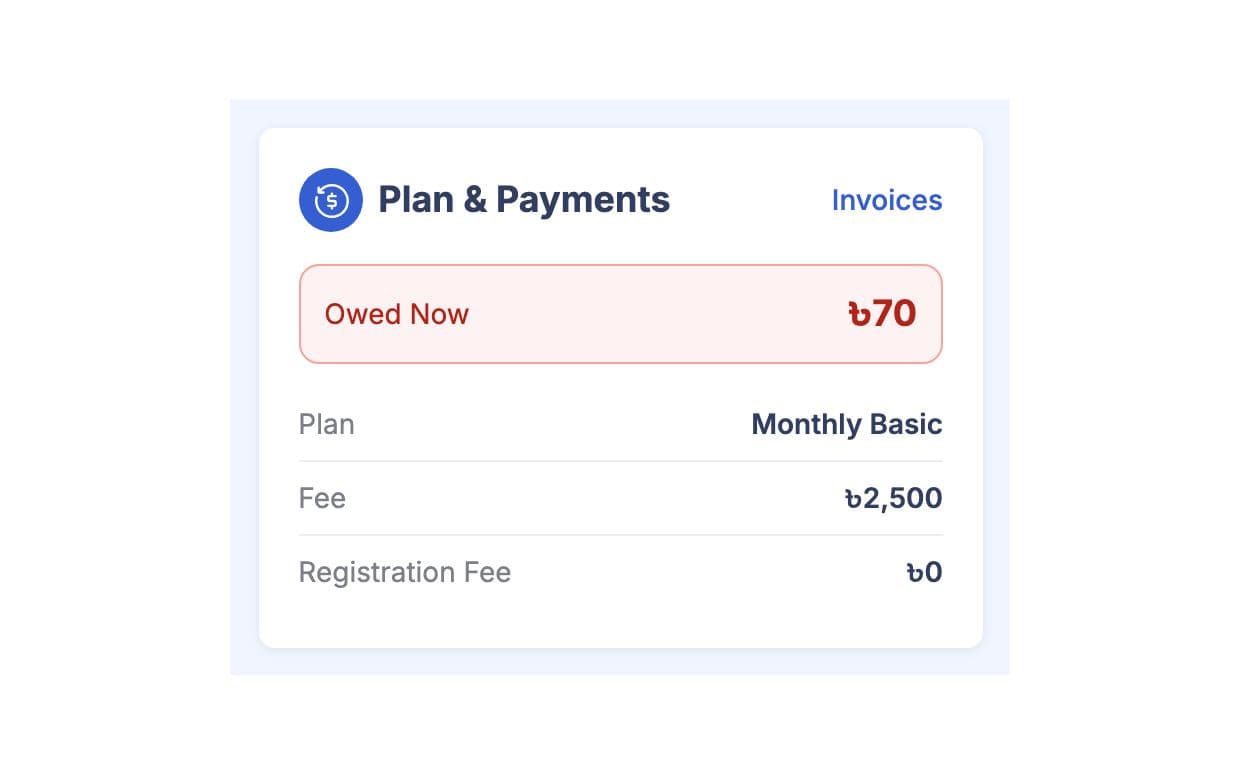
মেম্বার যোগ বা এডিট করার সময় প্ল্যান বাছুন। GymCity পরের বিলের তারিখ ঠিক করে দেয় আর ইনভয়েস কয়েকদিন আগে তৈরি করে, তাই কেউ হাতে টাকা লিখতে হয় না। কোনো মেম্বারের জন্য নিয়মিত ডিসকাউন্ট থাকলে সেটা Billing ট্যাবে দিন, যতদিন না বন্ধ করেন ততদিন সব নতুন ইনভয়েসে লাগবে।
আপনার পেজে প্ল্যান দেখান
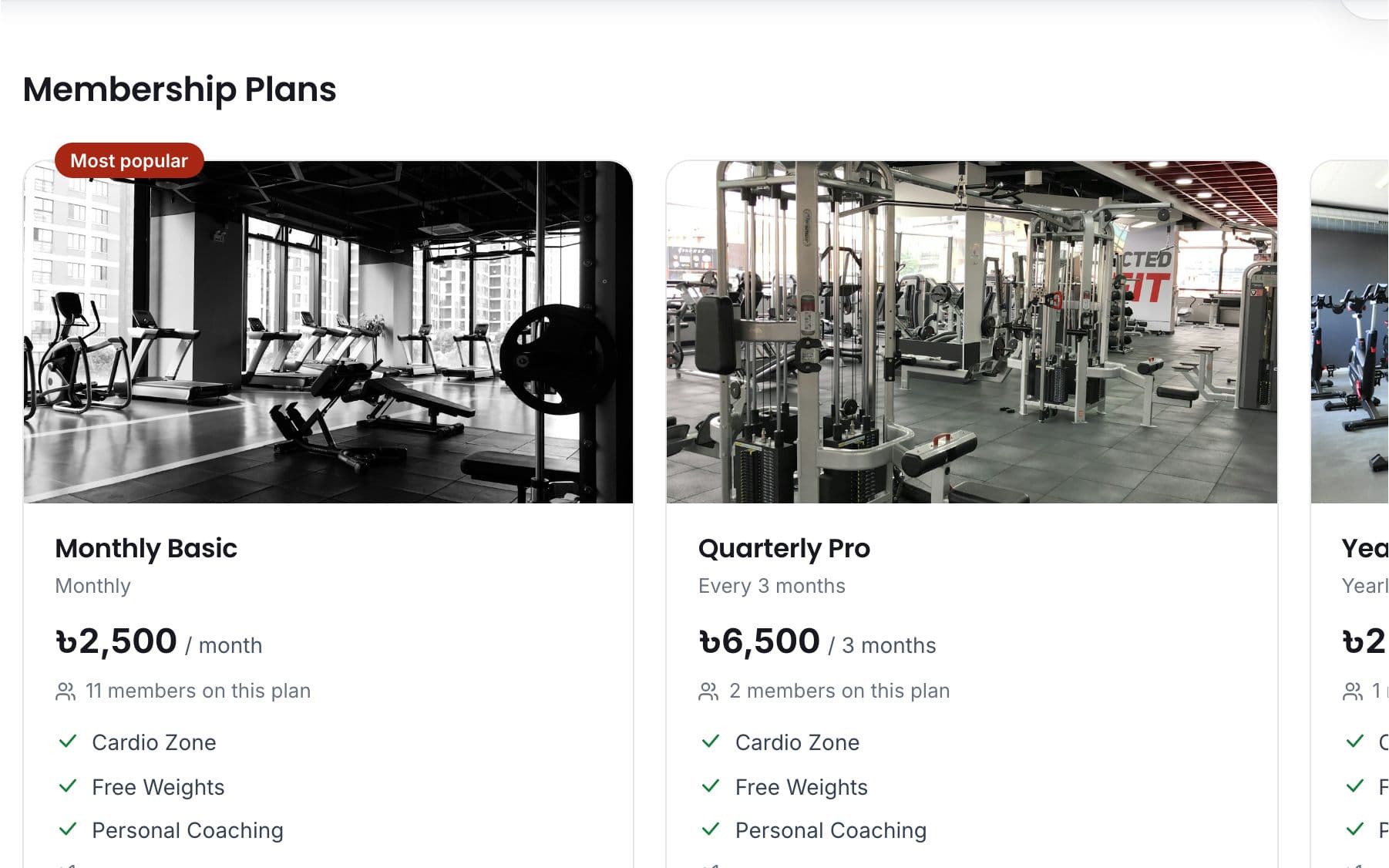
আপনার GymCity পাবলিক পেজে কোন প্ল্যান দেখাবেন আর দাম দেখাবেন কিনা ঠিক করুন। একটা প্ল্যানকে ফিচারড "From" প্রাইস হিসেবে বাছুন। চাইলে দেখাতে পারেন কোন প্ল্যানে কতজন জয়েন করেছে। যাদের ভালো লাগে, তারা পেজ থেকে Join বা Question রিকোয়েস্ট পাঠাতে পারে।
আপনার কাজের ধরন মাথায় রেখে তৈরি
সব ডেস্ক একই প্ল্যান লিস্ট থেকে বিল দেয়, তাই মেম্বাররা একটাই দাম শোনে।
প্ল্যানই প্রতিটা বিলের পরিমাণ আর তারিখ ঠিক করে।
দাম দেখান যাতে ফোন কম আসে, বা লুকিয়ে রাখুন, ভিজিটররা জানতে চাইলে জিজ্ঞেস করবে।
প্ল্যান ও সার্ভিস-এ যা পাচ্ছেন
প্ল্যান ও সার্ভিস: সচরাচর প্রশ্ন
জিম মালিক ও ট্রেইনাররা সবচেয়ে বেশি যা জিজ্ঞেস করেন, তার সংক্ষিপ্ত উত্তর।
সব প্রশ্ন →হ্যাঁ। আপনি আপনার পাবলিক পেজে প্ল্যানগুলো দাম ছাড়াই দেখাতে পারেন, অথবা কোনো প্ল্যান একেবারেই পেজে না দেখাতে পারেন। তখন ভিজিটররা আপনাকে কল করবে বা প্রশ্ন বা Join রিকোয়েস্ট পাঠাবে ফি জানতে। দাম গোপন রাখলেও GymCity-র ভেতরে কোনো পার্থক্য হয় না: ঐ প্ল্যানে থাকা মেম্বারদের বিল আগের মতোই হবে।
আপনার লোকাল মুদ্রায়। বাংলাদেশে জিম আর ট্রেইনাররা তাদের প্ল্যানের দাম টাকায় দেয়, আর বাংলাদেশ ছাড়া অন্য দেশের অ্যাকাউন্টে US ডলার ব্যবহার হয়। ইনভয়েস আর রিসিপ্টেও একই মুদ্রা থাকে, আর আপনার পাবলিক পেজে দাম এমনভাবে দেখায় যেন লোকাল ভিজিটররা সহজে বুঝতে পারে।
হ্যাঁ। মেম্বারের Billing ট্যাব খুলে রিপিটিং ডিসকাউন্ট যোগ করুন, ফিক্সড এমাউন্ট বা পার্সেন্টেজ যেকোনোটা, আর কারণ লিখুন। GymCity এটা প্রতিটা নতুন ইনভয়েসে অ্যাপ্লাই করবে যতক্ষণ না আপনি ডিসকাউন্টটা বন্ধ করেন। একবারের ডিসকাউন্ট শুধু একটা ইনভয়েসে যাবে, স্টাফ মেম্বারের রোলে সেট করা লিমিটের মধ্যে।
নতুন প্ল্যান পরবর্তী বিল থেকে প্রযোজ্য হবে। GymCity কোনো বিদ্যমান ইনভয়েস ভাগ করে না বা পুনরায় হিসাব করে না, তাই পরিবর্তনটি যদি চলতি মাসে প্রভাব ফেলে, তাহলে সেই ইনভয়েসে ডিসকাউন্ট দিয়ে ঠিক করুন। প্রোফাইলে নতুন প্ল্যান আর পরবর্তী বিলের তারিখ সাথে সাথে দেখা যাবে।
না। Billing Settings-এ আপনি ঠিক করে দেন, কোন স্টাফ রোল সর্বোচ্চ কত ডিসকাউন্ট দিতে পারবে। প্রতিটা ডিসকাউন্টের জন্য কারণ দিতে হয় এবং সেটা ইনভয়েস হিস্টোরিতে দেখা যায়, আর ডিসকাউন্ট কখনোই বাকি বিলের চেয়ে বেশি হতে পারে না। কোনো ইনভয়েসের অনলাইন পেমেন্ট চলাকালীন ডিসকাউন্টও বন্ধ থাকে।
একসাথে আরও ভালো কাজ করে
সর্বশেষ আপডেট 16 অক্টোবর, 2026লিখেছেন Sarwar Hossainস্ক্রিনে শুধু ডেমো তথ্য দেখানো হয়েছে
আপনার জিম বা ক্লায়েন্টদের সাথে প্ল্যান ও সার্ভিস ট্রাই করুন
আজই ফ্রিতে আপনার জিম বা ট্রেনিং ব্যবসা লিস্ট করুন, আর প্রস্তুত হলে প্রয়োজনীয় টুলগুলো চালু করুন।