The Personal Trainer App for Clients, Plans and Payments
GymCity is a personal trainer app for independent and online coaches. Keep each client's workout plan, diet chart, progress and payments in one place, run classes from a calendar and draft diet plans with AI. Clients open their plan on their phone. Your public profile is free, and paid plans start from ৳800 a month.
- Packages in Taka
- bKash and Nagad
- AI diet plan drafts
- Free trainer profile
What GymCity Does for a Trainer
GymCity gives a personal trainer one account for the business side of coaching. Clients, plans, sessions and fees sit together, and each client gets a login to see their own workout, diet chart and bills.
Coaching Is the Easy Part. The Admin Is Not.
Trainers usually look for a coaching app once a notebook and a chat list can no longer hold their clients. Plans get lost, fees slip and new clients arrive only through friends.
Plans Lost in Chats
A workout sent as a photo is buried by week two, and you cannot tell whether the client did it.
Plans on the client's phone, with ticksDiet Plans From Scratch
Writing a full diet plan for every client takes hours you could spend coaching.
Diet charts, plus AI drafts you editChasing Session Fees
Asking a client for money feels awkward, so payments slip a week, then a month.
Invoices from each package, paid to your own accountClients by Luck
Most new clients come through friends of clients, which is slow to grow.
A free profile that brings requestsOne App for Your Coaching Business
GymCity gives you your own account as an independent personal trainer. You don't need to work at a gym to list or to use the tools. Your clients' plans, bills and progress stay in your account, separate from any gym they also belong to, and neither side can see the other's plans.
It works for in-person, online and hybrid coaching. Mark yourself as available for online coaching on your profile, run classes with a meeting link, and send plans that clients open on their phone wherever they train.
What It Does Not Do
- There is no app-store app to install. You and your clients use GymCity in the phone's browser, and the screens are made for small phones.
- Workout plans live in GymCity rather than as files, so there is no PDF export.
- GymCity does not reserve sessions or take payments on your behalf. Clients send requests, and they pay you directly.
- Request
- New client
- Workout plan
- Diet chart
- Invoice
- Progress
- Renewal
Personal Trainer Features
Each feature has its own page with screenshots, limits and questions.
Clients
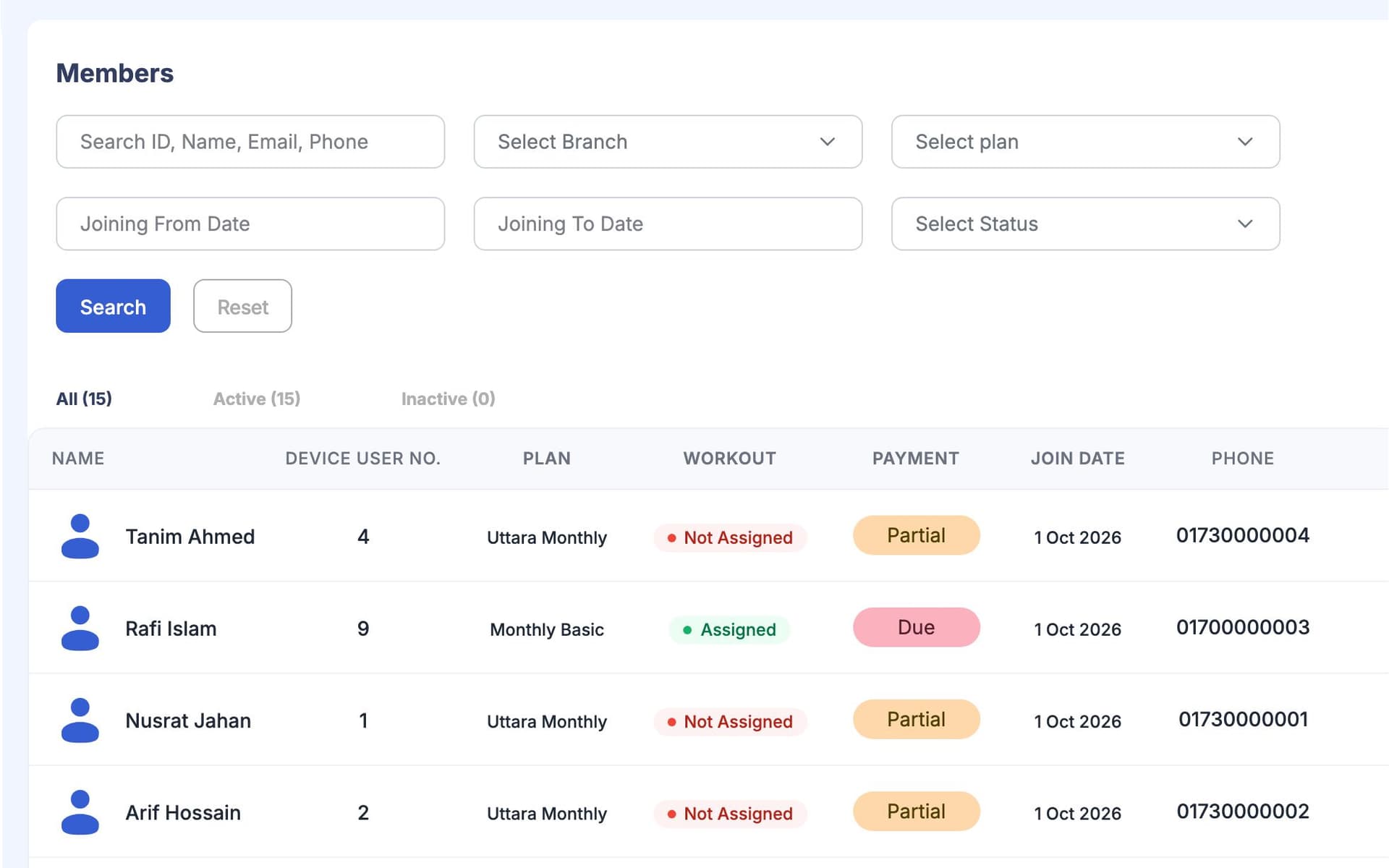
- Client management: your clients only, each with their plan, amount due and the answers to your own intake questions.
- Public profile: a free web page with your packages, specialities, certificates, photos and reviews, so you have a website without building one.
Workout Plans
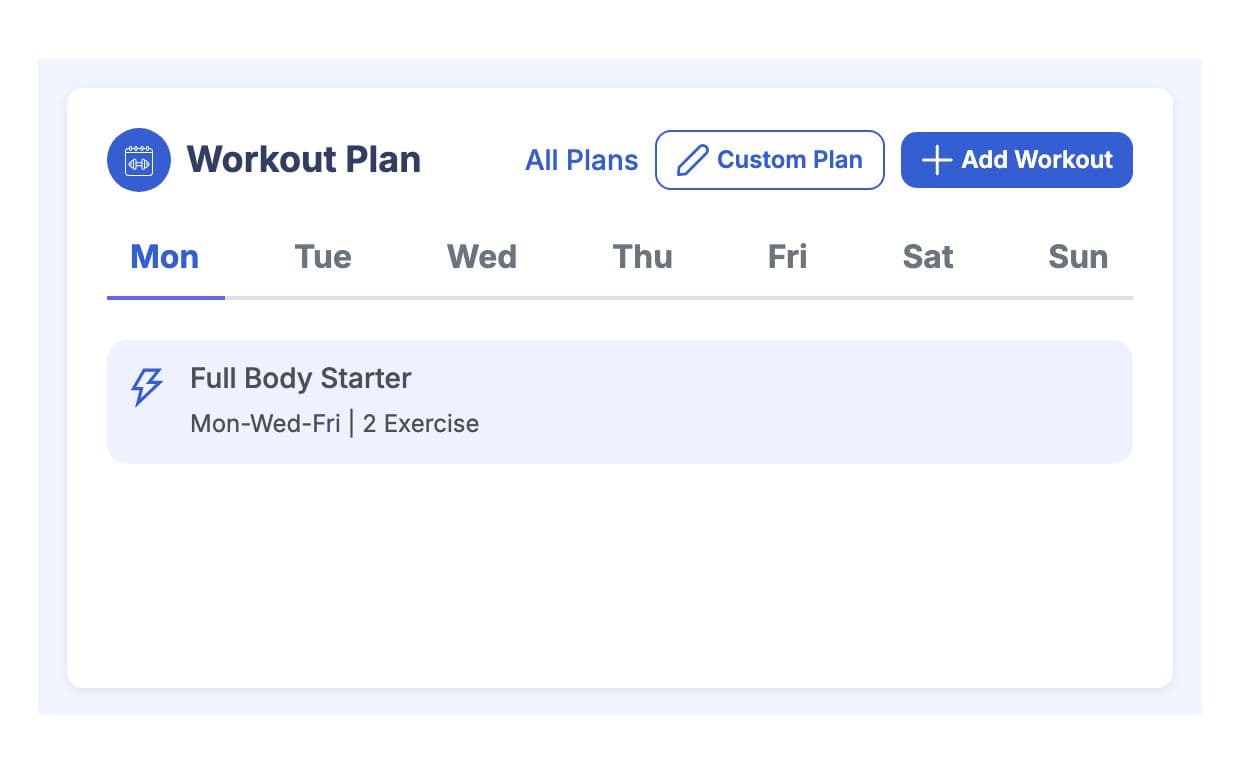
- Workout plans: build from an exercise library with photos or video links, assign by weekday and see which exercises each client ticked off.
Diet Charts and AI
- Diet charts: write a chart in simple local food and give it to one client or many.
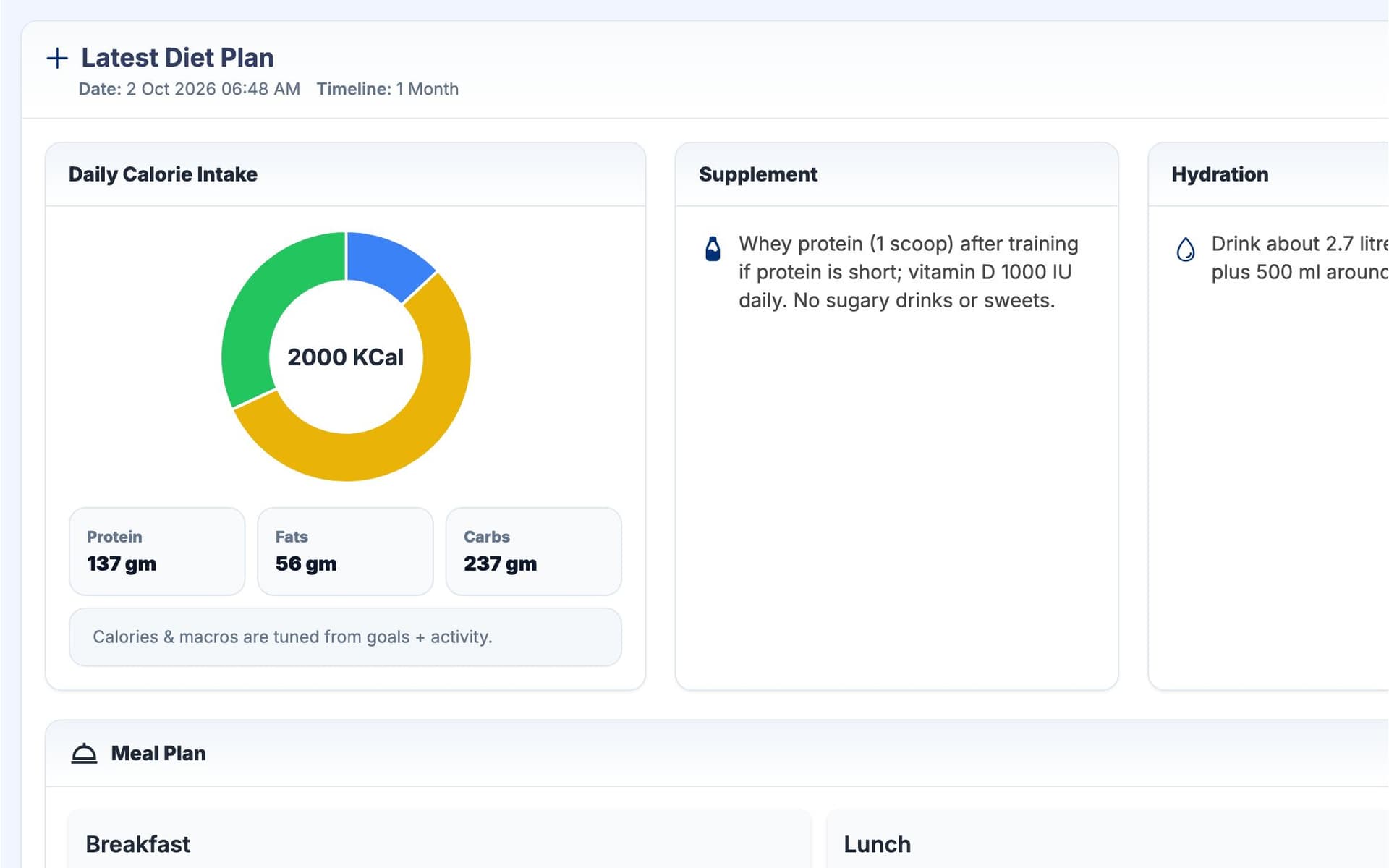
- AI diet plans: a full draft with calories, macros, meals and water from the client's goals and answers, which you edit before they see it.
Progress
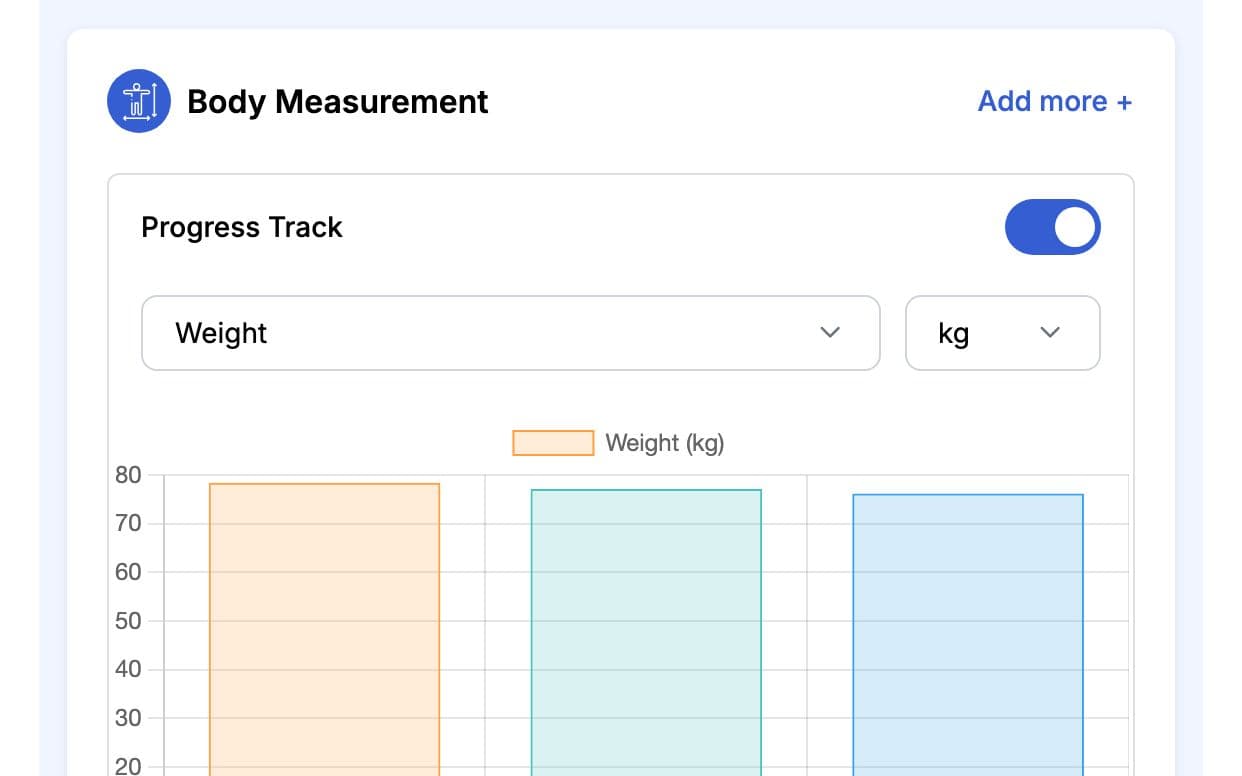
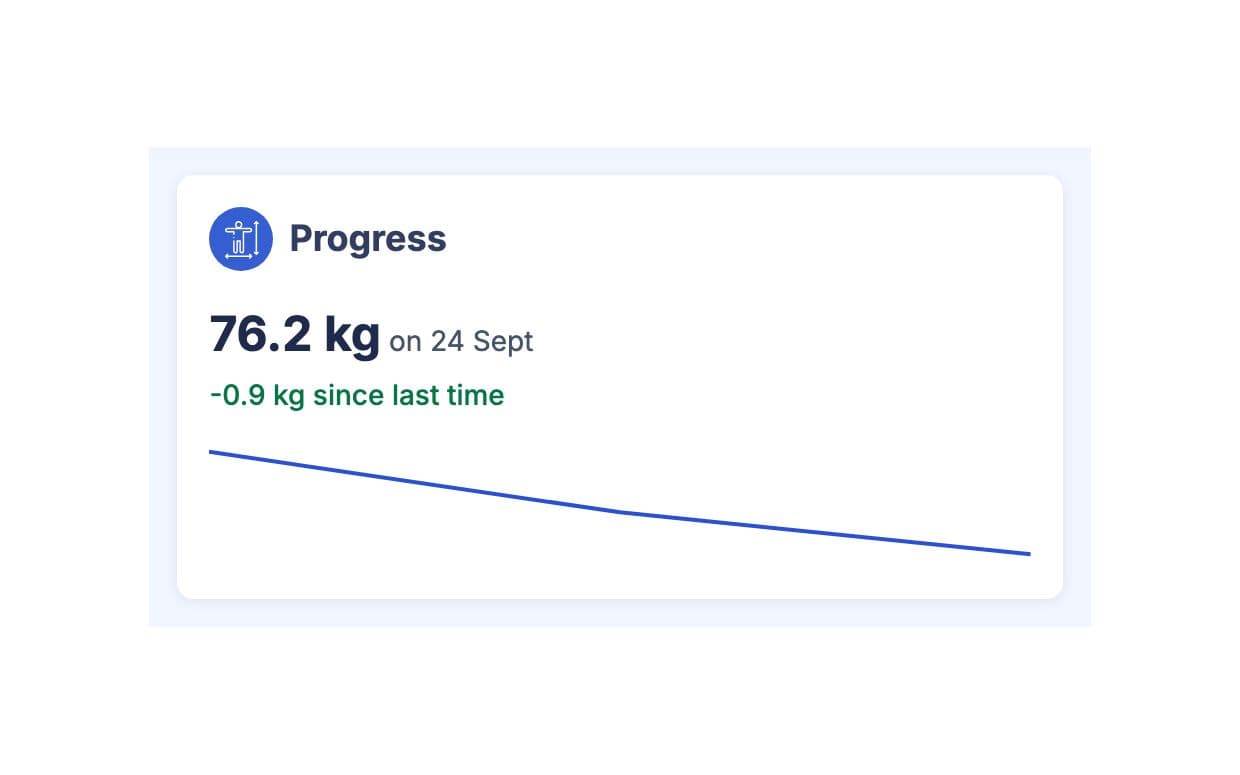
- Progress tracking: weight, waist, BMI, goals and health conditions, with the weight trend on the client's home screen.
Sessions
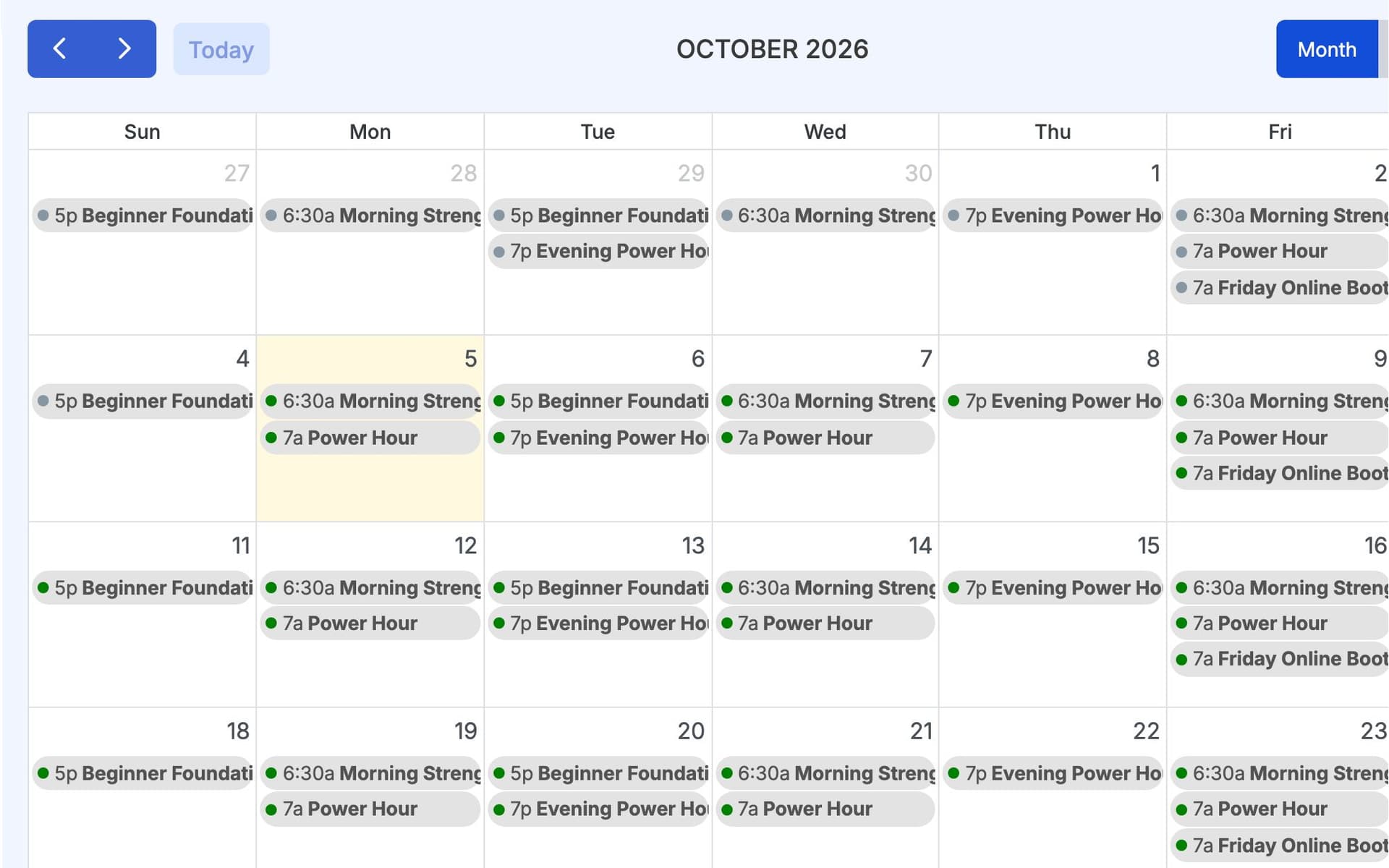
- Classes and calendar: online, in-person or hybrid classes with weekly times, capacity and a client list, shown by month, week or day.
Money
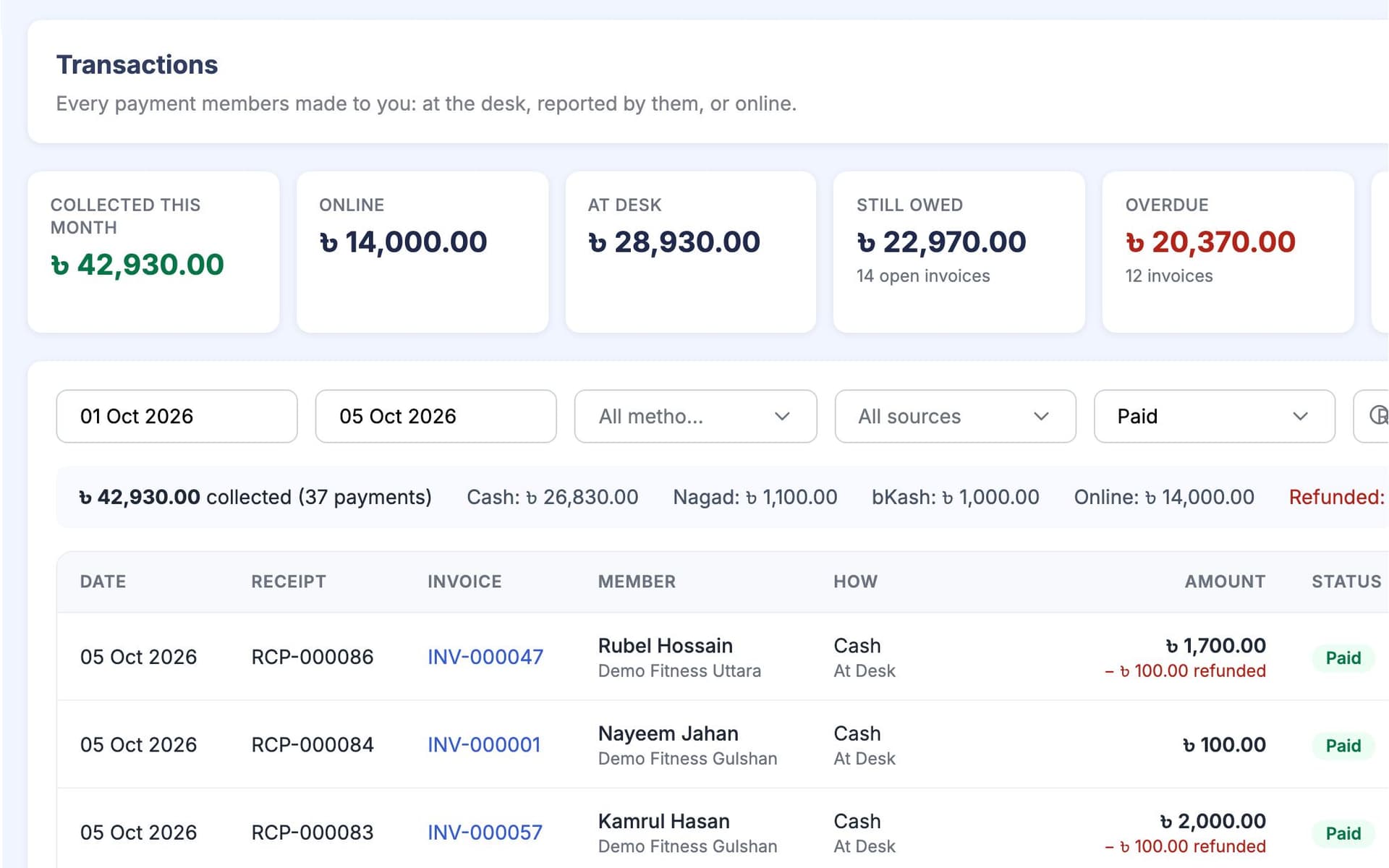
- Payments and invoices: invoices from each package, payments at a session, client-reported payments for approval, and online payments to your own account. GymCity never holds your clients' money.
- Reminders before and after a bill is due, by email, SMS or WhatsApp, depending on your settings and plan.
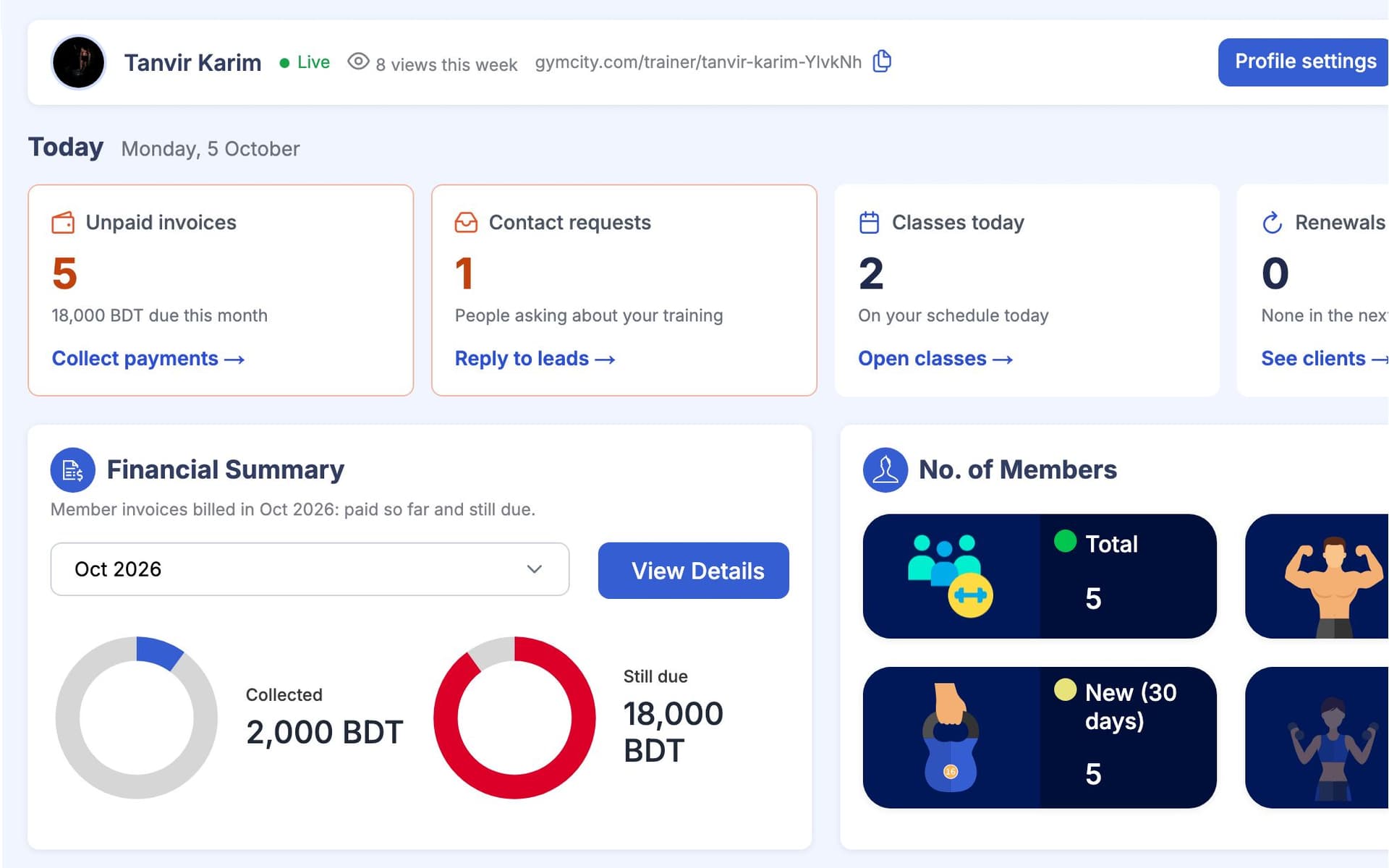
- Your own dashboard with this month's balance, your clients and today's schedule.
A New Client's First Two Weeks
Here is the real workflow for one new client, from the first message to the second week of training. You enter goals, plans and prices once. GymCity puts them on the client's phone, makes the invoice and keeps the history.
- 01
Request
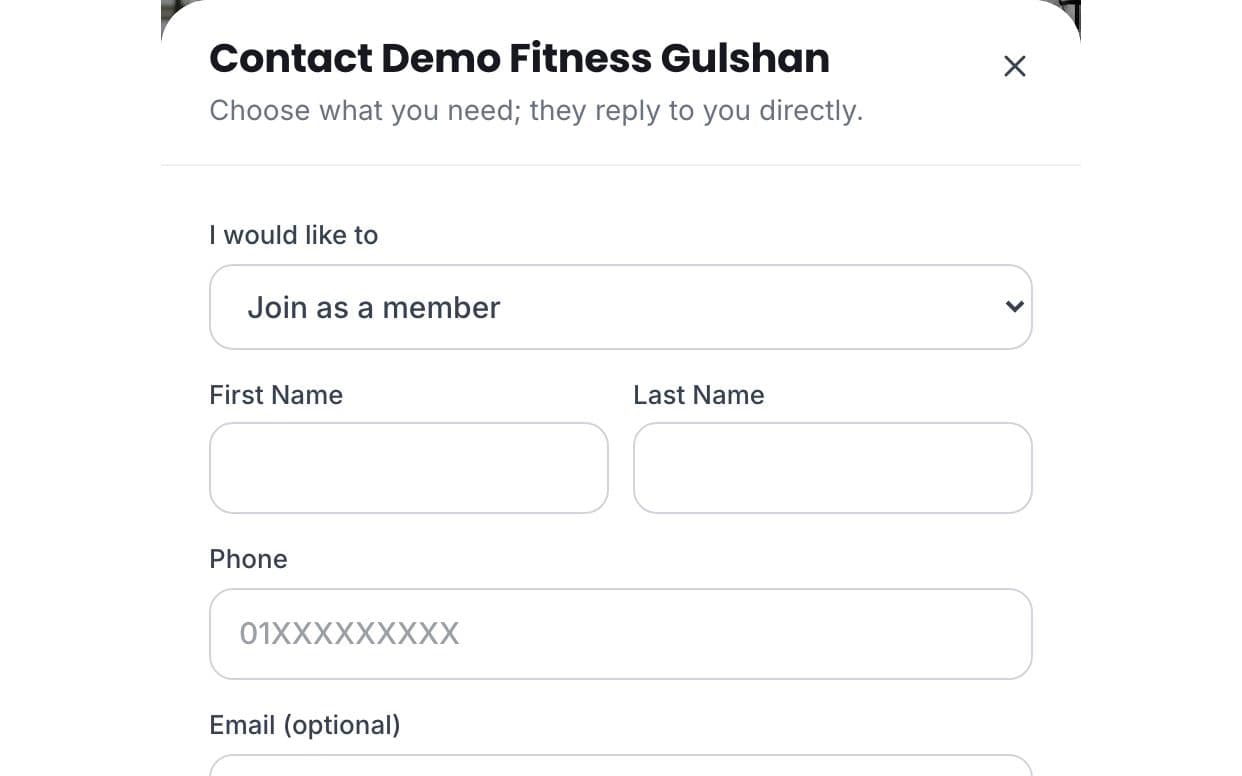
Rafi finds your profile on GymCity, reads your packages and reviews, and sends a Question request asking about online coaching. It arrives in your account with his phone number.
- 02
Client
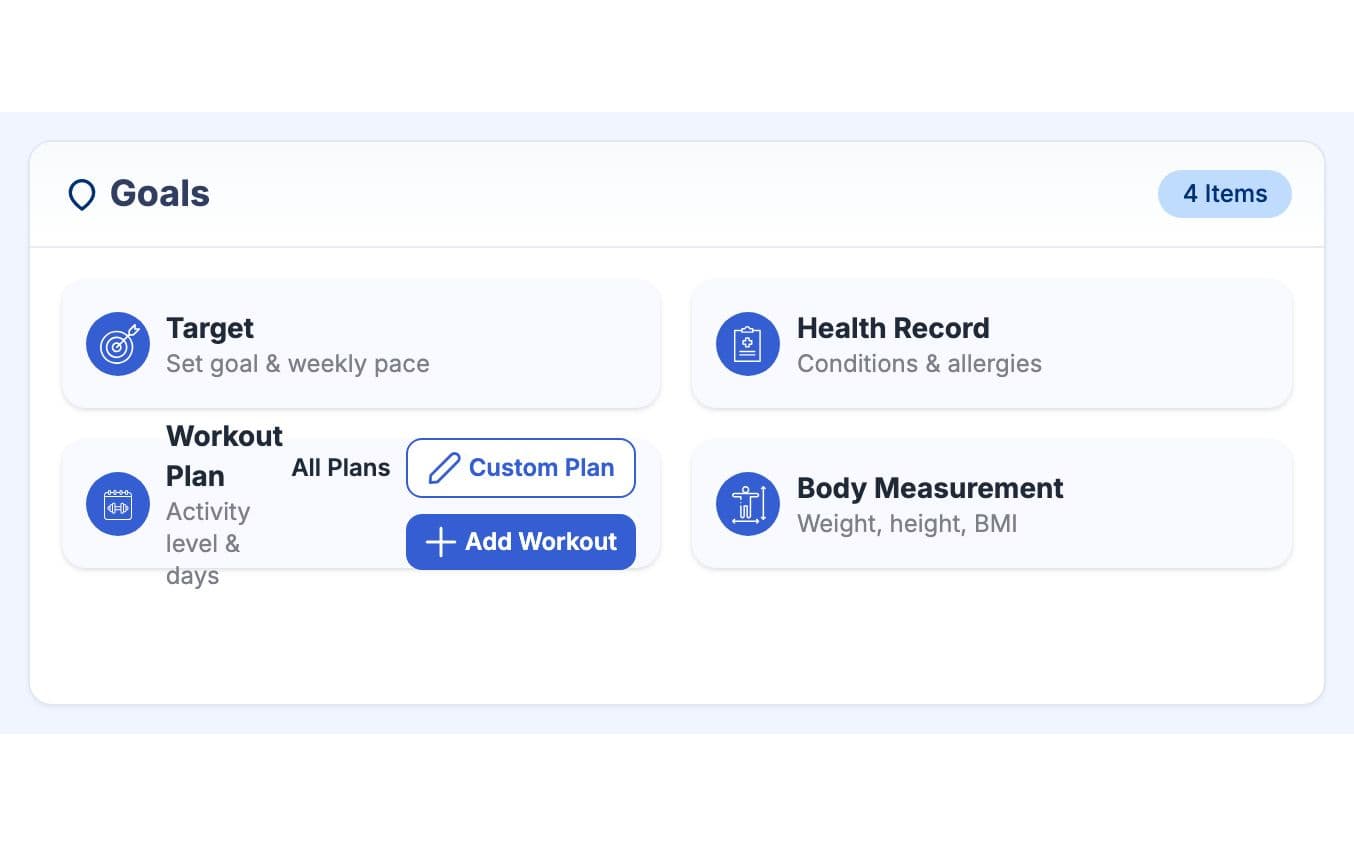
You add him as a client on your 12-session package. You go through your intake questions with him and record his goal, a health record and his first measurements.
- 03
Plans
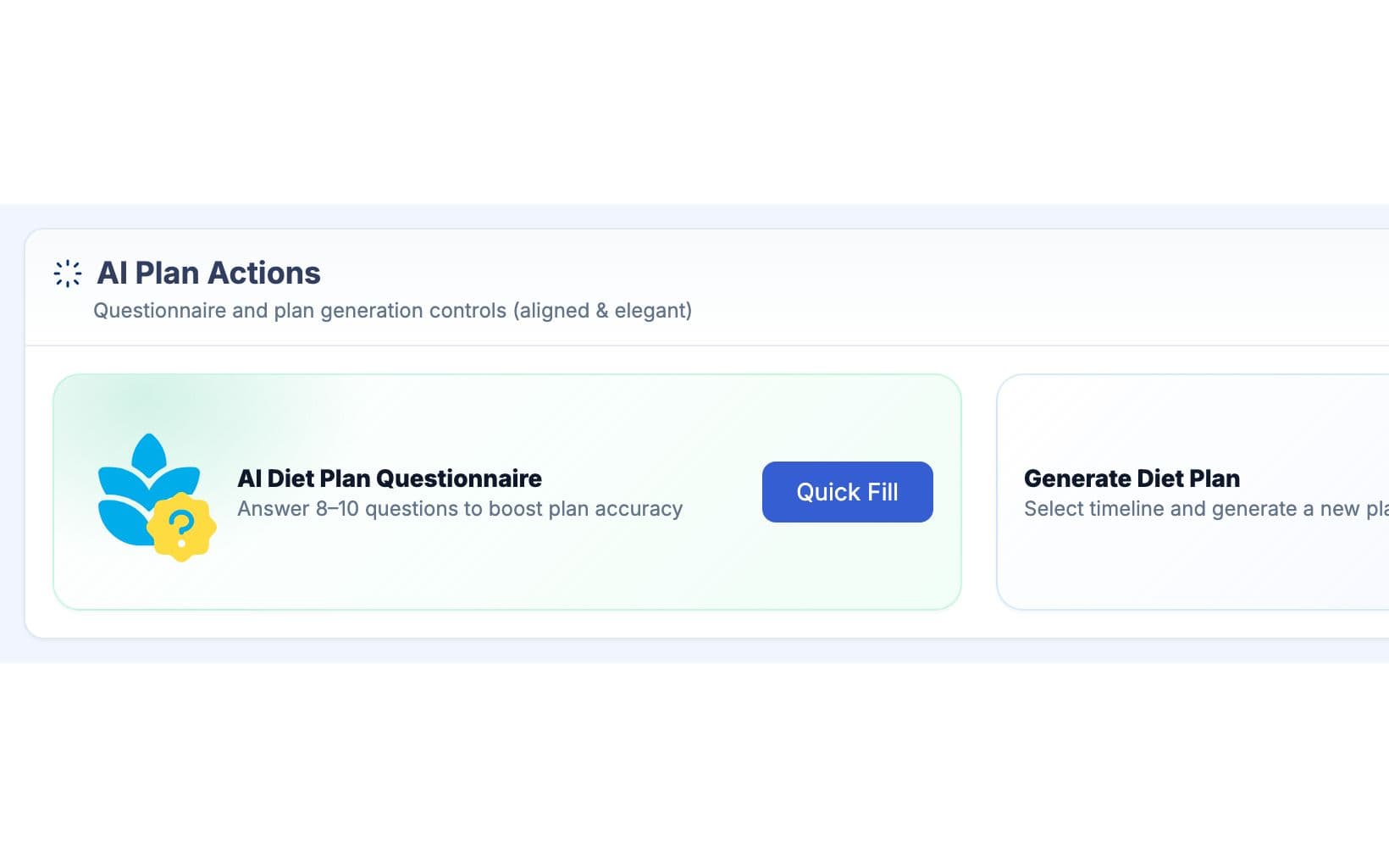
You assign a workout for Monday, Wednesday and Friday. For food, you generate an AI diet plan draft with OpenAI or Google Gemini, change the dinners he will not eat, then share it.
- 04
Pay
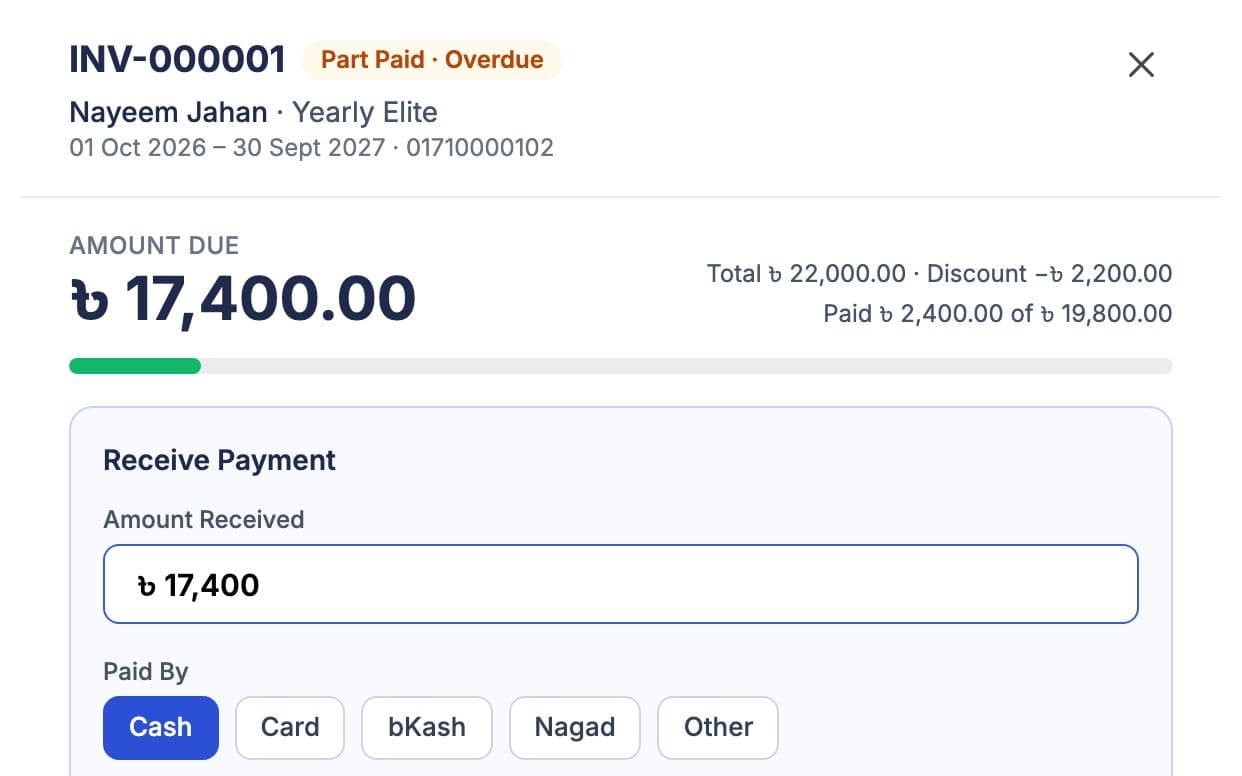
GymCity creates the invoice from the package. Rafi pays you and reports the payment, and you approve it. A numbered receipt is ready if he wants one.
- 05
Train
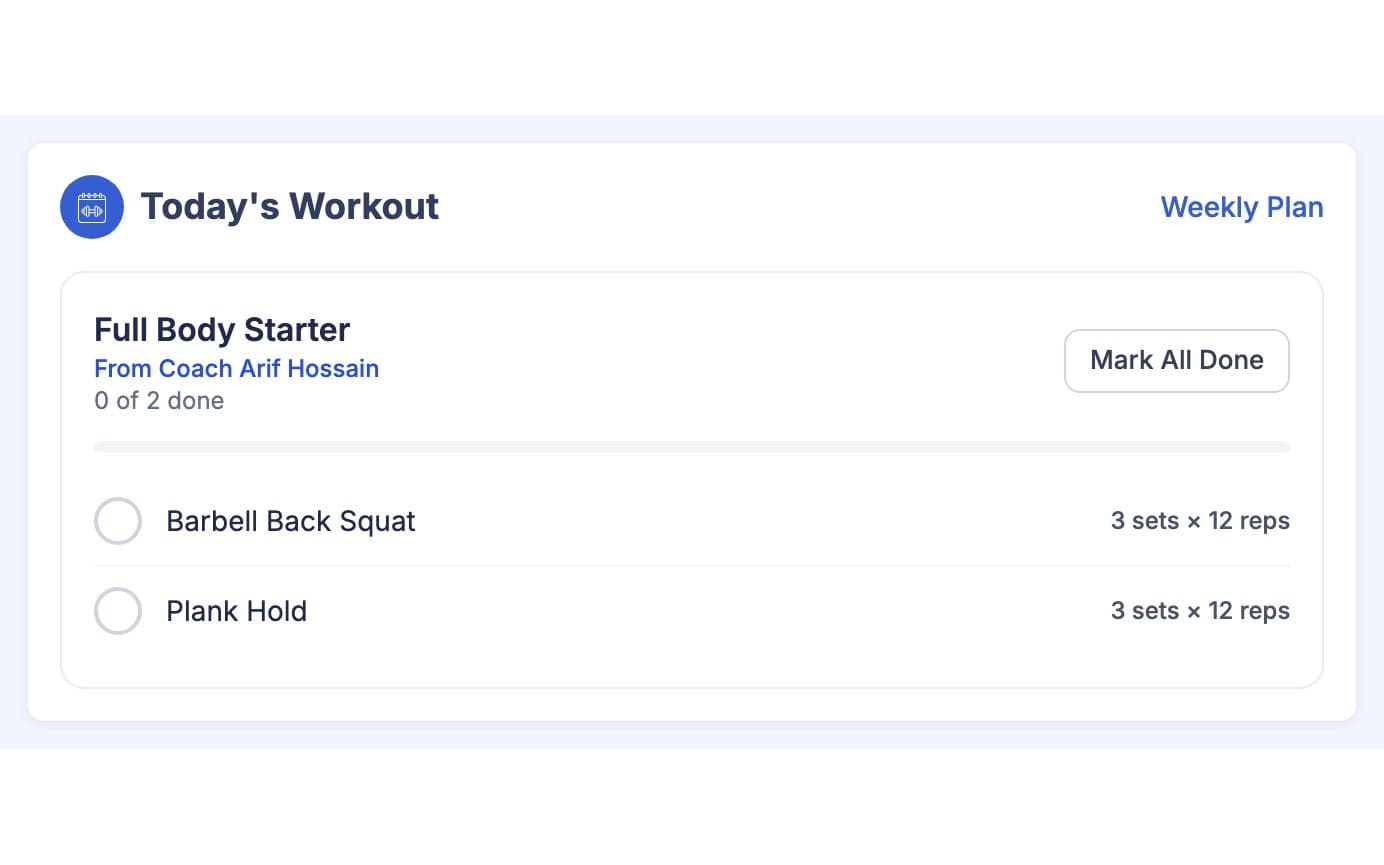
Each training day he opens today's workout on his phone and ticks off each exercise. On rest days the app shows his next workout day.
- 06
Check in
In week two you see which exercises he finished and which day he skipped, and you add a new weight. He sees the trend on his home screen.
A Diet Plan You Check Before Sharing
The AI drafts a plan from your client's goals, health record and diet answers. You read it, change what does not suit them, and only then do they see it. Earlier plans stay in the history, and each client has a monthly limit on generated plans. The screenshot uses a made-up demo client.
“My profile does the explaining. New clients already know my packages and what I specialise in when they message me.” a personal trainer in Banani
- Calories, macros, meals, water and supplements
- Timeline from one to six months
- Edit the latest plan; earlier plans are kept
List Free. Add Tools When You Need Them.
Your trainer profile is free with no time limit. Paid plans add the coaching tools, paid monthly or yearly. Prices show in your local currency.
ফ্রি লিস্টিং
- Public profile with packages, certificates and photos
- A place in GymCity search and city pages
- Client requests in your GymCity inbox
- Reviews from your clients
পেইড প্ল্যান
- Clients, packages and invoices
- Workout plans, diet charts and AI diet drafts
- Progress tracking and classes
- Payments, reminders and online client payments
Setup, Support and Pricing
You can set up your trainer account on your own in one sitting. The public profile is free. Paid plans for trainers start from ৳800 a month, and the pricing page shows what each plan includes.
- Create your trainer account and publish your free profile. It takes about 10 minutes.
- Add your packages and services with their prices, and choose whether visitors see the prices.
- Add your certificates, specialities and photos, and say whether you coach online.
- Add your current clients, and add new ones who send requests from your profile.
- Choose a paid plan when you need the tools it adds, paid monthly or yearly.
Paid plans for personal trainers start from ৳800 a month, and paying yearly gets you two months free. You pay for your plan by card or mobile wallet; the pricing page shows the options for your country. See current prices on the pricing page.
The GymCity team answers questions Saturday to Thursday, 10am to 7pm through the contact page. If you mainly want more clients, see how your free trainer page works.
Questions About the Trainer App
What personal trainers ask before they move their clients onto GymCity.
সব প্রশ্ন দেখুনহ্যাঁ, কিছুটা ফ্রি। GymCity-তে ট্রেইনার প্রোফাইল, সার্চ লিস্টিং, ক্লায়েন্ট রিকোয়েস্ট আর রিভিউ ফ্রি, কোনো সময়সীমা ছাড়াই। কিছু ক্লায়েন্ট টুলসও ফ্রি। অন্য ফিচারগুলো ব্যবহার করতে পেইড প্ল্যান নিতে হয়, শুরু ৳800 মাসে। কোন প্ল্যানে কী আছে, সেটা প্রাইসিং পেজে দেয়া আছে। চাইলে ফ্রি প্রোফাইল দিয়ে শুরু করতে পারেন, পরে দরকার হলে আপগ্রেড করতে পারবেন।
হ্যাঁ, কিছুটা আছে। GymCity-তে ট্রেইনার প্রোফাইল, সার্চ লিস্টিং, ক্লায়েন্ট রিকোয়েস্ট আর রিভিউ ফ্রি, কোনো সময়সীমা ছাড়াই। কিছু ক্লায়েন্ট টুলসও ফ্রি। বাকি ফিচারগুলো পেতে পেইড প্ল্যান নিতে হয়, শুরু ৳800 মাসে। কোন প্ল্যানে কী আছে, সেটা প্রাইসিং পেজে দেয়া আছে। চাইলে ফ্রি প্রোফাইল দিয়ে শুরু করতে পারেন, পরে দরকার হলে আপগ্রেড করতে পারবেন।
না। স্বাধীন পার্সোনাল ট্রেইনাররা নিজের GymCity অ্যাকাউন্ট খুলতে পারে, নিজের প্রোফাইল লিস্ট করতে পারে আর নিজের ক্লায়েন্টদের বিল করতে পারে। যদি কোনো ক্লায়েন্ট কোনো জিমেরও মেম্বার হয়, তাহলে দুইটা প্রোফাইল আলাদা থাকে: আপনি শুধু আপনার প্ল্যান আর বিল দেখতে পারবেন, আর জিম শুধু তাদেরটা দেখতে পারবে।
না। স্বাধীন পার্সোনাল ট্রেইনাররা নিজের GymCity অ্যাকাউন্ট খুলতে পারে, নিজের প্রোফাইল লিস্ট করতে পারে এবং নিজের ক্লায়েন্টদের বিল করতে পারে। যদি কোনো ক্লায়েন্ট কোনো জিমেরও মেম্বার হয়, তাহলে দুইটা প্রোফাইল আলাদা থাকে: আপনি শুধু আপনার নিজের প্ল্যান আর বিল দেখতে পারবেন, আর জিম শুধু তাদেরটা দেখতে পারবে।
হ্যাঁ। আপনার প্রোফাইলে নিজেকে অনলাইন কোচিংয়ের জন্য অ্যাভেইলেবল হিসেবে সেট করুন, তাহলে যারা অনলাইন ট্রেইনার খুঁজছে তারা আপনাকে পাবে। মিটিং লিঙ্ক দিয়ে অনলাইন বা হাইব্রিড ক্লাস নিতে পারবেন, আর ওয়ার্কআউট প্ল্যান আর ডায়েট চার্ট পাঠাতে পারবেন, যেগুলো ক্লায়েন্টরা তাদের ফোনে খুলে দেখতে পারবে, যেখানেই তারা ট্রেনিং করুক। আপনি দেখতে পারবেন কোন কোন এক্সারসাইজ তারা টিক দিয়েছে।
একজন ক্লায়েন্ট বাছাই করুন, তাদের লক্ষ্য, হেলথ রেকর্ড আর ডায়েট প্রশ্নাবলী যোগ করুন, টাইমলাইন সিলেক্ট করুন আর Generate চাপুন। GymCity OpenAI বা Google Gemini দিয়ে ক্যালরি, ম্যাক্রো, মিল, পানি আর সাপ্লিমেন্টসহ একটা প্ল্যান তৈরি করে দেয়। ক্লায়েন্ট দেখার আগে প্ল্যানটা চেক করে এডিট করে নিন, বিশেষ করে যাদের হেলথ সমস্যা আছে তাদের জন্য। আগের প্ল্যানগুলো হিস্টরিতে থাকে, আর প্রতিটা ক্লায়েন্টের জন্য মাসে একটা লিমিট আছে।
একজন ক্লায়েন্ট বাছাই করুন, তাদের লক্ষ্য, স্বাস্থ্য তথ্য আর ডায়েট প্রশ্নাবলী যোগ করুন, টাইমলাইন ঠিক করুন আর Generate চাপুন। GymCity OpenAI বা Google Gemini দিয়ে ক্যালরি, ম্যাক্রো, মিল, পানি আর সাপ্লিমেন্টসহ একটা প্ল্যান তৈরি করে দেয়। ক্লায়েন্ট দেখার আগে প্ল্যানটা দেখে নিন আর দরকার হলে এডিট করুন, বিশেষ করে যাদের স্বাস্থ্য সমস্যা আছে তাদের জন্য। আগের প্ল্যানগুলো হিস্টরিতে থেকে যায়, আর প্রতিটা ক্লায়েন্টের জন্য মাসে একটা নির্দিষ্ট লিমিট থাকে।
ক্লায়েন্টরা আপনাকে সরাসরি পেমেন্ট দেয়, কখনোই GymCity-কে নয়। সেশনে আপনি যে পেমেন্ট নেন সেটা রেকর্ড করুন, ক্লায়েন্টরা আপনার মোবাইল ওয়ালেটে পেমেন্ট করার পর তারা রিপোর্ট করলে সেটা অ্যাপ্রুভ করুন, অথবা আপনার প্ল্যানে থাকলে অনলাইনে আপনার নিজের পেমেন্ট অ্যাকাউন্টে পেমেন্ট নিন। প্রতিটা পেমেন্টের জন্য নম্বরসহ রিসিপ্ট দেয়া হয়, আর কেউ বেশি টাকা দিলে সেটা ক্লায়েন্টের ক্রেডিট হিসেবে জমা থাকে।
ক্লায়েন্টরা আপনাকে সরাসরি পেমেন্ট করে, কখনোই GymCity-কে নয়। সেশনে নেওয়া পেমেন্ট রেকর্ড করুন, ক্লায়েন্টরা আপনার মোবাইল ওয়ালেটে পেমেন্ট করার পর রিপোর্ট করলে সেটা অ্যাপ্রুভ করুন, অথবা আপনার প্ল্যানে থাকলে নিজের পেমেন্ট অ্যাকাউন্টে অনলাইনে পেমেন্ট নিন। প্রতিটা পেমেন্টের জন্য নম্বরসহ রিসিট পাবেন, আর অতিরিক্ত পেমেন্ট হলে সেটা ক্লায়েন্টের ক্রেডিট হিসেবে জমা থাকবে।
না। ক্লায়েন্টরা তাদের ফোনের ব্রাউজারে GymCity ব্যবহার করে, আর স্ক্রিনগুলো ছোট ফোনের জন্যই বানানো। তারা লগইন করে আজকের ওয়ার্কআউট, ডায়েট চার্ট, বিল আর তাদের অগ্রগতি দেখতে পারে। যদি কোনো ক্লায়েন্ট GymCity-তে কোনো জিমেও ট্রেইনিং করে, তাহলে এক ট্যাপে দুইটা প্রোফাইলের মধ্যে সুইচ করতে পারে।

Coach on GymCity
Publish your free trainer profile today, compare the plans, and move your clients over when it suits you.