এর জন্য জিম ম্যানেজমেন্ট সফটওয়্যার মেম্বার, পেমেন্ট আর উপস্থিতি
GymCity এমন এক জিম ম্যানেজমেন্ট সফটওয়্যার যেখানে মেম্বার, প্ল্যান, ইনভয়েস, পেমেন্ট, উপস্থিতি, স্টাফ আর ব্রাঞ্চ সব একসাথে থাকে। ফ্রন্ট ডেস্ক যখন পেমেন্ট রেকর্ড করে, তখন মেম্বারের ব্যালেন্স, রিসিপ্ট আর দরজা একসাথে আপডেট হয়। ফ্রি জিম লিস্টিং দিয়ে শুরু করুন, পরে দরকার হলে ম্যানেজমেন্ট টুল যোগ করুন।
- টাকায় ইনভয়েস
- বিকাশ আর নগদ
- ZKTeco ফিঙ্গারপ্রিন্ট দরজা
- SMS আর WhatsApp রিমাইন্ডার
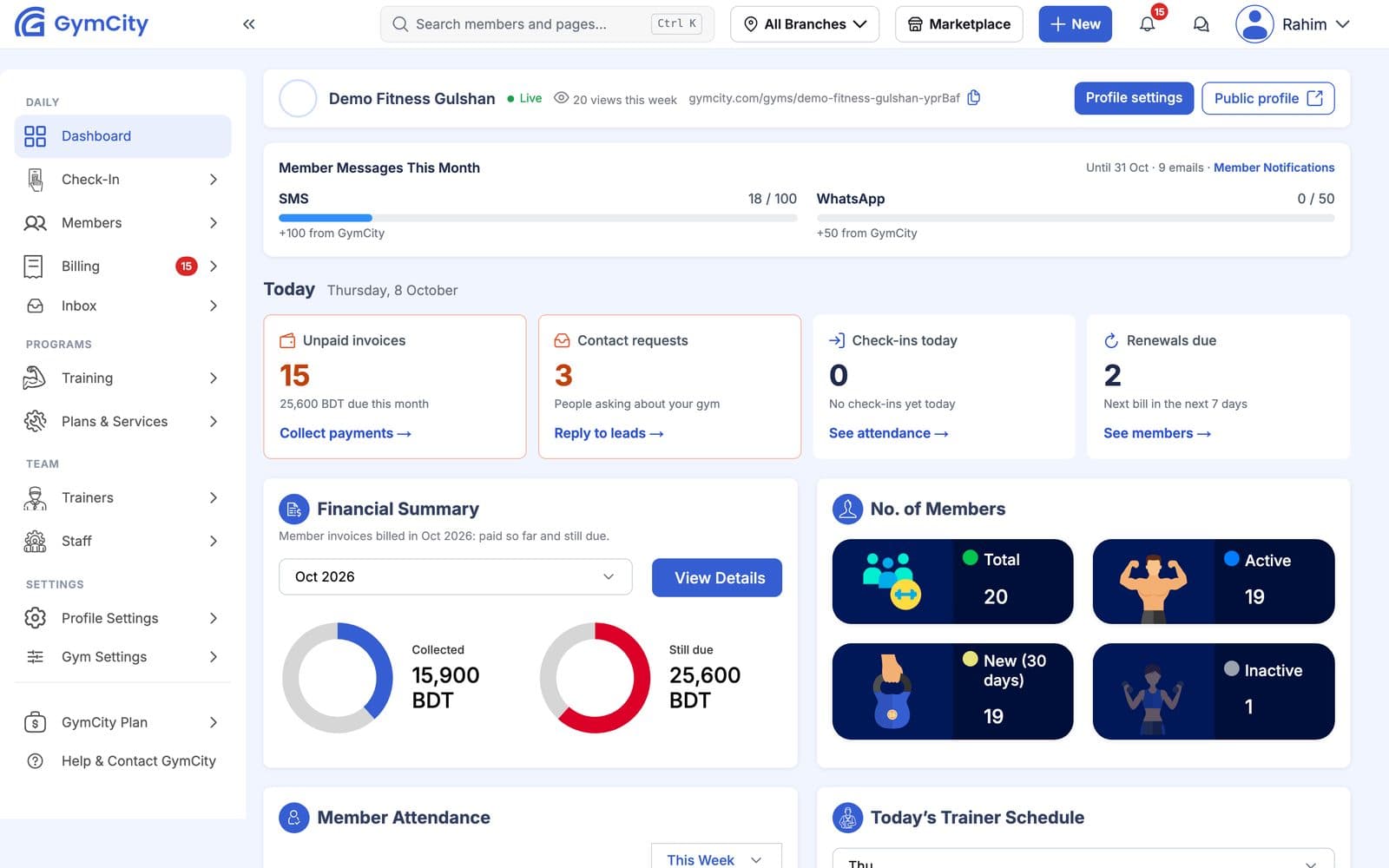
GymCity কী করে একটা জিমের জন্য
GymCity দিয়ে কাগজের রেজিস্টার, WhatsApp-এ ডিউ লিস্ট আর আলাদা উপস্থিতি সফটওয়্যারের দরকার নেই—এক অ্যাকাউন্টে মালিক, ম্যানেজার আর ফ্রন্ট ডেস্ক সবাই কাজ করতে পারে। প্রতিটা মেম্বারের একটাই প্রোফাইল থাকে, যেখানে তাদের প্ল্যান, পরবর্তী বিল, বাকি টাকা আর শেষ আসার দিন দেখা যায়। মেম্বাররা নিজেদের লগইন পায়, যেখানে বিল, ওয়ার্কআউট আর নোটিশ দেখতে পারে।
সমস্যাগুলো যা ঠিক করা দরকার
মালিকরা সাধারণত তখনই জিম সফটওয়্যার খোঁজেন, যখন পুরনো পদ্ধতিতে আর চলে না: মেম্বার বেশি হয়ে যায়, দ্বিতীয় ব্রাঞ্চ খুলে ফেলেন, বা স্টাফদের আলাদা এক্সেস দরকার হয়। এই চারটা সমস্যাই GymCity-কে তৈরি করেছে।
বাকি কেউই দেখে না
রিমাইন্ডারগুলো এক এক করে পাঠাতে হয়, আংশিক পেমেন্ট ভুলে যায় আর মাস শেষে হিসাব মিলেই না ক্যাশবক্সের সাথে।
প্রতি প্ল্যান থেকে ইনভয়েস, বাকি লিস্ট আর প্রতিদিনের ক্যাশ ক্লোজবাকি মেম্বাররাও ঢুকে পড়ে
ফ্রন্ট ডেস্ক জানে না কে টাকা দিয়েছে, তাই দরজা সবার জন্যই খোলা থাকে।
ফিঙ্গারপ্রিন্ট দরজা, যেটা পেমেন্ট স্ট্যাটাস দেখে খুলেসবার জন্য একটাই লগইন
স্টাফরা মালিকের পাসওয়ার্ড দিয়ে ঢুকে সবকিছু দেখে ফেলে, রিপোর্ট আর ডিসকাউন্টসহ।
স্টাফদের জন্য আলাদা লগইন, রোল আর ডিসকাউন্ট লিমিটদ্বিতীয় ব্রাঞ্চ মানেই নতুন সিস্টেম
প্রতিটা ব্রাঞ্চ নিজের মতো রেজিস্টার রাখে, মালিক নিজে হাতে সব যোগ করে হিসাব মেলান।
সব ব্রাঞ্চ এক অ্যাকাউন্টেএক সিস্টেমে সব ইনকোয়ারি থেকে রিনিউয়াল
GymCity মেম্বারকে পুরো সাইকেল জুড়ে ফলো করে। কেউ GymCity-তে আপনার জিম খুঁজে পেয়ে জয়েন বা ফ্রি-ট্রায়াল রিকোয়েস্ট পাঠায়। স্টাফ কলব্যাক করে, প্ল্যানসহ মেম্বার হিসেবে যোগ করে, আর GymCity ইনভয়েস তৈরি করে। পেমেন্ট, ভিজিট, ওয়ার্কআউট আর ডায়েট চার্ট সব এক প্রোফাইলে জমা হয়, আর দরজা ডিভাইস বিলিং স্ট্যাটাস দেখে।
GymCity কি জিম CRM?
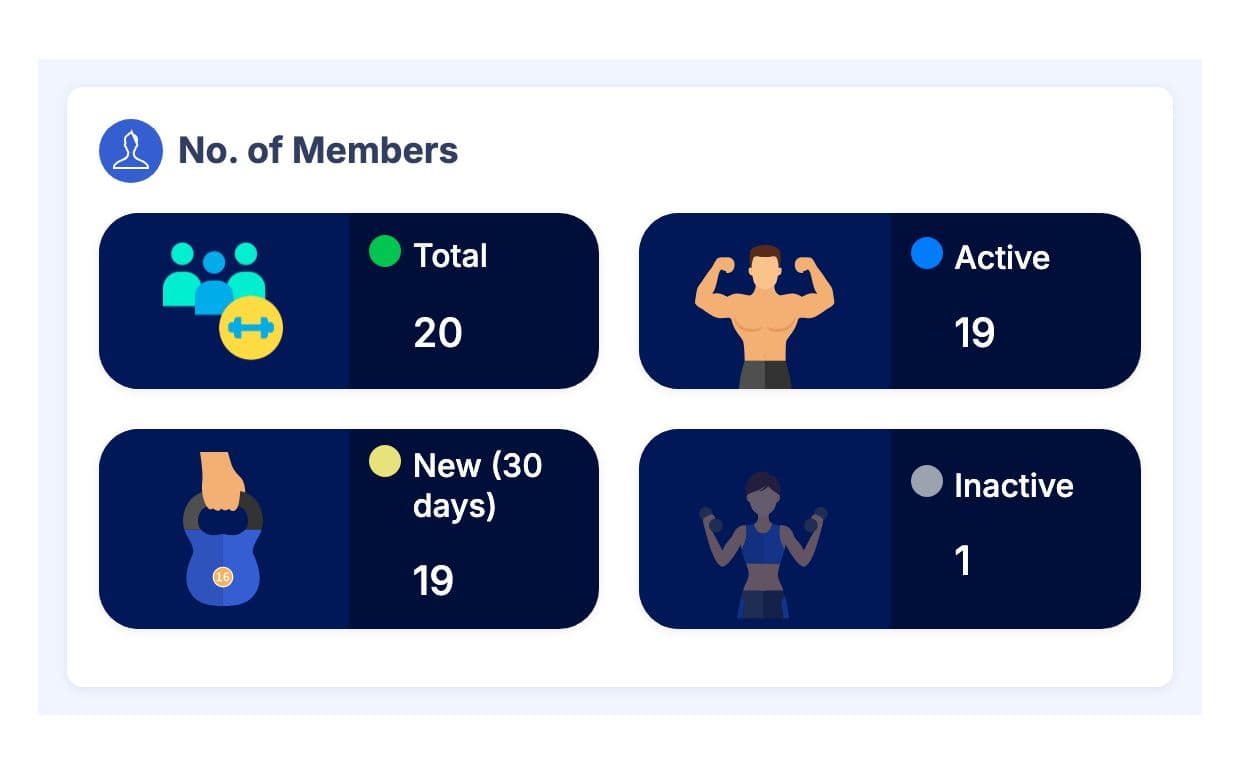
হ্যাঁ, জিমের দরকারি অংশগুলোর জন্য। আপনার পেজ থেকে ইনকোয়ারি আসে নাম আর ফোন নাম্বারসহ রিকোয়েস্ট হিসেবে। মেম্বারদের গ্রুপে ভাগ করা যায়, স্টাফরা প্রোফাইলে প্রাইভেট নোট রাখতে পারে, আর To Do লিস্টে বাকি ইনভয়েস, ব্লকড দরজা এক্সেস আর যাদের ওয়ার্কআউট প্ল্যান নেই তাদের ফ্ল্যাগ করে। ড্যাশবোর্ডে অ্যাক্টিভ, নতুন আর ইনঅ্যাক্টিভ মেম্বার কাউন্ট দেখায়, যাতে কারা দূরে সরে যাচ্ছে আগে থেকেই ফোনে ডাকা যায়।
- রিকোয়েস্ট
- জয়েন
- ইনভয়েস
- পেমেন্ট
- দরজা এক্সেস
- ওয়ার্কআউট
- রিনিউয়াল
জিম ম্যানেজমেন্ট ফিচারসমূহ
প্রতিটা ফিচারের আলাদা পেজ আছে, স্ক্রিনশট, লিমিট আর প্রশ্নসহ।
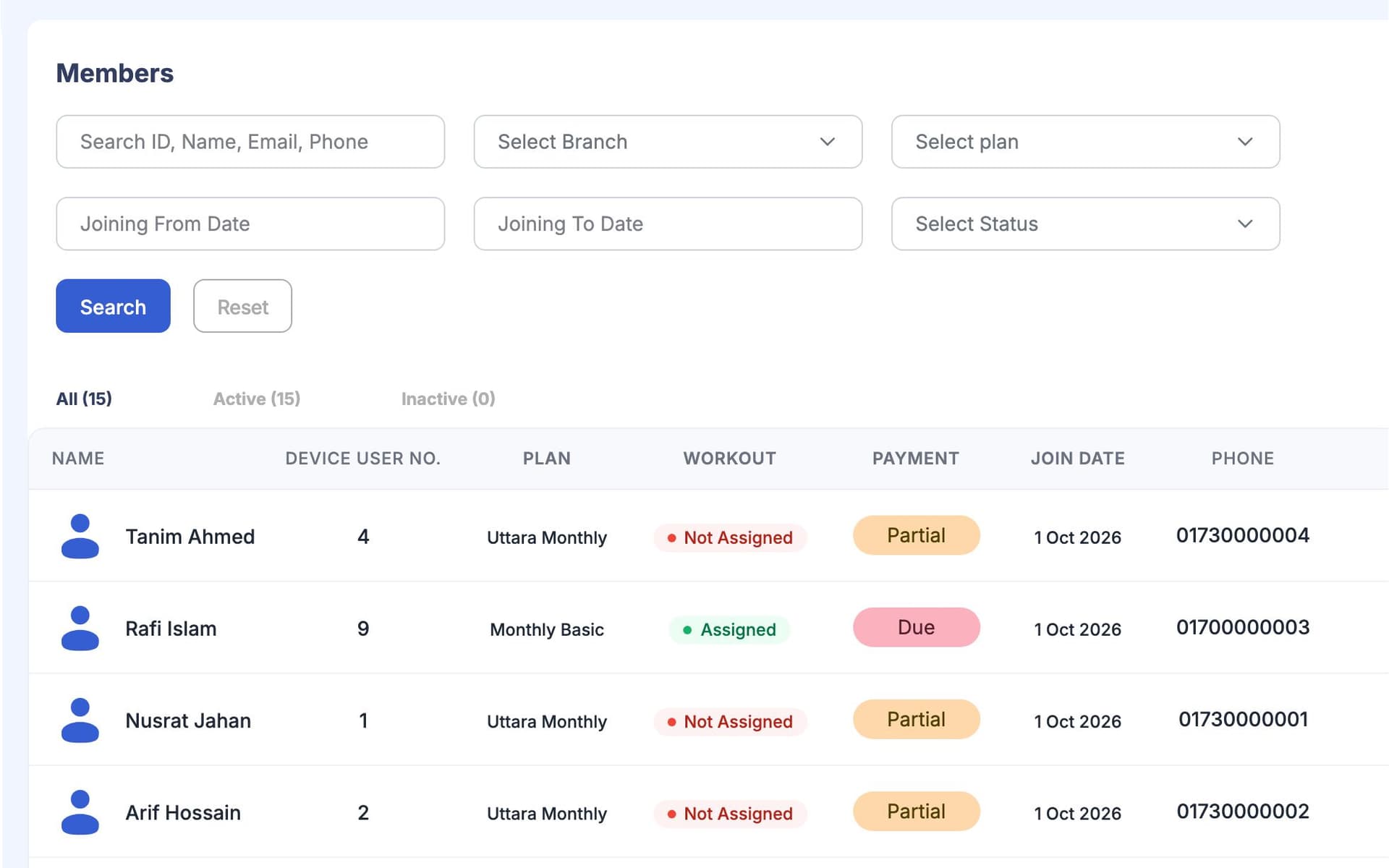
মেম্বার আর প্ল্যান
মেম্বার ম্যানেজমেন্ট: এক লিস্টে, প্ল্যান, বাকি, শেষ ভিজিট আর স্টাফ নোটসহ প্রতিটা প্রোফাইলে।
প্ল্যান আর সার্ভিস: মাসিক, তিন মাস বা সেশন প্ল্যান আর এক্সট্রা সার্ভিস। প্রতিটা মেম্বারের ইনভয়েস তাদের প্ল্যান ফলো করে।
মেম্বার রিকোয়েস্ট: আপনার পাবলিক পেজ থেকে জয়েন, ফ্রি-ট্রায়াল, ক্লাস আর প্রশ্নের রিকোয়েস্ট।
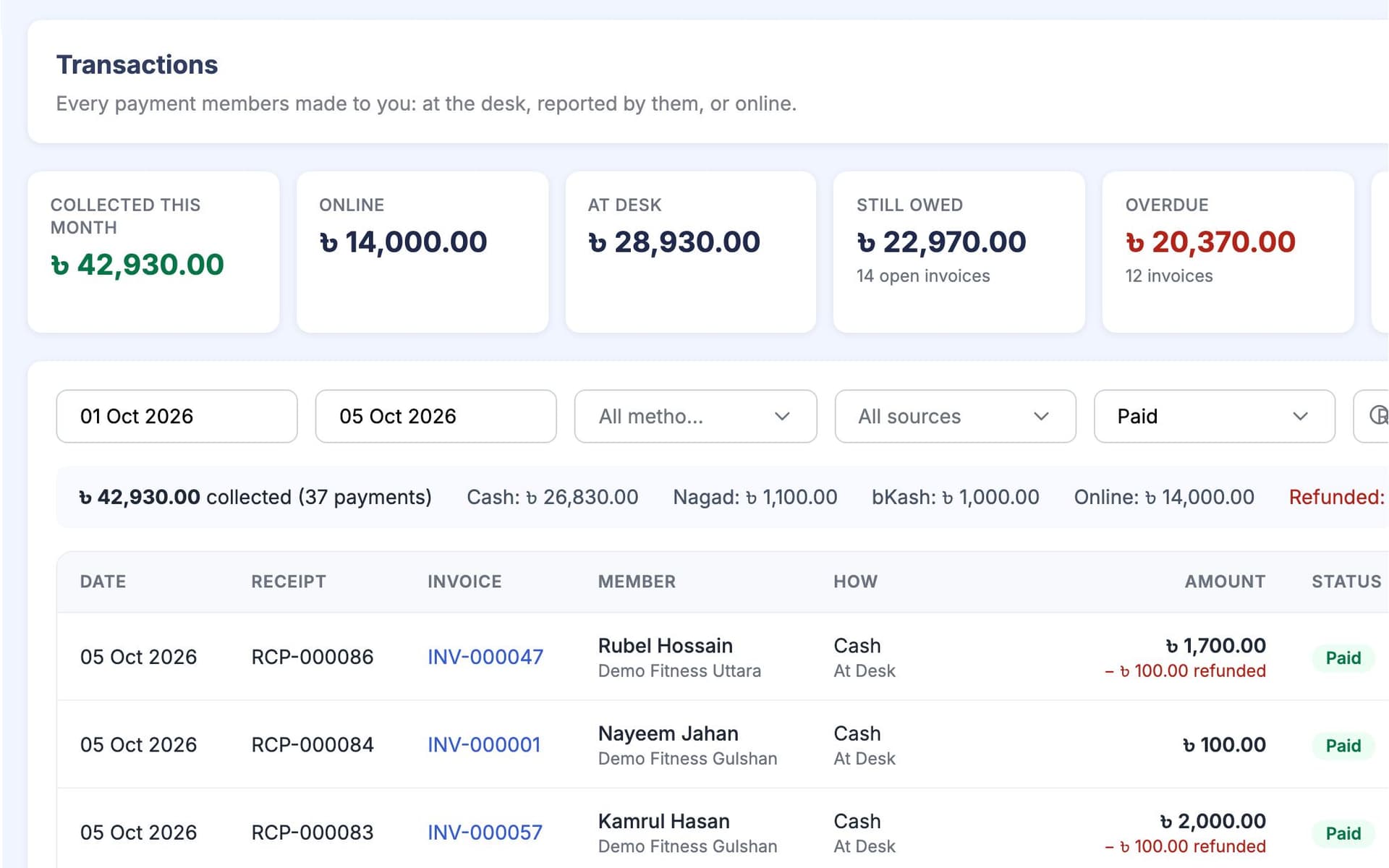
টাকা-পয়সা
পেমেন্ট আর ইনভয়েস: ডেস্ক আর আংশিক পেমেন্ট, মেম্বার রিপোর্ট করা পেমেন্ট অ্যাপ্রুভাল, রিফান্ড আর ভয়েড যেগুলোর হিস্ট্রি থাকে, আর প্রতিদিনের ক্যাশ ক্লোজ।
অনলাইনে মেম্বার পেমেন্ট সরাসরি আপনার পেমেন্ট অ্যাকাউন্টে যায়। GymCity কখনোই মেম্বারের টাকা ধরে রাখে না।
বাকি, ওভারডিউ আর মেয়াদ শেষ হওয়া মেম্বারশিপের জন্য রিমাইন্ডার ইমেইল, SMS বা WhatsApp-এ যায়, আপনার সেটিংস আর প্ল্যান অনুযায়ী।
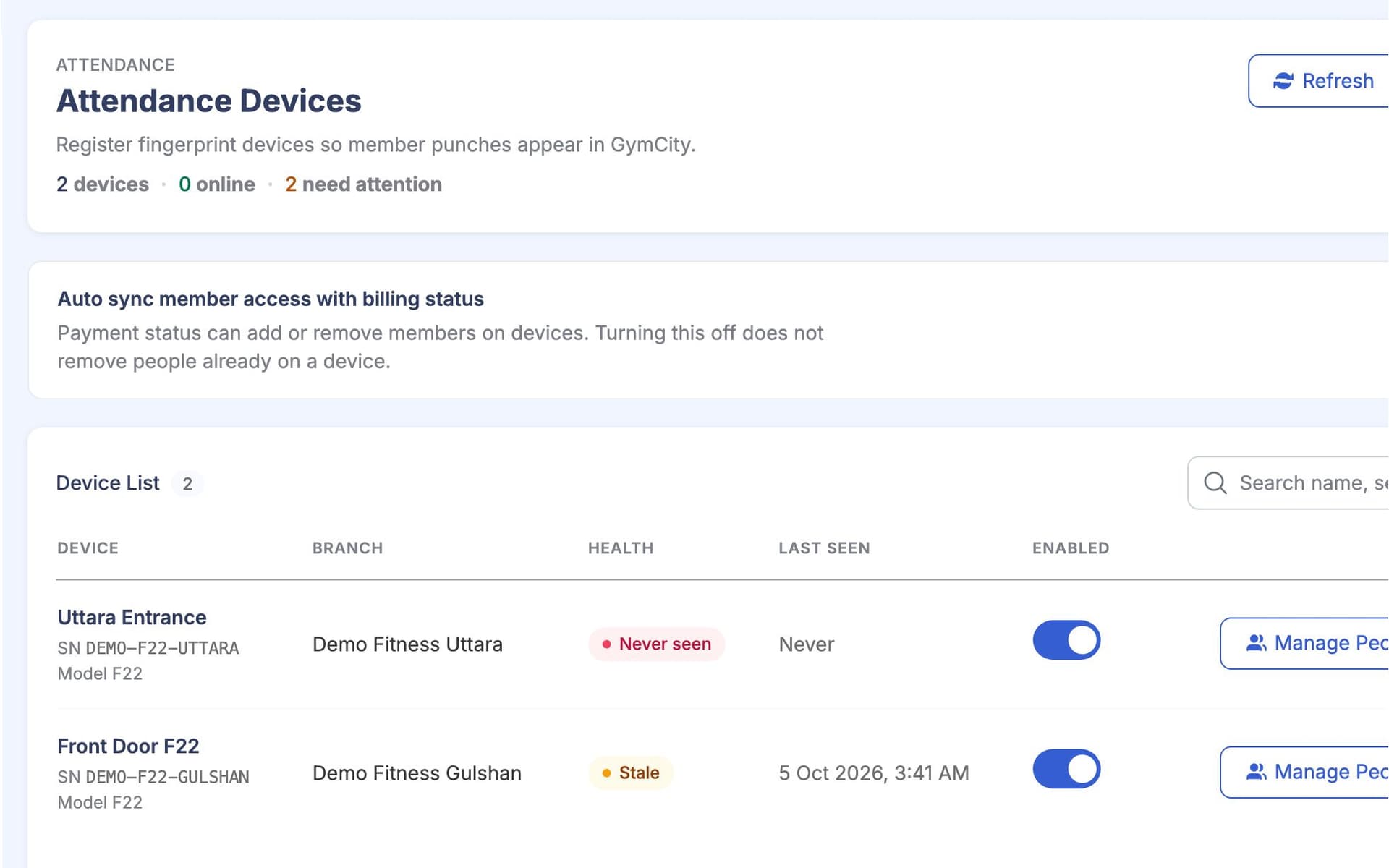
অ্যাটেনডেন্স আর দরজা
অ্যাটেনডেন্স আর এক্সেস ডিভাইস: হাতে চেক-ইন, CSV ইম্পোর্ট বা ZKTeco ফিঙ্গারপ্রিন্ট ডিভাইস, একটাই দরজা রুল স্ট্যাটাস, বিলিং আর গ্রেস ডে দেখে।
ফ্যাসিলিটিজ আর ইকুইপমেন্ট: ওপেনিং আওয়ার, লেডিজ আওয়ার, সুবিধা আর প্রাইভেট ইকুইপমেন্ট লিস্ট।
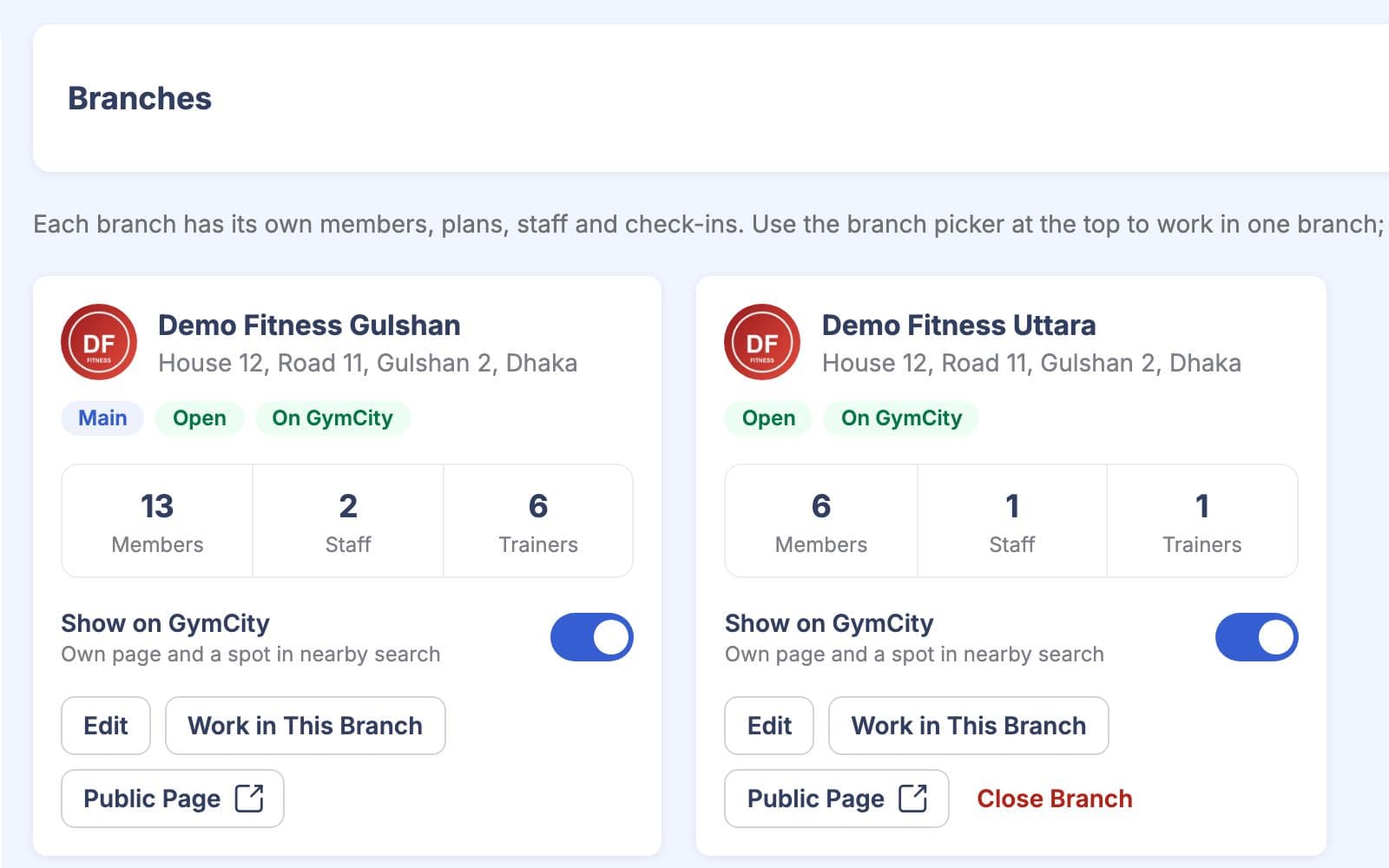
টিম আর ব্রাঞ্চ
স্টাফ আর রোল: প্রতিটা স্টাফের জন্য আলাদা লগইন, রোল অনুযায়ী পারমিশন আর ডিসকাউন্ট লিমিট।
ট্রেইনার আর শিডিউল: আপনার কোচ, কে কাকে কোচিং দেয়, আর প্রতি ব্রাঞ্চে সাপ্তাহিক রোস্টার।
মাল্টি-ব্রাঞ্চ: প্রতিটা ব্রাঞ্চের আলাদা পাবলিক পেজ, স্টাফ আর ডিভাইস। মালিক সব দেখতে পারেন।
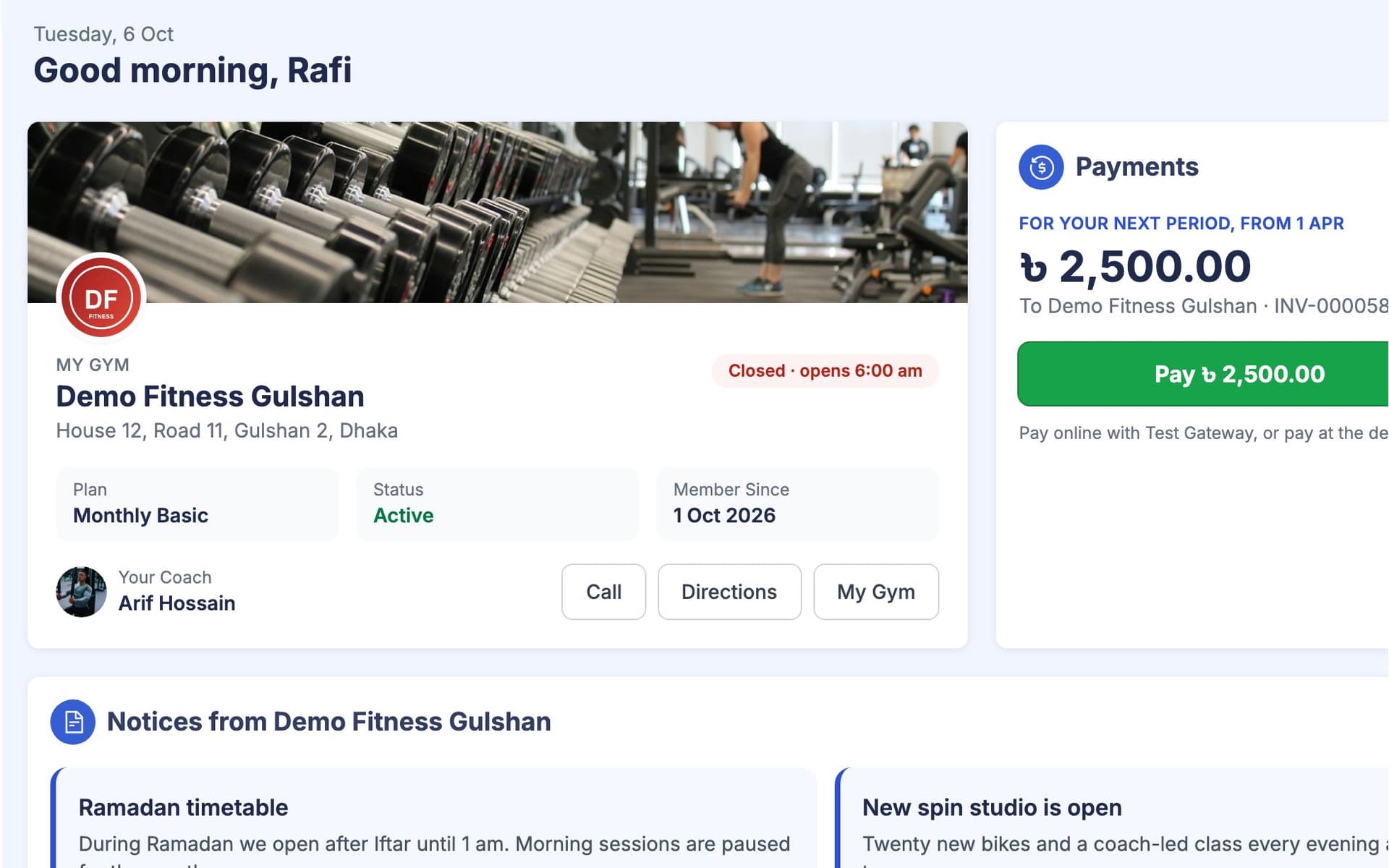
ট্রেইনিং আর মেম্বার সাইড
ওয়ার্কআউট প্ল্যান এক্সারসাইজ লাইব্রেরি থেকে বানানো, সপ্তাহের দিন অনুযায়ী অ্যাসাইন করা হয় আর মেম্বাররা টিক দেয়।
ডায়েট চার্ট আর প্রগ্রেস ট্র্যাকিং ওজন, বডি মাপ আর গোলের জন্য।
মেম্বার পোর্টাল, নোটিশ আর চ্যাট, যাতে মেম্বাররা বিল আর প্ল্যান দেখতে পারে কল ছাড়াই।
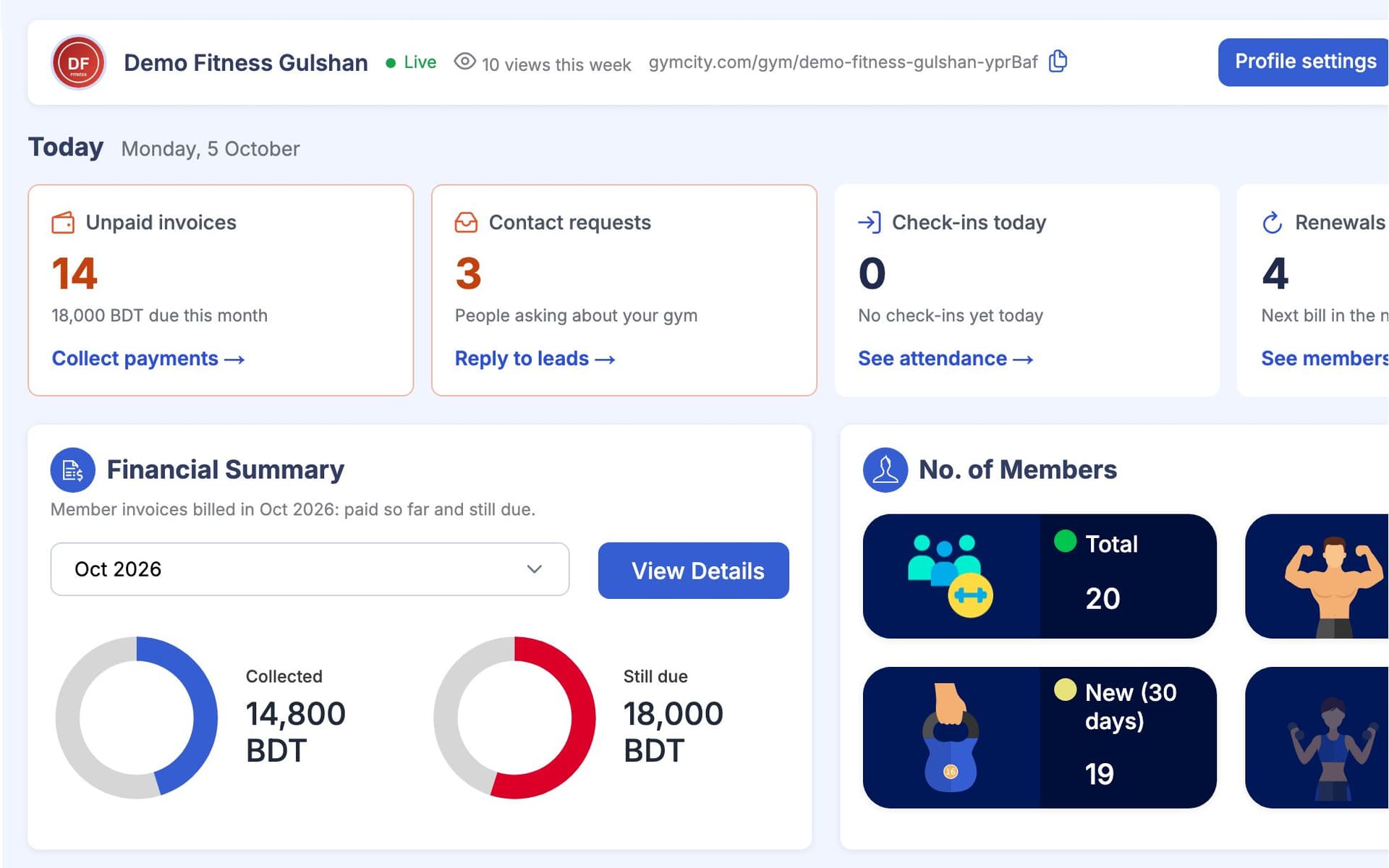
ড্যাশবোর্ড আর রিপোর্ট
ড্যাশবোর্ড আর রিপোর্ট: কত টাকা উঠেছে আর বাকি আছে, মেম্বার সংখ্যা, উপস্থিতি আর আজকের অ্যালার্ট।
নতুন মেম্বারের প্রথম মাস
একজন মানুষ জয়েন করলে কী কী হয়, প্রথম রিকোয়েস্ট থেকে প্রথম রিনিউয়াল পর্যন্ত। স্টাফ কিছু ডিটেইলস দেয়; GymCity ইনভয়েস বানায়, ডোর ডিভাইস আপডেট রাখে আর আপনি যেসব রিমাইন্ডার অন করেন সেগুলো পাঠায়।
- 01
রিকোয়েস্ট
Sadia GymCity-তে আপনার জিম খুঁজে ফ্রি ট্রায়াল রিকোয়েস্ট পাঠায়। তার নাম আর ফোন নম্বরসহ সেটা আপনার অ্যাকাউন্টে আসে।
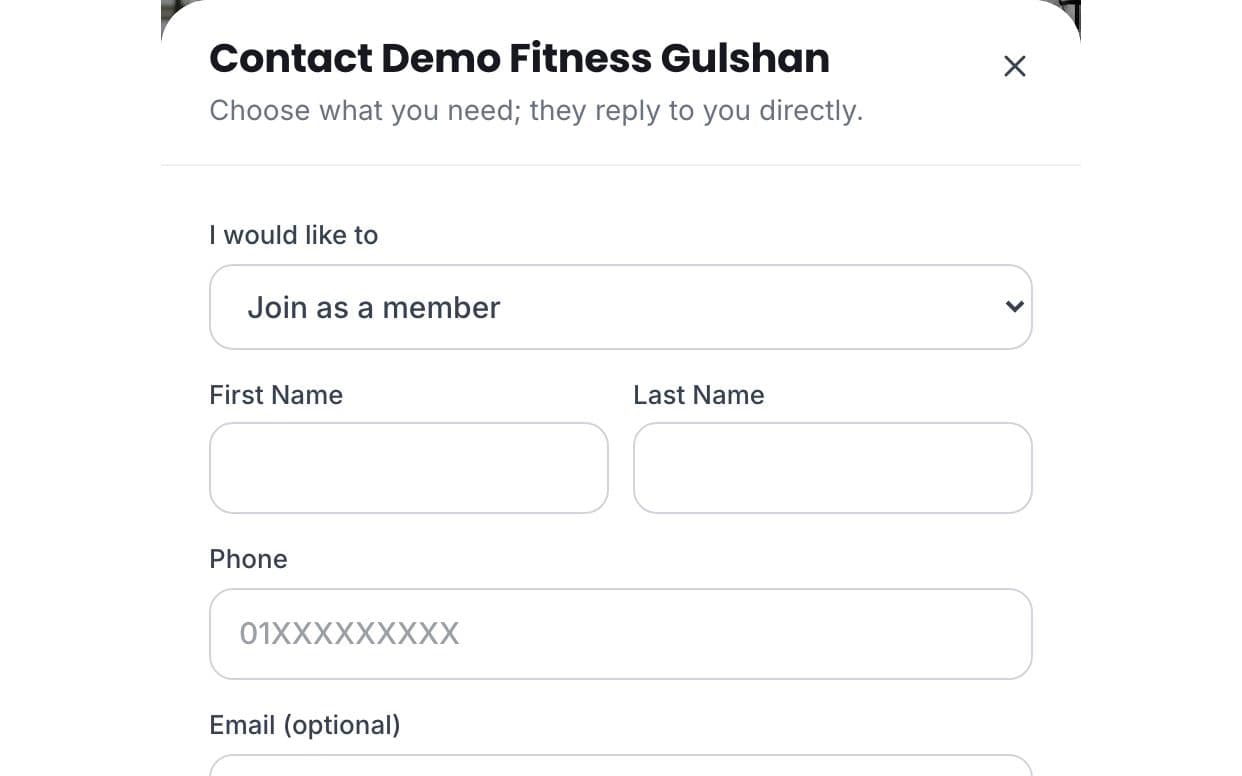
- 02
জয়েন
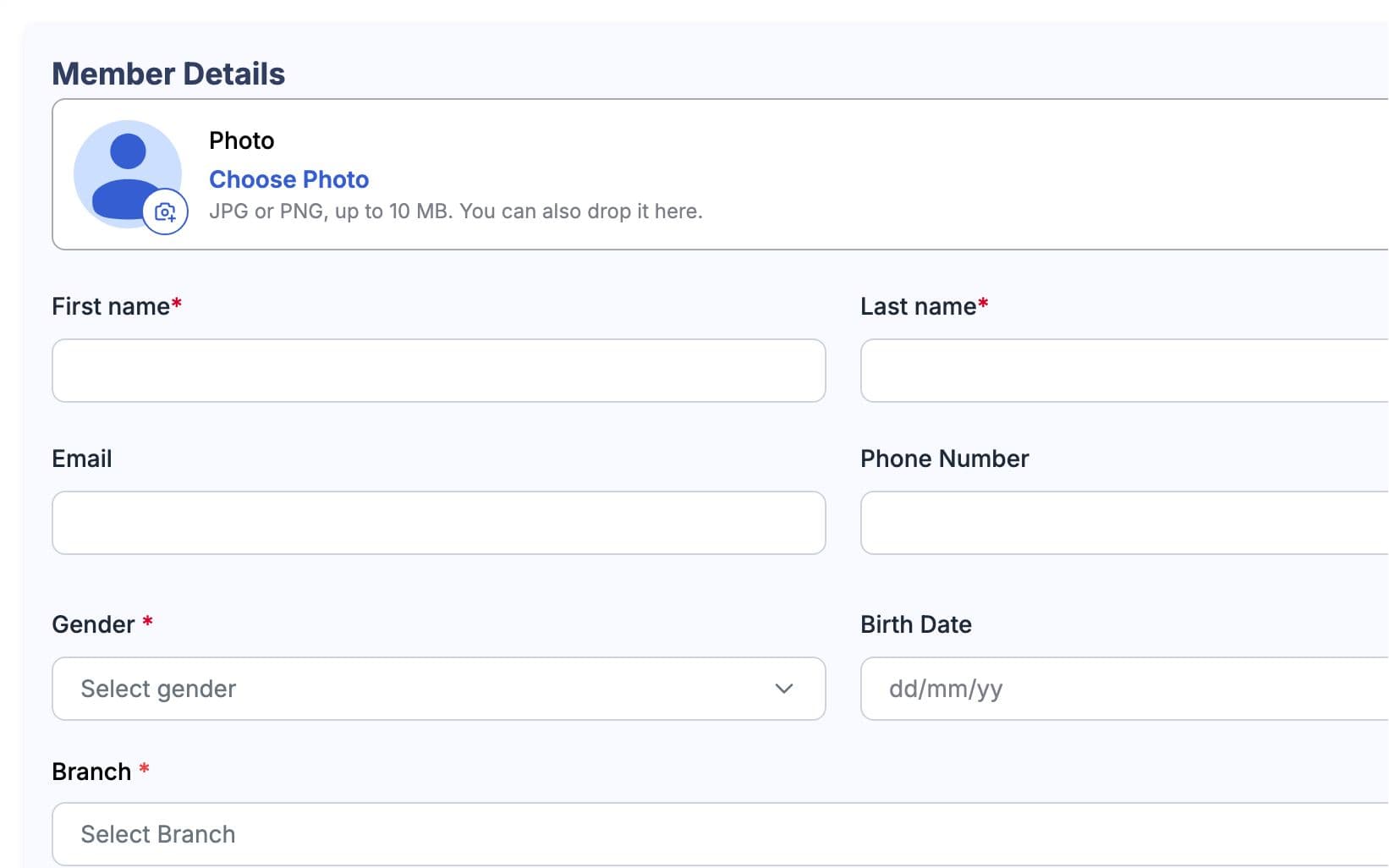
ট্রায়ালের পর, ফ্রন্ট ডেস্ক তাকে মেম্বার হিসেবে মাসিক প্ল্যানে অ্যাড করে, আর সে নিজের অ্যাকাউন্টে ইনভাইট এক্সেপ্ট করে। GymCity ওই প্ল্যান থেকে তার প্রথম ইনভয়েস বানায়।
- 03
পে
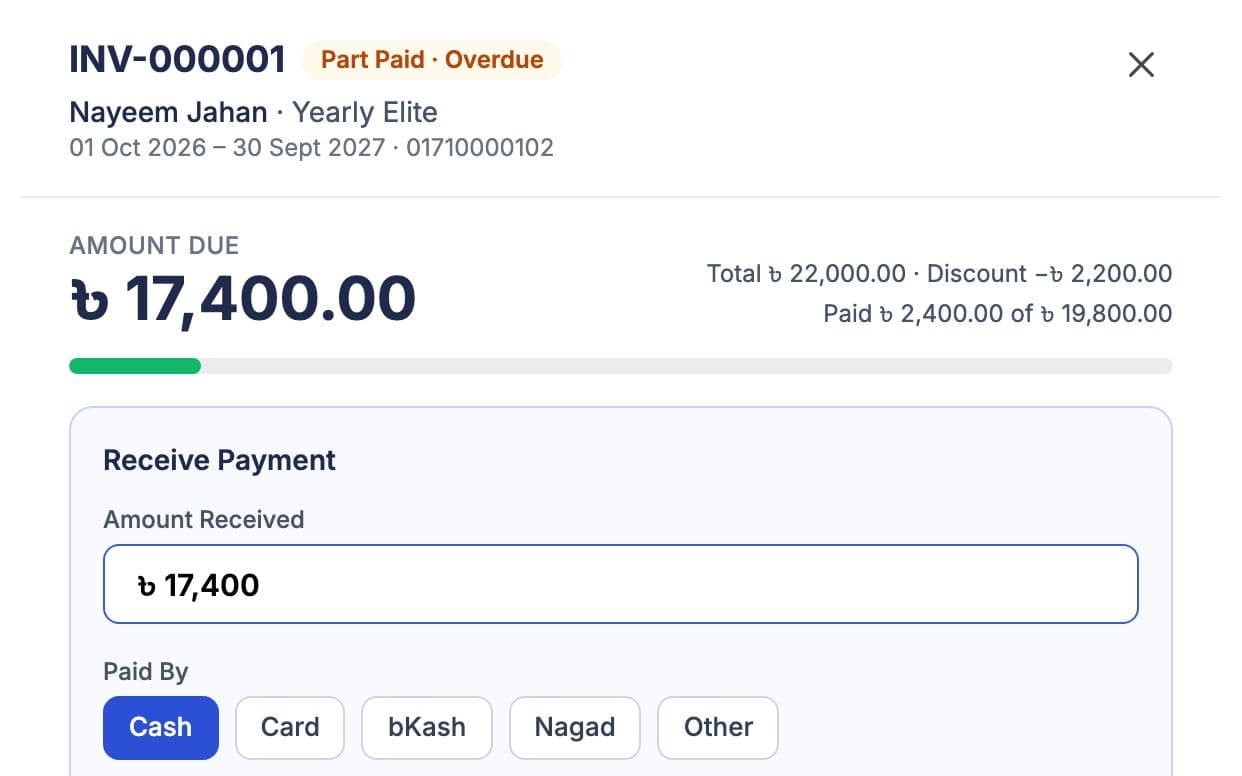
সে ডেস্কে টাকা দেয়। স্টাফ সেটা রেকর্ড করে, আর ইনভয়েস পেইড দেখায় নাম্বারড রিসিপ্টসহ। আংশিক পেমেন্ট দিলে বাকি টাকা ডিউ থাকে।
- 04
ডোর
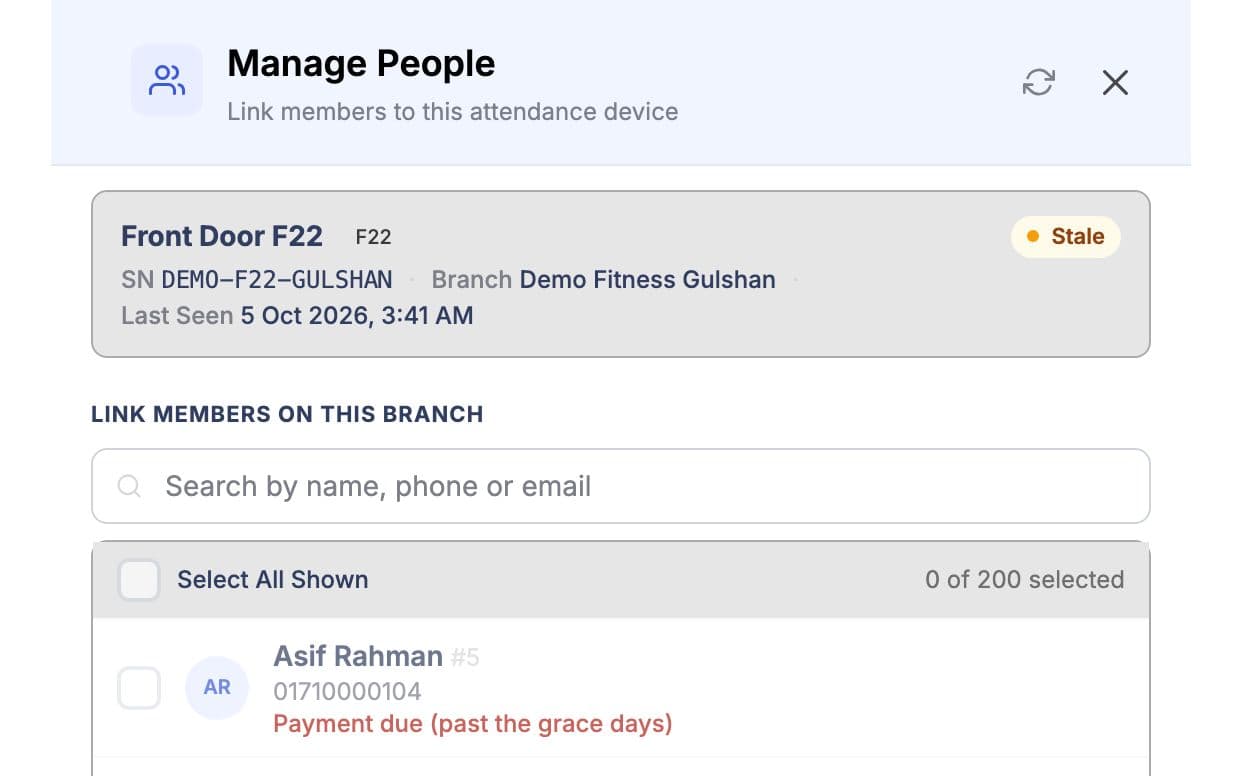
স্টাফ তাকে ব্রাঞ্চের ফিঙ্গারপ্রিন্ট ডিভাইসের সাথে লিংক করে। এরপর থেকে ডিভাইস তার স্ট্যাটাস আর বিলিং ফলো করে, কেউ হাতে চেঞ্জ করতে পারে না।
- 05
ট্রেইন
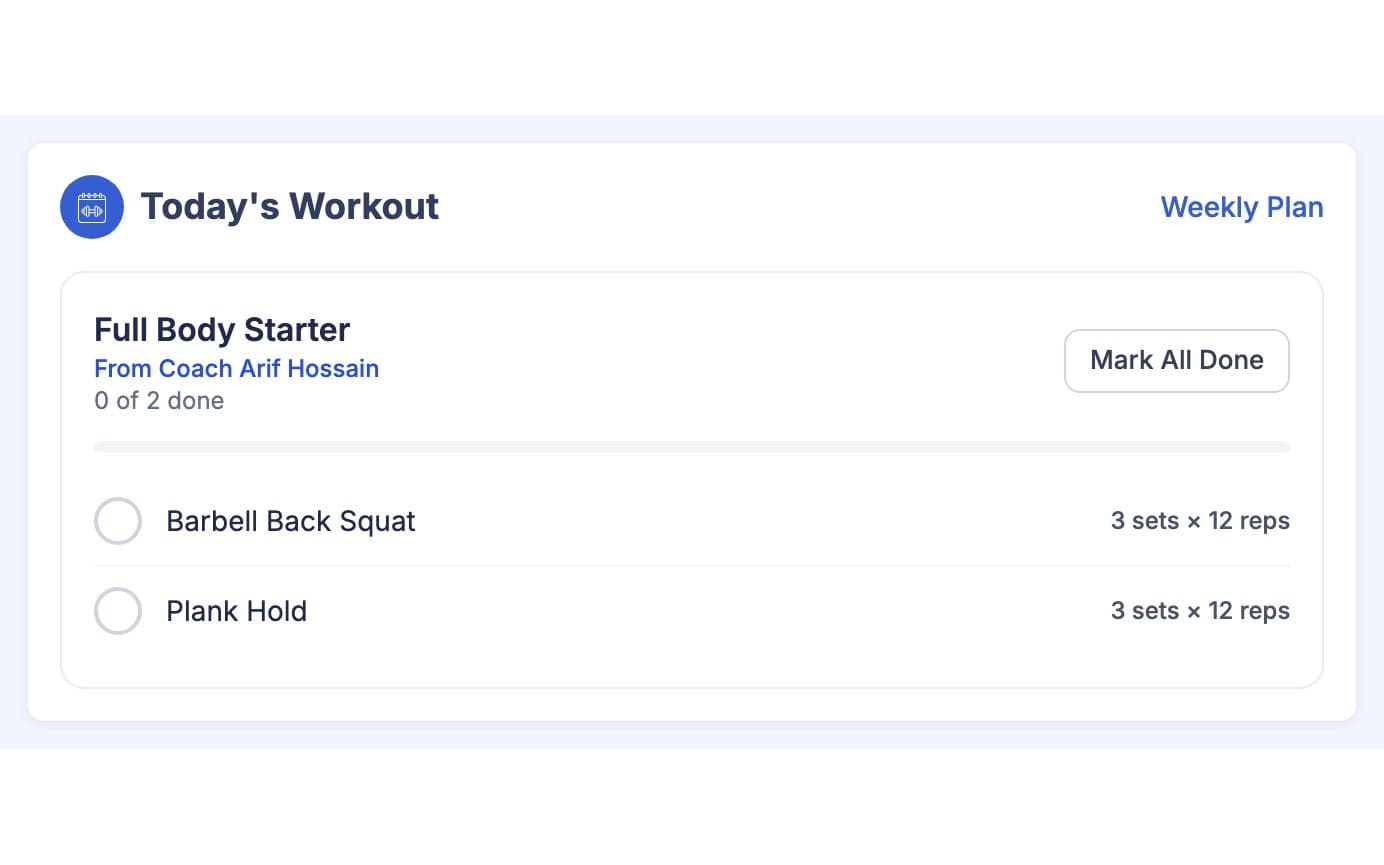
তার কোচ রবিবার, মঙ্গলবার আর বৃহস্পতিবারের জন্য ওয়ার্কআউট অ্যাড করে। সে আজকের ওয়ার্কআউট ফোনে খুলে এক্সারসাইজগুলো টিক দেয়।
- 06
রিনিউ
পরের বিলের আগে সে রিমাইন্ডার পায়, যদি রিমাইন্ডার অন থাকে। গ্রেস ডে পেরিয়ে গেলে ডোর তাকে ঢুকতে দেয় না; পেমেন্ট দিলে আবার ঢুকতে পারে।
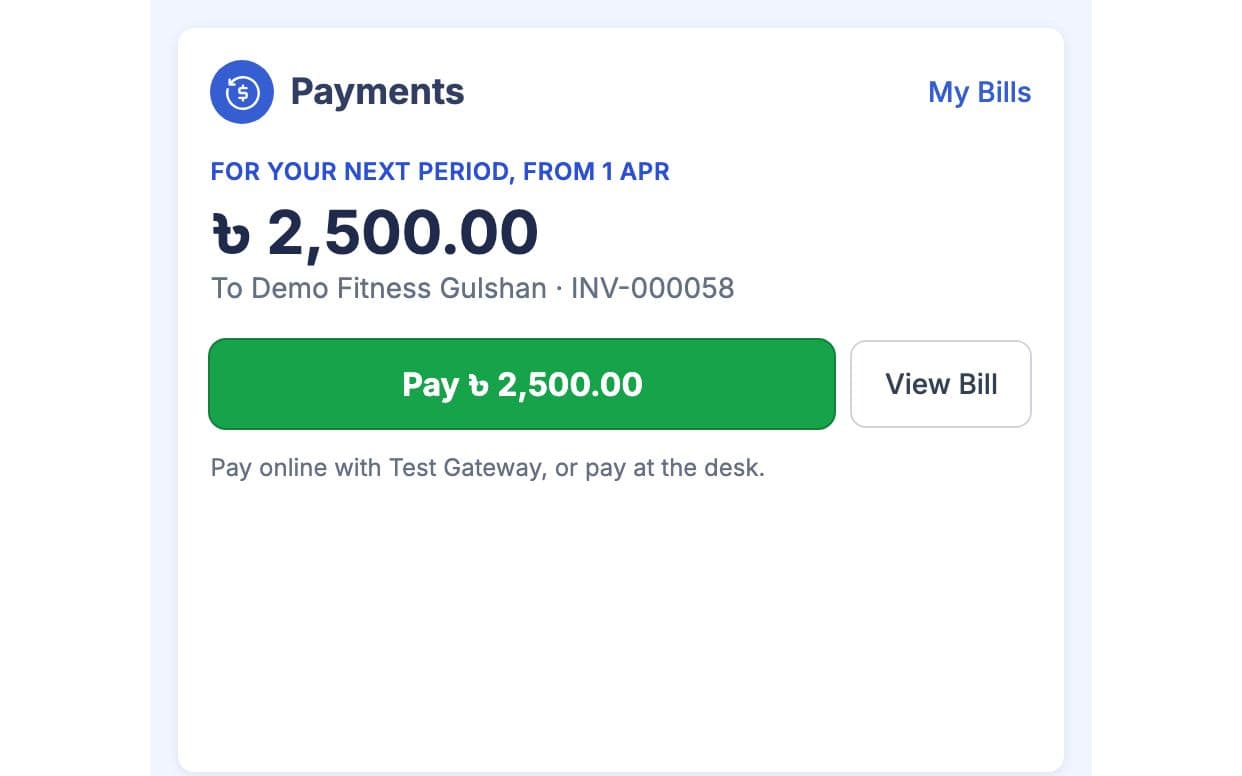
মালিক তার পেমেন্ট দেখে ডেইলি ক্যাশ ক্লোজে আর তার ভিজিট দেখে উপস্থিতির চার্টে।
আপনার টিম প্রথমে দেখে
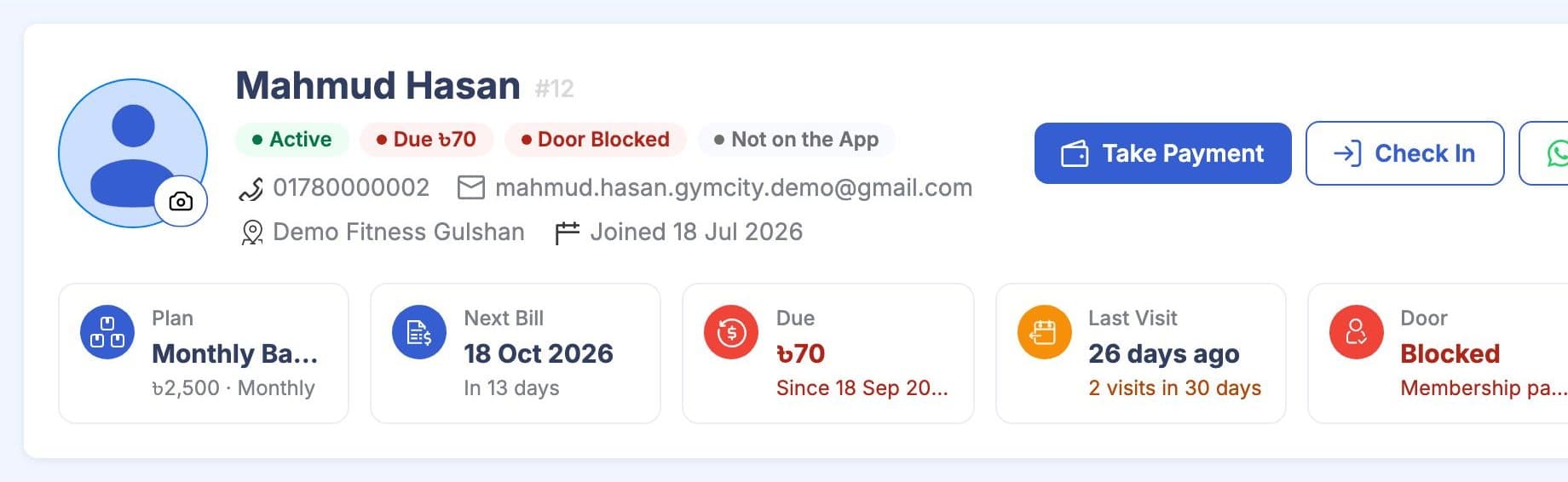
প্রতিটি মেম্বার প্রোফাইল একই হেডার দিয়ে শুরু: প্ল্যান, পরের বিল, ডিউ এমাউন্ট, শেষ ভিজিট, ডোর অ্যাক্সেস আর কোচ। স্ক্রিনশটে ডেমো মেম্বার দেখানো।
“আগে ডিউস নিয়ে হোয়াটসঅ্যাপে সন্ধ্যা কেটে যেত। এখন মেম্বাররা নিজেরাই দেখে কত বাকি, বেশিরভাগ আগে পে করে।” মিরপুরের এক জিম মালিক
ফ্রি লিস্ট করুন। যখন দরকার, তখন টুলস যোগ করুন।
আপনার জিম প্রোফাইল ফ্রি, কোনো সময়সীমা নেই। পেইড প্ল্যানে ম্যানেজমেন্ট টুলস যোগ হয়, মাসিক বা বাৎসরিক পেমেন্টে। দাম আপনার লোকাল কারেন্সিতে দেখাবে।
ফ্রি লিস্টিং
- Public profile with photos, timings and location
- A place in GymCity search and city pages
- Member requests in your GymCity inbox
- Reviews from your members
পেইড প্ল্যান
- Members, plans and invoices
- Payments, reminders and online member payments
- Attendance and fingerprint door access
- Branches, staff roles, workout and diet plans
সেটআপ, সাপোর্ট আর মূল্য
GymCity আপনি নিজেই ড্যাশবোর্ড থেকে সেটআপ করেন। আপনার জিম লিস্ট করা ফ্রি; পেইড প্ল্যান শুরু ৳1,500 মাসিক থেকে, আর প্রতিটা প্ল্যানে কী আছে সেটা প্রাইসিং পেজে দেখাবে।
আপনার জিম অ্যাকাউন্ট খুলুন আর ফ্রি প্রোফাইল পাবলিশ করুন। মাত্র 10 মিনিট লাগে।
আপনার প্ল্যান আর সার্ভিসগুলো তাদের দামের সাথে যোগ করুন।
মেম্বারদের একে একে যোগ করুন, এমনকি যারা আপনার পেজ থেকে রিকোয়েস্ট পাঠায় তাদেরও। বড় মেম্বার লিস্ট থাকলে আমাদের সাথে যোগাযোগ করুন, আমরা হেল্প করব নিয়ে আসতে।
প্রতি ব্রাঞ্চে আপনার ZKTeco ফিঙ্গারপ্রিন্ট ডিভাইস যোগ করুন আর মেম্বারদের একসাথে লিঙ্ক করুন।
যখন দরকার টুলস, তখন পেইড প্ল্যান নিন, মাসিক বা বাৎসরিক পেমেন্টে।
বছর চুক্তিতে সর্বোচ্চ ৪০% সাশ্রয় পাবেন। কার্ড বা মোবাইল ওয়ালেট দিয়ে পেমেন্ট করতে পারবেন; আপনার দেশের জন্য অপশনগুলো প্রাইসিং পেজে দেখাবে। বর্তমান দাম আর প্রতিটা প্ল্যানে কী আছে, সেটা প্রাইসিং পেজে দেখুন।
GymCity টিম শনিবার থেকে বৃহস্পতিবার, সকাল 10টা থেকে সন্ধ্যা 7টা পর্যন্ত কন্টাক্ট পেজে উত্তর দেয়। শুধু নতুন মেম্বার চাইলে, সার্চে কিভাবে ফাউন্ড হন সেটা দেখুন।
হ্যাঁ, কিছুটা আছে। GymCity-তে প্রতিটি জিমের পাবলিক প্রোফাইল, সার্চ লিস্টিং, মেম্বার রিকোয়েস্ট আর রিভিউ ফ্রি, কোনো সময়সীমা ছাড়াই, আর কিছু ম্যানেজমেন্ট টুলও ফ্রি। অন্যগুলো ব্যবহার করতে পেইড প্ল্যান নিতে হয়, যা শুরু হয় মাসে মাত্র ৳1,500 থেকে। কোন প্ল্যানে কী কী আছে, সেটা প্রাইসিং পেজে দেয়া আছে, তাই চাইলে ফ্রি-তেই শুরু করতে পারেন, আর যখন দরকার হবে তখন আপগ্রেড করতে পারবেন।
হ্যাঁ, কিছুটা আছে। GymCity-তে প্রতিটি জিমের পাবলিক প্রোফাইল, সার্চ লিস্টিং, মেম্বার রিকোয়েস্ট আর রিভিউ ফ্রি, কোনো সময়সীমা ছাড়াই। কিছু ম্যানেজমেন্ট টুলসও ফ্রি। অন্যগুলো ব্যবহার করতে পেইড প্ল্যান নিতে হয়, শুরু ৳1,500 মাসিক থেকে। কোন প্ল্যানে কী আছে, সেটা প্রাইসিং পেজে দেয়া আছে, তাই চাইলে ফ্রি-তেই শুরু করতে পারেন, আর যখন দরকার হবে তখন আপগ্রেড করতে পারবেন।
পাঁচটা জিনিস দেখুন: এটা কি আপনার ডেস্ক যেভাবে টাকা নেয়, সেইভাবে বাকি টাকা আর পার্ট পেমেন্ট ট্র্যাক করে কিনা, এটা কি আপনার দরজা বা ফিঙ্গারপ্রিন্ট ডিভাইসের সাথে কাজ করে কিনা, স্টাফদের কি আলাদা লগইন আছে কিনা, মেম্বাররা কি নিজের বিল দেখতে পারে কিনা, আর এটা কি একাধিক ব্রাঞ্চ সামলাতে পারে কিনা। এরপর লোকাল জিনিস যেমন কারেন্সি, মোবাইল পেমেন্ট আর SMS রিমাইন্ডার আছে কিনা, সেটাও দেখে নিন।
পাঁচটা জিনিস দেখুন: এটা কি আপনার ডেস্ক যেভাবে টাকা নেয়, সেইভাবে বাকি টাকা আর পার্ট পেমেন্ট ট্র্যাক করতে পারে কিনা, এটা কি আপনার দরজা বা ফিঙ্গারপ্রিন্ট ডিভাইসের সাথে কাজ করে কিনা, স্টাফদের কি নিজেদের লগইন আছে কিনা, মেম্বাররা কি নিজেদের বিল দেখতে পারে কিনা, আর এটা কি একাধিক ব্রাঞ্চ সামলাতে পারে কিনা। এরপর লোকাল ব্যাপারগুলো দেখুন, যেমন কারেন্সি, মোবাইল পেমেন্ট আর SMS রিমাইন্ডার।
হ্যাঁ। নাম, ফোন নম্বর আর প্ল্যান দিয়ে একজন একজন করে মেম্বার যোগ করতে পারবেন, এমনকি যারা আপনার পাবলিক পেজ থেকে রিকোয়েস্ট পাঠায় তাদেরও। যদি মেম্বার লিস্ট বড় হয়, তাহলে GymCity টিমের সাথে যোগাযোগ করুন, আমরা আপনাকে নিতে সাহায্য করবো। মেম্বারদের সাথে সাথে অ্যাপ ব্যবহার করতে হবে না; পরে লগইন করে শুরু করতে পারবে।
GymCity বাংলাদেশে শাখার জন্য ক্লাউড সার্ভারে (ADMS) কানেক্ট করা ZKTeco ফিঙ্গারপ্রিন্ট ডিভাইসের সাথে কাজ করে। প্রতিটা ডিভাইস একটা শাখার জন্য থাকে এবং এক দরজা নিয়ম ফলো করে: মেম্বার স্ট্যাটাস, কোনো ম্যানুয়াল এলাউ বা ব্লক, তারপর আপনার গ্রেস ডে সহ বিলিং। ডিভাইস ছাড়া, স্টাফরা মেম্বারদের হাতে হাতে চেক-ইন করতে পারে বা CSV ফাইল ইম্পোর্ট করতে পারে।
না। মেম্বাররা আপনাকে সরাসরি পেমেন্ট করে: কাউন্টারে, আপনার নিজের মোবাইল ওয়ালেটে, অথবা আপনার নিজের পেমেন্ট অ্যাকাউন্টে অনলাইনে। GymCity কখনোই মেম্বারদের টাকা ধরে রাখে না এবং কোনো অংশ নেয় না। আপনি শুধু আপনার নিজের প্ল্যানের জন্য, মাসিক বা বাৎসরিক, GymCity-কে পেমেন্ট করেন এবং প্রতিটি পেমেন্টের জন্য রিসিট পান।
হ্যাঁ। প্রতিটি স্টাফ সদস্য তাদের নিজস্ব ইউজারনেম দিয়ে স্টাফ লগইনে সাইন ইন করে। আপনি রোল তৈরি করেন, কোন রোল কী কী তৈরি, দেখা, আপডেট বা ডিলিট করতে পারবে তা টিক দেন, আর প্রতিটি রোল সর্বোচ্চ কত ছাড় দিতে পারবে সেটাও ঠিক করেন। ব্রাঞ্চের স্টাফরা শুধু তাদের নিজের ব্রাঞ্চ দেখতে পায়, আর মালিক সব ব্রাঞ্চ দেখতে পারেন।

GymCity-তে আপনার জিম চালান
আজই আপনার জিম ফ্রি লিস্ট করুন, প্ল্যানগুলো তুলনা করুন, আর যখন সুবিধা মনে হবে তখন মেম্বার, পেমেন্ট আর অ্যাটেনডেন্স নিয়ে আসুন।