নোটিশ ও খবর
GymCity নোটিশ ও খবর দিয়ে জিম ও পার্সোনাল ট্রেইনাররা আপডেট পোস্ট করতে পারে। নোটিশ দিয়ে মেম্বারদের ছুটির সময়সূচি বা নতুন ক্লাস জানাতে পারেন, আর খবর পোস্ট দিয়ে পাবলিক পেজে নতুন কিছু দেখাতে পারেন।
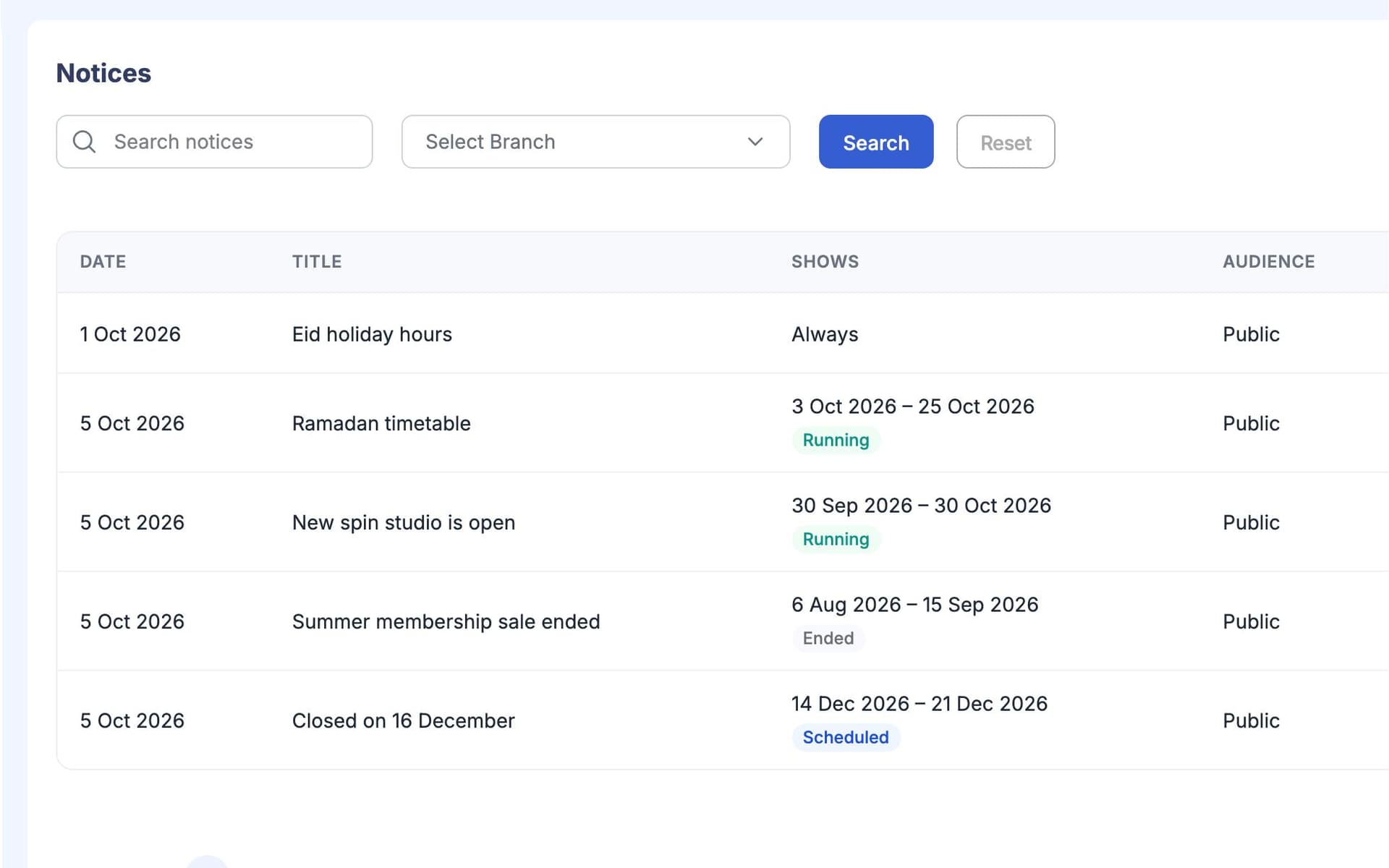
GymCity নোটিশ ও খবর কী?
GymCity নোটিশ ও খবরের মাধ্যমে জিম ও পার্সোনাল ট্রেইনাররা আপডেট শেয়ার করে। নোটিশ শুধু আপনার মেম্বারদের যায় এবং তাদের হোম স্ক্রিন ও My Gym বা My Trainer পেজে দেখায়, আপনি যেসব তারিখ ঠিক করবেন। খবর পোস্ট পাবলিক: এটা আপনার GymCity প্রোফাইলে দেখায়, আর একটি ফিচার্ড পোস্ট সবার আগে দেখায়।
কেন জিম ও ট্রেইনাররা নোটিশ ও খবর ব্যবহার করেন
বোর্ডে কাগজ
আমরা ছুটির সময়সূচি রিসেপশনের দেয়ালে লাগাই, আর অর্ধেক মেম্বারই সেটা দেখে না।
নোটিশ প্রতিটি মেম্বারের হোম স্ক্রিনে দেখায়।গ্রুপ চ্যাটের ঝামেলা
গুরুত্বপূর্ণ আপডেট WhatsApp গ্রুপে জোকস আর জিম সেলফির মাঝে হারিয়ে যায়।
নোটিশ আলাদা তালিকায় থাকে, চ্যাট থেকে আলাদা।চুপচাপ পাবলিক পেজ
আমাদের পেজটা আগের বছরের মতোই দেখায়, তাই ভিজিটররা বুঝতে পারে না আমরা নতুন ক্লাস যোগ করেছি।
খবর পোস্টে ভিজিটররা নতুন কী হয়েছে দেখতে পারে।3 ধাপ-এ নোটিশ ও খবর
নোটিশ লিখুন
একটা টাইটেল আর ছোট একটা মেসেজ দিন, যেমন ঈদের ছুটির সময়সূচি বা লেডিজ আওয়ারে পরিবর্তন। শুরু ও শেষের তারিখ দিন, আর ছবি বা ভিডিও লিংক দিলে আরও ভালো। চাইলে নোটিশটা পাবলিক পেজেও দেখাতে পারেন।
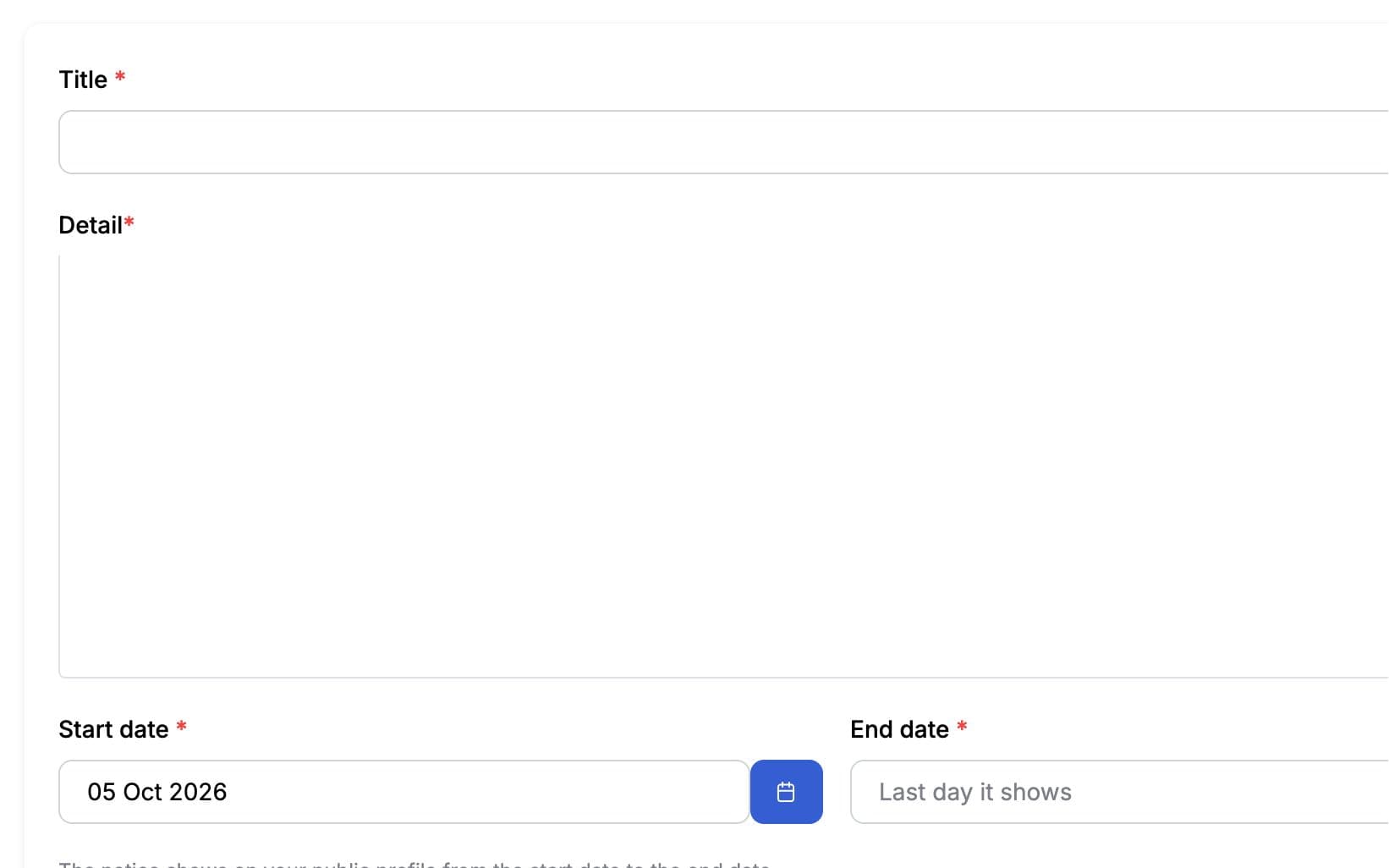
মেম্বাররা দেখবে
নোটিশ চলাকালীন, এটা প্রতিটি মেম্বারের হোম স্ক্রিন ও My Gym বা My Trainer-এ দেখাবে। শেষ তারিখের পর নিজে থেকেই চলে যাবে, তাই মেম্বাররা পুরনো খবর পড়ে না। নোটিশ GymCity-র মধ্যেই থাকে, SMS-এ পাঠানো হয় না।
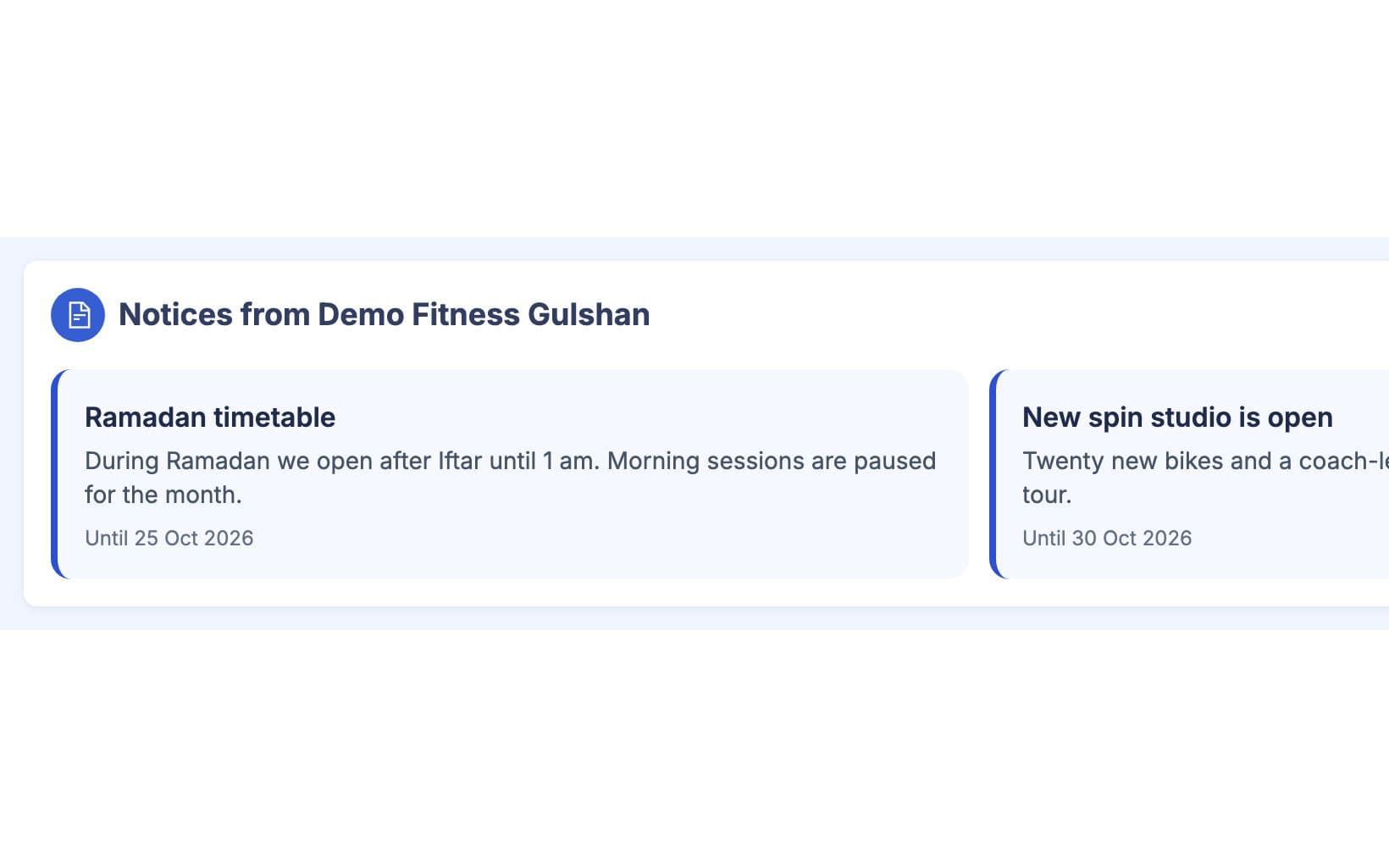
পাবলিকভাবে খবর পোস্ট করুন
নতুন ক্লাস, নতুন ইকুইপমেন্ট বা কোনো ইভেন্ট নিয়ে খবর পোস্ট লিখুন, ছবি, ভিডিও বা লিংক দিন। ড্রাফট হিসেবে রাখুন, পরে শিডিউল করুন বা এখনই পাবলিশ করুন। একটা পোস্ট ফিচার্ড হিসেবে মার্ক করুন, সেটা প্রোফাইলে আগে দেখাবে, বাকি সব All News পেজে থাকবে।
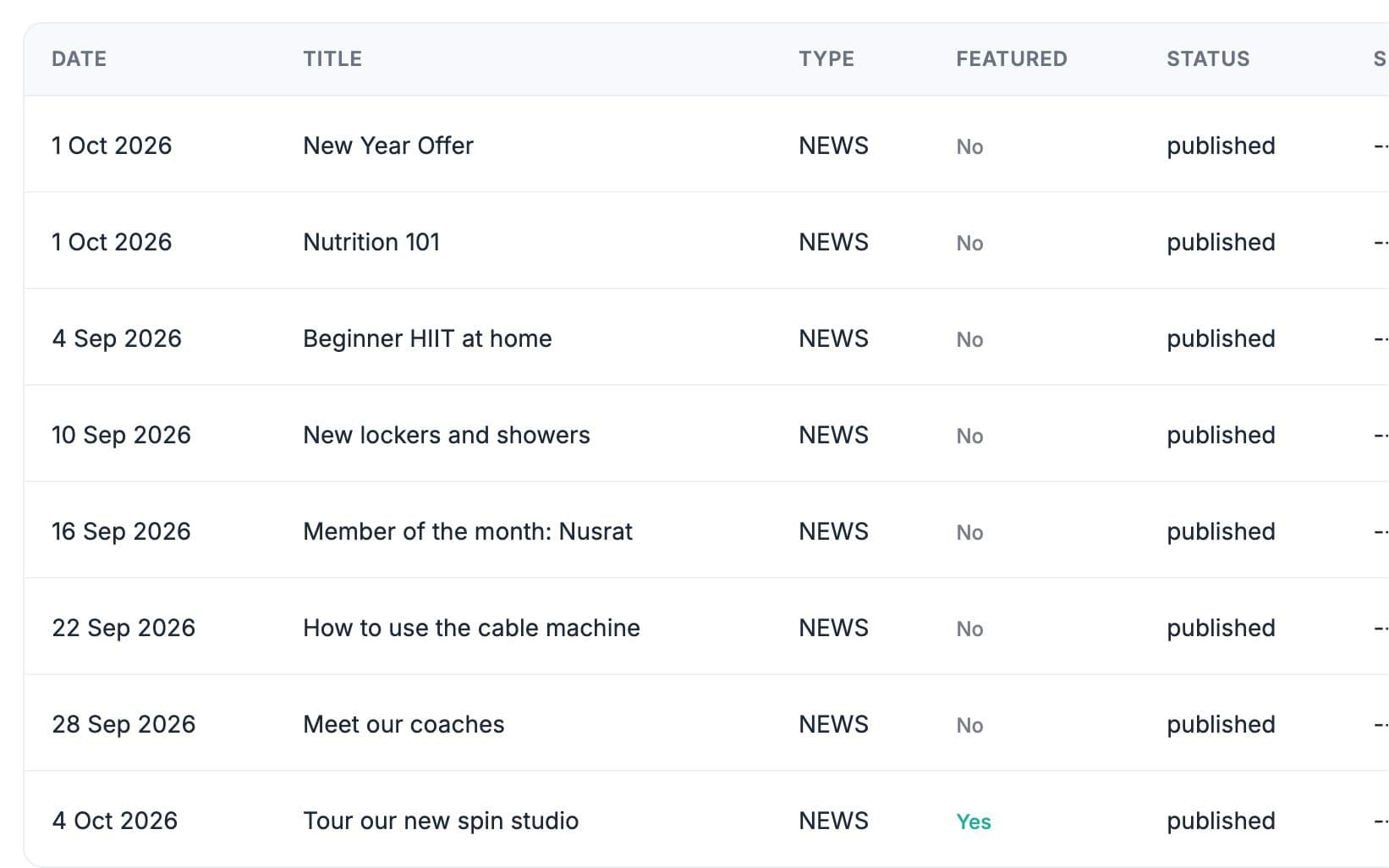
আপনার কাজের ধরন মাথায় রেখে তৈরি
পরেরবার মেম্বাররা GymCity খুললে নোটিশ তাদের হোম স্ক্রিনে দেখাবে।
নোটিশ আপনি ঠিক করা তারিখে শুরু ও শেষ হয়, আলাদা করে তুলে ফেলার কথা মনে রাখার দরকার নেই।
খবর পোস্টে ভিজিটররা দেখে আপনার জিম অ্যাকটিভ আছে আর কী কী পরিবর্তন হয়েছে।
নোটিশ ও খবর-এ যা পাচ্ছেন
নোটিশ ও খবর: সচরাচর প্রশ্ন
জিম মালিক ও ট্রেইনাররা সবচেয়ে বেশি যা জিজ্ঞেস করেন, তার সংক্ষিপ্ত উত্তর।
সব প্রশ্ন →তারা লগইন করার পর হোম স্ক্রিনে এবং My Gym বা My Trainer পেজে নোটিশ দেখতে পায়। একজন মেম্বার শুধু সেই জিম বা ট্রেইনারের নোটিশই দেখতে পায়, যেটার প্রোফাইল সে ওই সময়ে ব্যবহার করছে। তাই কেউ যদি জিমে ট্রেনিং করে আবার পার্সোনাল ট্রেইনারের সাথেও ট্রেনিং করে, তাহলে কখনোই দুইটার নোটিশ গুলিয়ে যাবে না।
নোটিশ প্রাইভেট: শুধু আপনার মেম্বার আর ক্লায়েন্টরা GymCity-তে নির্দিষ্ট তারিখে দেখতে পাবে। নিউজ পোস্ট পাবলিক: যেকেউ আপনার GymCity প্রোফাইল ভিজিট করলে পড়তে পারবে, আর সার্চ ইঞ্জিনেও খুঁজে পাবে। ছুটির সময়সূচির মতো বিষয়ের জন্য নোটিশ ব্যবহার করুন, আর নতুন কোনো ক্লাসের মতো খবরের জন্য নিউজ পোস্ট দিন।
না। নোটিশ শুধু GymCity-র ভেতরে দেখা যায়। বিল রিমাইন্ডার, রসিদ আর এই ধরনের মেসেজ আলাদা ফিচার, Member Notifications, যেটা আপনার সেটিংস আর প্ল্যান অনুযায়ী ইমেইল, WhatsApp বা SMS-এ বাংলাদেশি নাম্বারে পাঠানো যায়। কোনো মেম্বারের সাথে দ্রুত কথা বলতে চাইলে Messages ব্যবহার করুন।
হ্যাঁ। পোস্টটি শিডিউল করে তারিখ ও সময় দিয়ে সেভ করুন, তারপর থেকে সেটা আপনার পাবলিক পেজে দেখা যাবে। চাইলে পোস্টটি ড্রাফট হিসেবেও রাখতে পারেন যতক্ষণ না প্রস্তুত, অথবা সাথে সাথে পাবলিশ করতে পারেন। নোটিশও একইভাবে কাজ করে, শুধু তাদের শুরু ও শেষ তারিখ দিয়ে।
একসাথে আরও ভালো কাজ করে
সর্বশেষ আপডেট 16 অক্টোবর, 2026লিখেছেন Sarwar Hossainস্ক্রিনে শুধু ডেমো তথ্য দেখানো হয়েছে
আপনার জিম বা ক্লায়েন্টদের সাথে নোটিশ ও খবর ট্রাই করুন
আজই ফ্রিতে আপনার জিম বা ট্রেনিং ব্যবসা লিস্ট করুন, আর প্রস্তুত হলে প্রয়োজনীয় টুলগুলো চালু করুন।