এআই ডায়েট প্ল্যান দ্রুত তৈরি, আপনি চেক করবেন
একটা ফুল ডায়েট প্ল্যান হাতে লিখতে ঘণ্টার পর ঘণ্টা লাগে। GymCity আপনার ক্লায়েন্টের ডিটেইলস থেকে একটা খসড়া তৈরি করে দেয়, আর আপনি ঠিক করেন কী রাখবেন। এআই প্রথম খসড়া বানায়, বাকি আপনার অভিজ্ঞতা।
GymCity এআই ডায়েট প্ল্যান কী?
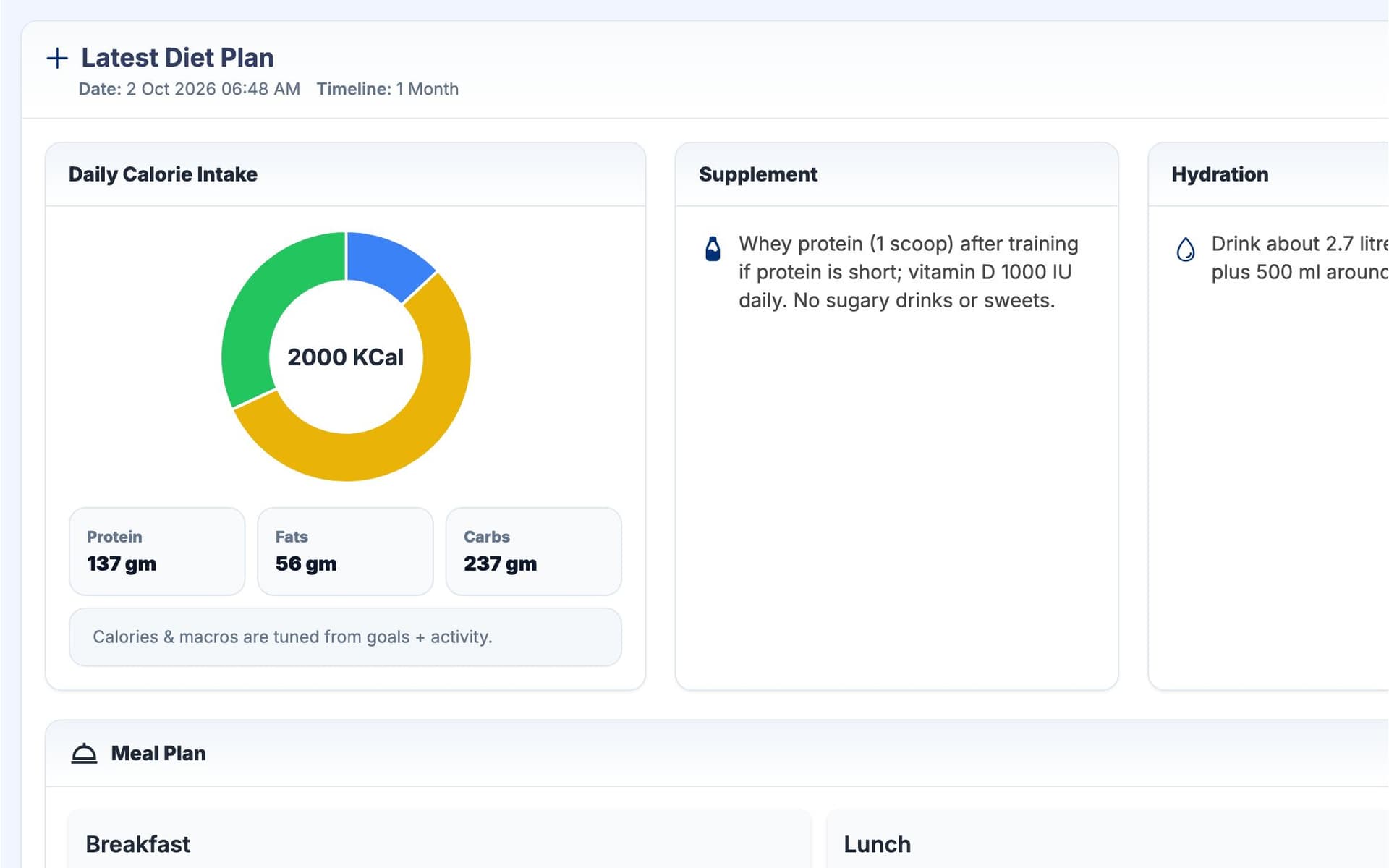
এআই ডায়েট প্ল্যান GymCity-র একটা টুল, পার্সোনাল ট্রেইনারদের জন্য। এটা OpenAI বা Google Gemini দিয়ে ক্লায়েন্টের লক্ষ্য, স্বাস্থ্য রেকর্ড, মাপ আর ডায়েট প্রশ্নোত্তর থেকে ডায়েট প্ল্যানের খসড়া বানায়। খসড়ায় থাকে প্রতিদিনের ক্যালরি, ম্যাক্রো, মিল, পানি আর সাপ্লিমেন্ট। ট্রেইনার রিভিউ আর এডিট করেন, ক্লায়েন্ট তাদের অ্যাপে দেখে।
কেন ট্রেইনাররা এআই ডায়েট প্ল্যান ব্যবহার করেন
প্রতি প্ল্যানে সময়
প্রতিটা ক্লায়েন্টের জন্য ক্যালরি, ম্যাক্রো আর দিনে চারটা মিল হিসাব করতে গেলে কোচিংয়ের টাইমটাই চলে যায়। বিশজন ক্লায়েন্ট হলে তো দ্বিতীয় চাকরি হয়ে যায়।
আপনি অপেক্ষা করতে করতে প্রথম খসড়া।সাধারণ প্ল্যান
একটা চার্ট সবাইকে কপি করলে ক্লায়েন্টের লক্ষ্য, স্বাস্থ্য সমস্যা আর তারা কী খাবে, সেটা ধরা হয় না। ক্লায়েন্টরা বুঝে ফেলে আর ফলো করা ছেড়ে দেয়।
প্রতিটা ক্লায়েন্টের লক্ষ্য, স্বাস্থ্য আর উত্তর থেকে তৈরি।এআই যেটা আপনি চেক করতে পারেন না
একটা সাধারণ চ্যাটবট থেকে প্ল্যান নিলে ক্লায়েন্টের রেকর্ডের সাথে কোনো লিংক থাকে না আর কী কী চেঞ্জ হয়েছে, তার কোনো হিস্ট্রি থাকে না। আপনি চেক না করলে দায় নিতে পারবেন না।
আপনি প্ল্যান এডিট করেন; আগের প্ল্যানগুলো সেভ থাকে।3 ধাপ-এ এআই ডায়েট প্ল্যান
ক্লায়েন্ট বাছুন
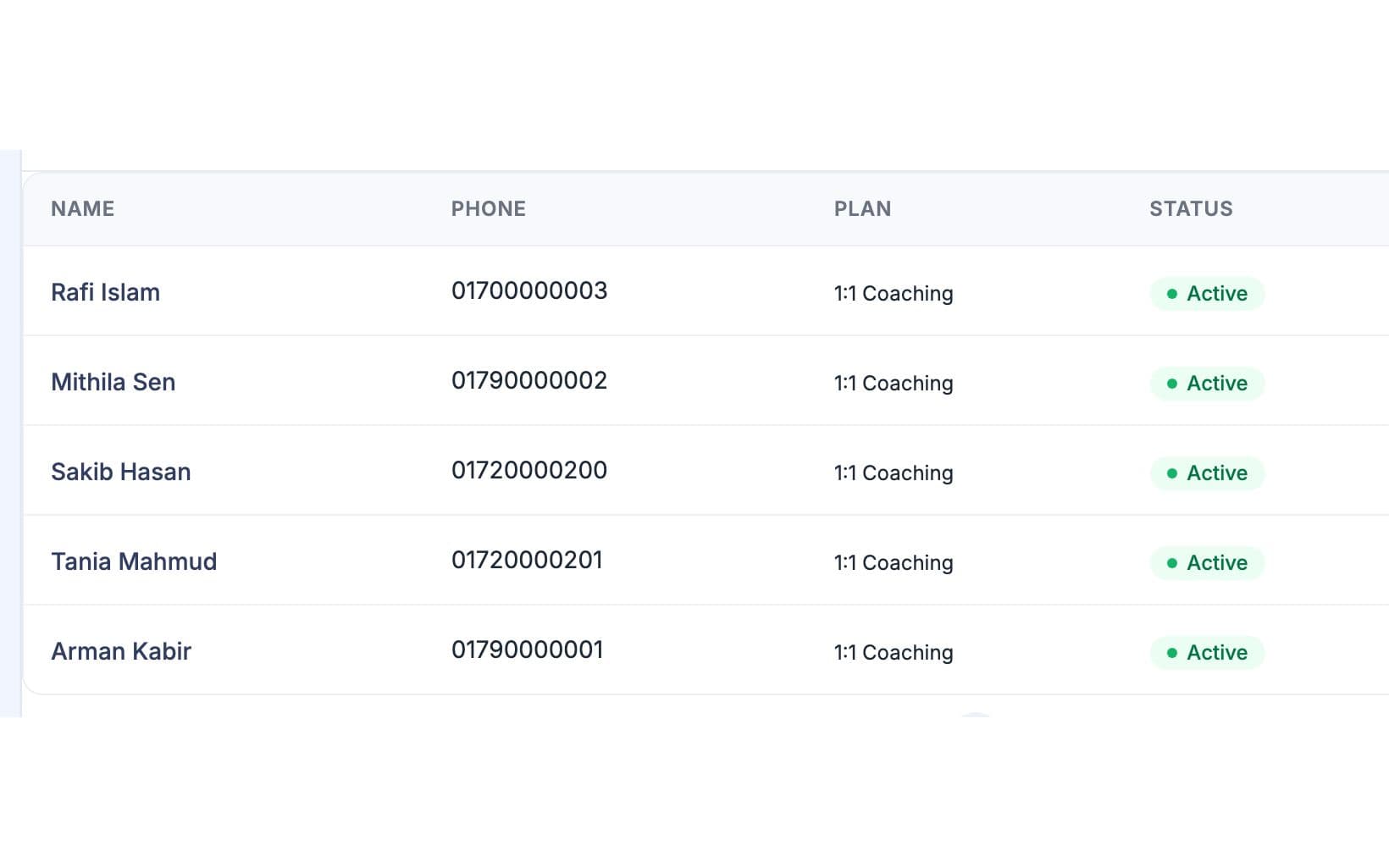
Training-এ যান, তারপর AI Diet Plans-এ যান, আর আপনার নিজের কোনো ক্লায়েন্টকে লিস্ট থেকে বাছুন। চাইলে ক্লায়েন্টের প্রোফাইলে AI Diet Plan বাটন থেকেও শুরু করতে পারেন। পেজে ক্লায়েন্টের ডিটেইলস, তাদের লেটেস্ট প্ল্যান আর আগেরগুলো দেখাবে, তাই বুঝতে পারবেন কোথা থেকে শুরু করছেন।
প্ল্যানের জন্য যা লাগে, ফিলআপ করুন
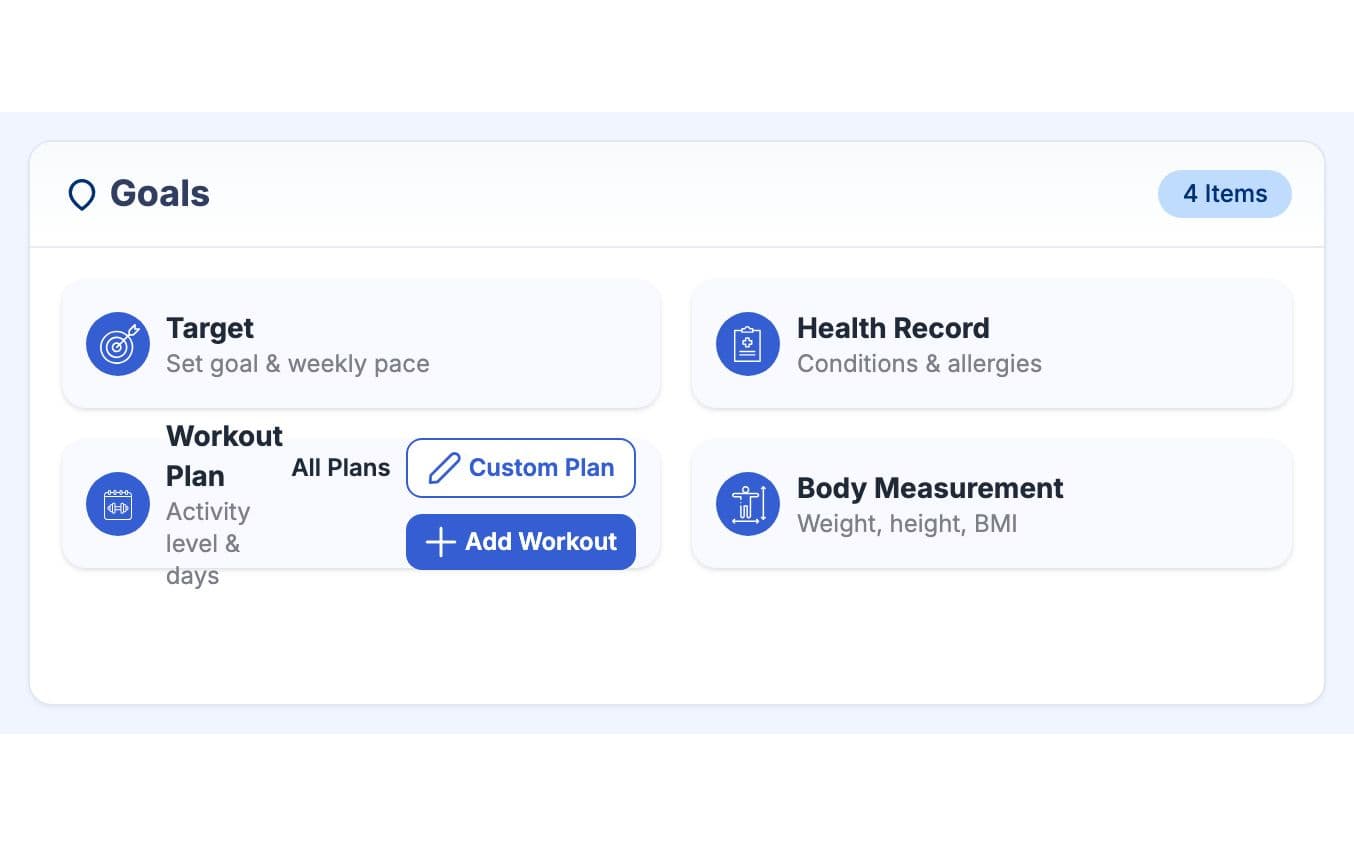
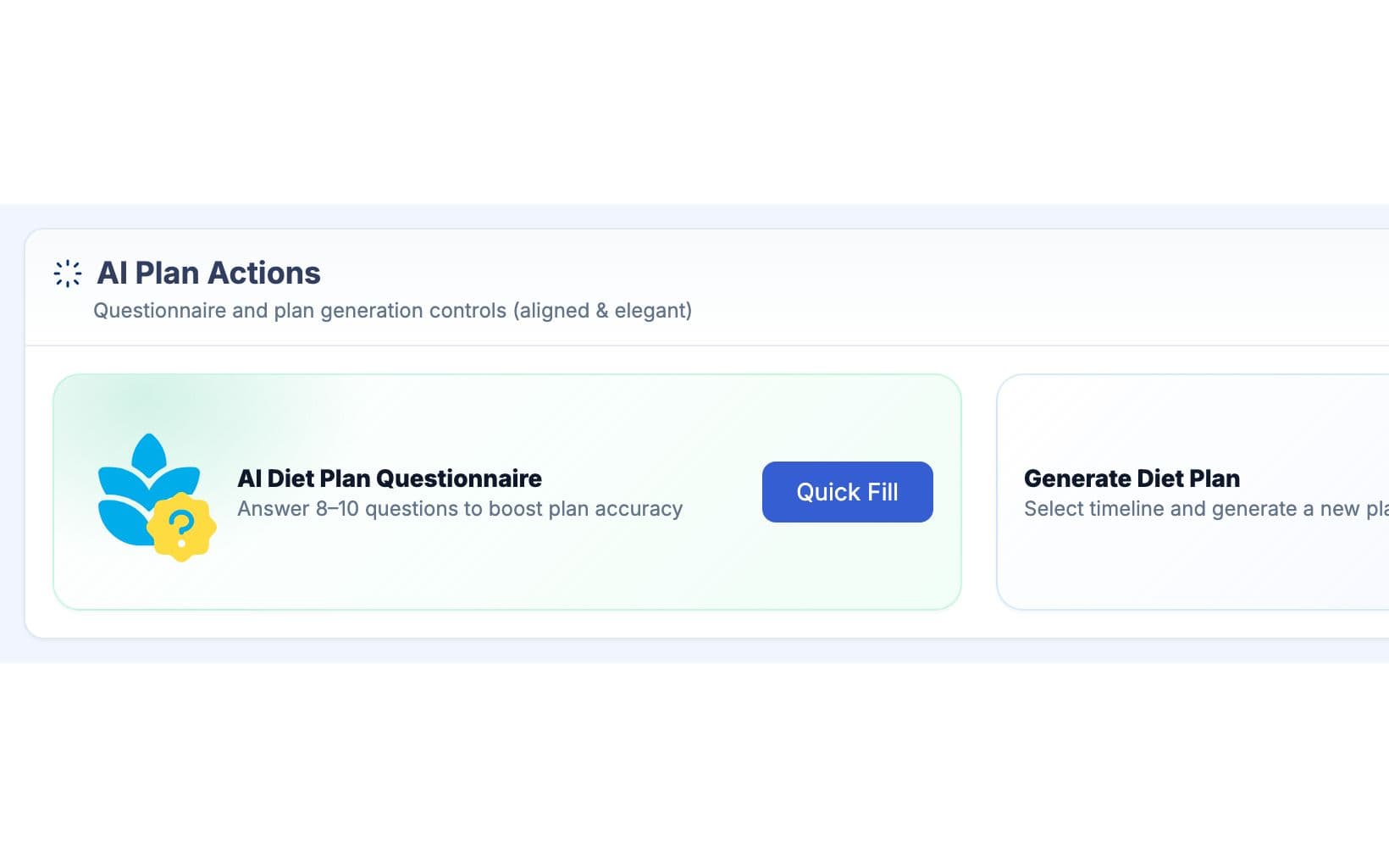
কমপক্ষে একটা লক্ষ্য যেমন ফ্যাট লস আর অন্তত একটা স্বাস্থ্য রেকর্ড যোগ করুন। তারপর ডায়েট প্রশ্নোত্তর ফিলআপ করুন: অ্যাক্টিভিটি লেভেল, দিনে কয়টা মিল, পানি, ডায়েট টাইপ, কী খেতে পছন্দ করে বা এড়ায়, রেস্ট্রিকশন, সাপ্লিমেন্ট আর কোনটা করতে কষ্ট হয়। সাম্প্রতিক উচ্চতা আর ওজন অপশনাল, তবে ক্যালরি টার্গেট একুরেট হয়।
জেনারেট, চেক আর এডিট
1 মাস বা 3 থেকে 6 মাসের টাইমলাইন বাছুন আর Generate চাপুন। সাধারণত প্ল্যান স্ক্রিনে চলে আসে, আর GymCity রেডি হলে আপনাকে ইমেইলে লিংক পাঠায়। ক্লায়েন্ট তাদের অ্যাপে লেটেস্ট প্ল্যান খুলতে পারে, তাই সঙ্গে সঙ্গে পড়ে নিন, Edit Plan দিয়ে মিল, পরিমাণ বা ক্যালরি চেঞ্জ করুন, তারপর ওদের সাথে আলোচনা করুন।
আপনার কাজের ধরন মাথায় রেখে তৈরি
একদম খালি পেজ থেকে না, ফুল প্ল্যান থেকে শুরু করুন, তারপর আপনার জাজমেন্ট লাগে এমন জায়গায় সময় দিন।
লোকাল খাবার আর ক্লায়েন্টের রুটিন অনুযায়ী মিল, পরিমাণ বা ক্যালরি চেঞ্জ করুন। এআই সাজেস্ট করে; সিদ্ধান্ত আপনার।
আগের প্ল্যানগুলো Previous Diet Plan-এ থাকে, তাই মাসে মাসে কী চেঞ্জ হয়েছে, তুলনা করতে পারবেন।
এআই ডায়েট প্ল্যান-এ যা পাচ্ছেন
এআই ডায়েট প্ল্যান: সচরাচর প্রশ্ন
জিম মালিক ও ট্রেইনাররা সবচেয়ে বেশি যা জিজ্ঞেস করেন, তার সংক্ষিপ্ত উত্তর।
সব প্রশ্ন →GymCity ডায়েট প্ল্যান তৈরি করতে OpenAI অথবা Google Gemini ব্যবহার করে। যেটাই ব্যবহার করা হোক, দুইটাকেই একই নির্দেশনা দেয়া হয় এবং একই ফরম্যাটে উত্তর দিতে হয়, যাতে প্রতিটা প্ল্যানে থাকে: প্রতিদিনের ক্যালোরি টার্গেট, প্রোটিন, কার্বস আর ফ্যাট, ব্রেকফাস্ট, লাঞ্চ, ডিনার আর সন্ধ্যার স্ন্যাক্স, পানি, আর সাপ্লিমেন্ট। আপনাকে নিজের কোনো এআই অ্যাকাউন্ট বা কি লাগবে না।
শুধু যেগুলো প্ল্যানের জন্য দরকার: ক্লায়েন্টের নাম, বয়স, জেন্ডার আর ব্লাড গ্রুপ, তাদের সাম্প্রতিক উচ্চতা, ওজন, বডি ফ্যাট আর BMI, প্রশ্নোত্তরের উত্তর, লক্ষ্যগুলোর নাম, স্বাস্থ্য সমস্যার নাম আর বর্তমান ওয়ার্কআউট। পেমেন্ট ডিটেইলস, ফোন নম্বর আর চ্যাট মেসেজ কখনোই পাঠানো হয় না। আপনার ক্লায়েন্টদের বলুন, তাদের উত্তরগুলো শুধু প্ল্যান তৈরির জন্যই ব্যবহার করা হয়।
না। এটা সফটওয়্যারের তৈরি করা একটা খসড়া, যেটা ট্রেইনার রিভিউ করবেন, ডাক্তারের বা ডায়েটিশিয়ানের পরামর্শ না, আর GymCity এটা চিকিৎসার জন্য নিরাপদ কিনা সেটা চেক করে না। যেসব ক্লায়েন্ট প্রেগন্যান্ট, ডায়াবেটিস, কিডনি ডিজিজ, ইটিং ডিসঅর্ডার বা অন্য কোনো মেডিকেল কন্ডিশনে আছেন, তারা আগে তাদের ডাক্তারের পরামর্শ মেনে চলুন এবং সেই অনুযায়ী প্ল্যানটা ঠিক করুন।
হ্যাঁ। ক্যালোরি, ম্যাক্রোস, মিল, পানি বা সাপ্লিমেন্ট চেঞ্জ করতে সবশেষ প্ল্যানটি ওপেন করে Edit Plan-এ ক্লিক করুন। আপনার ক্লায়েন্ট তাদের হোম স্ক্রিনে এবং তাদের AI Diet Plans পেজে এডিট করা ভার্সনটিই দেখতে পাবেন। দেখার সুবিধার্থে আগের প্ল্যানগুলো Previous Diet Plan-এর নিচে জমা থাকবে, তবে শুধু সবশেষ প্ল্যানটিই এডিট করা যাবে।
হ্যাঁ। প্রতি মাসে প্রতিটি ক্লায়েন্ট নির্দিষ্ট সংখ্যক প্ল্যান জেনারেট করতে পারে, আর পেজে দেখাবে কখন সীমা শেষ হয়েছে। এই সীমা প্রতি ক্লায়েন্টের জন্য, তাই অনেক ক্লায়েন্ট থাকলেও কোনো ব্যস্ত ট্রেইনারের সমস্যা হবে না। কোনো প্ল্যানে ছোটখাটো পরিবর্তন করতে চাইলে এডিট করলে সেটা সীমার মধ্যে পড়বে না, তাই নতুন করে জেনারেট না করে এডিট করাই ভালো।
হ্যাঁ। যেকোনো ফ্রি GymCity অ্যাকাউন্ট থাকলেই My Diet Plans-এ নিজের প্রোফাইল থেকে একই প্রশ্নোত্তর ফরম ব্যবহার করে নিজেই ডায়েট প্ল্যান বানানো যায়। ট্রেইনারের ক্লায়েন্টরা তাদের ট্রেইনার বানানো প্ল্যানগুলোই দেখতে পায়। জিমগুলো Diet Charts ব্যবহার করে, যেগুলো তারা নিজেরাই লেখে, AI Diet Plans নয়।
একসাথে আরও ভালো কাজ করে
সর্বশেষ আপডেট 16 অক্টোবর, 2026লিখেছেন Sarwar Hossainস্ক্রিনে শুধু ডেমো তথ্য দেখানো হয়েছে
আপনার ক্লায়েন্টদের সাথে এআই ডায়েট প্ল্যান ট্রাই করুন
আজই ফ্রিতে ট্রেইনার হিসেবে লিস্ট করুন, আর প্রস্তুত হলে প্রয়োজনীয় টুলগুলো চালু করুন।