Gym Facilities, Opening Hours & Equipment
Facilities & Equipment tells visitors when you are open, what you offer and how well equipped you are, before they visit. Gym owners fill it in once in their gym profile and update it when something changes.
What is GymCity Facilities & Equipment?
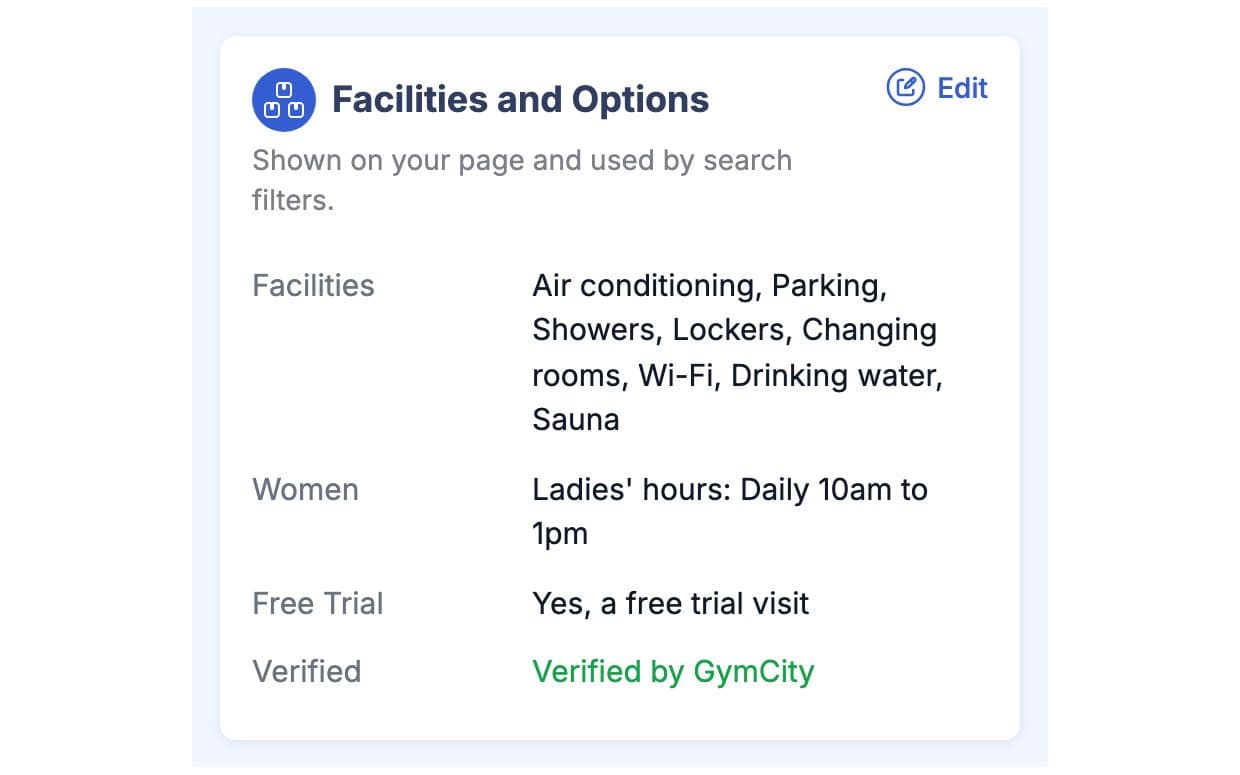
GymCity Facilities & Equipment stores your opening hours, ladies hours, women-only option and amenities such as parking, showers or Wi-Fi. Your public page shows them, with an "open now" label, and gym search can filter by them. Your equipment list with quantities stays private; only the total number of pieces appears publicly.
Why Gyms Use Facilities & Equipment
"Are You Open Now?" Calls
Half our calls are people asking when we open on Friday or whether ladies can come in the morning.
Hours and "open now" on your public page.Unclear Facilities
People turn up, find there is no parking or shower, and leave without joining. That was a wasted trip for both of us.
Amenities listed for every visitor to see.Equipment on a Notepad
Our equipment list is a notepad in the office. Nobody knows how many treadmills we have until someone counts.
One list with quantities, kept in GymCity.Facilities & Equipment in 3 Steps
Set Hours and Ladies Hours
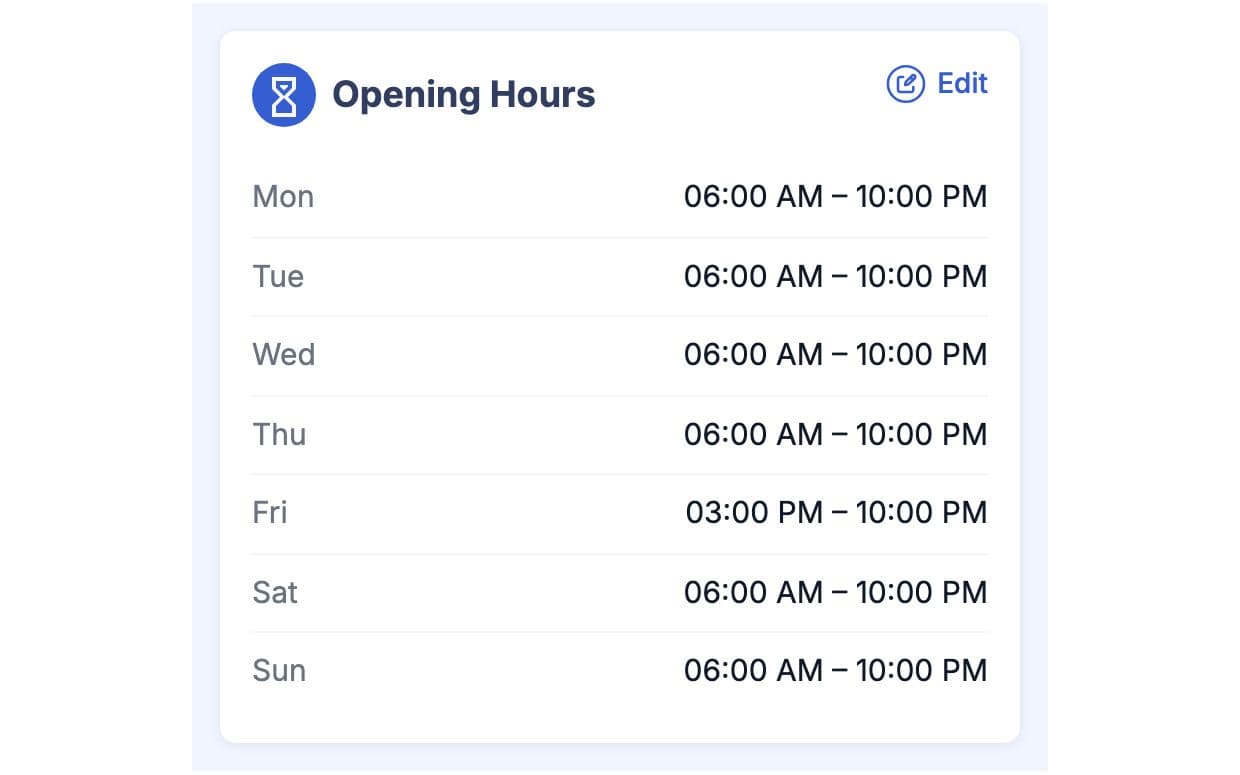
In your gym profile, add opening hours for each day of the week. If you run ladies hours, add them too, or mark the whole gym as women-only. Hours follow your gym's time zone, so "open now" is right for your visitors. With more than one branch, each branch has its own hours.
Tick Your Amenities
Choose your amenities, such as parking, showers or Wi-Fi, from the list GymCity provides. Visitors see them on your public page as a simple list. Gym search uses the same list, so someone filtering for parking or a ladies option can find you. Update the list when you add or remove something.
List Your Equipment
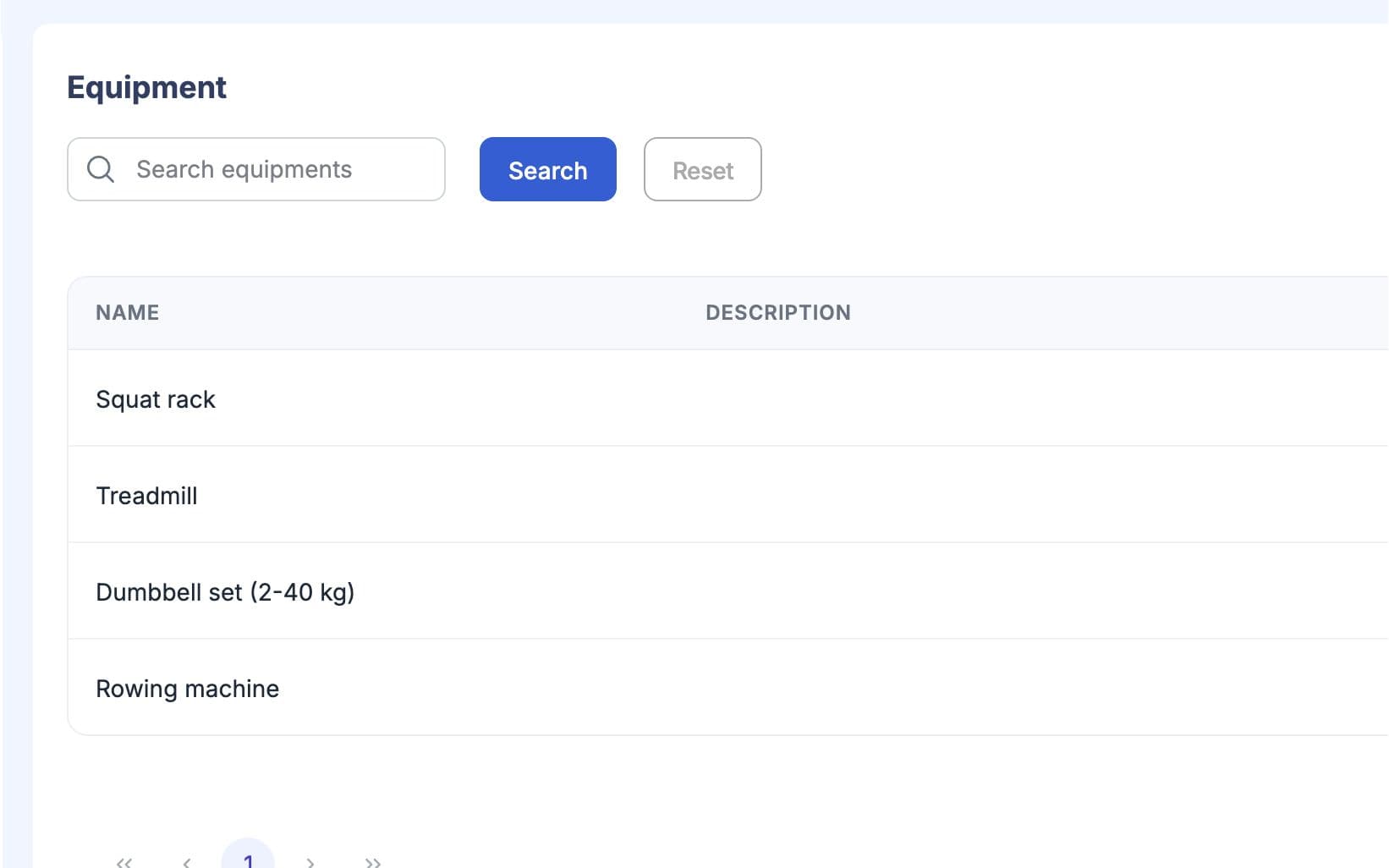
Add each machine or set with a short description and how many you have, for example four treadmills or one Smith machine. The full list stays private to you. Your public page shows only the total number of pieces, which gives visitors a sense of size. Edit quantities when you buy, sell or retire equipment.
Made for How You Work
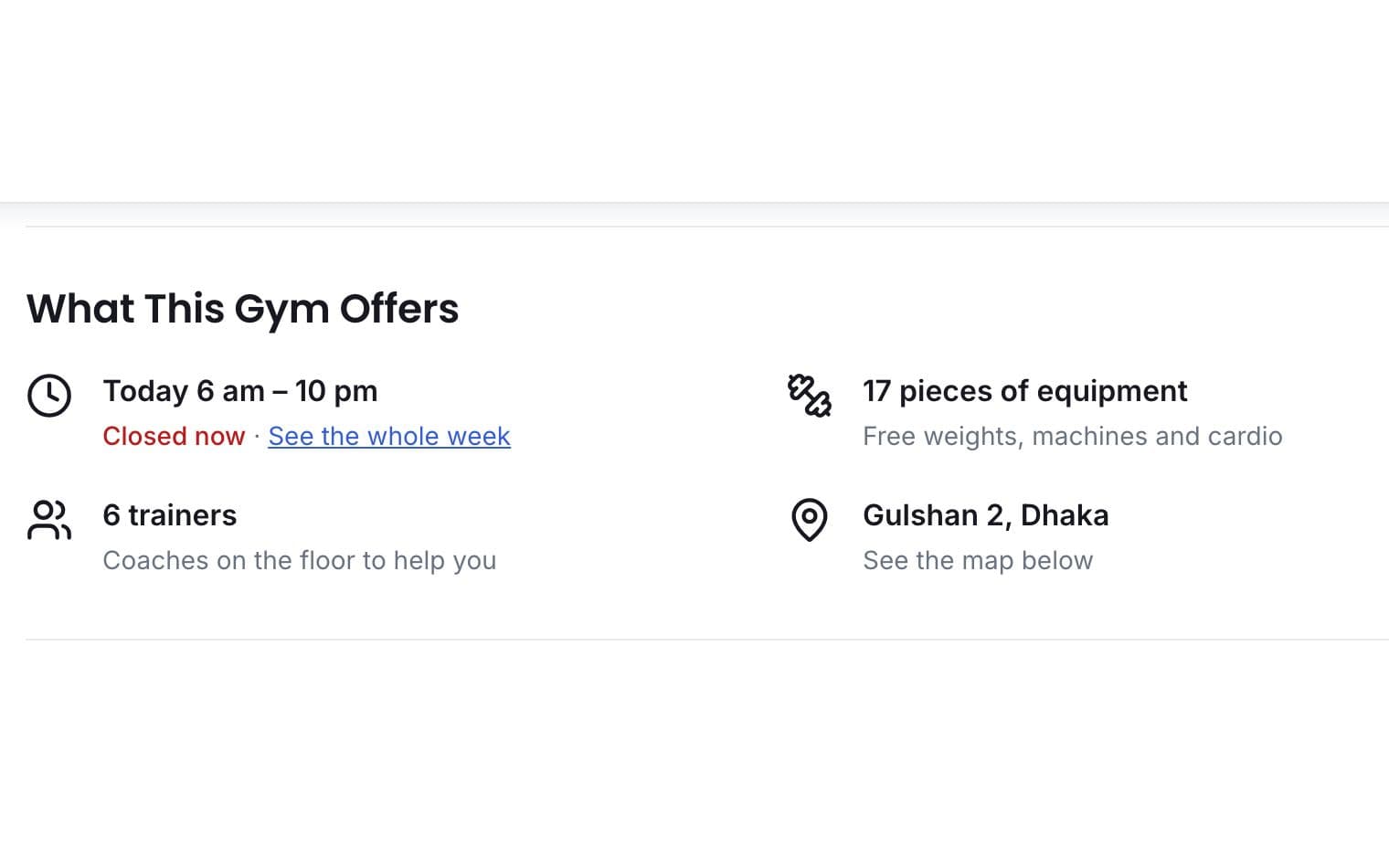
Visitors see whether you are open at this moment, without calling the desk.
Show ladies hours, or mark the gym women-only, so women looking for either can find you in search.
The number of pieces shows on your public page, while the detailed list stays yours.
What You Get With Facilities & Equipment
Facilities & Equipment FAQ
Short answers to what gym owners and trainers ask most.
All Questions →No. Visitors see only the total number of pieces of equipment on your public page. The detailed list, with names, descriptions and quantities, is for you and your team. That way you can keep an honest count without showing every machine, and visitors still get a sense of how big the gym is.
Yes. Add your ladies hours in your gym profile and they appear on your public page. If the whole gym is for women only, mark it as women-only instead. Either way, people searching for gyms with a ladies option can find you through the search filter.
GymCity compares your opening hours with the current time in your gym's time zone. If you are inside your hours, your page and search listing show you as open. Keep your hours up to date, especially around holidays and Ramadan timings, so the label stays right.
Not yourself. Amenities come from one list that GymCity manages, so search filters stay consistent across every gym. If something you offer is missing, contact us and we will look at adding it. Meanwhile you can mention it in your gym's description.
The gym owner manages the equipment list. It is a simple record of what you own and how many; it does not track servicing, repairs or stock levels. If you need maintenance logs or service dates, keep them alongside GymCity for now.
Works Even Better Together
Last updated 15 October 2026Written by Sarwar HossainScreens show demo data only
Try Facilities & Equipment With Your Gym
List your gym free today and turn on the tools you need when you are ready.