Member Portal
GymCity Member Portal is the home screen your members and clients see when they log in. It answers the questions they would otherwise ask the front desk: what do I owe, what do I train today and when are you open.
What is GymCity Member Portal?
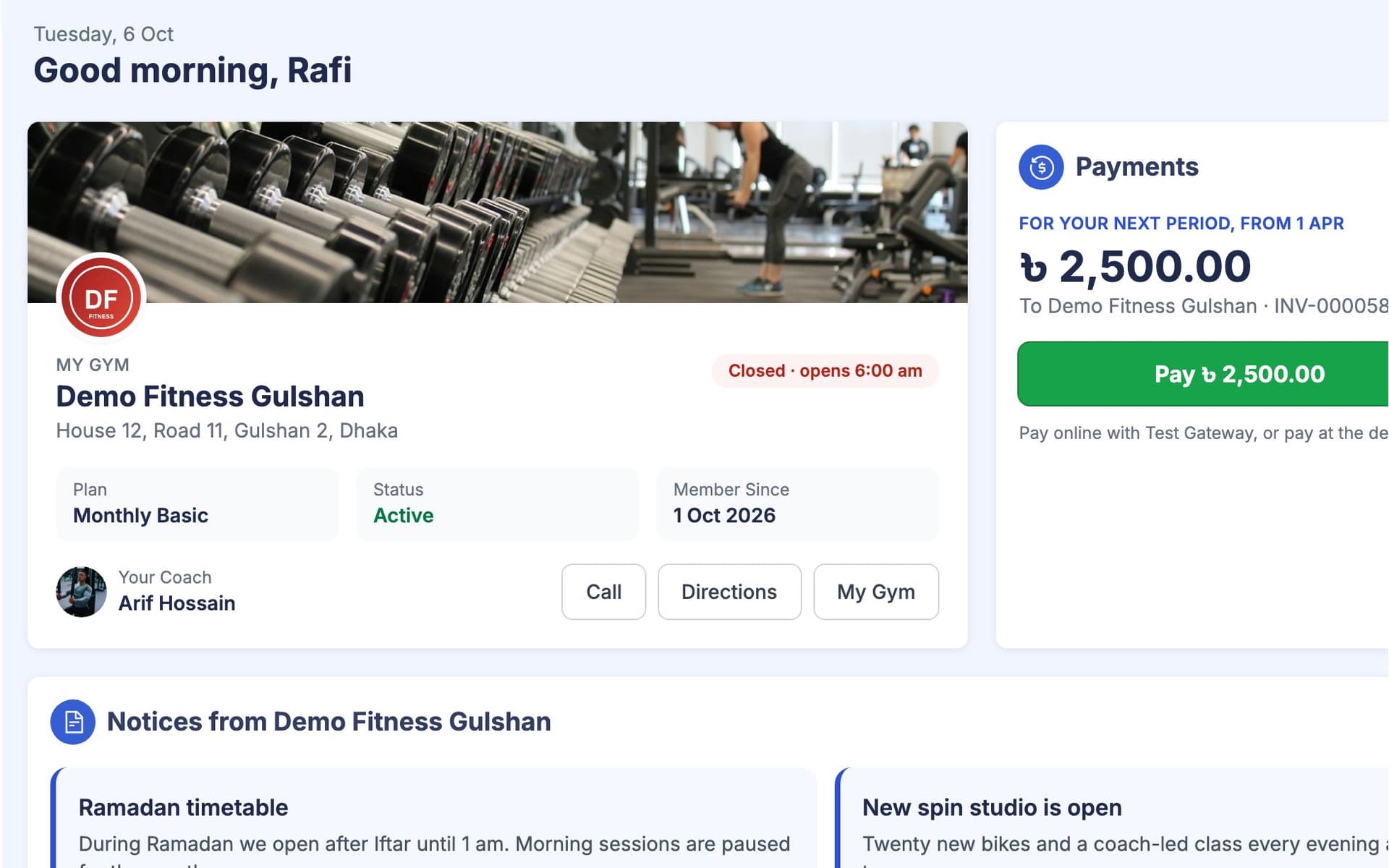
GymCity Member Portal is the member's own side of GymCity. After logging in, a gym member or training client sees your gym or trainer card, what they owe with a Pay button, your notices, today's workout to tick off, visits this week against a goal, their diet chart and weight progress. It works in the phone browser.
Why Gyms and Trainers Use Member Portal
Endless Questions
"How much do I owe?" and "When does my month end?" are half the calls we get at the desk.
The home screen shows the amount, the due date and the next bill.Forgotten Workouts
Clients forget the program I wrote and do whatever they feel like on the day.
Today's workout is on their phone, ready to tick off.Low Motivation
Members are keen for two weeks, then visits drop and we don't notice until they leave.
Weekly visits against a goal, a streak and a weight trend.Member Portal in 3 Steps
Members Log In
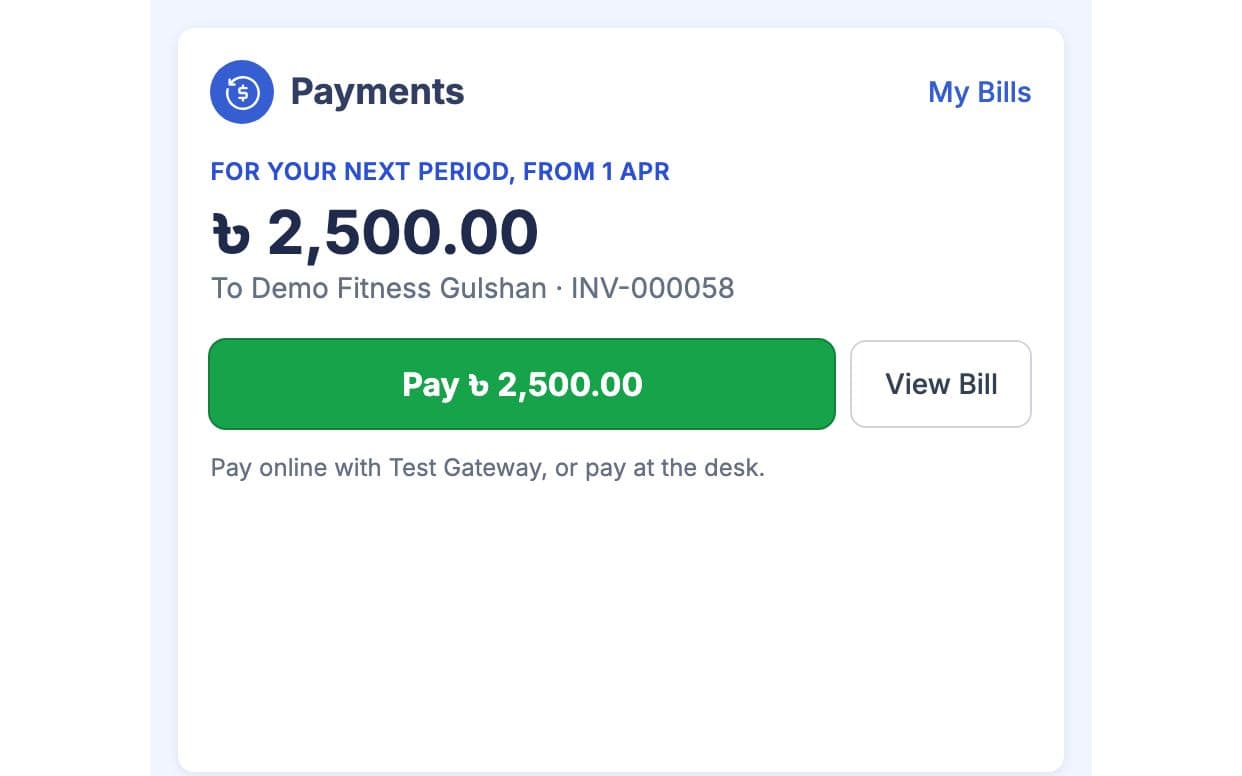
A member accepts your invite and logs in with their phone or email. Their home shows your gym card with opening hours, plan and coach, or your trainer card with the next session. The Payments card sits beside it with the amount owed and the due date, or "All paid" with the next bill.
They Pay and Train
If you take online payments, the Pay button opens your own payment account. Otherwise members report a bKash or Nagad payment for staff to approve. Today's Workout lists the exercises from their plan, and they tick each one as they finish. On a rest day it shows the next workout day instead.
They Track the Week
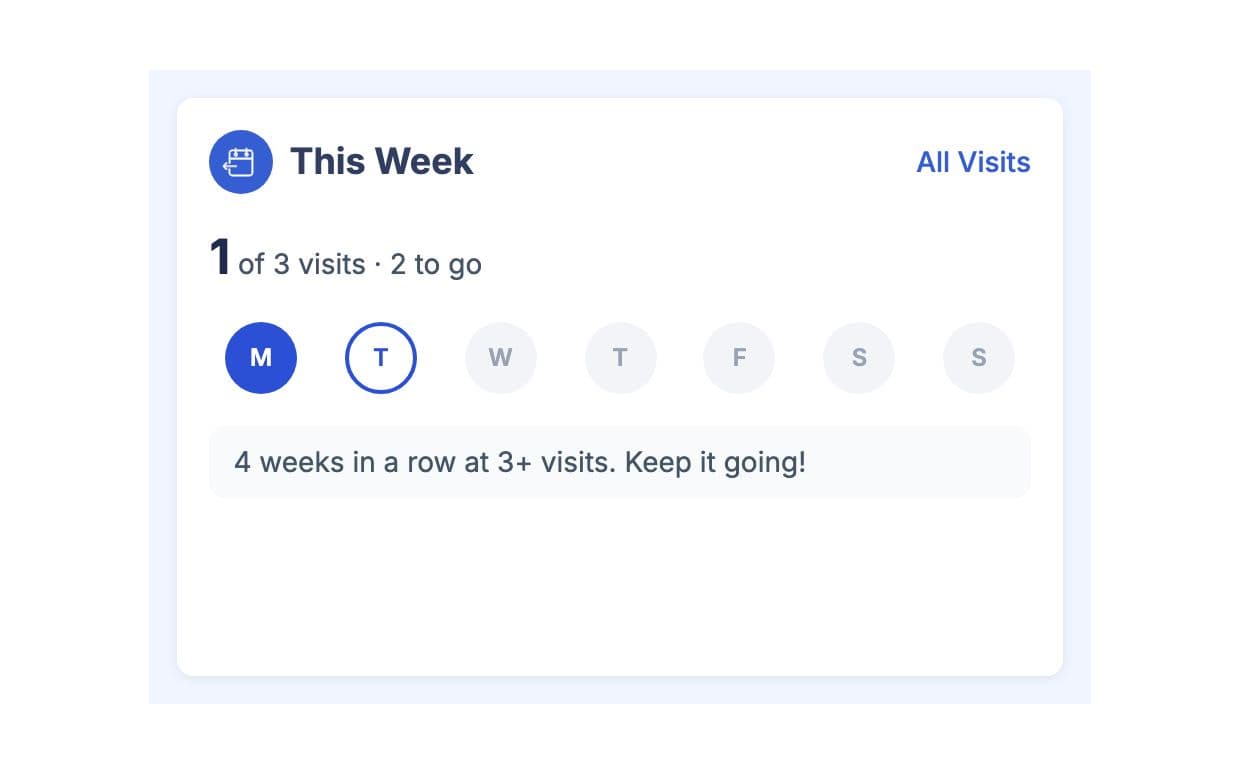
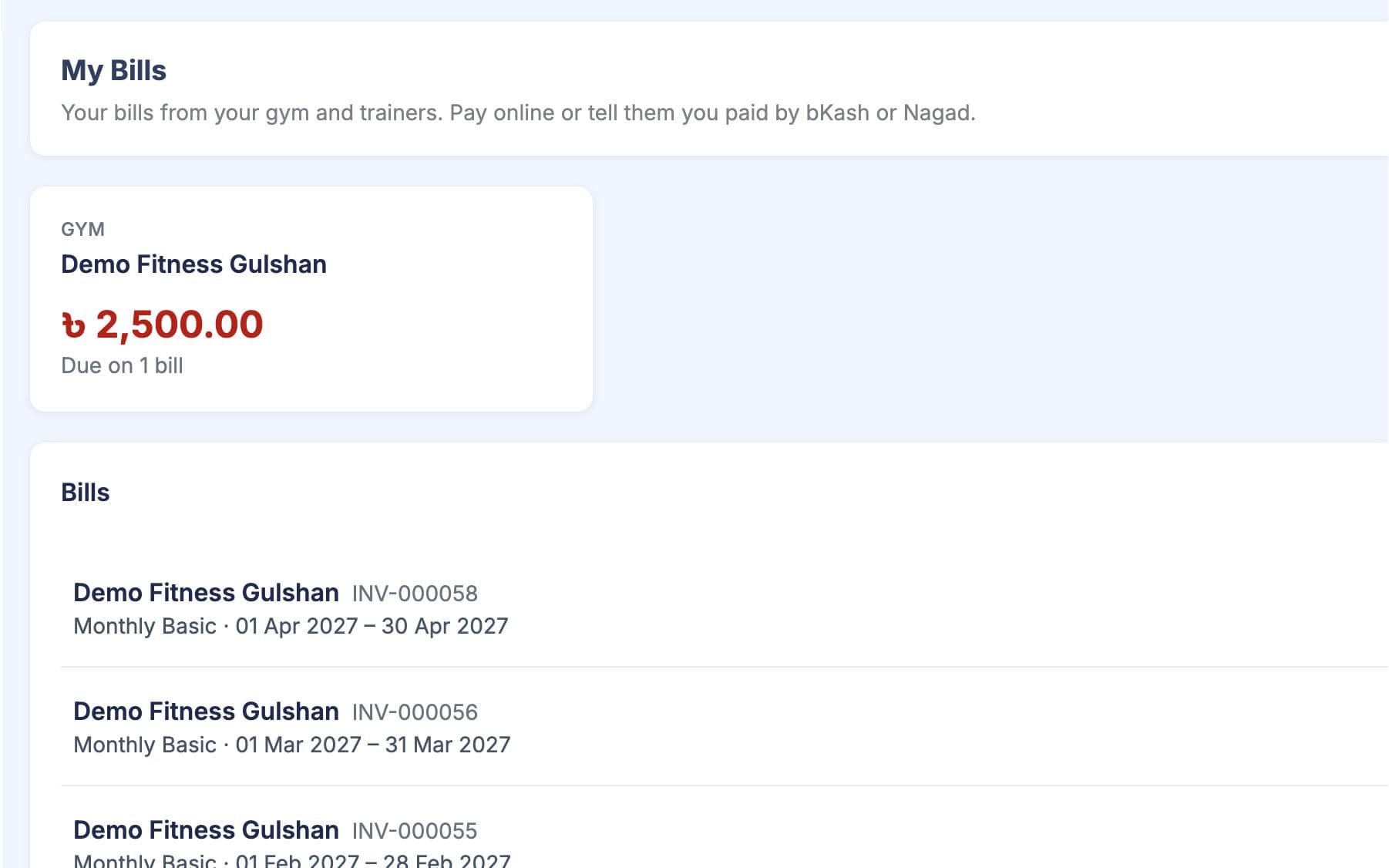
This Week counts gym visits against the weekly goal you set in Gym Settings, or workout days against a trainer's plan, with a streak. My Diet Plan and Progress show their chart and weight trend. My Bills keeps every bill and receipt in one place.
Made for How You Work
Bills, opening hours, ladies hours and notices are already on their phone.
You set how many visits a week members should aim for, and they see how close they are.
Members pay or report a payment from their phone as soon as a bill is due.
What You Get With Member Portal
Their home shows your gym or trainer card, what they owe with a Pay button, your current notices, today's workout, visits or workout days this week, their diet chart and weight progress. My Gym or My Trainer adds opening hours, ladies hours, trainers, contact details and facilities. On a phone the same cards stack in that order.
Yes, when your GymCity plan includes Online Member Payments and you have connected your own payment account. The member pays the full amount owed and gets a receipt. Without online payments, members report a bKash or Nagad payment with the transaction ID, and it counts as paid once your staff approve it.
They get two separate profiles and switch between them from the account menu. The gym profile shows only the gym's bills, notices and visits, and the trainer profile shows only that trainer's plan, workouts and diet. Neither the gym nor the trainer sees the other's data.
You add them as a member, then send an invite by SMS to a Bangladesh number or by email. When they sign up or log in with that same phone number or email and accept, the portal opens with your gym or trainer card. Members you never invite simply don't see a portal.
Not in the app stores yet. The portal runs in the phone's web browser and is laid out for small screens, so members open it like a website and log in. Everything on this page, including paying, ticking workouts and checking bills, works there.
Works Even Better Together
Last updated 15 October 2026Written by Sarwar HossainScreens show demo data only
Try Member Portal With Your Gym or Clients
List your gym or training business free today and turn on the tools you need when you are ready.