Join, Free Trial and Class Requests From Your Page
Most people who find a gym or trainer online want to ask one thing before they commit. The request form lets them ask in a few taps, and every request reaches you with a name and a phone number.
What is GymCity Member Requests?
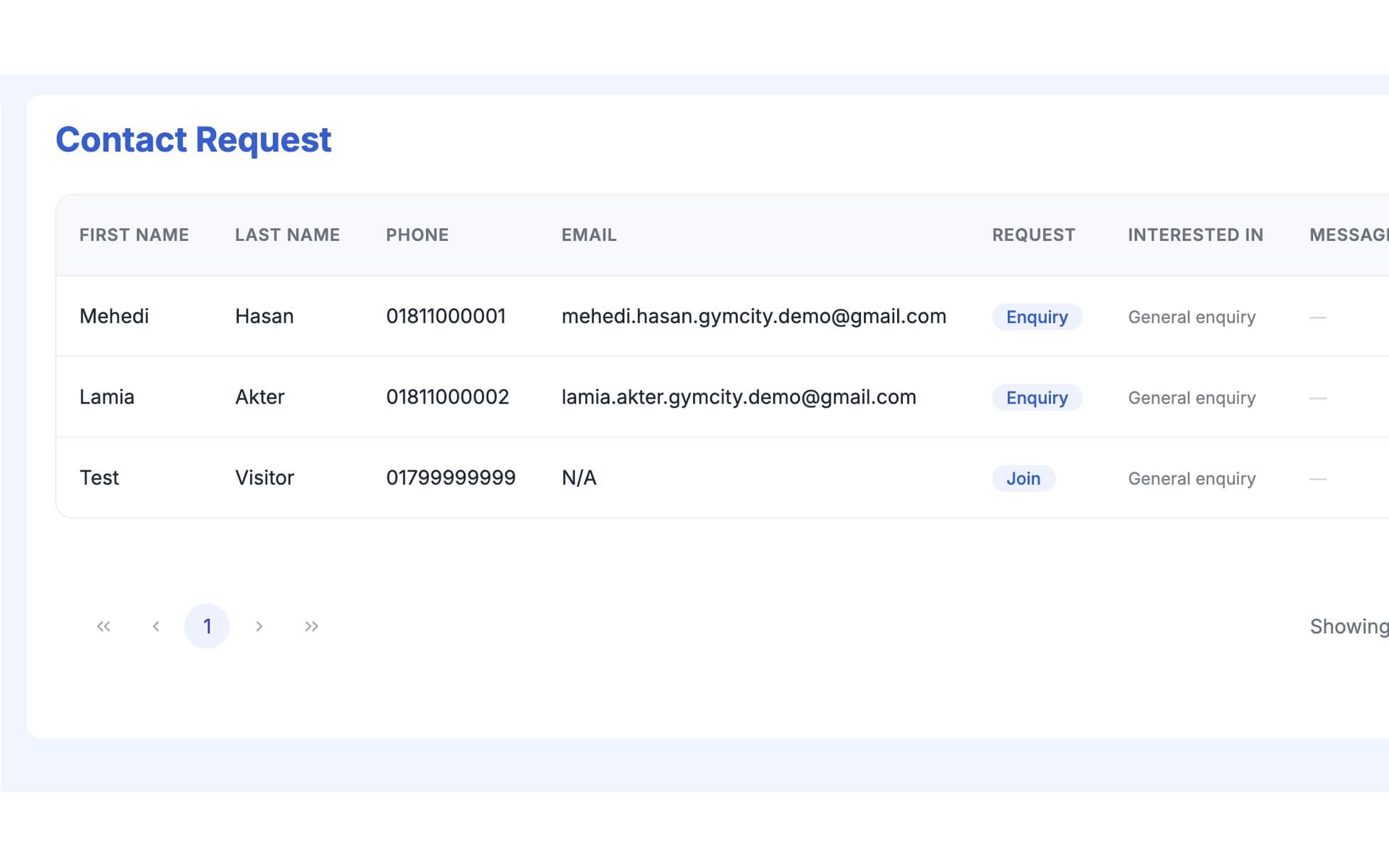
Member Requests is the form on your GymCity public page where visitors ask to join, take a free trial, join a class or ask a question. They leave a name and phone number, and the request lands in your Leads list in GymCity, so you can call back while they're still interested.
Why Gyms and Trainers Use Member Requests
Unanswered Enquiries
Questions arrive on Facebook, WhatsApp, Instagram and at the front desk, and some never get a reply. Each one missed is a member who joined somewhere else.
Requests from your page land in one list.No Contact Details
A "price?" comment under a post gives you nothing to follow up with.
Every request carries a phone number in the right format.Not Sure What They Want
You call back without knowing whether they want a trial, a class or just your fees.
Each request shows its type and the plan or class chosen.Member Requests in 3 Steps
Visitor Sends a Request
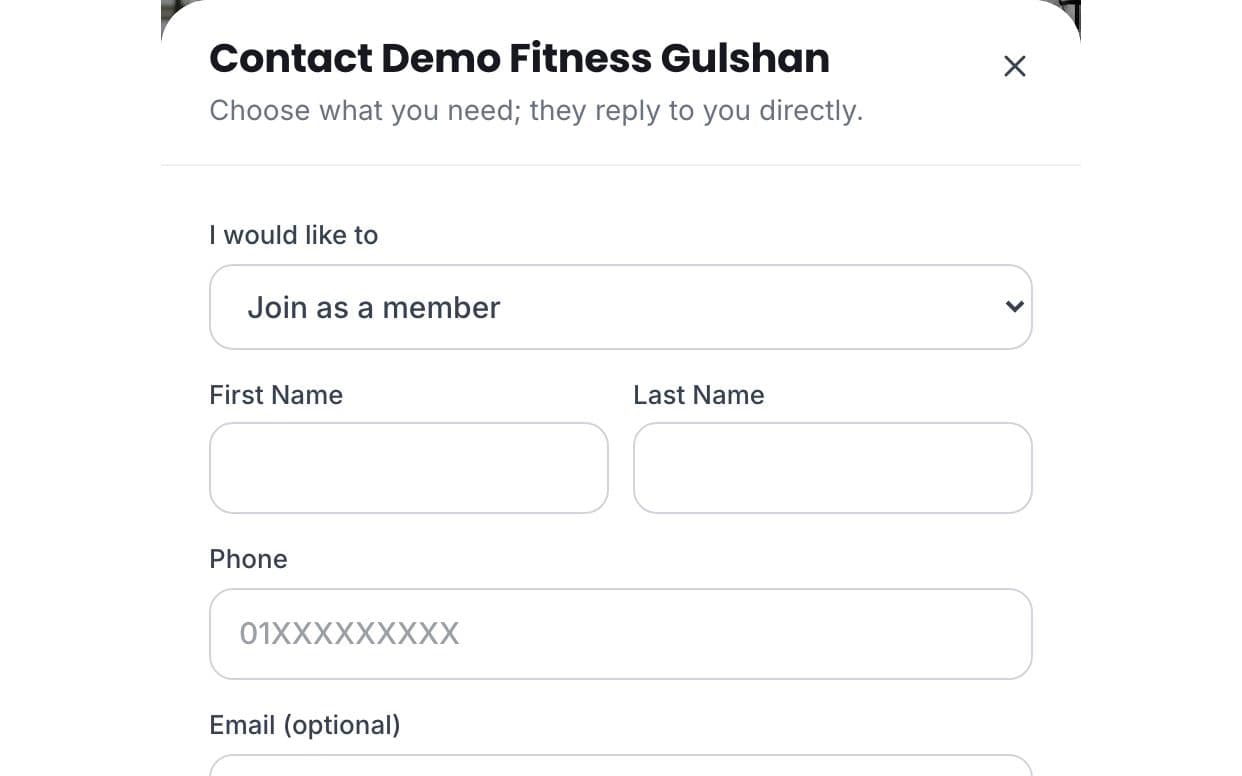
On your public page, visitors tap Request to Join, a plan's Join button or a class. The form asks what they want: to join, a free trial if you offer one, a specific plan or class, coaching, or a question. They add their name and phone number, and an email and short message if they like. They don't need a GymCity account, and a simple check keeps most spam out.
You See It in GymCity
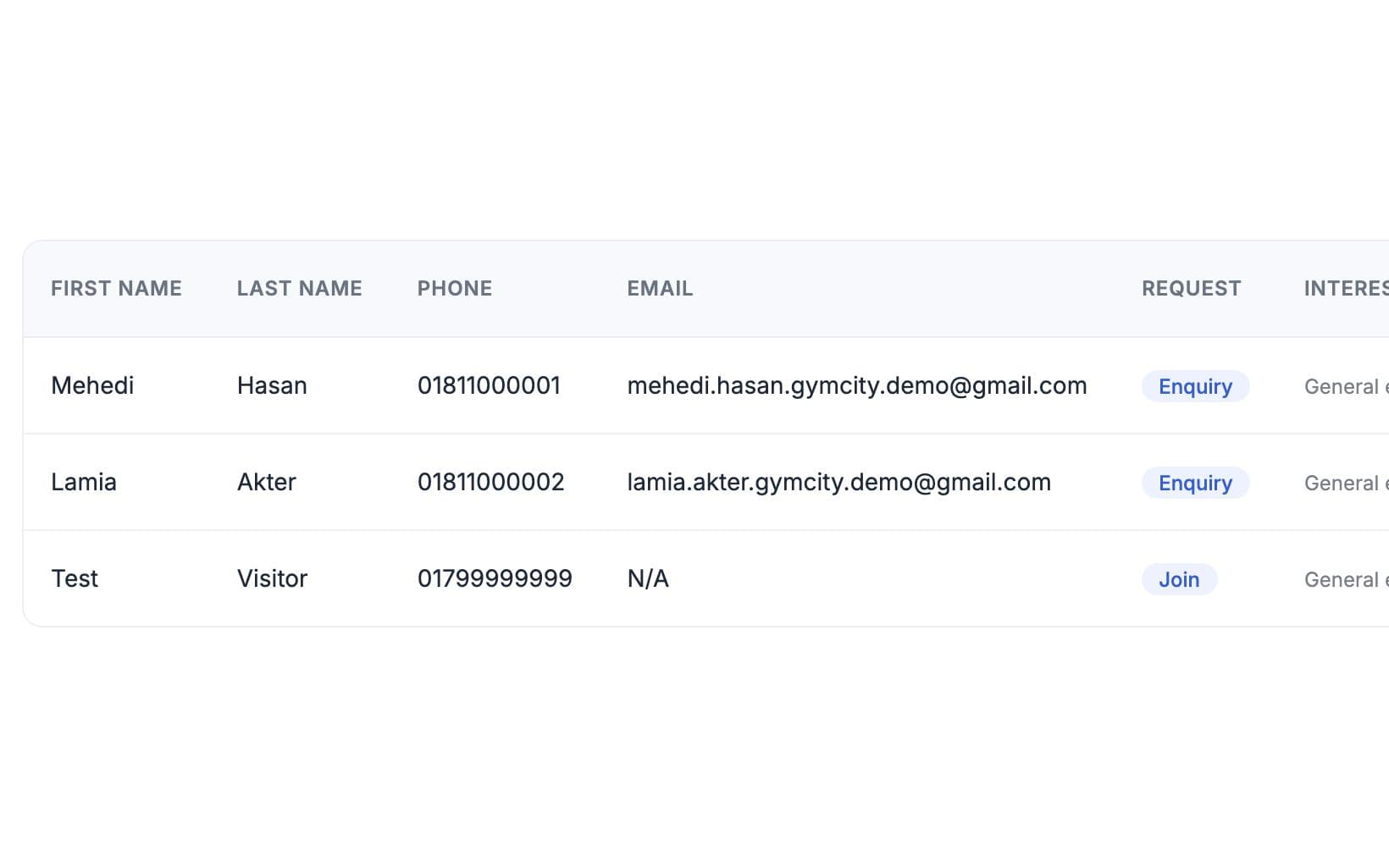
The request appears in Leads under your Inbox menu and on the requests card on your dashboard. Each row shows the person's name, phone, email, request type, the plan or class they chose, their message and the date. If your plan includes request emails, GymCity also emails you when a new one arrives.
Follow Up and Add Them
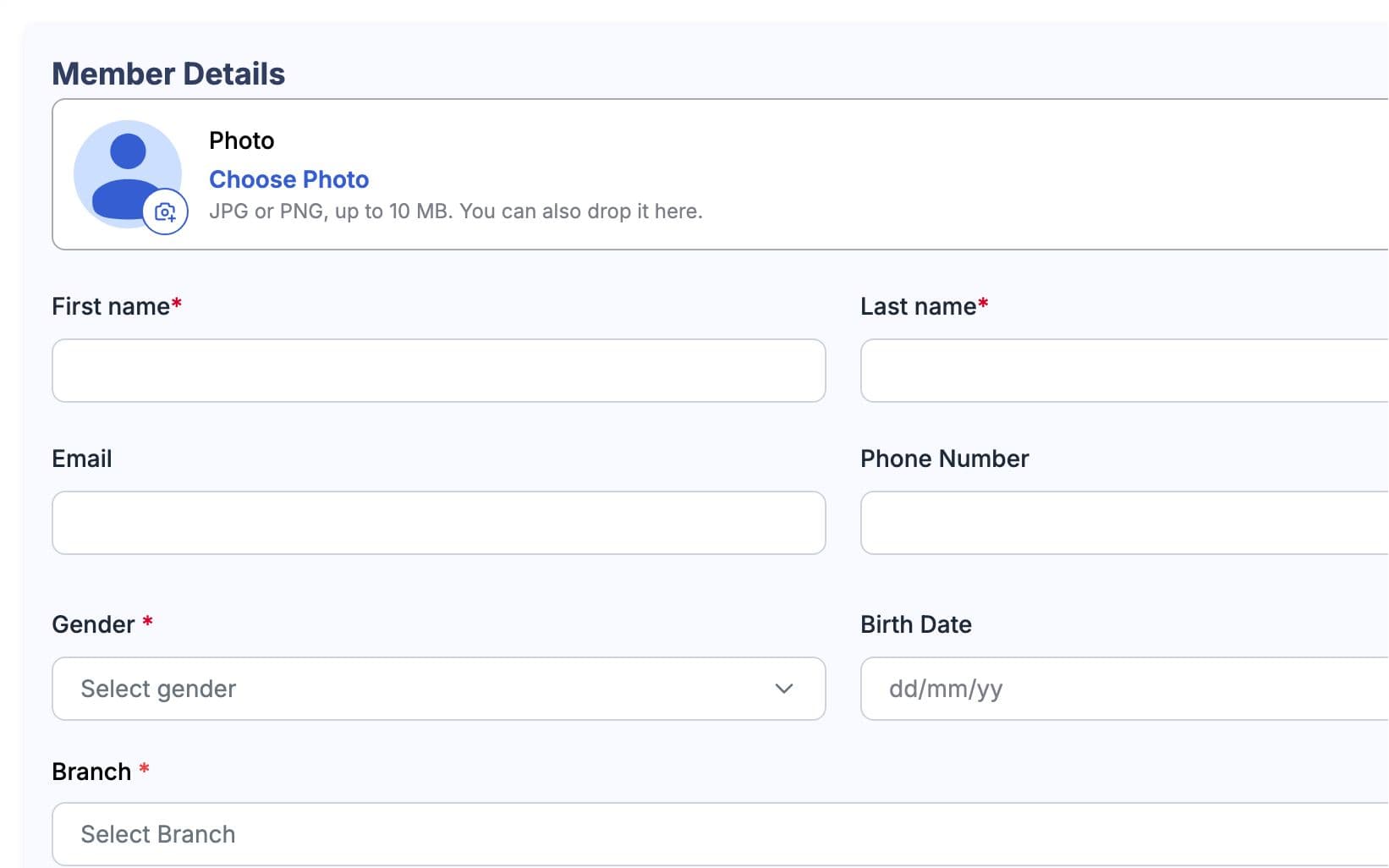
Call or email from the list with one tap, answer their question and agree a start date or trial time. When they join, add them in Members with their phone number and choose their plan. GymCity can then send them an invite to link their own account. Once linked, they see their plan, bills and workouts.
Made for How You Work
Join, Free Trial, Class or Question, so you know why they're calling.
Requests from your main page and branch pages in one place.
Requests show the plan or class the visitor picked.
What You Get With Member Requests
Four things: to join, a free trial, a class, or an answer to a question. Gym visitors can pick one of your plans when they ask to join, and trainer visitors can ask to start coaching. Free Trial appears only when you've said you offer one; otherwise gym visitors can ask to visit first.
No. A request is a message to you, not a reservation, and no money changes hands when someone sends one. You call or email them, agree the day and time, and then add them as a member or to a class yourself. That keeps you in charge of capacity and fees.
In your GymCity account, under Inbox then Leads, and on the requests card on your dashboard. Each request shows the name, phone, request type, chosen plan or class and message, with buttons to call or email. If your plan includes request emails, GymCity also emails you when one arrives.
No. They only need a name and a phone number in their country's format; email and a message are optional. That keeps the form short for someone who has just found you. Once they join, you can invite them to link a GymCity account so they see their plan, bills and workouts.
Yes. Receiving requests from your public page costs nothing, and there is no fee per request. Requests always appear in your account, whatever your plan; email alerts for new requests depend on your GymCity plan. Reply quickly: a call the same day usually lands better than one a week later.
Works Even Better Together
Last updated 15 October 2026Written by Sarwar HossainScreens show demo data only
Try Member Requests With Your Gym or Clients
List your gym or training business free today and turn on the tools you need when you are ready.