Gym Attendance & Access Devices
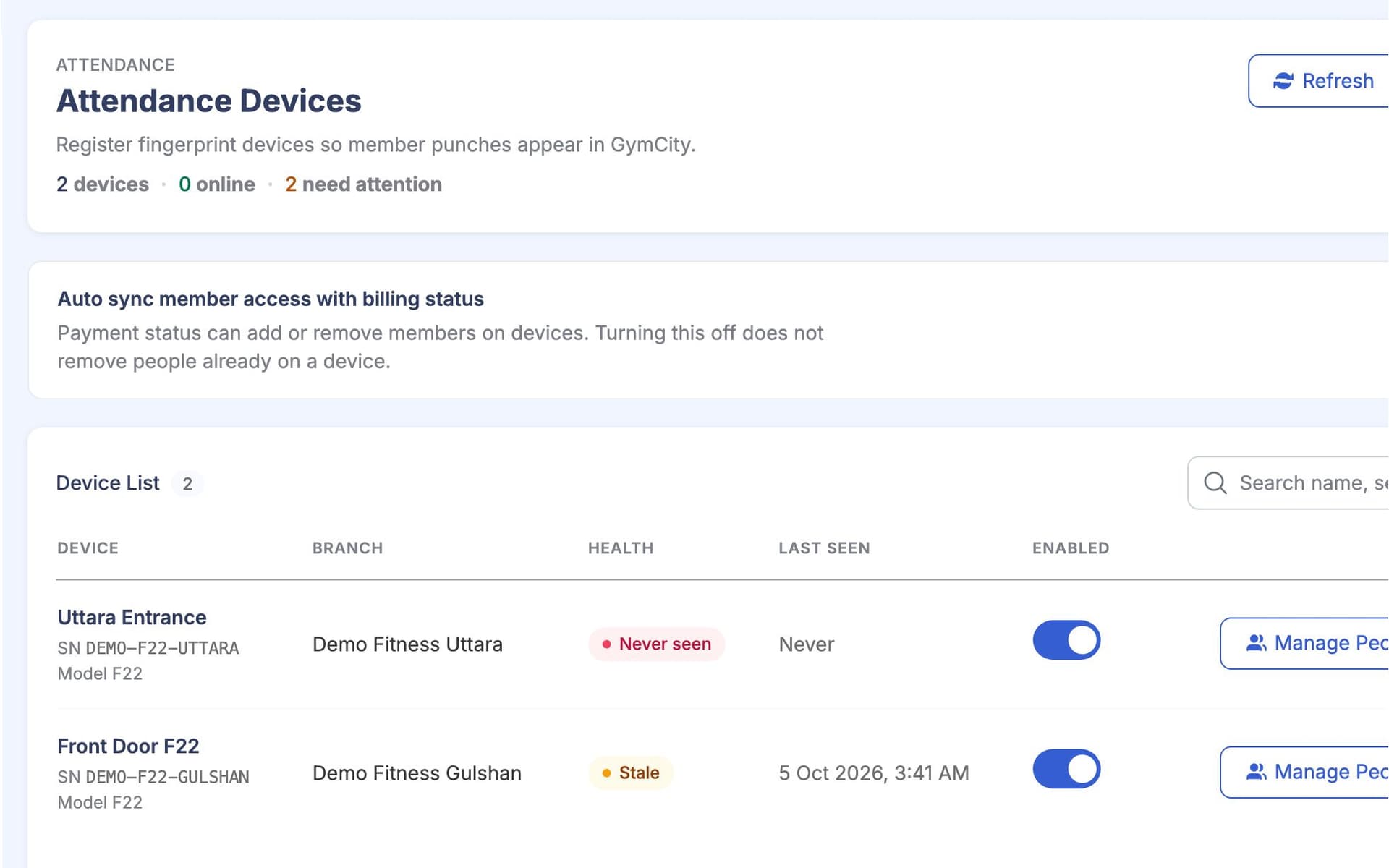
Attendance & Access Devices records every member visit and decides who may come in, using one rule for the front desk and the door. Gym owners and front desk staff use it every day. Branches in Bangladesh can connect ZKTeco fingerprint devices, so the door follows billing without anyone updating the device by hand.
What is GymCity Attendance & Access Devices?
GymCity Attendance & Access Devices records member visits by manual check-in, CSV import or ZKTeco fingerprint devices at branches in Bangladesh. One door rule, based on member status, any manual allow or block, and billing with grace days, decides who gets in. Devices are updated after payments and checked again every night.
Why Gyms Use Attendance & Access Devices
No Visit Record
We have hundreds of members on the books, but I can't say who actually came this week. The register is a notebook at the desk.
Every check-in and check-out is saved with the date and time.Unpaid Members Walk In
Some members stop paying but keep training. The desk doesn't know who is overdue, and nobody wants that talk at the door.
The door stops members once their grace days run out.Devices Out of Date
Someone has to add new members to the fingerprint machine and remove the ones who left. When they forget, old members still get in.
GymCity updates the device after payments and every night.Attendance & Access Devices in 3 Steps
Record Every Visit
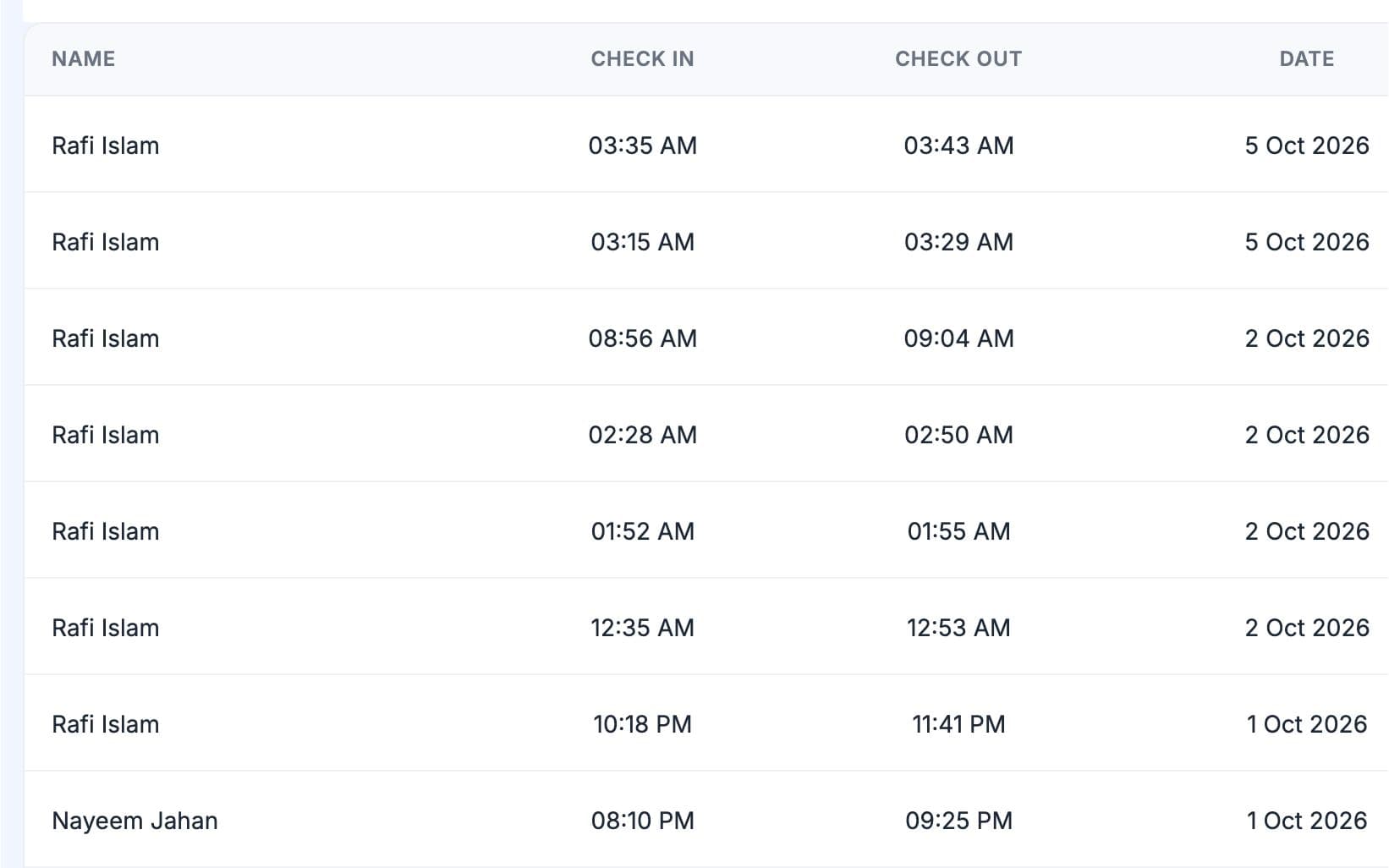
Staff check a member in or out from their profile or the attendance screen, or import a CSV file of visits from another system. At a branch with a fingerprint device, members simply place a finger on it. GymCity pairs each check-in with the next check-out and saves the visit with its date and time. Visits show in Attendance Records, on the dashboard and on the member's profile as their last visit and visit count.
Connect Your ZKTeco Device
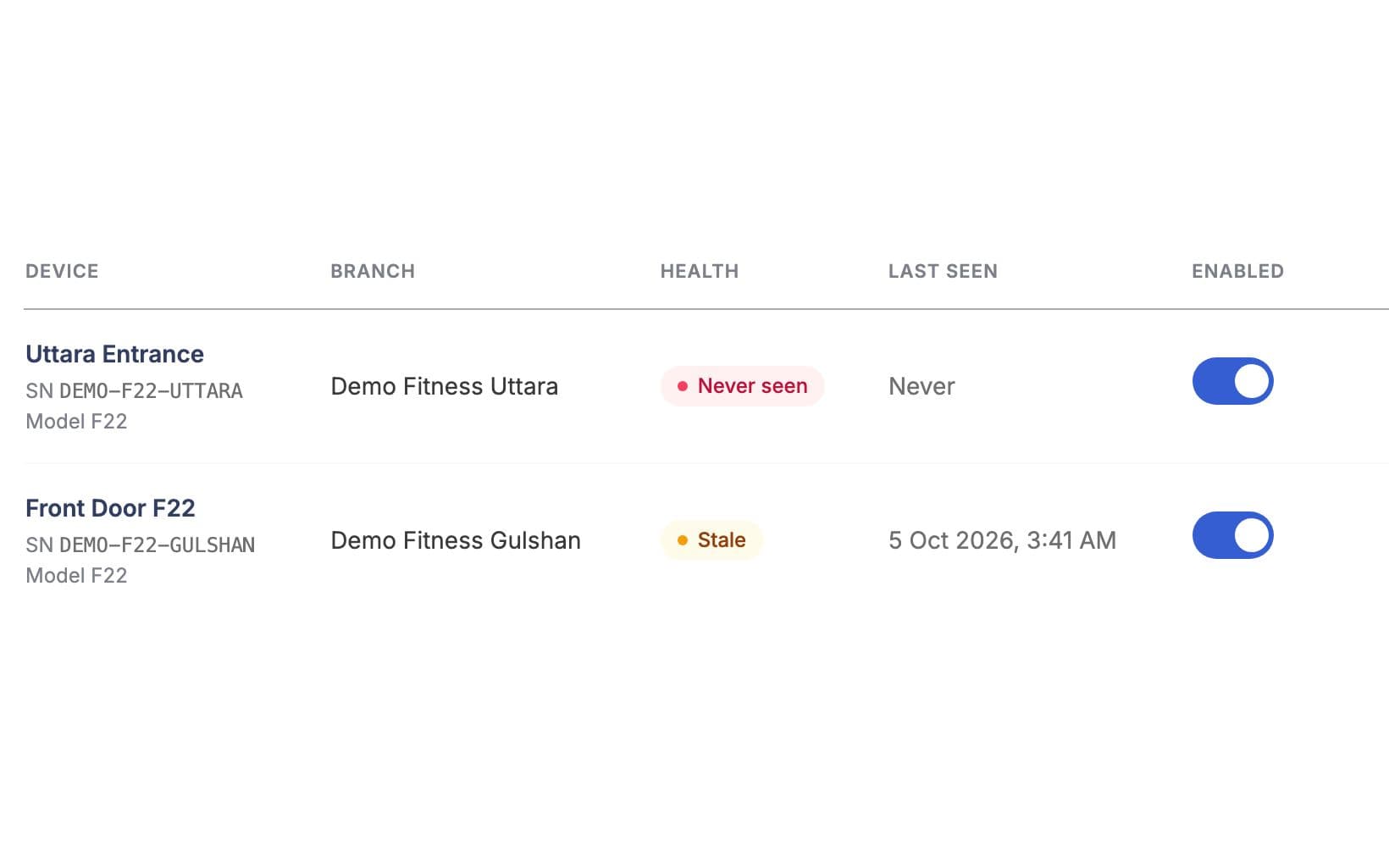
At branches in Bangladesh, add your ZKTeco fingerprint device to the branch where it stands; each branch has one active device. The device sends its check-ins to GymCity over the internet using its cloud (ADMS) setting, and the device list shows whether it is online. Fingerprint visits then arrive on their own, next to manual and CSV visits. You can switch a device off for a while, or remove it, without losing its history.
Let the Door Rule Decide
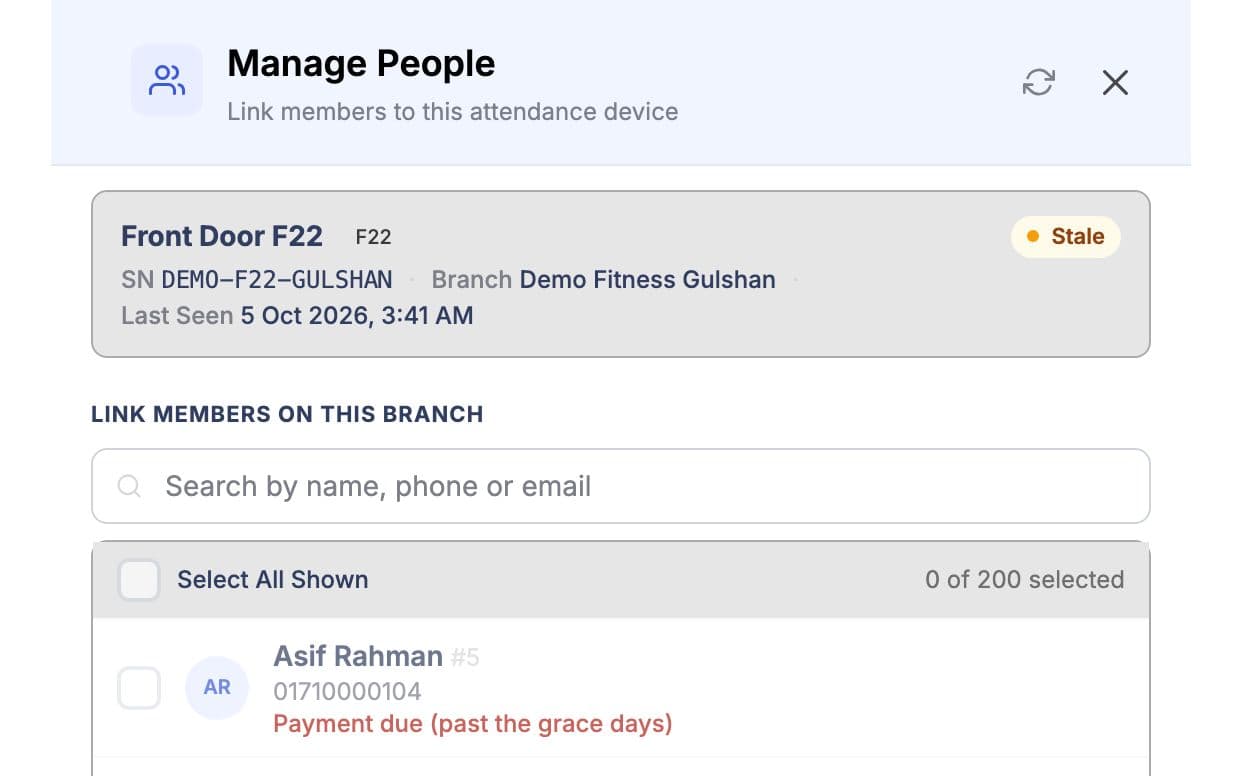
Open Manage People to link the branch's members to the device in bulk. Anyone the door rule would refuse shows the reason, such as not paid, inactive or blocked, so staff can sort it out first. From then on GymCity adds and removes members on the device itself: after a payment changes their status, when their status or branch changes, and in a nightly check. Manual and CSV check-ins follow the same rule, so the desk and the door never disagree.
Made for How You Work
The front desk, CSV imports and the fingerprint device all use the same rule. A member refused at the door is refused at the desk too, with the reason on their profile.
A payment queues an update to the device, and a nightly check fixes anything missed, such as an update sent while the device was offline.
Each member gets grace days after their paid period ends, so a late payer is not stopped on day one. You can also allow or block one member by hand.
What You Get With Attendance & Access Devices
Attendance & Access Devices FAQ
Short answers to what gym owners and trainers ask most.
All Questions →GymCity works with ZKTeco fingerprint devices with cloud (ADMS) support. The device talks to GymCity over the internet, so no computer has to stay switched on at the gym. Device support is for branches in Bangladesh, and each branch can have one active device. If you are not sure your model has cloud support, send us the model name before you buy.
Yes. Staff can check members in and out by hand from the member profile or the attendance screen, or import a CSV file of visits. These visits follow the same door rule and appear in the same Attendance Records as device check-ins. You can start this way and add a device to a branch later.
GymCity checks three things in order. An inactive or deleted member is kept out. A manual allow or block on the member's profile comes next. Then billing: the member may enter until the end of their last paid period plus their grace days. A member who has never been billed is kept out until a bill exists.
Yes, in two ways. You can switch off the billing check for one member, and the gym can stop devices adding and removing members because of billing. Either way, inactive and blocked members are still kept off the device. Manual and CSV check-ins keep using the full rule, including billing for members who have it on.
When a member is unlinked, GymCity removes them from the device but keeps an encrypted copy of their fingerprint for a while. If they come back, they do not need to enrol again. The copy is deleted after a set period without a link, when the member is deleted, or when staff delete it.
No. GymCity decides which members are on the device; the device recognises the finger and works the door it is wired to. GymCity does not send open-door commands, and device support covers ZKTeco devices with cloud support at branches in Bangladesh only. Gyms elsewhere can still use manual check-in and CSV import.
Works Even Better Together
Last updated 15 October 2026Written by Sarwar HossainScreens show demo data only
Try Attendance & Access Devices With Your Gym
List your gym free today and turn on the tools you need when you are ready.