Share Your Profile With One Link or a QR Code
Instead of typing out prices, timings and directions for every enquiry, send one link. Your page shows everything, previews properly in chat apps, and has a request button.
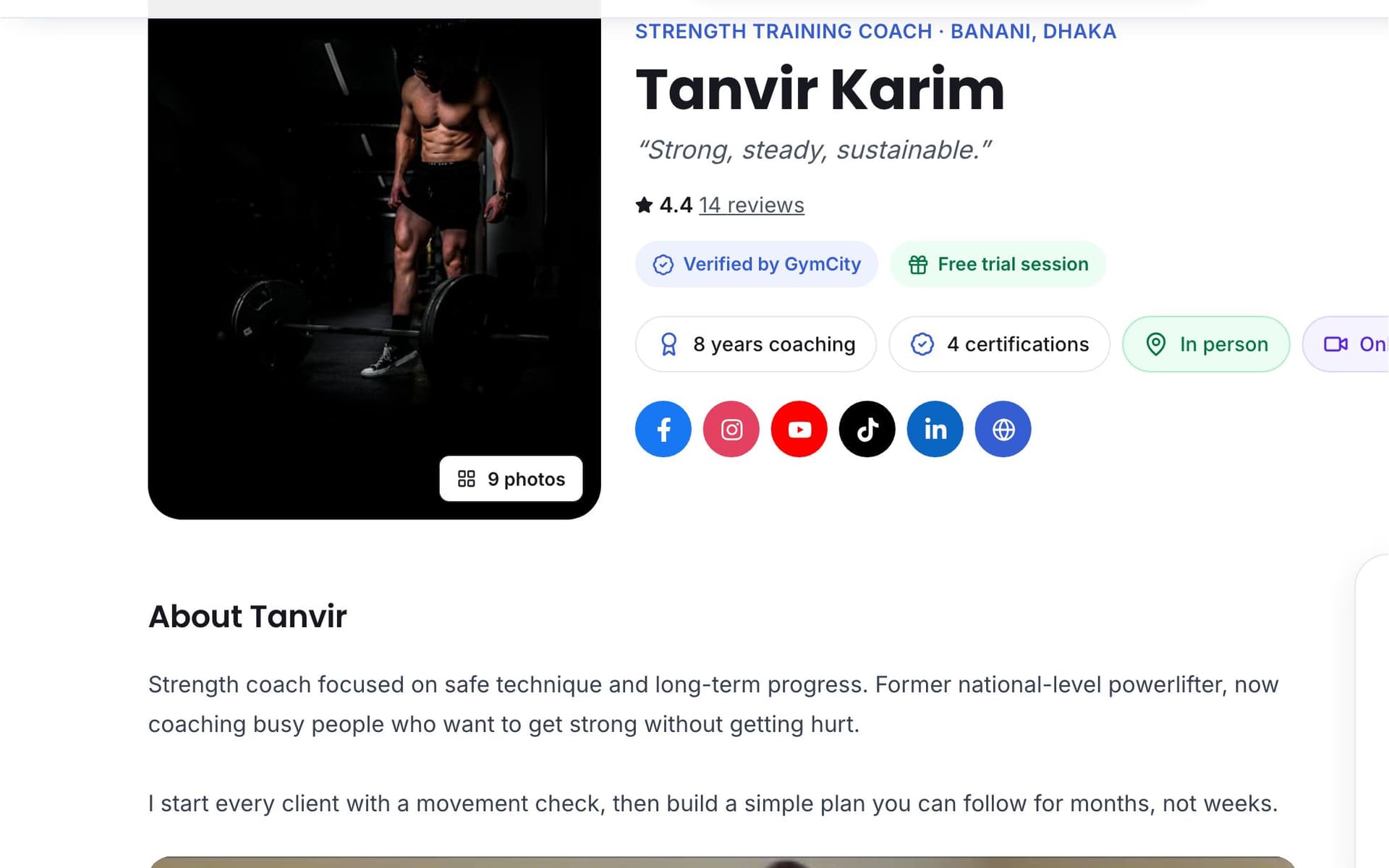
What is GymCity Share Your Profile?
Share Your Profile gives every gym, branch and trainer on GymCity a link to their public page, an optional short link, a printable QR code and a review invite link. Shared links show your chosen share picture or cover photo with your page name and description, so they look right on Facebook and WhatsApp.
Why Gyms and Trainers Use Share Your Profile
Long Explanations
Every "price?" message gets the same long reply with timings, fees and directions. It eats your evenings.
Send one link with everything.Ugly Links
A bare web address with no picture looks like spam in a WhatsApp group, and people skip it.
Links show your photo, name and description.Followers Do Not Act
People like your posts and never call. There is nothing for them to tap.
The page they open has a request button.Share Your Profile in 3 Steps
Copy Your Link
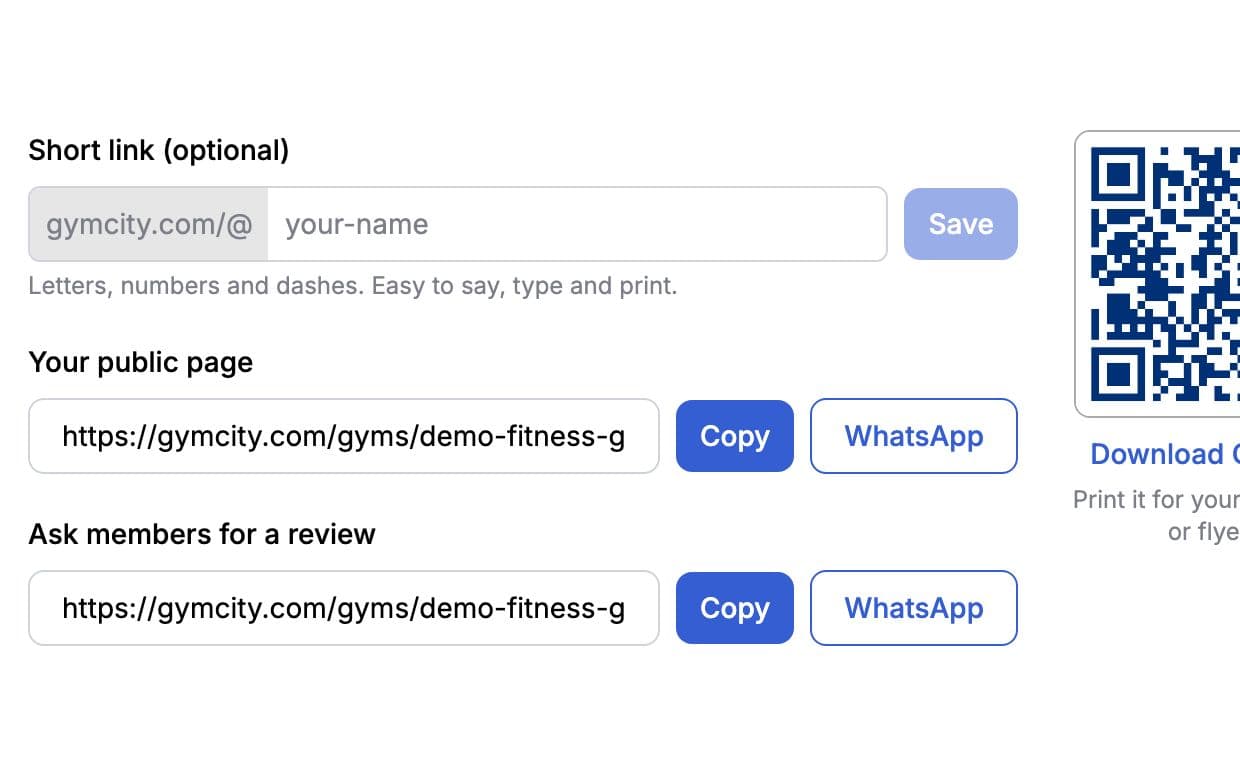
Open Share and Promote in your gym or trainer profile settings. Copy your public page link, or tap WhatsApp to send it with a short message already written. You can also choose a short link name with letters, numbers and dashes, easy to say out loud and to print. Each published branch has its own page link too.
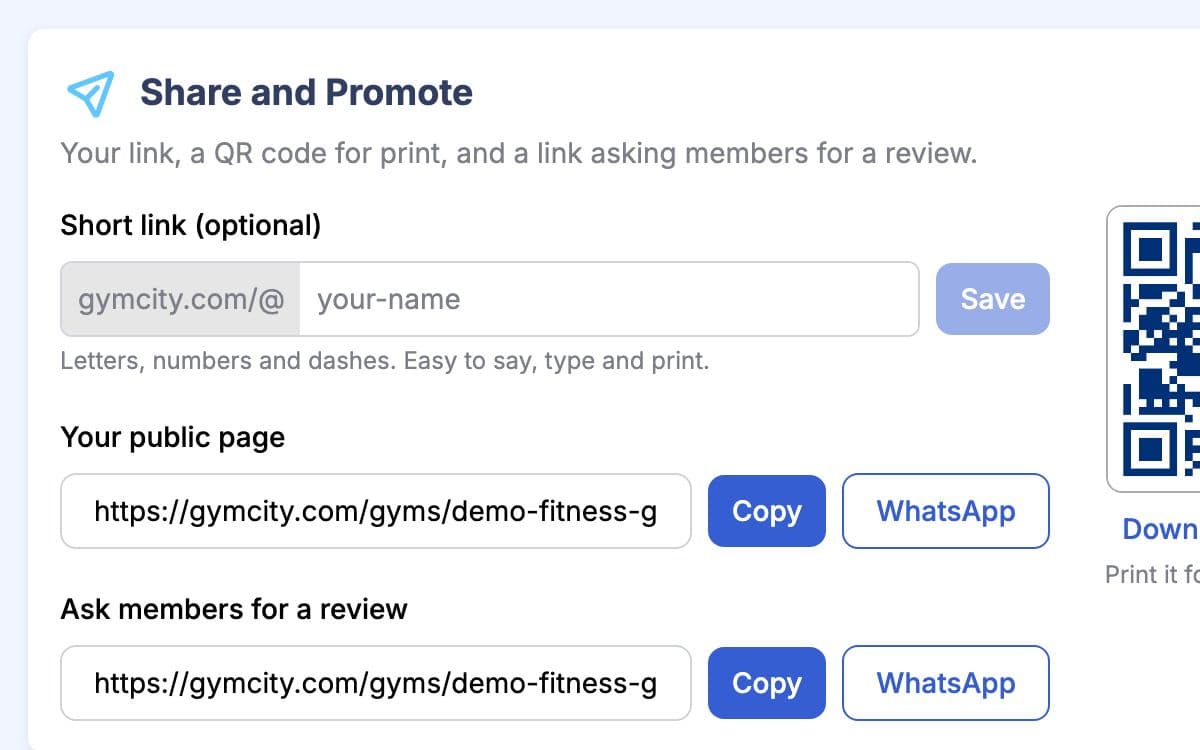
Print Your QR Code
Share and Promote also shows a QR code for your page. Download it and print it for your front desk, flyers, banners or business cards. Anyone who scans it with a phone camera lands on your page, sees your plans and can send a request on the spot.
Choose Your Share Picture
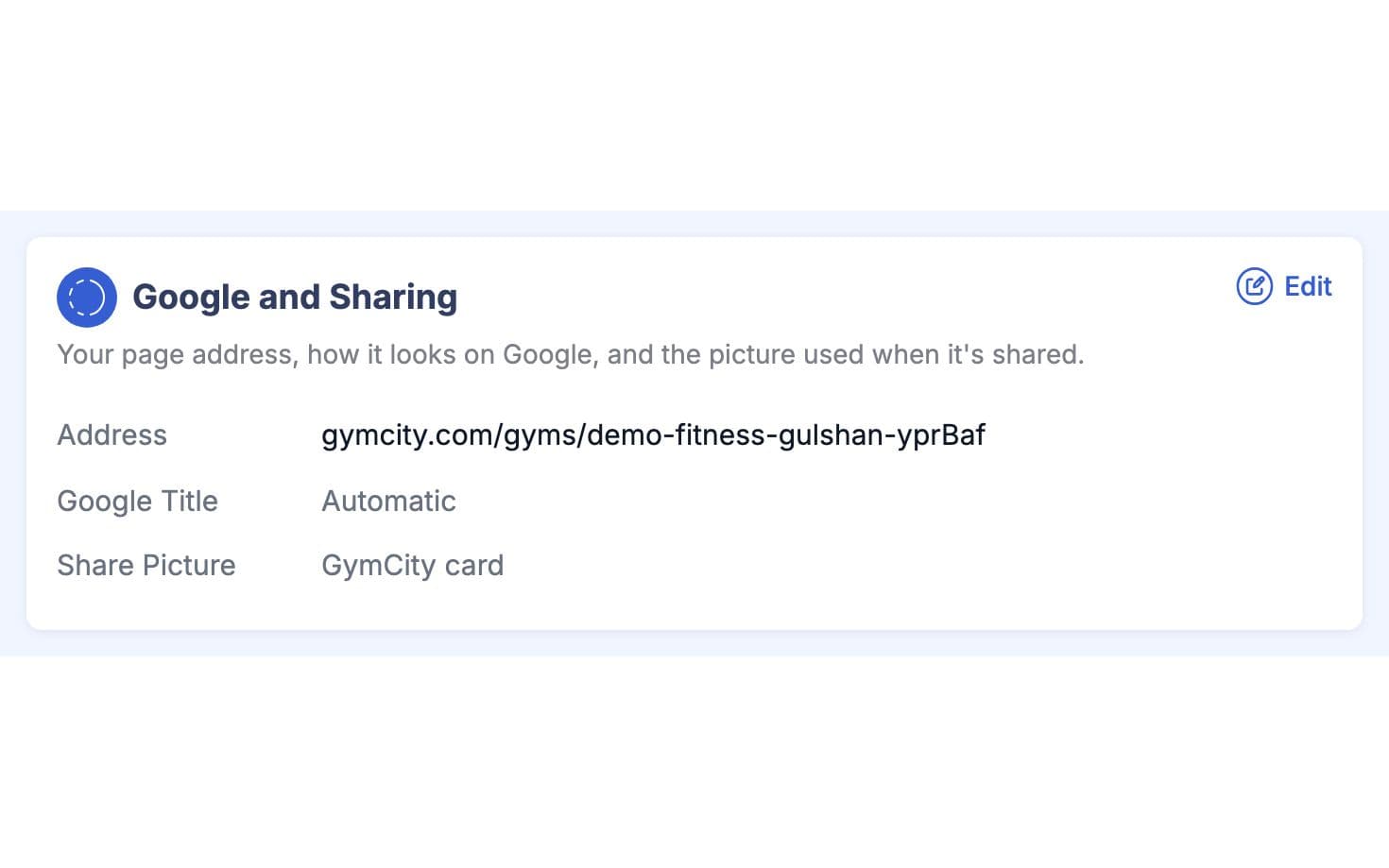
In your profile settings, pick the picture that appears when your link is shared. If you don't choose one, GymCity uses your cover photo. Facebook, WhatsApp and most chat apps then show that picture with your page name and description. Branch links show that branch's own details.
Made for How You Work
Plans, hours, map and reviews behind a single link.
Walk-ins scan it and read your plans while they wait.
Send people to the branch nearest them.
What You Get With Share Your Profile
Share Your Profile FAQ
Short answers to what gym owners and trainers ask most.
All Questions →In your GymCity account, open your gym or trainer profile settings and go to Share and Promote. You'll find your public page link with Copy and WhatsApp buttons, the optional short link, the review link, and your QR code with a download button.
Your share picture, or your cover photo if you haven't picked one, with your page name and description. Facebook, WhatsApp, Messenger and most chat apps read these on their own. If a preview still looks old after you change the picture, the app is probably showing a saved copy, and it usually catches up after a while.
Yes. Each published branch has its own page, link and share preview, showing that branch's address, hours and photos. Send people to the branch closest to them instead of making them search for it. Branch pages appear in GymCity search on their own as well.
No. GymCity gives you the link, short link, QR code and review link, but it doesn't post on your social accounts. You share them yourself on Facebook, WhatsApp, Instagram or in print, as often as you like. All of it is free for every gym and trainer.
Works Even Better Together
Last updated 15 October 2026Written by Sarwar HossainScreens show demo data only
Try Share Your Profile With Your Gym or Clients
List your gym or training business free today and turn on the tools you need when you are ready.