Gym Member Chat Without Sharing Phone Numbers
Chat & Messages keeps conversations between your gym and its members inside GymCity, not on someone's personal phone. Owners, front desk staff and gym trainers reply from their own logins; members reply from their GymCity account.
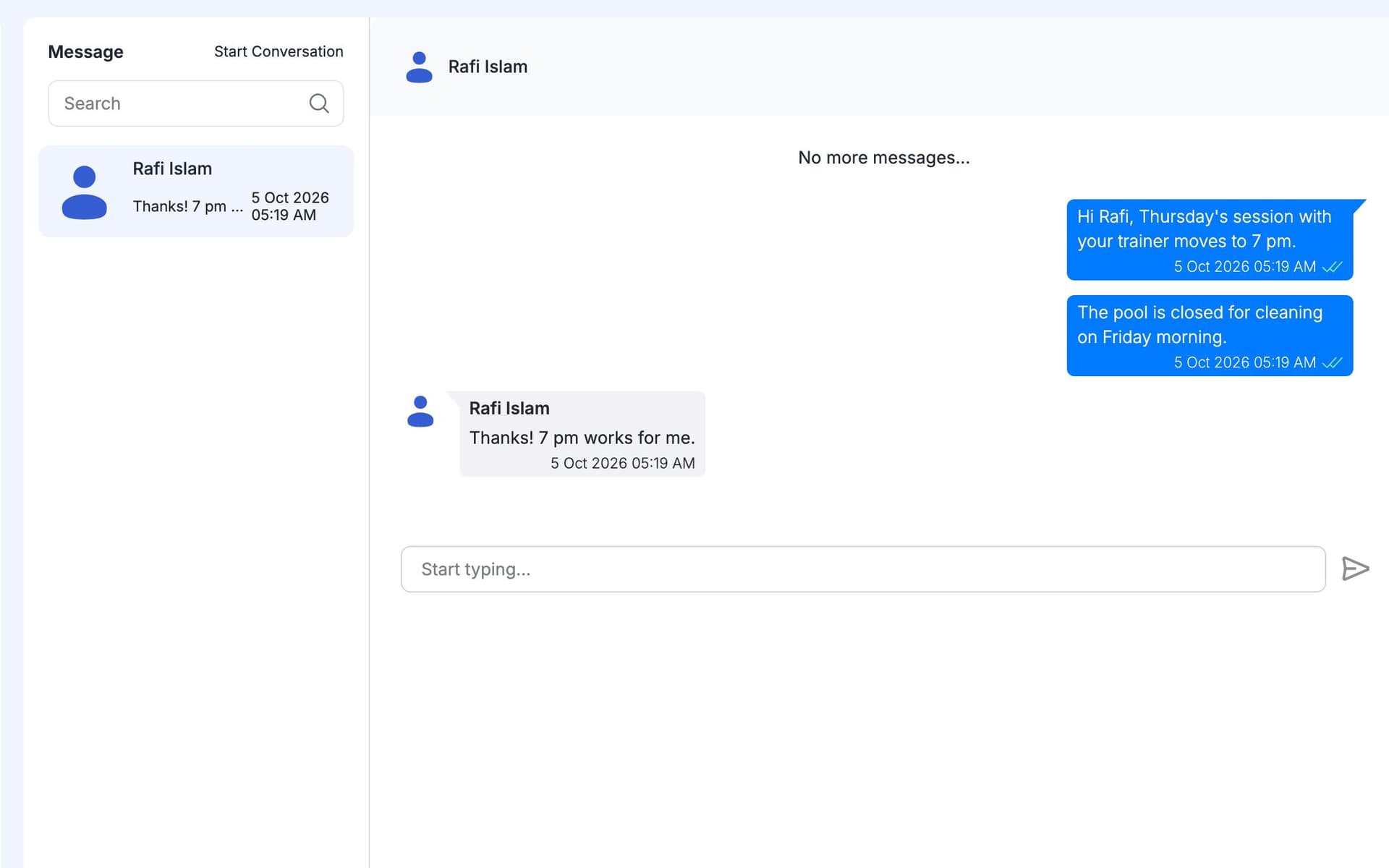
What is GymCity Chat & Messages?
GymCity Chat & Messages lets a gym and its members send messages to each other inside GymCity. Staff reply on behalf of their branch, so no personal phone number is shared, and every conversation stays in the gym's inbox. New messages appear within a few moments; GymCity checks for them regularly rather than pushing them live.
Why Gyms Use Chat & Messages
Personal Numbers Shared
Members message our receptionist on her own WhatsApp at midnight. When she leaves, those chats leave with her.
Talk to members inside GymCity, from staff logins.Lost Conversations
A member says we promised to freeze his membership. Nobody can find the message, so it is his word against ours.
Every conversation stays in one inbox.Mixed Chats
Gym questions get lost between family groups and supplier chats on the same phone.
An inbox just for your gym.Chat & Messages in 3 Steps
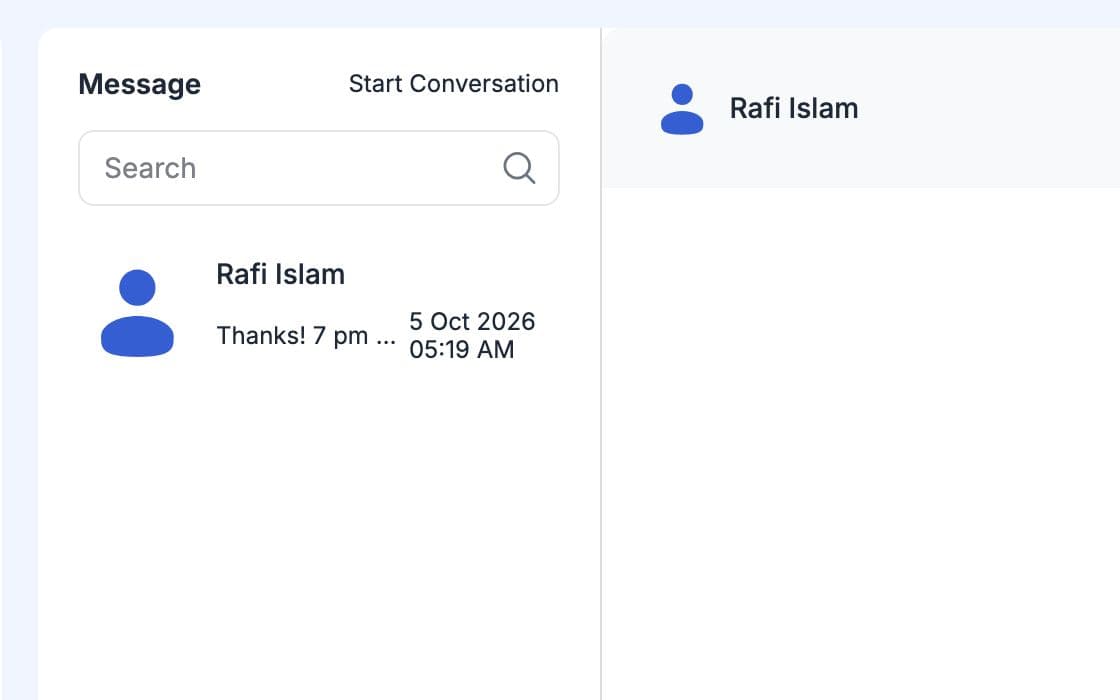
Open Messages
Go to Messages in your dashboard and pick a member, or start a new conversation with someone from your gym. Earlier messages load in the same thread, so you see what was said before you reply. Staff see the conversations of the branches they work at. You can only start chats with people who belong to your gym.
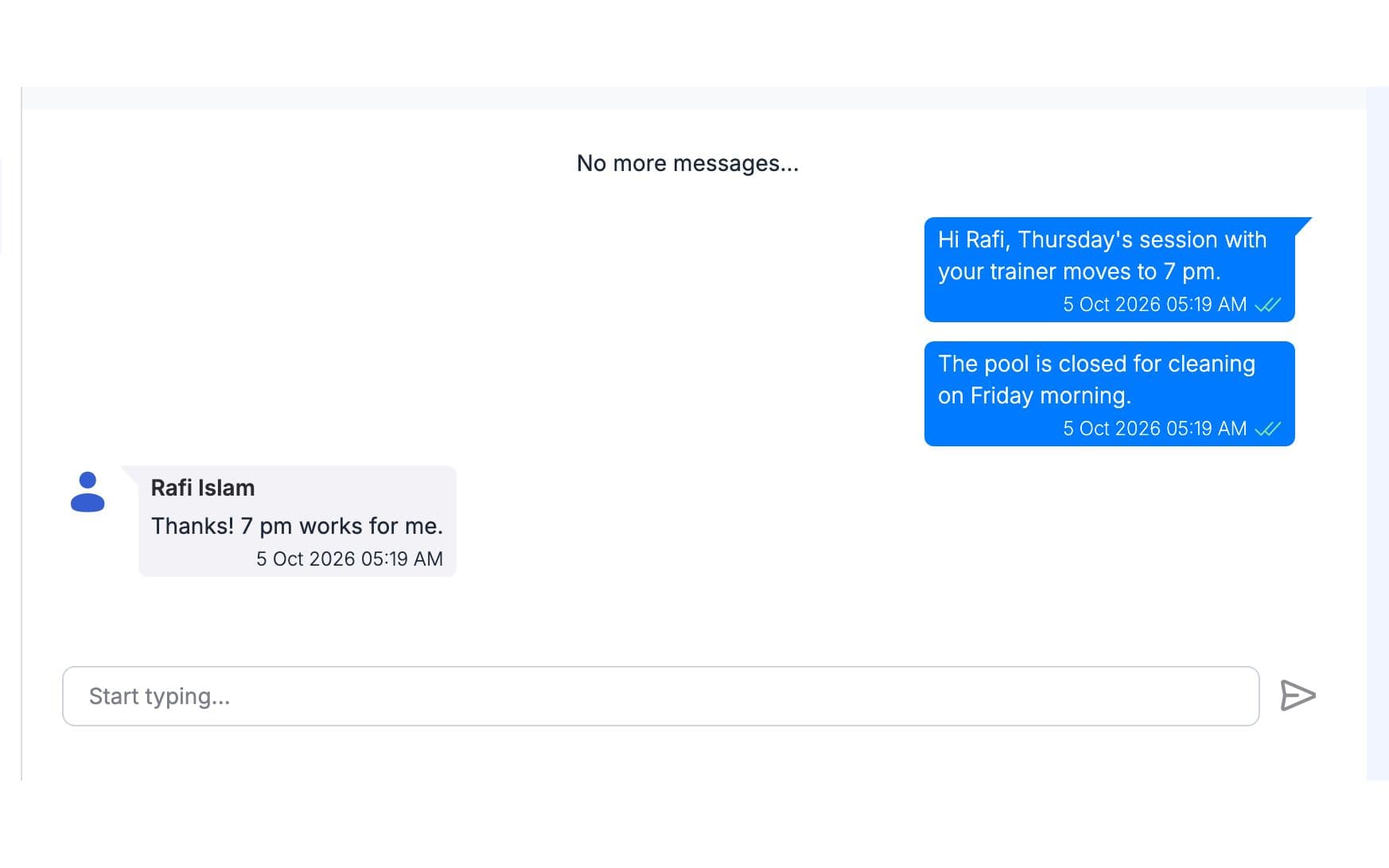
Send a Message
Type your message and send it. The member sees it the next time they open GymCity, and it is marked as read once they do. If you made a mistake, you can edit or delete your own message. Your personal phone number is never shown.
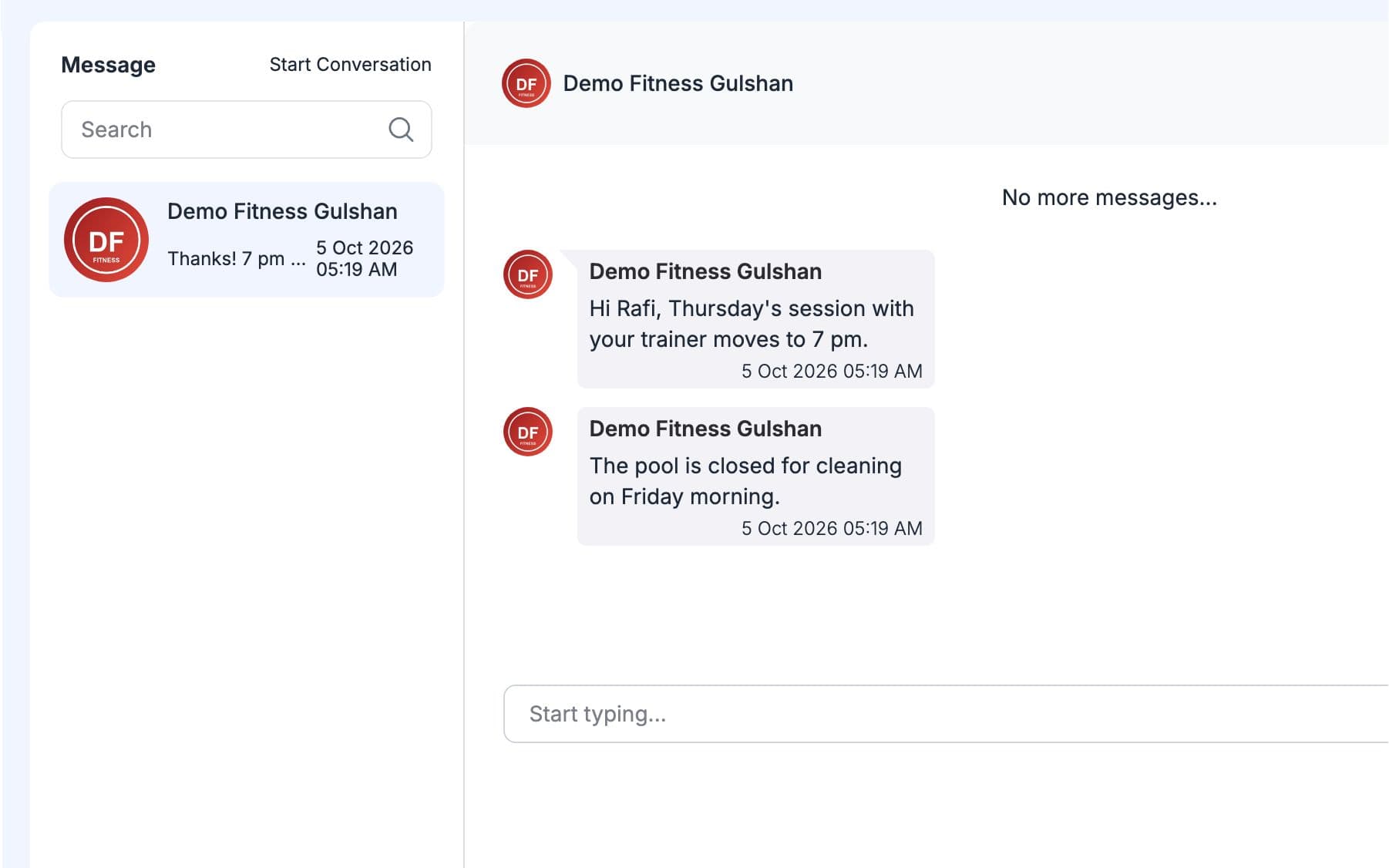
Members Reply
Members answer from their own GymCity account, on the phone or computer. Their reply appears in your inbox within a few moments, and anyone at the branch with access can pick it up. The whole conversation stays with the gym, even when staff change. For a message to every member, use a notice instead.
Made for How You Work
Members talk to the gym, not to one person's phone, and staff numbers stay private.
Earlier conversations stay saved, so you can check what was agreed months later.
For news that every member needs, post one notice instead of many messages.
What You Get With Chat & Messages
Not quite. GymCity checks for new messages every few moments instead of pushing them instantly, so a reply can take a short while to appear. For day-to-day gym questions that is usually fine. For something urgent, such as a closure today, post a notice as well so every member sees it on their home.
No. Members message the gym from their own GymCity login, and staff reply from theirs. No personal number is shown on either side. Because the conversation belongs to the gym, it stays in the inbox when a staff member leaves, and the next person at the desk can carry on.
Use a notice for that. A notice shows on your members' home screens in GymCity, so you do not have to send the same message many times. Chat is for one-to-one conversations, such as a question about a bill or a change of timing.
Only the people in it. For the gym, that means the owner and the staff of the branch the conversation belongs to; for the member, only the member. Other gyms and other members cannot see it. Each person can edit or delete only the messages they sent themselves.
Not yet. Chat & Messages is built for gyms and their members today. Independent personal trainers cannot chat with their clients in GymCity yet. Visitors can still send them questions through the request form on their public page, and trainers answer in their requests inbox.
Works Even Better Together
Last updated 15 October 2026Written by Sarwar HossainScreens show demo data only
Try Chat & Messages With Your Gym
List your gym free today and turn on the tools you need when you are ready.