How GymCity Works
GymCity has two sides. Members search gyms and personal trainers by area, compare fees, timings and reviews, and send a request to join. Gyms and trainers list free, answer those requests, add new members and, on a paid plan, run billing, attendance and training in one place.
- Free for members
- Gyms and trainers list free
- No account needed to search


Find and Join in Four Steps
Searching and sending requests is free, and you do not need an account until you join. Here is the whole path from search to your first session.
- 01
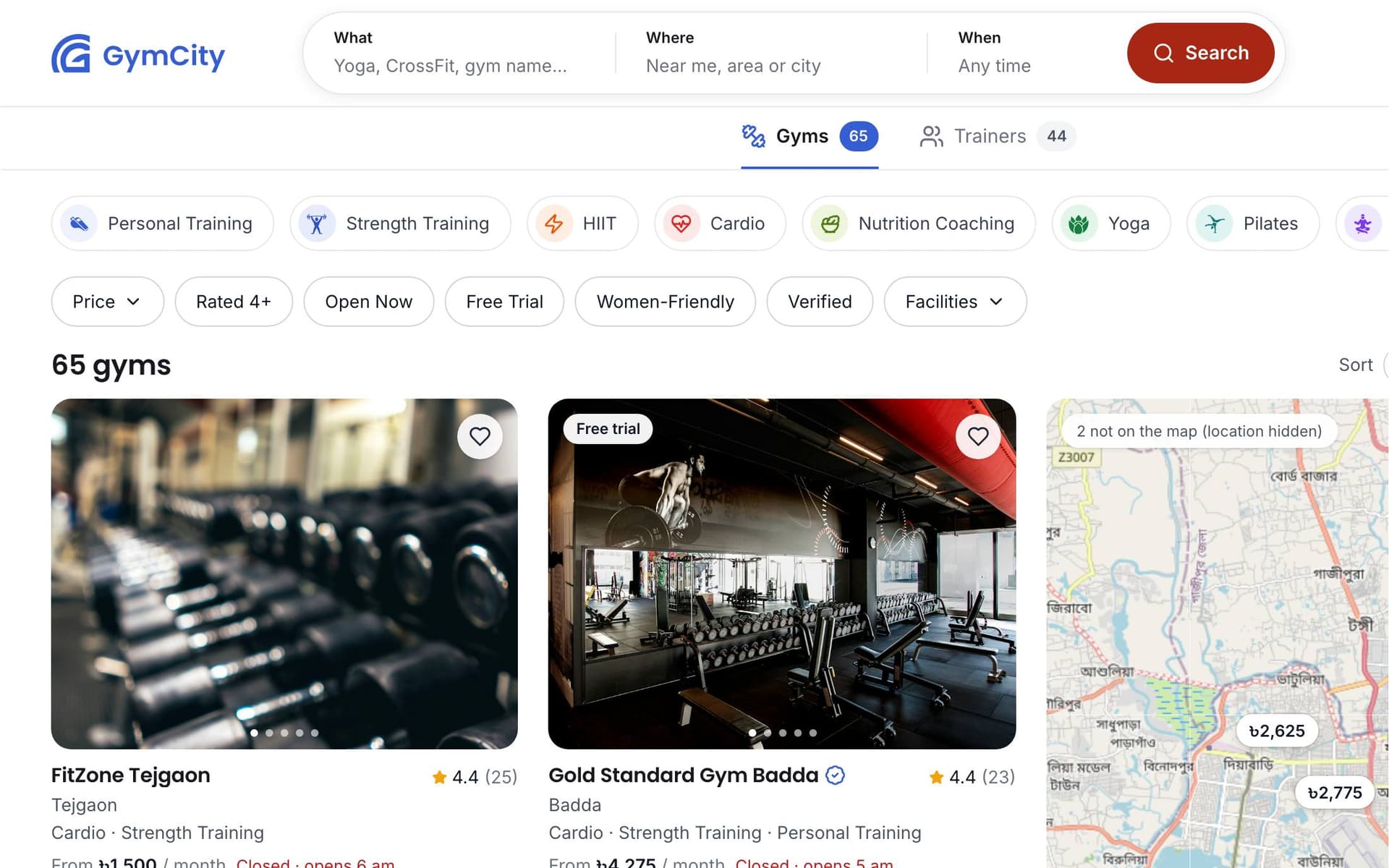
Search by Area or Near Me
Choose Gyms or Trainers, then type an area such as Gulshan 2 or press Near Me. Narrow the list with filters like Ladies Only, Yoga, Open Now, Online PT or price. Each result shows the area, rating and starting fee when the gym or trainer shares it.

- 02
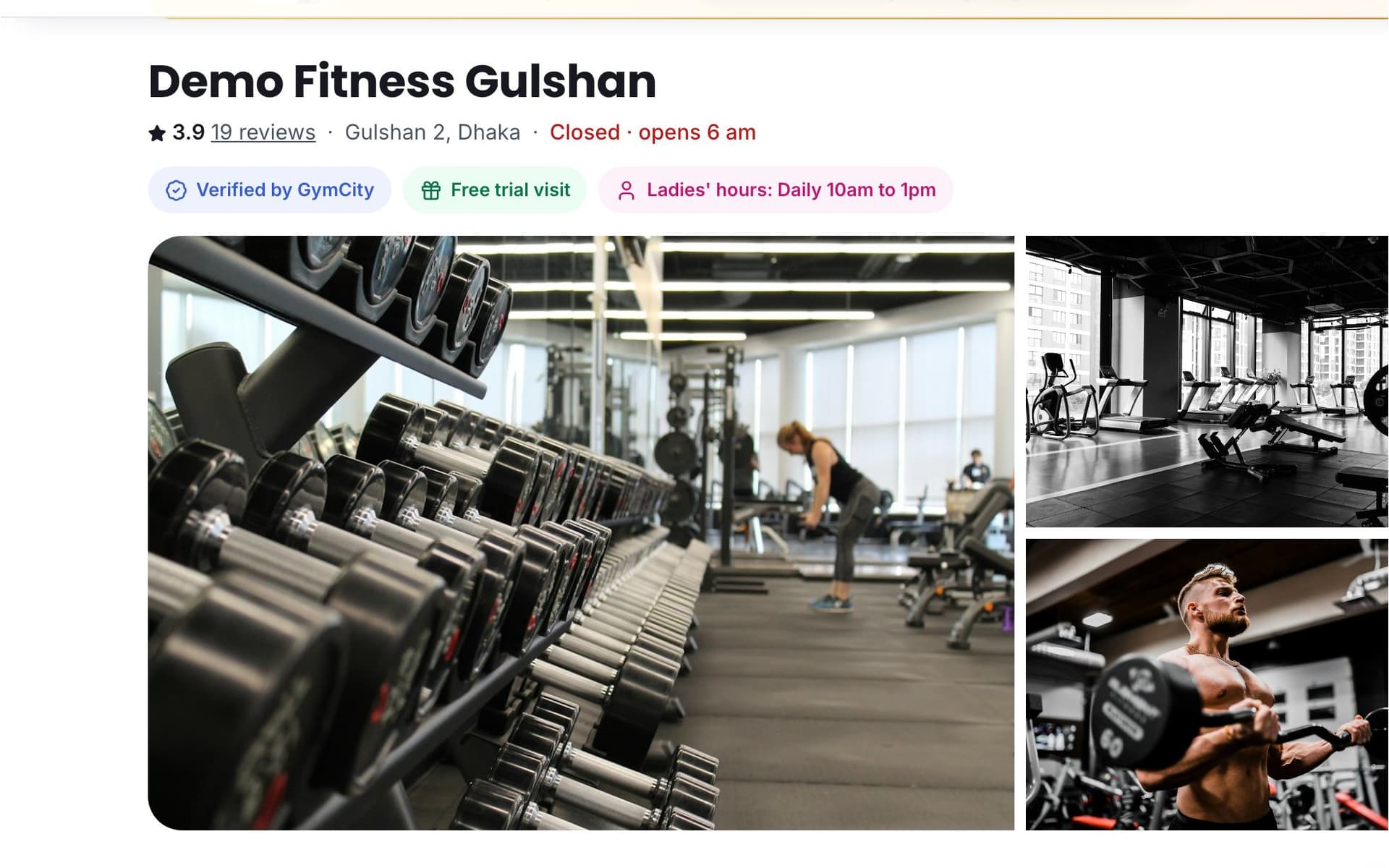
Compare Profiles
Open a few profiles side by side. Check packages and fees, opening hours and ladies hours, facilities, trainers, photos and reviews from members. If a fee is not shown, ask for it in your request.
- 03
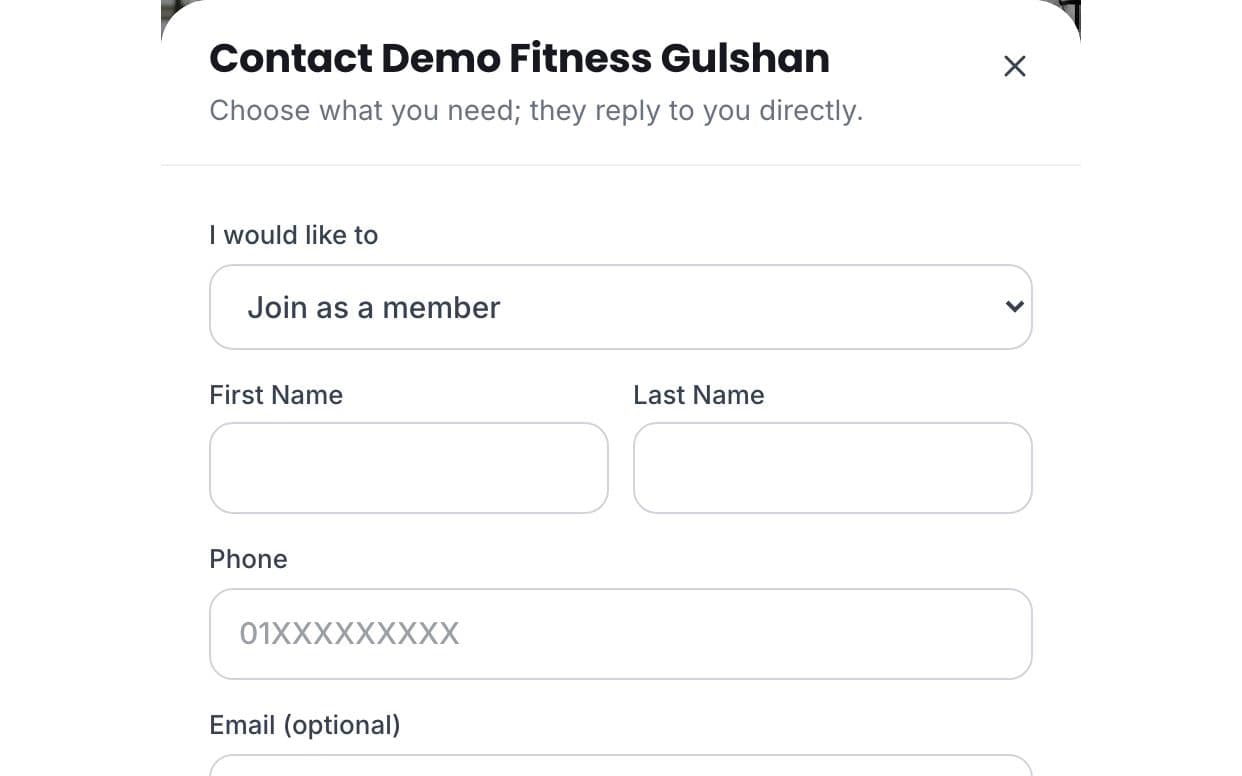
Send a Request
Tap Request on the profile and choose Join, Free Trial, Class or Question. Leave your name and phone number and add a short note, such as the time you want to train. No account is needed.
- 04
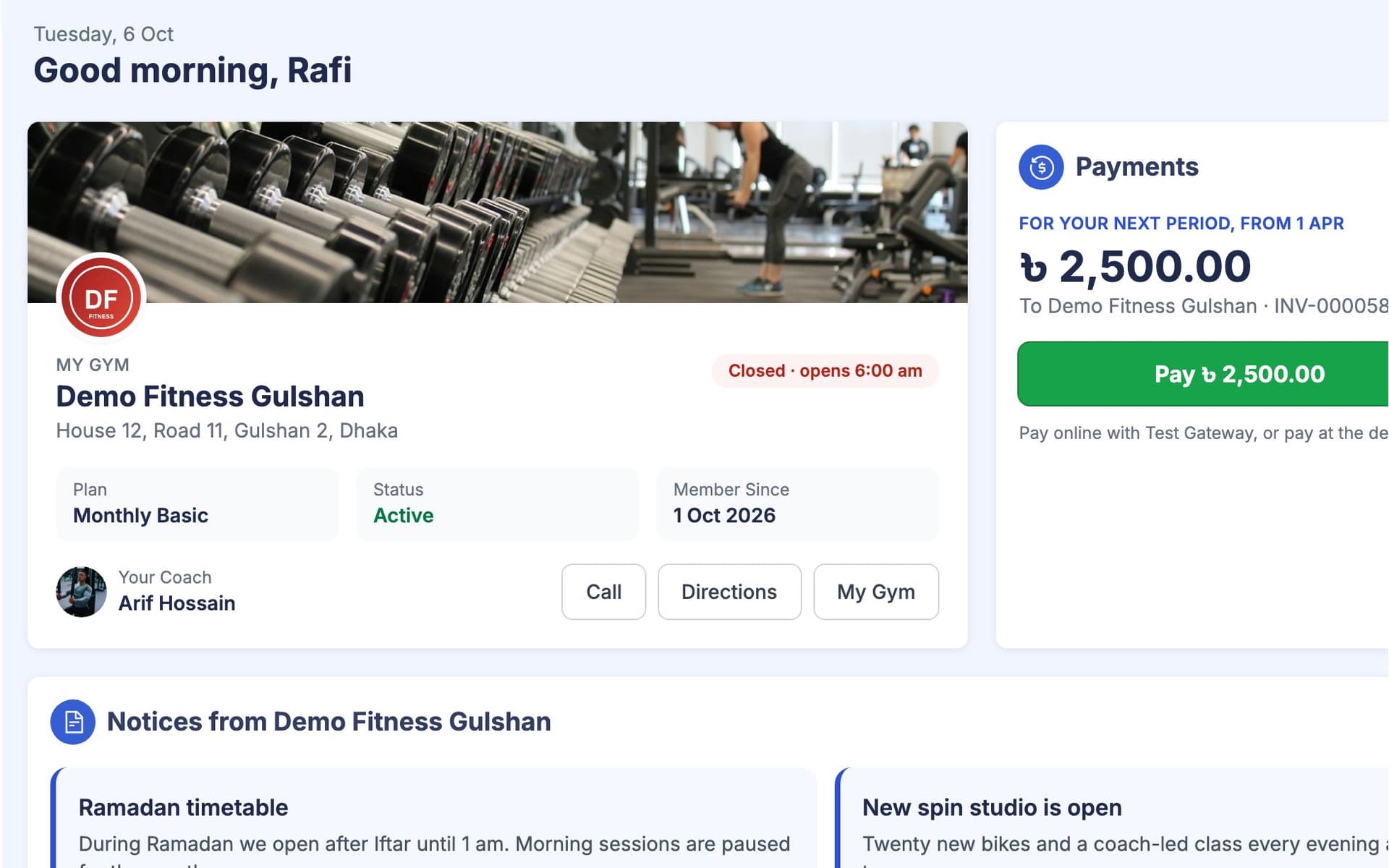
Join and Use Your Portal
Agree the details with the gym or trainer and pay them directly: at the desk, by mobile wallet or online if they accept it. Once they add you, your member portal shows your bills, visits, workouts and diet plan.
What Happens After a Request
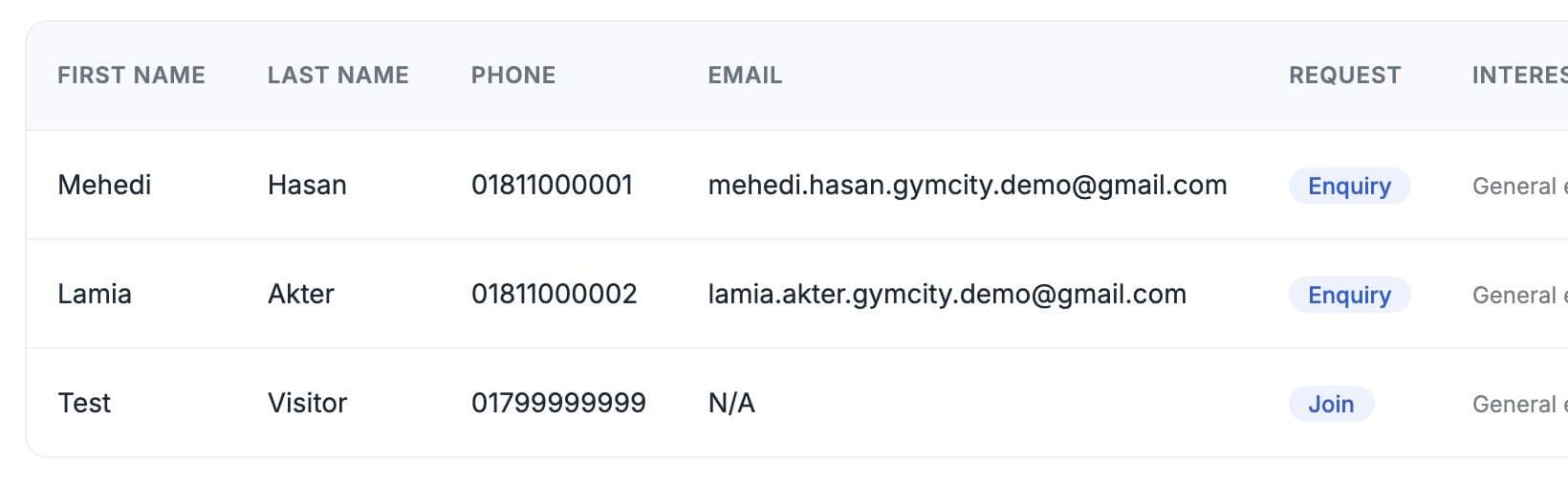
Your request goes only to the gym or trainer you chose. It lands in their GymCity inbox with your name, phone number, what you asked for and your note. They contact you by phone or WhatsApp to answer or arrange a time. Other gyms do not see it. Before you join, ask about:
- The current monthly fee and any admission fee
- Ladies hours, or whether the gym is women-only
- Whether the free trial is at a set time or you can walk in
- Whether a trainer is included or costs extra
Get Found, Then Run the Business
Listing is free and takes about 10 minutes. The first three steps cost nothing; the last two use a paid plan when you are ready.
- 01
List Free
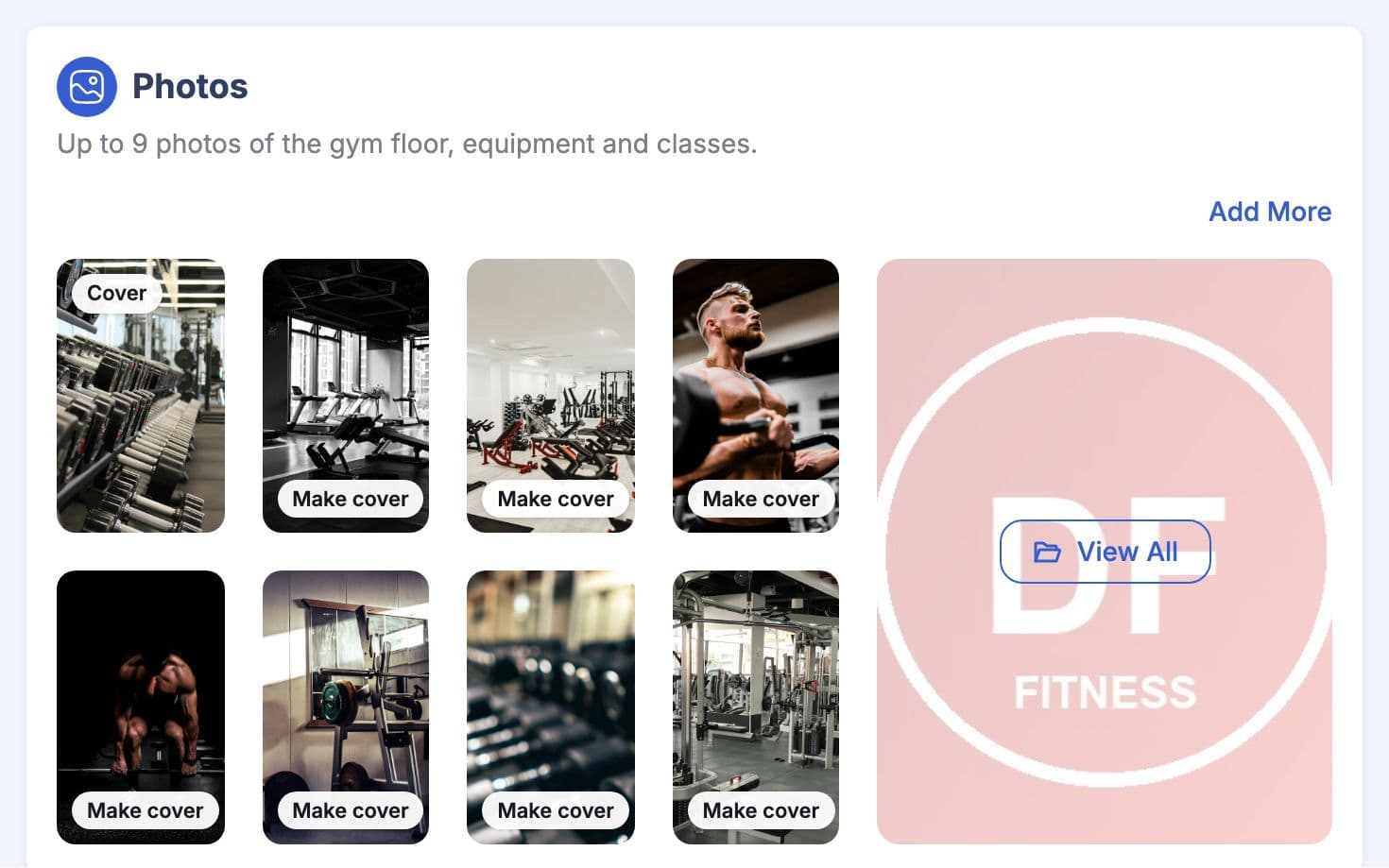
Add photos, packages, timings, facilities and your map location. Your page appears in GymCity search and on city pages.
- 02
Get Requests
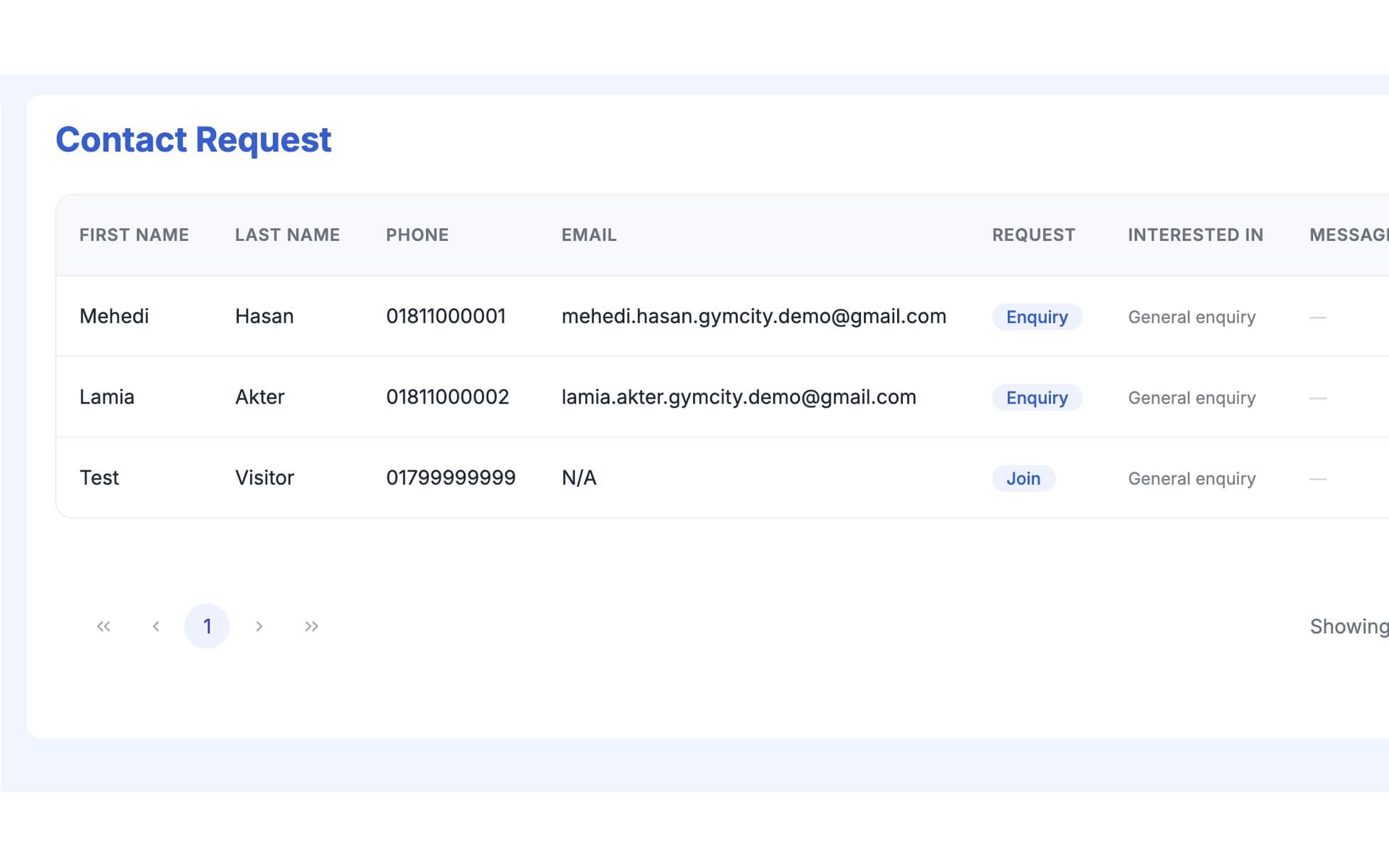
Requests arrive in your GymCity inbox. Call or message the person back and agree a trial or start date.
- 03
Add Members
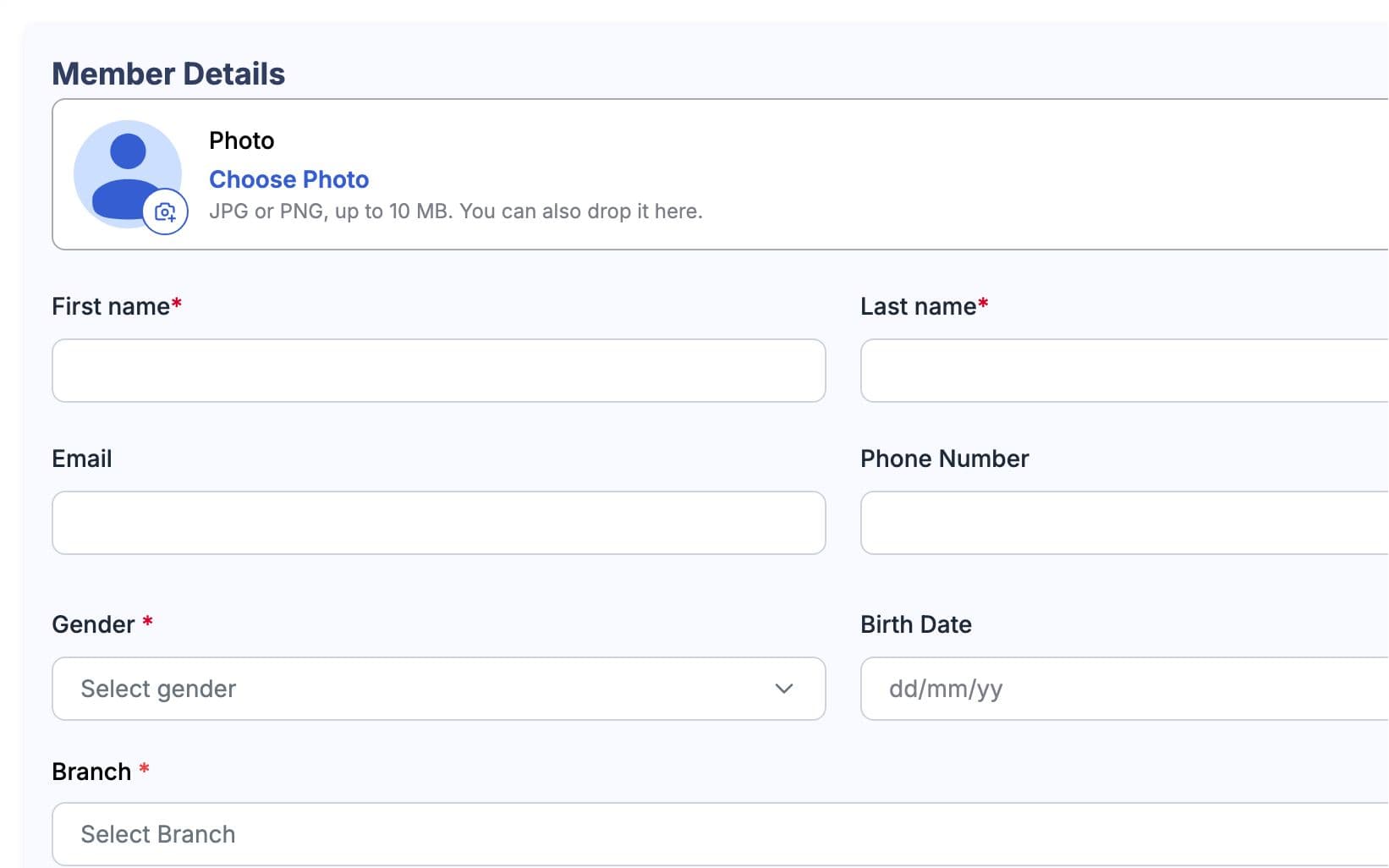
Call or message the person, then add them as a member with their package; they accept the invite in their own account. They get a member portal of their own.
- 04
Bill and Track (Paid Plan)
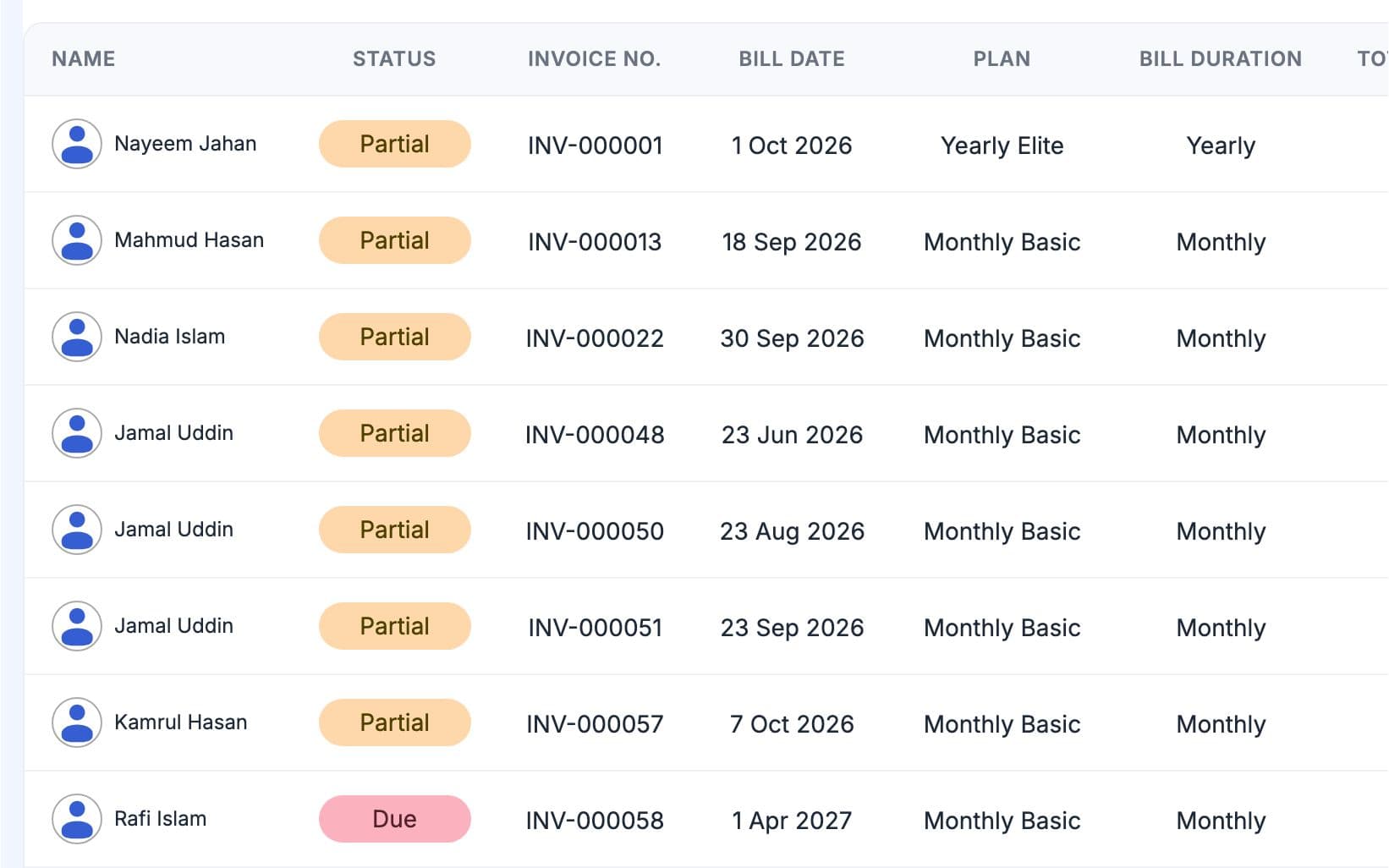
Invoices follow each package. Record desk and mobile payments, take online payments and track attendance, with fingerprint doors at gyms.
- 05
Grow (Paid Plan)
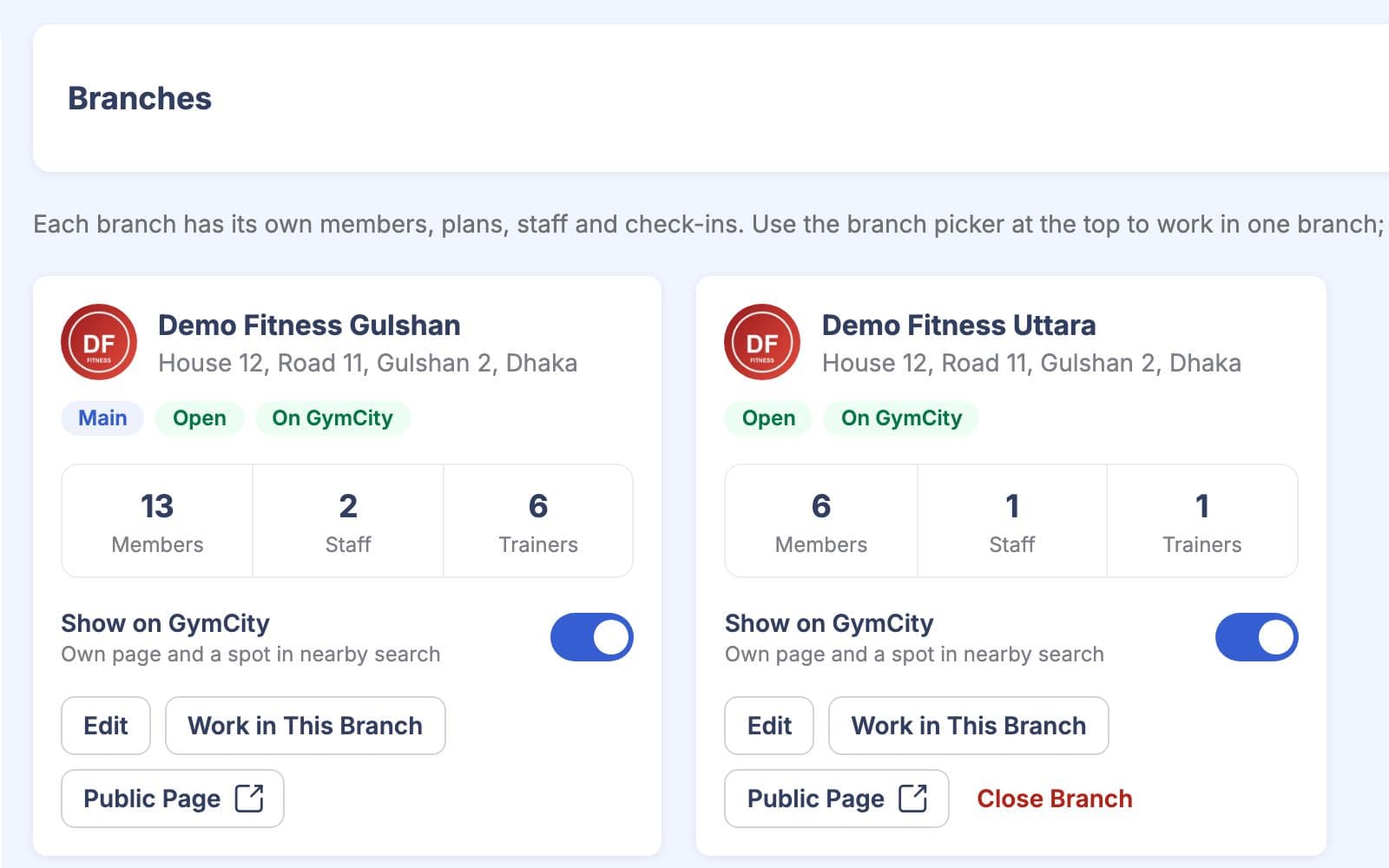
Add branches and staff roles, or workout and AI diet plans for trainers, as the business grows.
What Is Free and What Is Paid
Members never pay GymCity: searching, comparing and sending requests are free. Gyms and trainers list free; paid plans add the tools to run the business.
Free Listing
- A public profile with photos, prices and timings
- A place in GymCity search and city pages
- Requests in your GymCity inbox
- Reviews from your members
Paid Plans
- Members, packages and invoices
- Payments, reminders and online payments
- Attendance and fingerprint door access
- Branches, staff roles, workout and diet plans
Your Data and Your Money
Paid Directly
Members pay gyms and trainers directly. GymCity never holds members' money.
Each Gym Sees Its Own
A gym or trainer sees only its own members and requests, never another gym's.
Kept Separate
A gym membership, a personal trainer and your own tracking stay in separate profiles.
Type your area or press Near Me, choose Gyms or Trainers, then filter by activity, price, Open Now or Ladies Only. Each result opens a profile with photos, packages, timings, facilities and member reviews, so you can compare a few places before you visit or send a request.
No. Anyone can search, compare and send a request without signing up. You choose Join, Free Trial, Class or Question, leave your name and phone number and add a short message if you like. The gym or trainer then contacts you. You only need an account once you join and want your member portal.
No. Anyone can search, compare and send a request without signing up. You choose Join, Free Trial, Class or Question, leave your name and phone number and add a short message if you like. The gym or trainer then contacts you. You only need an account once you join and want your member portal.
No. Searching, comparing and sending requests are free, and GymCity never takes a fee from members. You pay the gym or personal trainer directly for your membership or sessions, at the desk, by mobile wallet such as bKash or Nagad in Bangladesh, or online if they accept it.
Often, yes. 40 gyms on GymCity offer a free trial session. Choose Free Trial in the request form and the gym contacts you to agree a day and time. If a profile does not mention a trial, send a Question request and ask what they offer for first-time visitors.
Often, yes. 40 gyms on GymCity offer a free trial session. Choose Free Trial in the request form and the gym contacts you to agree a day and time. If a profile does not mention a trial, send a Question request and ask what they offer for first-time visitors.
Yes. Your public profile, search listing, member requests and reviews are free with no time limit and no card needed. Paid plans add the tools for running the business, such as memberships, invoices, online payments, attendance, branches, and workout and diet plans. You upgrade only when you need them.
Yes. Your public profile, search listing, member requests and reviews are free with no time limit and no card needed. Paid plans add the tools for running the business, such as memberships, invoices, online payments, attendance, branches, and workout and diet plans. You upgrade only when you need them.
A visitor taps Request on your profile, picks Join, Free Trial, Class or Question and leaves a name and phone number. The request appears in your GymCity inbox straight away. You then call or message them back, and you can accept a join request to add the person as a member.
A visitor taps Request on your profile, picks Join, Free Trial, Class or Question and leaves a name and phone number. The request appears in your GymCity inbox straight away. You then call or message them back, and you can accept a join request to add the person as a member.
Yes. GymCity works with ZKTeco fingerprint devices with cloud (ADMS) support. Check-ins are recorded automatically, and the door list follows payment: members who have paid get in, and members with overdue bills are stopped after the grace days you set. Fingerprint access is part of the paid gym plans.
Members pay you directly, never GymCity. They can pay at the desk, report a bKash or Nagad payment for your staff to approve, or pay online through your own bKash, SSLCommerz or Stripe account when online payments are on your plan. Every payment updates the member's invoice and balance.
Members pay you directly, never GymCity. They can pay at the desk, report a bKash or Nagad payment for your staff to approve, or pay online through your own bKash, SSLCommerz or Stripe account when online payments are on your plan. Every payment updates the member's invoice and balance.
Start in Minutes
Search for a gym or trainer near you, or list your business free.