A Free Website Page for Your Gym or Personal Training
Your GymCity profile works as your website: one address you can share, built from the details you already keep in GymCity. No designer, domain or hosting needed.
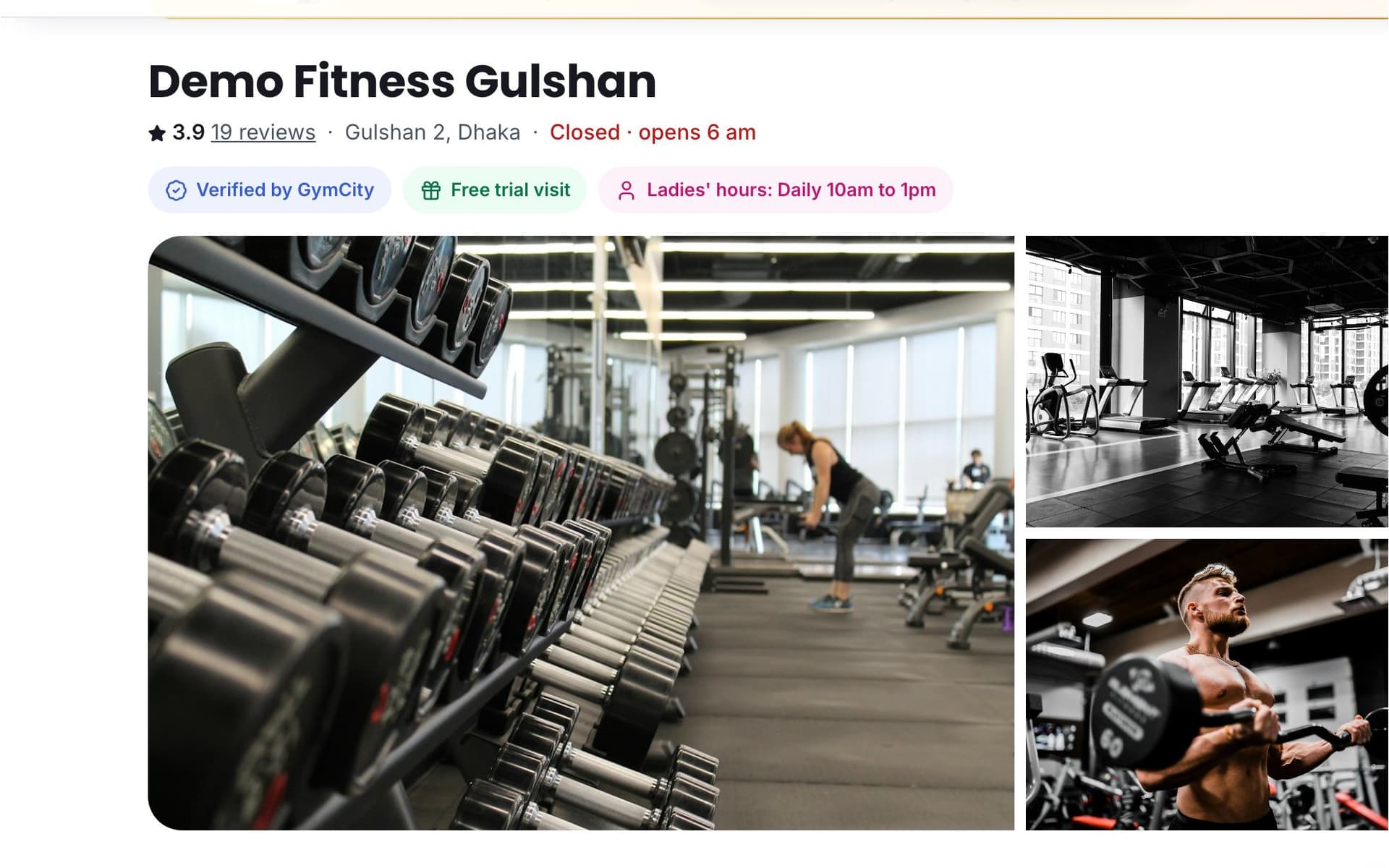
What is GymCity Public Profile?
GymCity Public Profile is a free website page for your gym or personal training. Each gym, branch and trainer gets a public page on gymcity.com with photos, plans, opening hours, a map, reviews and news. Visitors send a Join, Free Trial, Class or Question request, and it lands in your GymCity account.
Why Gyms and Trainers Use Public Profile
Only a Facebook Page
Your prices, timings and location get buried under old posts, so people message you the same questions every day.
One page with plans, hours and a map that stays current.No Website Budget
A designer, domain and hosting cost money, and someone has to keep the site current.
Your page is built from the details already in GymCity.Missed Visitors
Someone reads about you late at night, means to call tomorrow and forgets. That interest is gone by morning.
A request button on every page catches them while they're interested.Public Profile in 3 Steps
Fill In Your Profile
Sign up as a gym or trainer and open your profile settings. Add your logo, cover photo, gallery, address, map point and opening hours. Gyms add facilities and activities; trainers add expertise, certificates and the ways they train. Plans and classes you already set up in GymCity appear on the page, so you never type a price twice.
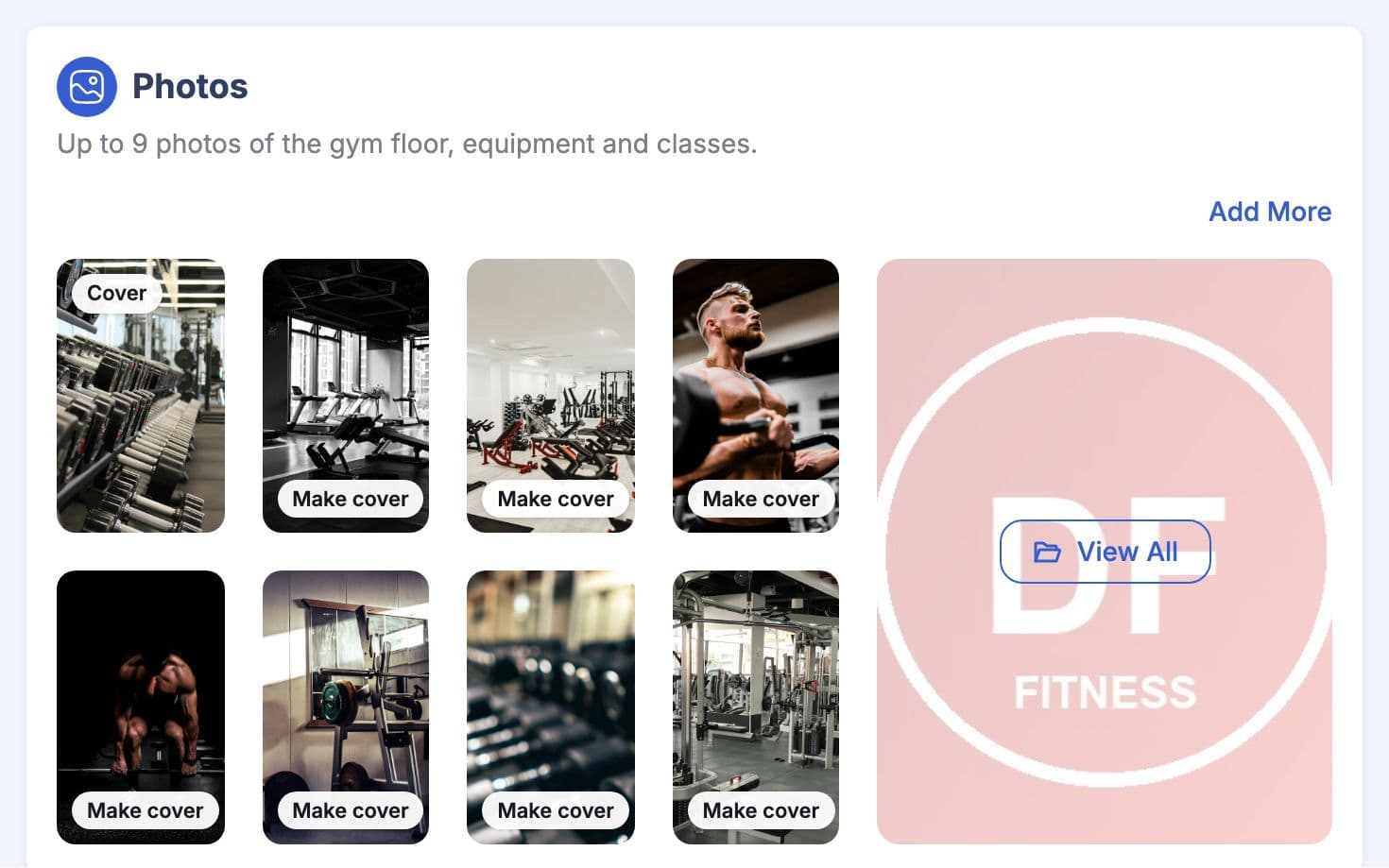
Choose What to Show
In Public Page settings, each section has its own switch: photos, plans and prices, hours, map, trainers, reviews, news and more. Turn off anything you'd rather discuss in person, such as prices. A few sections, such as plans, news and your phone number, depend on your GymCity plan, and the settings mark which.
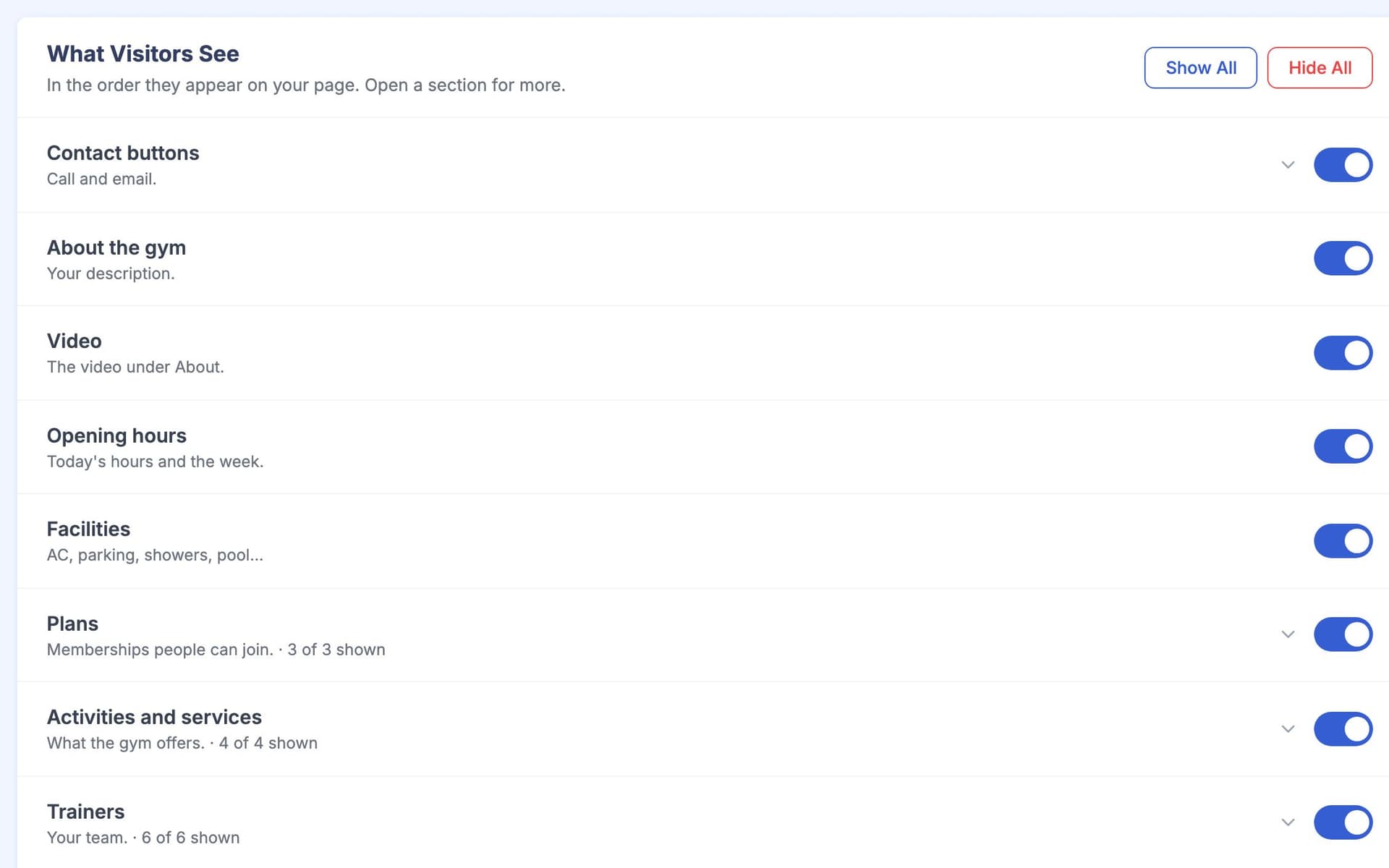
Go Live and Get Requests
Your page goes live on gymcity.com and joins GymCity search. Visitors read your details and reviews, then send a Join, Free Trial, Class or Question request with their name and phone number. Free Trial shows only when you offer one. Each request lands in your Leads list in GymCity, ready for you to call back.
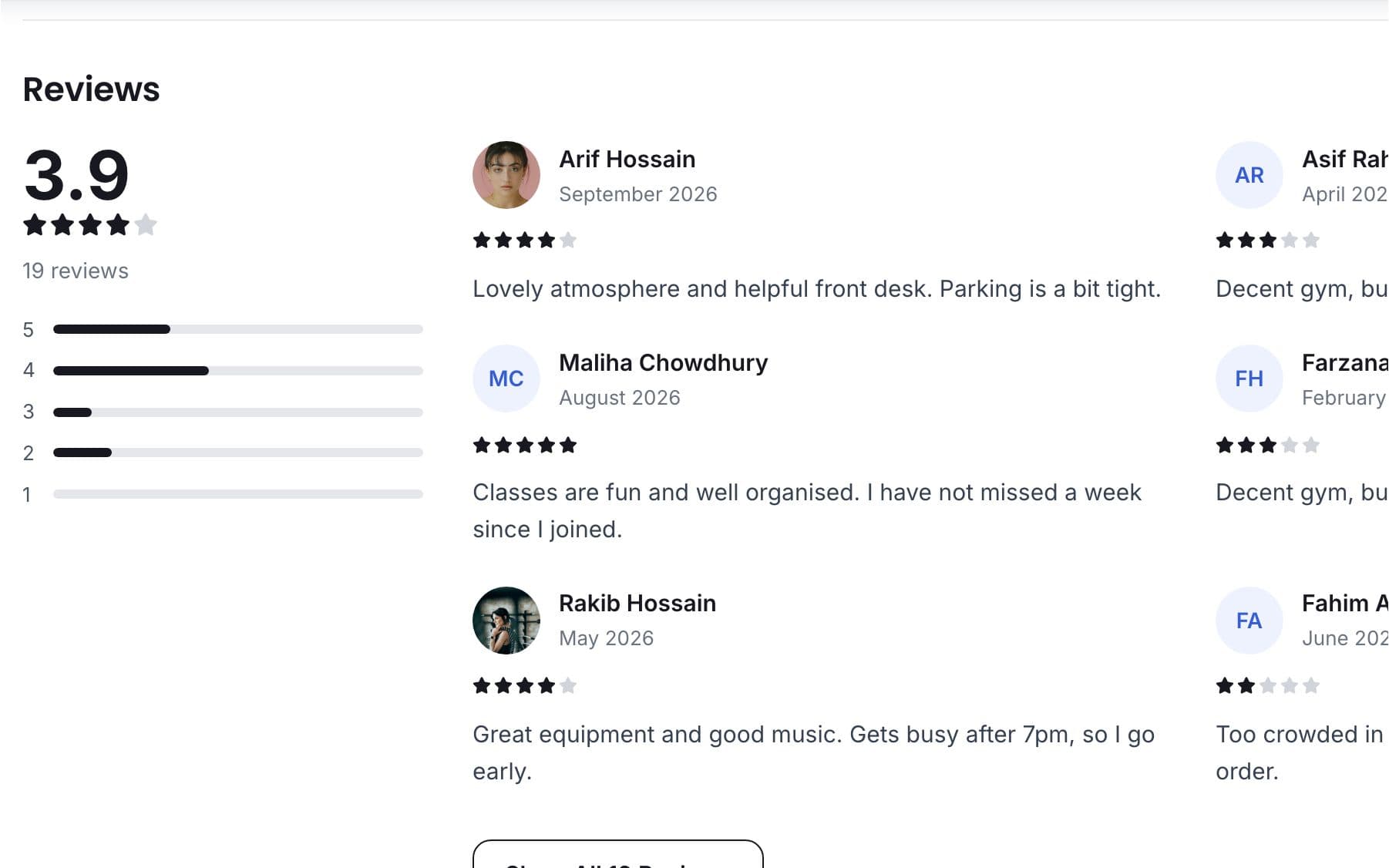
Made for How You Work
A public page with its own address, without a website build or a hosting bill.
Each published branch gets its own page with its own hours, map and photos.
Visitors see whether you're open right now, in your own time zone.
What You Get With Public Profile
For most small gyms and trainers, yes. It does the main jobs of a website: it shows who you are, your plans, hours, location and reviews, and it lets people contact you. Search engines can find it and you can share it anywhere. It won't let you change the design or use your own domain name; every profile uses the same GymCity layout.
In practice it works like one, without any design work. You fill in your details and GymCity lays them out for phones and computers, with sections for expertise, certificates, packages, classes and reviews. If you want a custom personal trainer website design on your own domain, you'd still need a separate site, and you can link it to your GymCity profile.
Yes. Every gym and personal trainer can publish a public profile and appear in GymCity search at no cost. Some parts of the page, such as plan prices, your phone number, news posts and your own search title, depend on your GymCity plan. Public Page settings mark those parts, and See All Plans shows what each plan includes.
Yes. Each section has its own switch in Public Page settings, including plan prices, address, map, phone, reviews and news. Hidden parts are removed before the page reaches the visitor, so they don't appear in search results either. A trainer's phone number stays hidden until the trainer turns it on.
Works Even Better Together
Last updated 15 October 2026Written by Sarwar HossainScreens show demo data only
Try Public Profile With Your Gym or Clients
List your gym or training business free today and turn on the tools you need when you are ready.