Member & Client Management
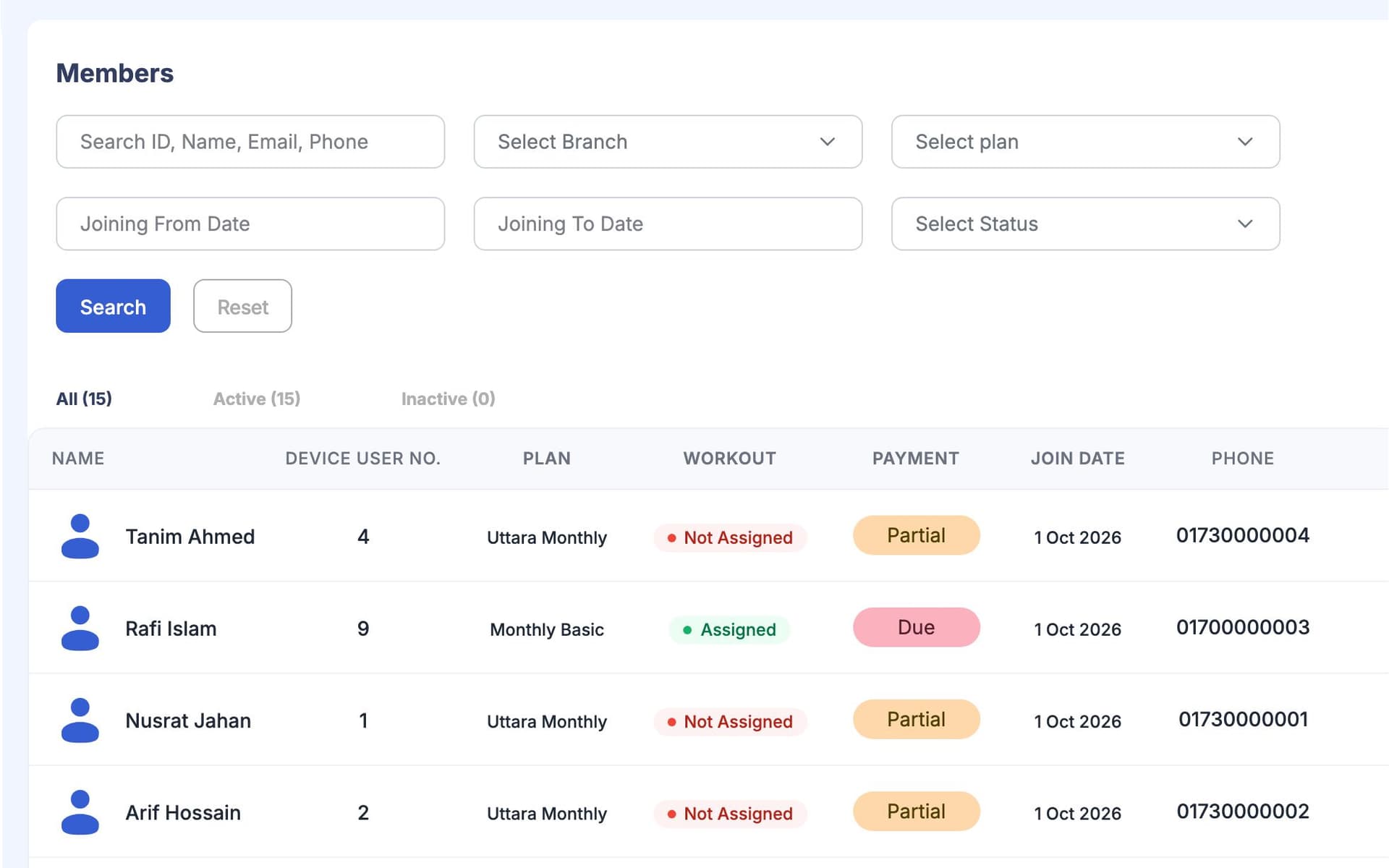
GymCity Member & Client Management keeps every member of your gym, or every client you train, in one searchable list. Gym owners, front-desk staff and personal trainers use it to see who is active, who owes money and who has stopped coming.
What is GymCity Member & Client Management?
GymCity Member & Client Management is the member list and profile screen for gyms and personal trainers. Each profile shows the person's plan, next bill, amount due, last visit, door status and coach, with a To Do list, staff notes and intake answers. Staff can take a payment or check someone in from the same page.
Why Gyms and Trainers Use Member & Client Management
Paper Registers
Our members are in a notebook at the front desk and in three staff phones. When I ask for someone's number, nobody can find it.
One searchable list the whole team shares.Unknown Dues
I find out a member owes for two months only when I sit down with the receipt book at the end of the month.
Every profile shows the amount due and since when.Quiet Drop-Outs
People stop coming for a few weeks and we only notice when they don't renew.
Last visit and recent visits on every profile, plus a Needs Attention list.Member & Client Management in 3 Steps
Add Members or Follow Up Requests
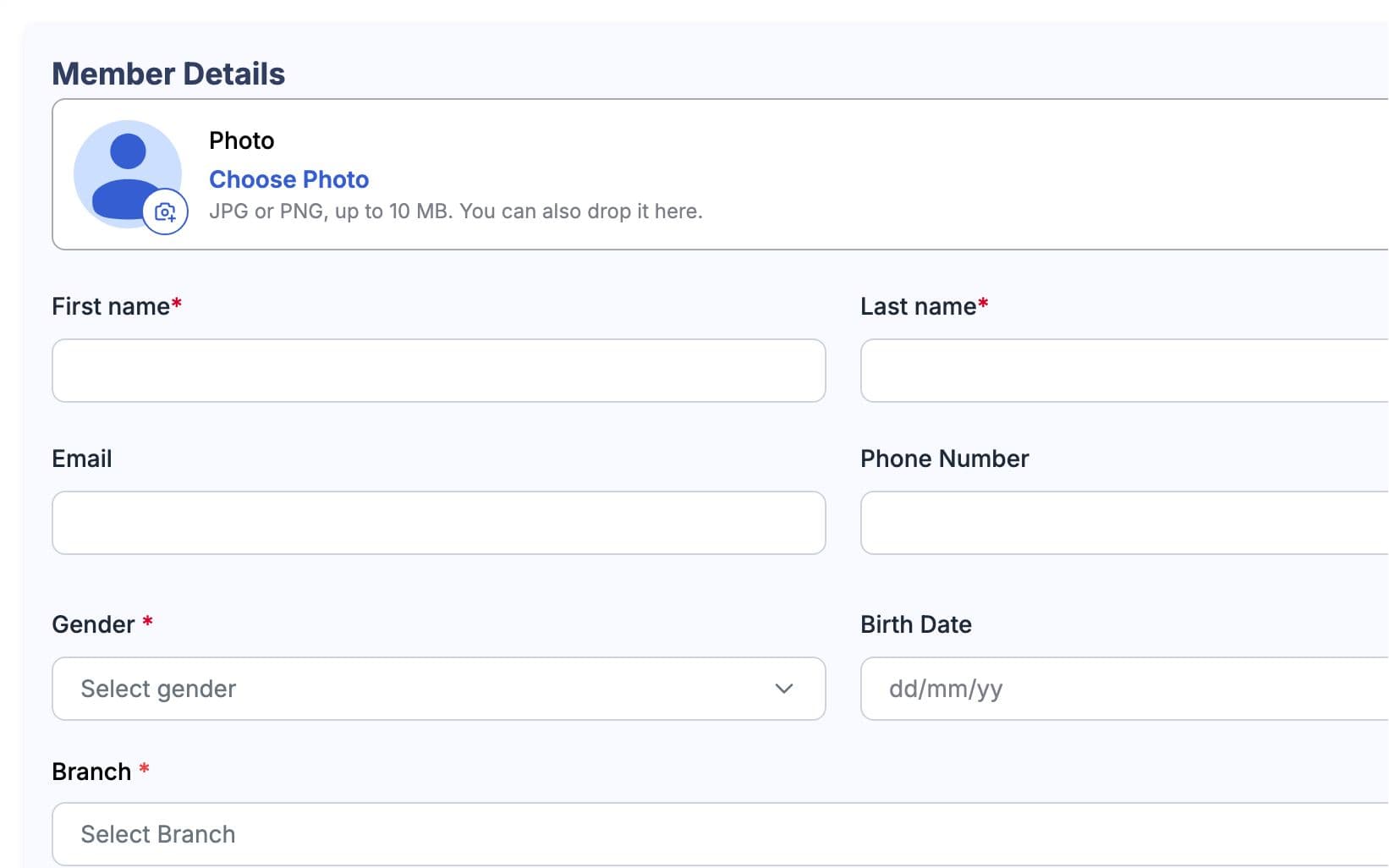
Add a member from the Members page with their name, phone and plan. If the plan has a fee, GymCity creates the first invoice straight away. You can invite the member by SMS (Bangladesh numbers) or by email so they can link the GymCity app to their record, or keep them without the app. A Join request sent from your public page reaches your inbox, so you can call the person and add them.
Open the Profile
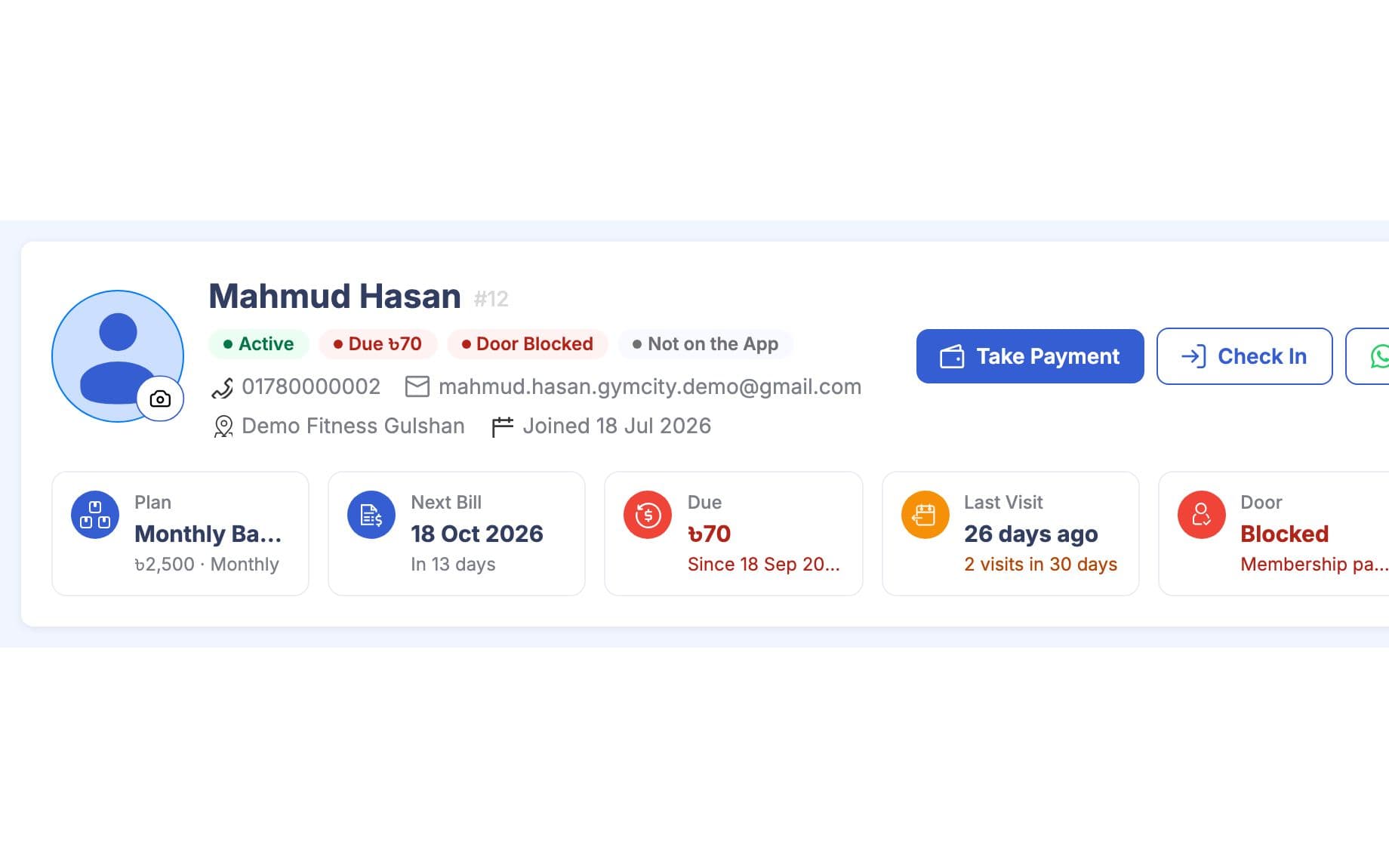
The profile header shows plan, next bill, amount due, last visit, door status and coach. Tabs below hold the overview, training, progress, billing, attendance, notes and details. The overview puts a To Do list beside visits, member info, plan and payments, and health conditions and goals. For a personal trainer's client, the header shows the next session and client since date instead of the door.
Act From the Same Screen
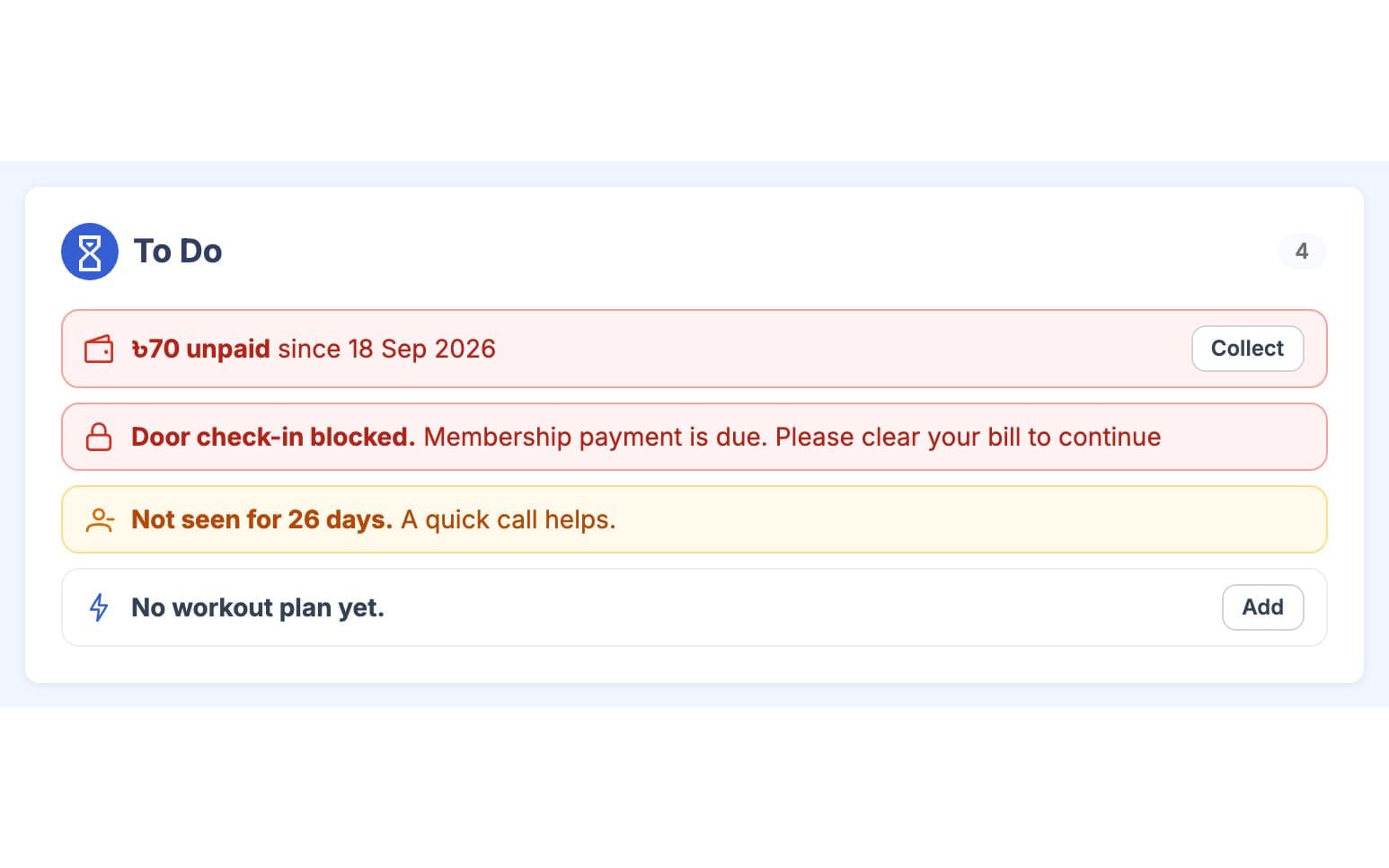
Take a payment, check a gym member in or open WhatsApp from the buttons in the header. The To Do list flags unpaid bills, door problems, members who have gone quiet, renewals coming up and members without a workout plan. Each item has a small action next to it. Staff can leave a note for the team and pin the important ones to the top.
Made for How You Work
Owners see members across every branch. Branch staff see and add members only in the branches they work in.
Put members into groups such as a morning batch, so you can follow up with one group at a time.
Give each gym member a coach from the branch's trainers. The coach shows on the profile and in the member's own app.
What You Get With Member & Client Management
Member & Client Management FAQ
Short answers to what gym owners and trainers ask most.
All Questions →Yes. A member record does not need an app login, so you can bill and check in someone who never opens GymCity. When they want the app, send an invite by SMS to a Bangladesh number or by email. Once they accept, their account links to the same record and they see their own bills, workouts and notices.
Yes. GymCity keeps each one as a separate profile. The gym sees its membership and the trainer sees their client record, and neither sees the other's notes, bills or programs. The person switches between the two profiles in the app, and each screen shows only the profile in use.
Only your team. Owners and staff whose role lets them view members can read notes, and the trainer sees notes on their own clients. Members never see them, even when they open their own profile. The person who wrote a note, or the owner, can edit or delete it, and important notes can be pinned.
Each gym member's profile shows the last visit, the days since that visit and recent visit counts from check-ins and fingerprint devices. The dashboard's Needs Attention list names active members who have not checked in for a while, next to renewals coming up, so staff can call them before they quietly leave.
Not at the moment. GymCity does not print membership cards or paper joining forms. Intake questions collect the details you would put on a form, and the profile holds the member's plan, contact details, emergency contact, health conditions and goals. You can print invoices and receipts from the billing screens.
Staff see members of the branches they work in, and what they can change depends on their role. A receptionist at one branch cannot add members to another branch. Owners see every branch, and the branch picker in the header narrows lists to one branch when you need it.
Works Even Better Together
Last updated 15 October 2026Written by Sarwar HossainScreens show demo data only
Try Member & Client Management With Your Gym or Clients
List your gym or training business free today and turn on the tools you need when you are ready.