Gym Management Software for Members, Payments and Attendance
GymCity is gym management software that keeps members, plans, invoices, payments, attendance, staff and branches in one system. When the front desk records a payment, the member's balance, receipt and door access update together. Start with a free gym listing and add the management tools when you need them.
- Invoices in Taka
- bKash and Nagad
- ZKTeco fingerprint doors
- SMS and WhatsApp reminders
What GymCity Does for a Gym
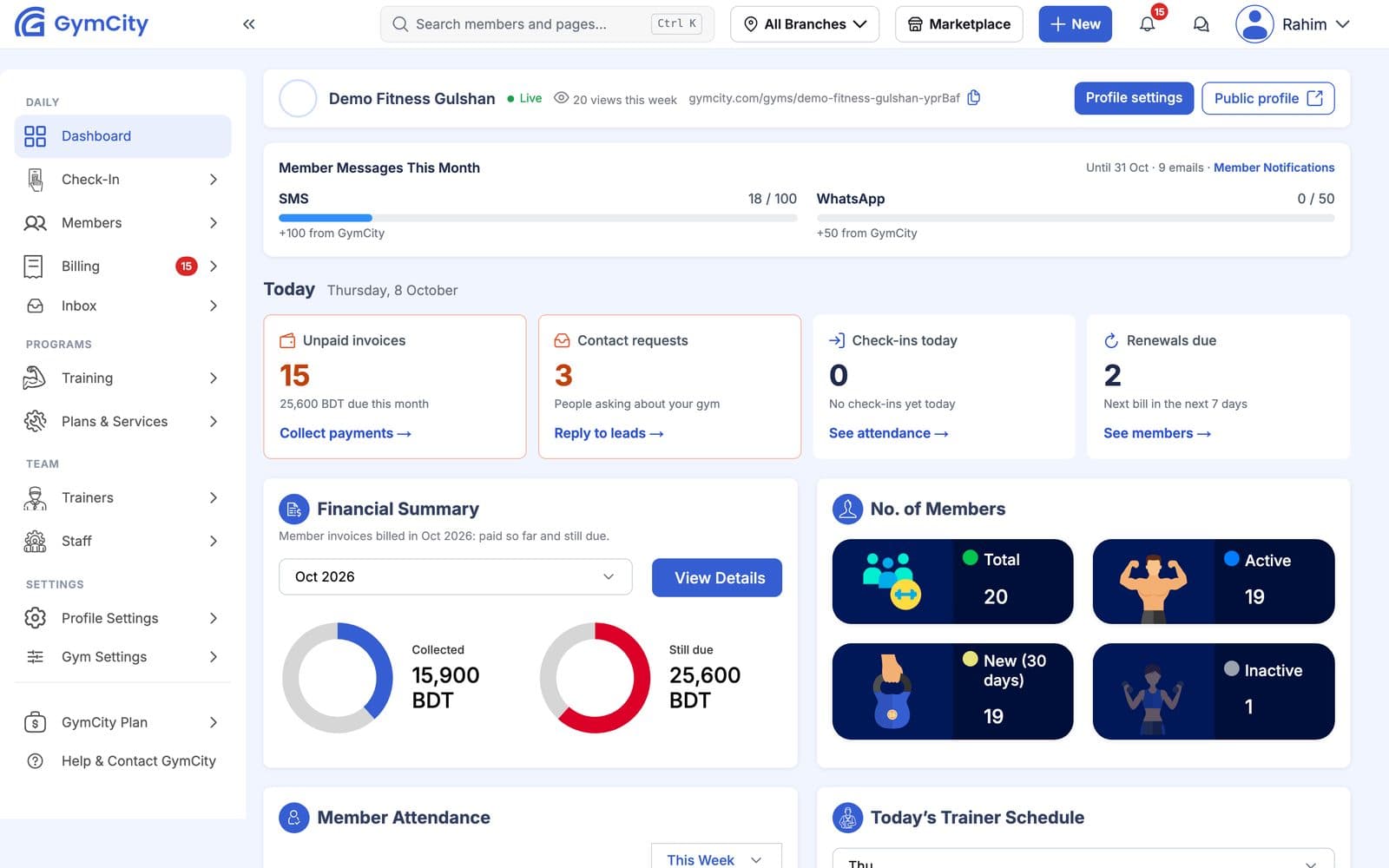
GymCity replaces the paper register, the dues list on WhatsApp and separate attendance software with one account that the owner, managers and front desk share. Every member has one profile with their plan, next bill, amount due and last visit. Members get their own login to see bills, workouts and notices.
The Problems It Should Fix
Owners usually look for gym software when the old way stops working: too many members to remember, a second branch, or staff who need their own access. These four problems shaped GymCity.
Dues Nobody Tracks
Reminders go out one by one, part payments get forgotten and the month-end total never matches the cash box.
Invoices from each plan, a due list and a daily cash closeUnpaid Members Walk In
The front desk cannot remember who has paid, so the door stays open for everyone.
Fingerprint doors that follow payment statusOne Login for Everyone
Staff use the owner's password and see everything, including reports and discounts.
Staff logins with roles and discount limitsA Second Branch, a Second System
Each branch keeps its own register, and the owner adds up totals by hand.
Every branch in one accountOne System From Enquiry to Renewal
GymCity follows a member through the whole cycle. A visitor finds your gym on GymCity and sends a join or free-trial request. Staff call them back, add them as a member with a plan, and GymCity creates the invoices. Payments, visits, workouts and diet charts then build up on the same profile, and the door device follows the billing status.
Is GymCity a Gym CRM?
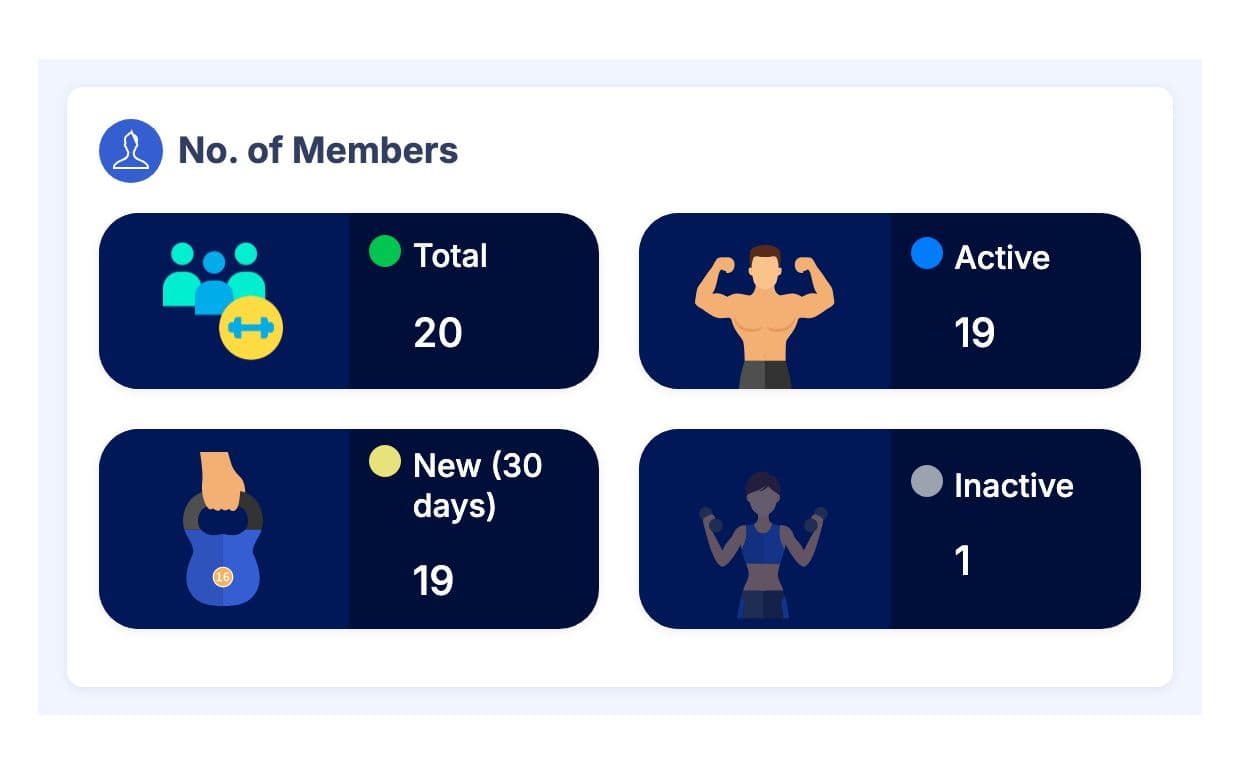
Yes, for the parts a gym needs. Enquiries from your page arrive as requests with a name and phone number. Members can be sorted into groups, staff keep private notes on each profile, and a To Do list flags unpaid invoices, blocked door access and members without a workout plan. The dashboard counts active, new and inactive members, so you spot who is drifting away in time to call.
- Request
- Join
- Invoice
- Payment
- Door access
- Workout
- Renewal
Gym Management Features
Each feature has its own page with screenshots, limits and questions.
Members and Plans
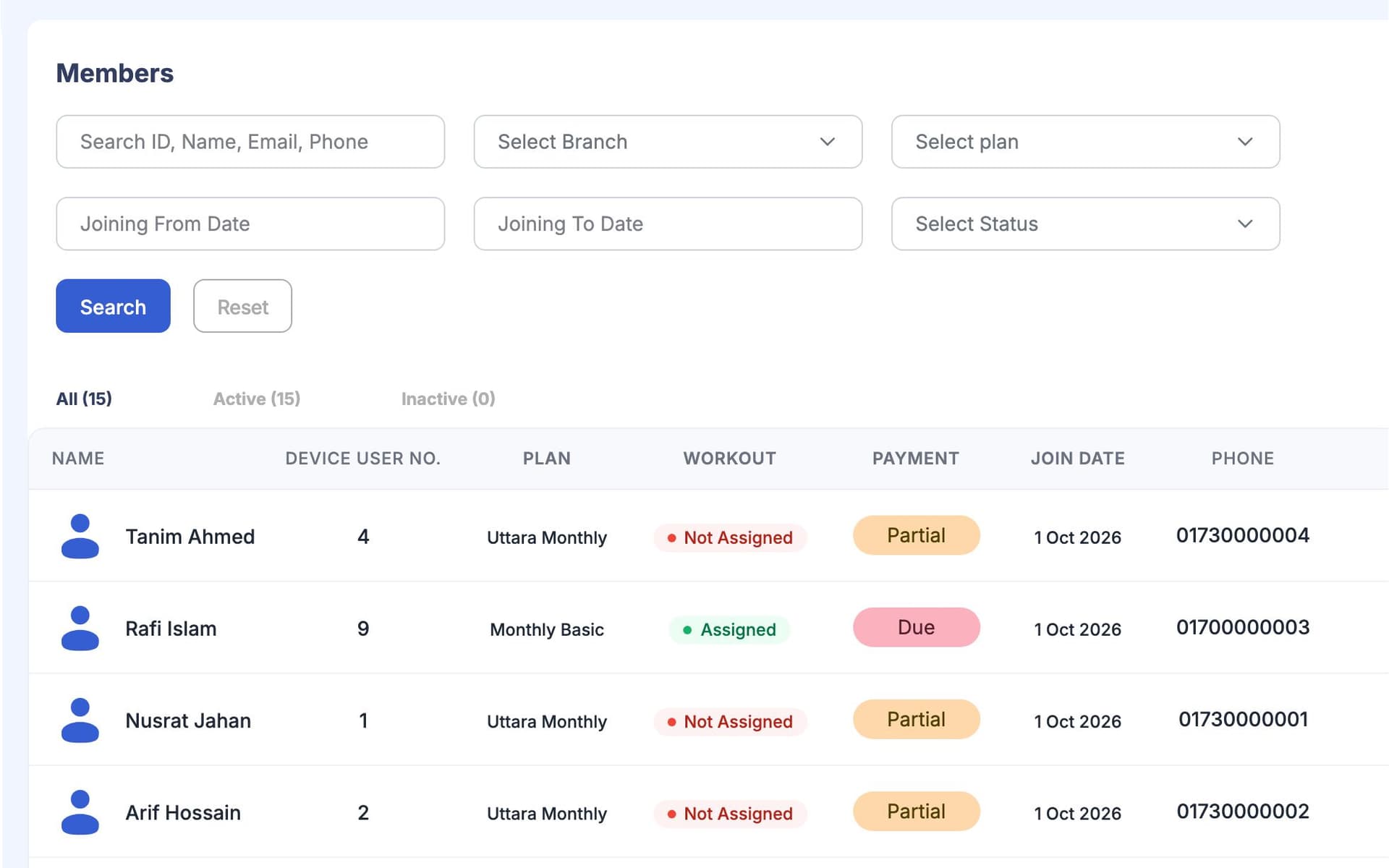
Member management: one list, with plan, dues, last visit and staff notes on every profile.
Plans and services: monthly, quarterly or session plans and extra services. Each member's invoices follow their plan.
Member requests: join, free-trial, class and question requests from your public page.
Money
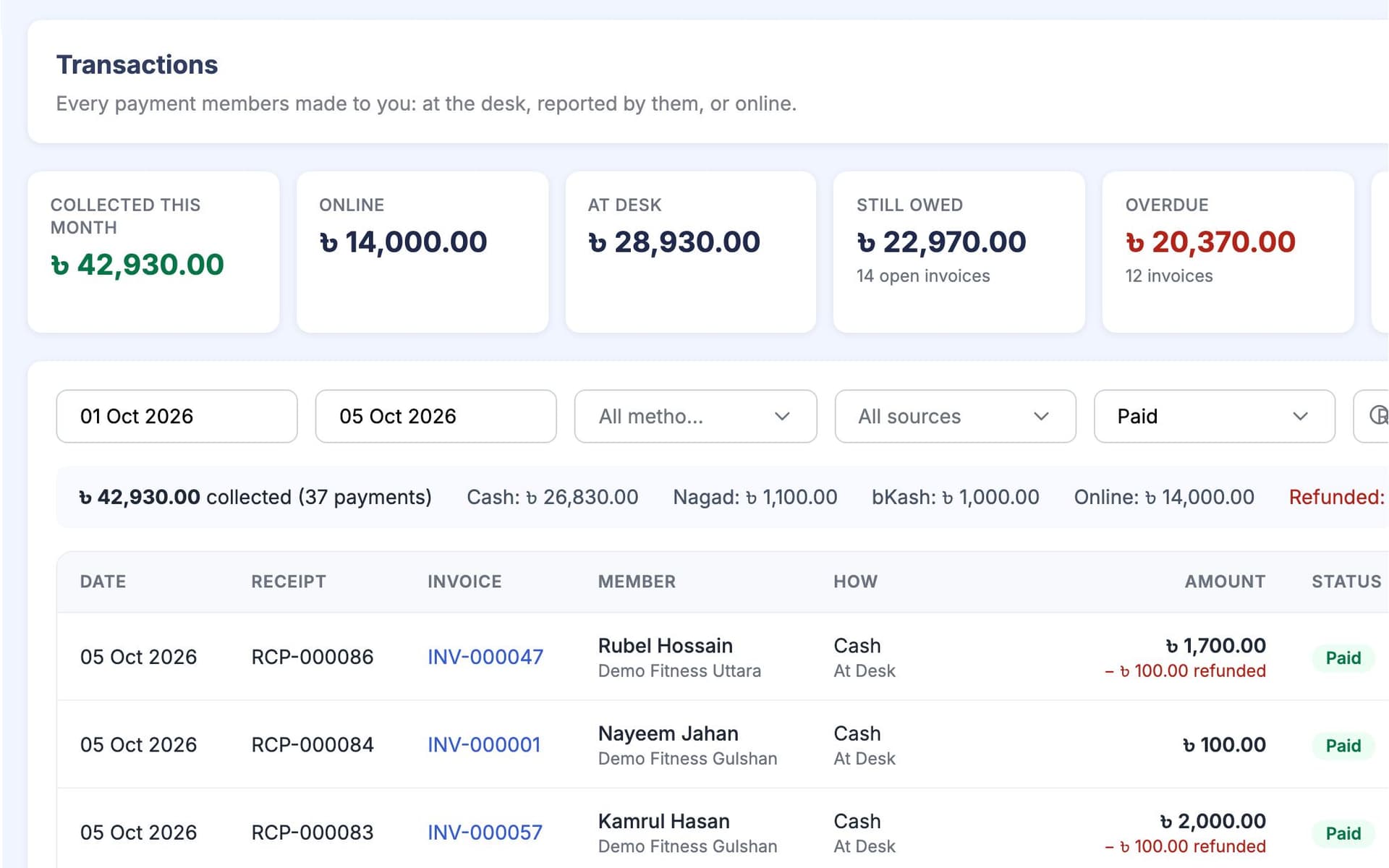
Payments and invoices: desk and part payments, member-reported payments for approval, refunds and voids that keep their history, and a daily cash close.
Online member payments go to your own payment account. GymCity never holds members' money.
Reminders for due, overdue and expiring memberships by email, SMS or WhatsApp, depending on your settings and plan.
Attendance and the Door
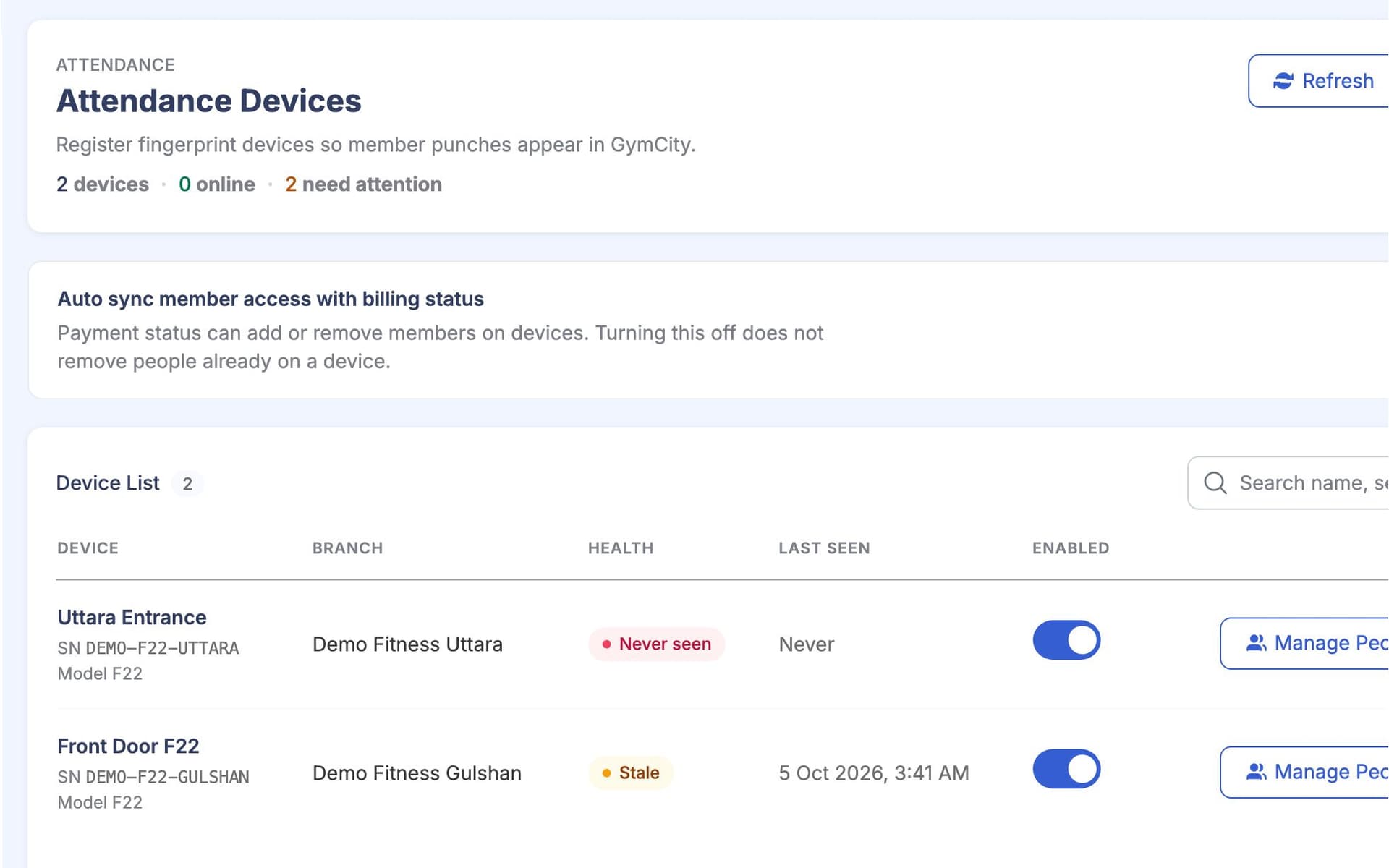
Attendance and access devices: check-ins by hand, CSV import or ZKTeco fingerprint devices, with one door rule based on status, billing and grace days.
Facilities and equipment: opening hours, ladies hours, amenities and a private equipment list.
Team and Branches
Staff and roles: a login for each staff member, permissions per role and a discount limit per role.
Trainers and schedules: your coaches, who coaches whom, and a weekly rota per branch.
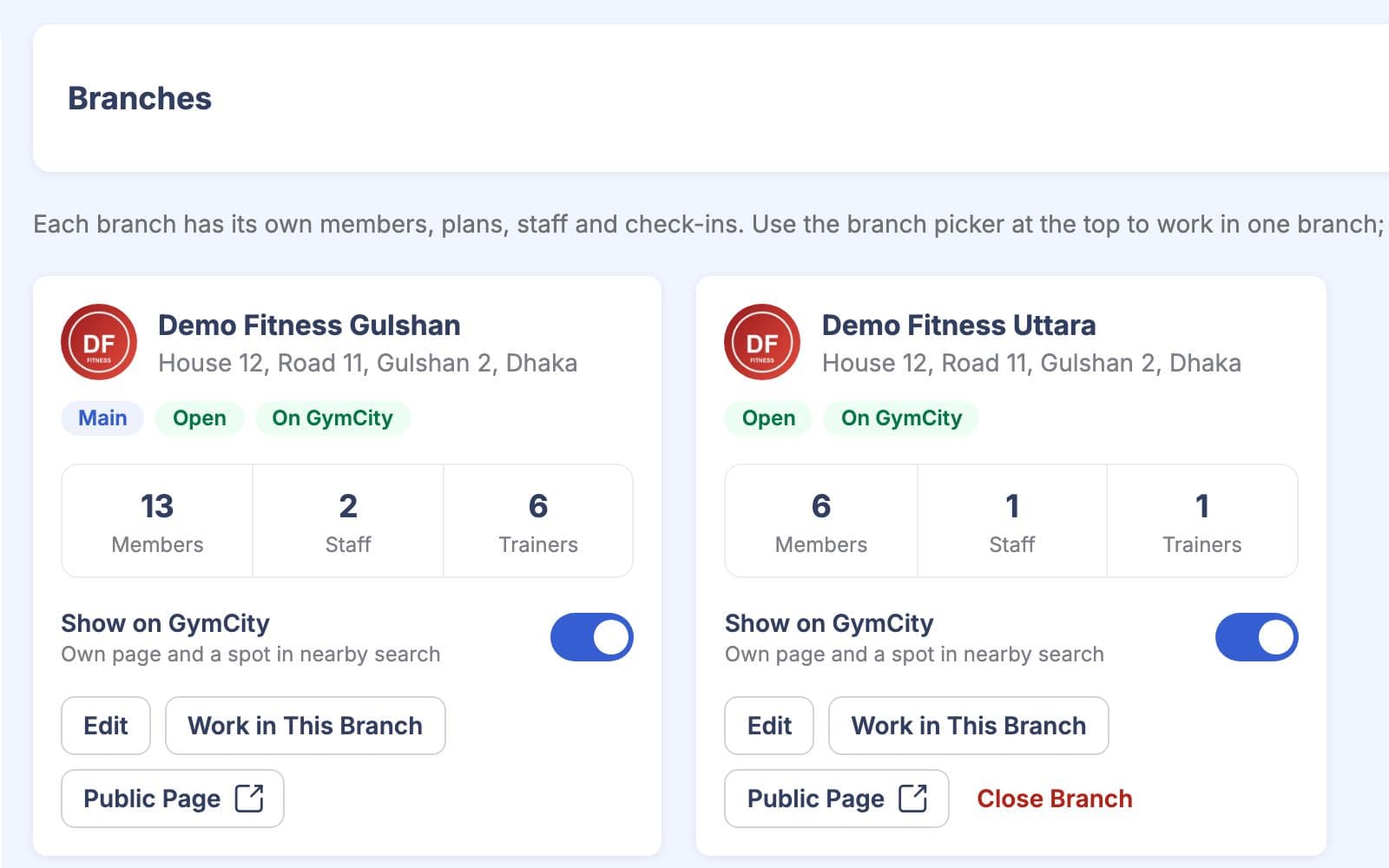
Multi-branch: each branch with its own public page, staff and devices. The owner sees all of them.
Training and the Member Side
Workout plans built from an exercise library, assigned by weekday and ticked off by members.
Diet charts and progress tracking for weight, body measurements and goals.
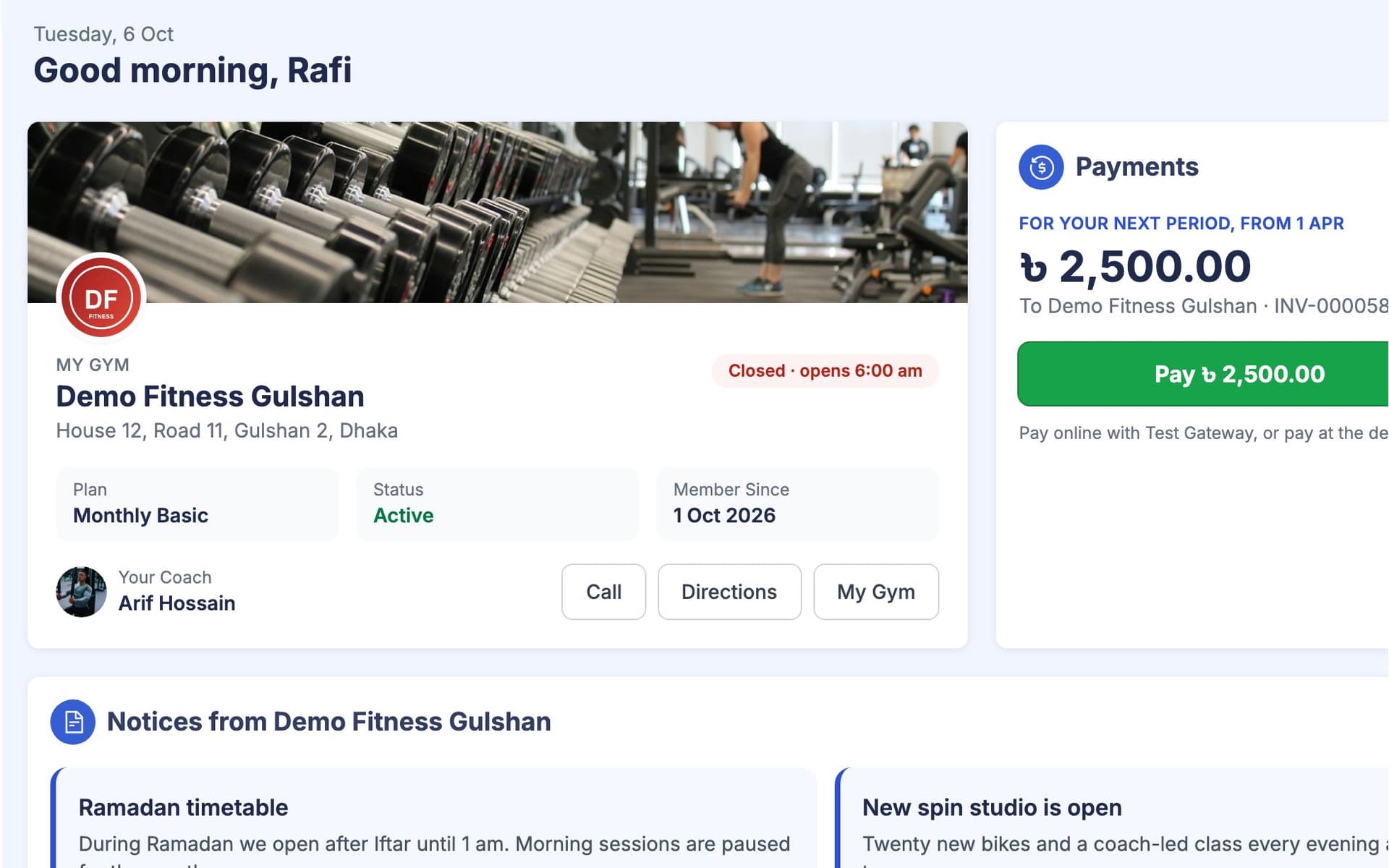
The member portal, notices and chat, so members see bills and plans without calling.
Dashboard and Reports
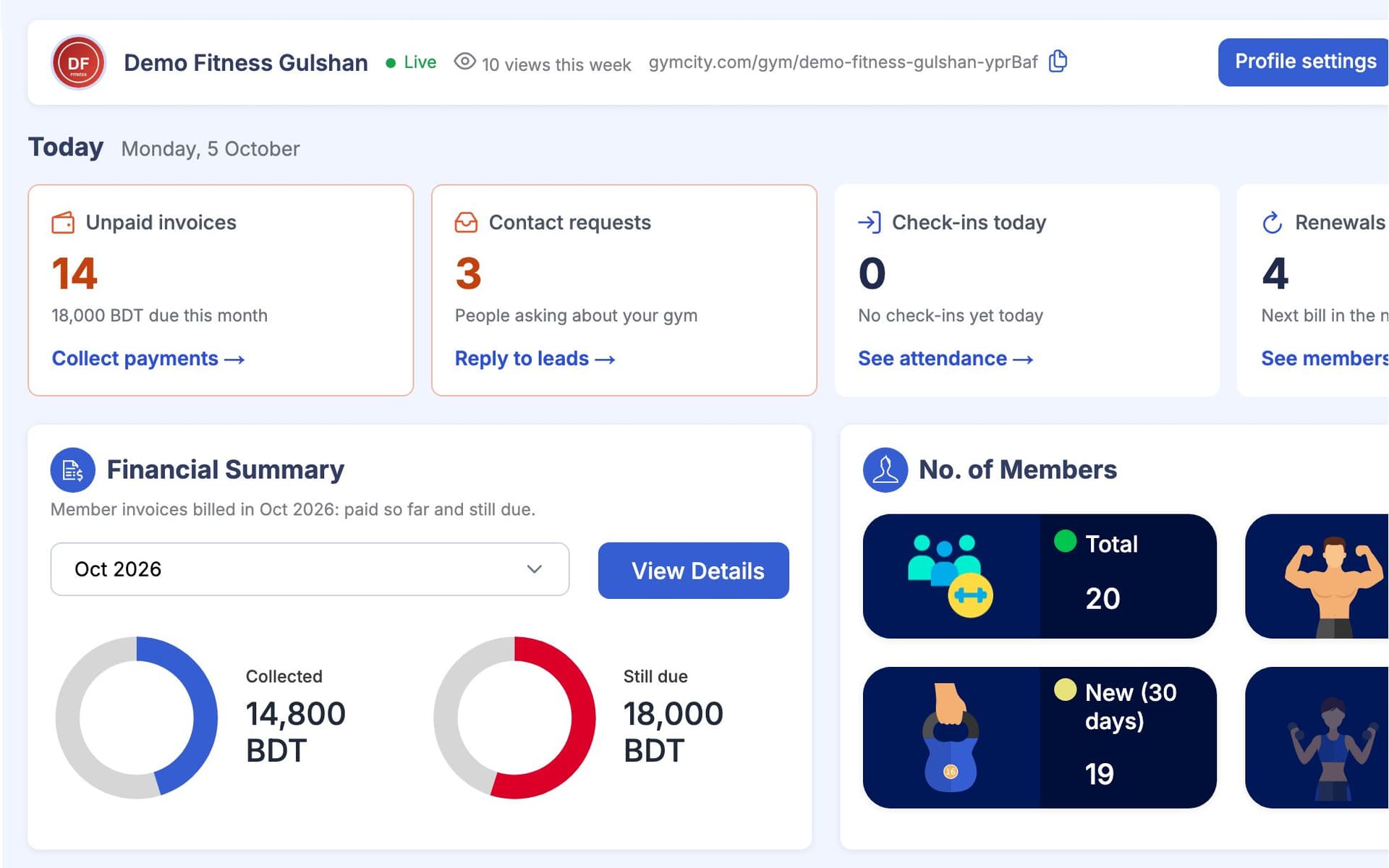
Dashboard and reports: money collected and still owed, member counts, attendance and today's alerts.
A New Member's First Month
This is what happens when one person joins, from the first request to the first renewal. Staff enter a few details; GymCity makes the invoices, keeps the door device up to date and sends the reminders you switch on.
- 01
Request
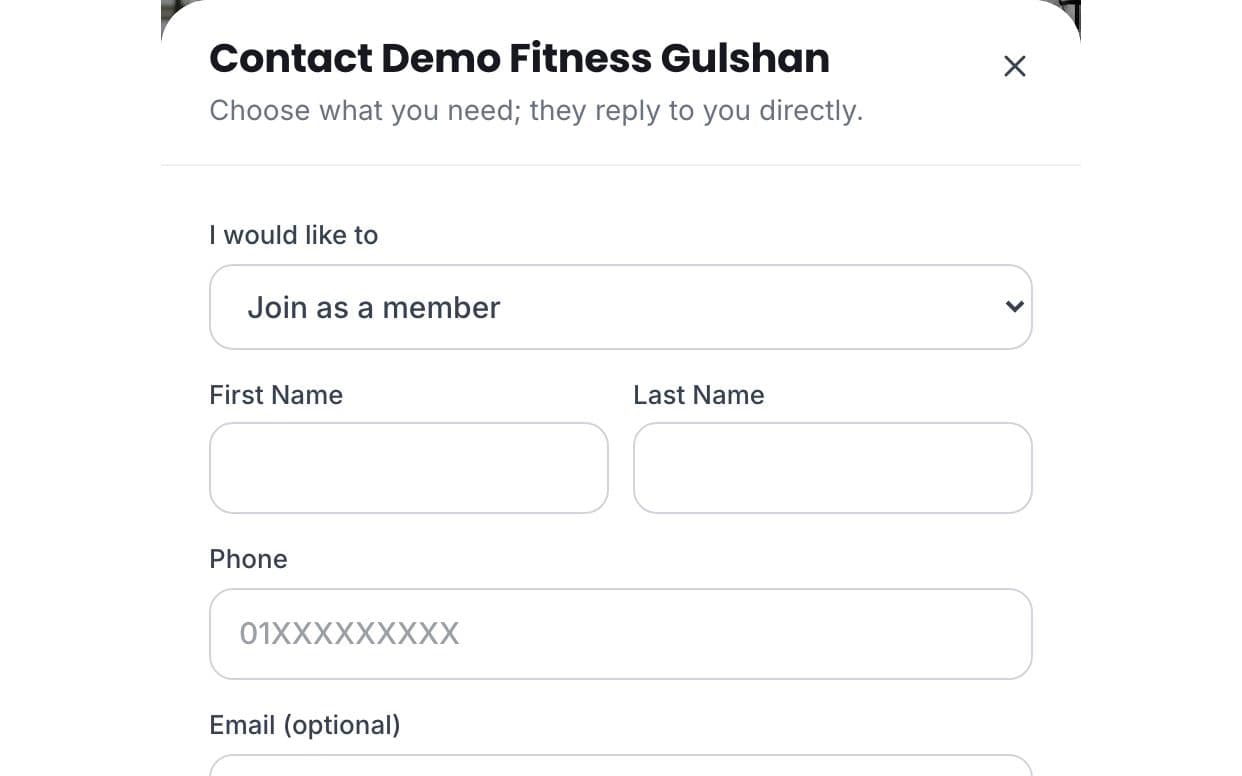
Sadia finds your gym on GymCity and sends a Free Trial request. It arrives in your account with her name and phone number.
- 02
Join
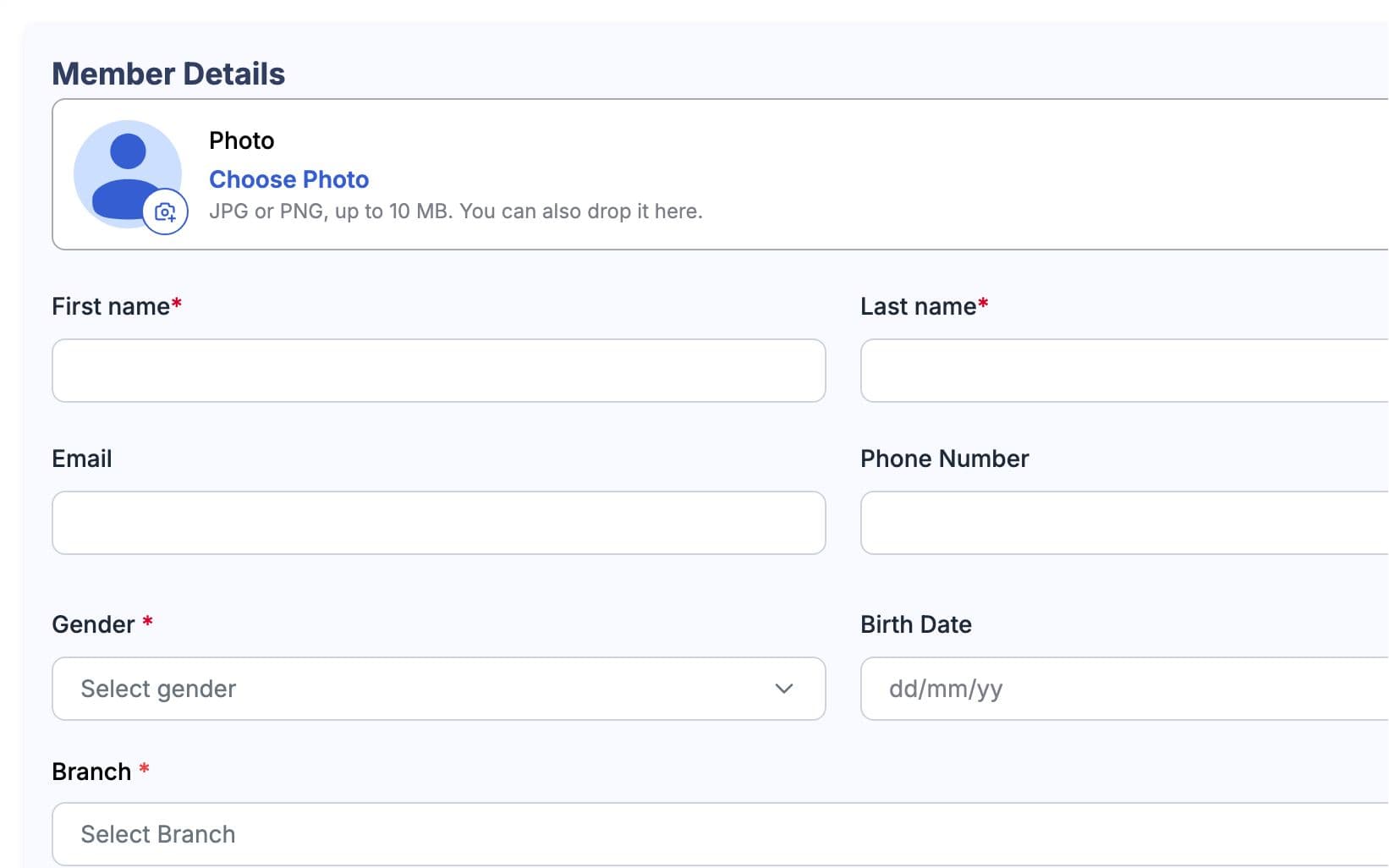
After the trial, the front desk adds her as a member on the Monthly plan, and she accepts the invite in her own account. GymCity creates her first invoice from that plan.
- 03
Pay
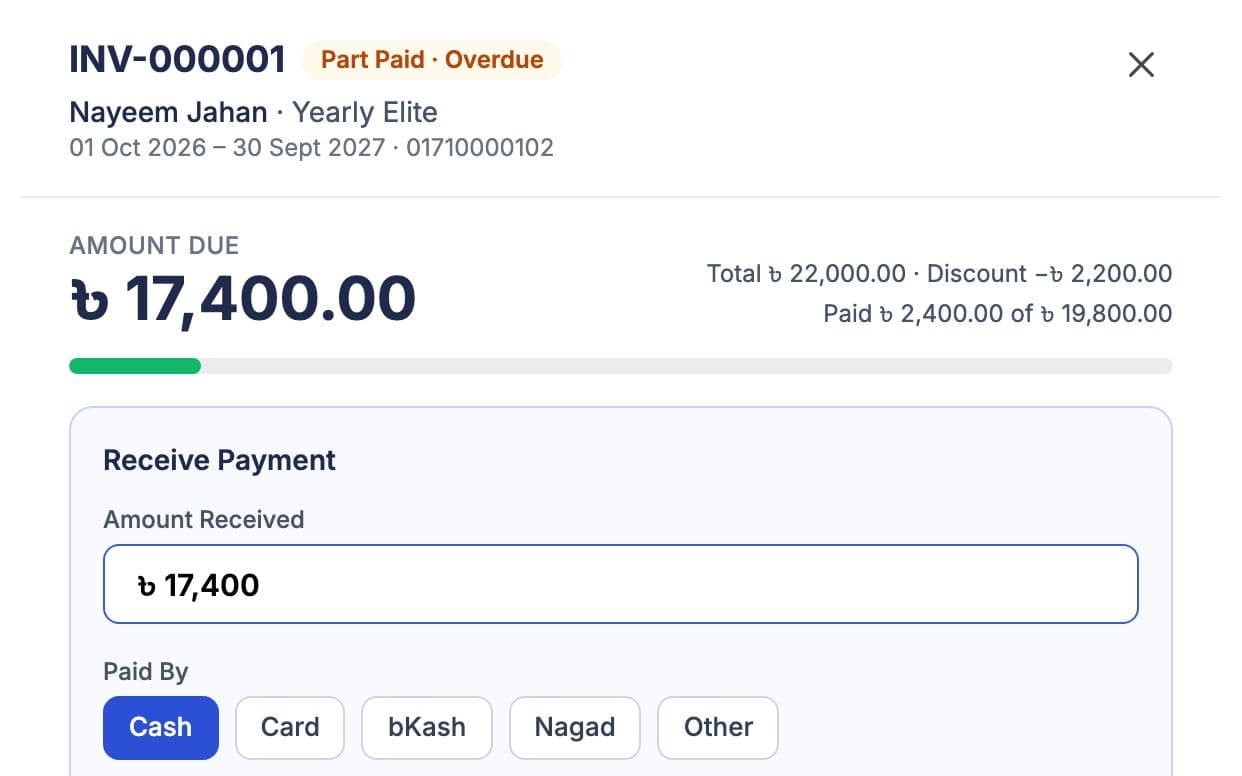
She pays at the desk. Staff record it, and the invoice is marked paid with a numbered receipt. A part payment leaves the rest due.
- 04
Door
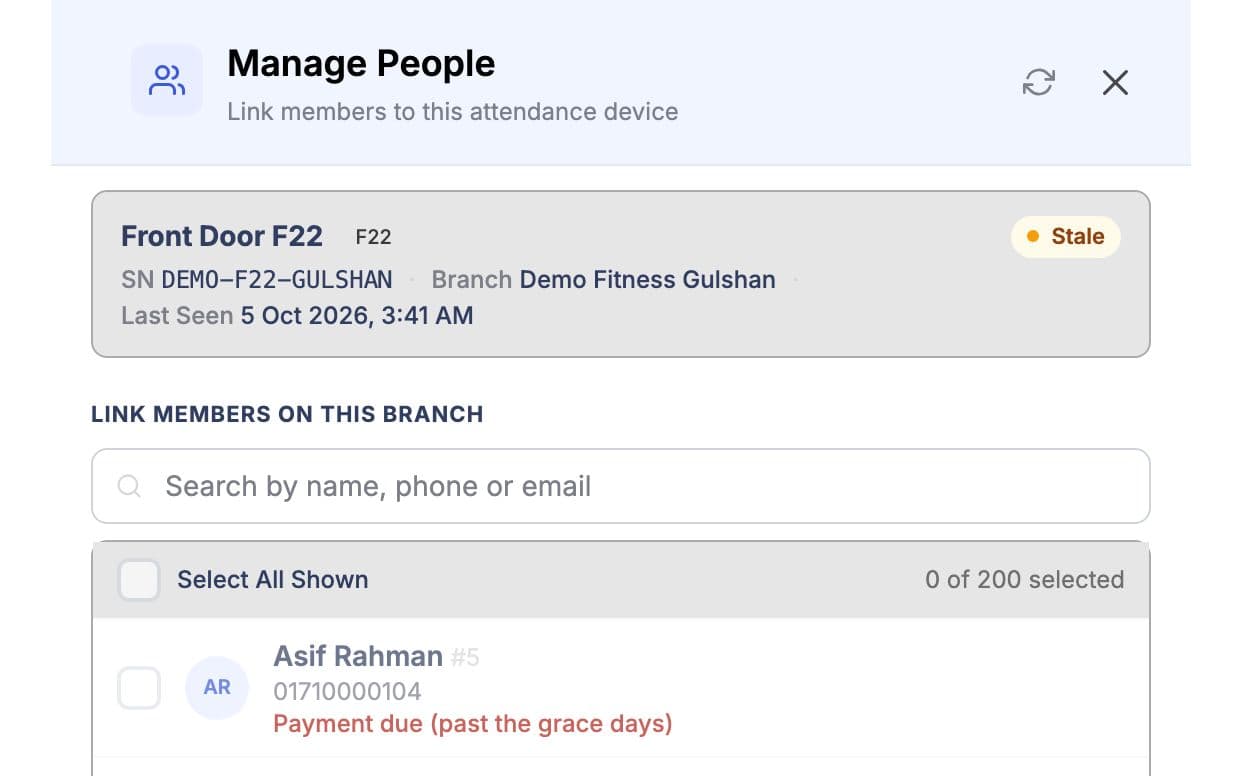
Staff link her to the branch's fingerprint device. From then on the device follows her status and billing, so nobody changes it by hand.
- 05
Train
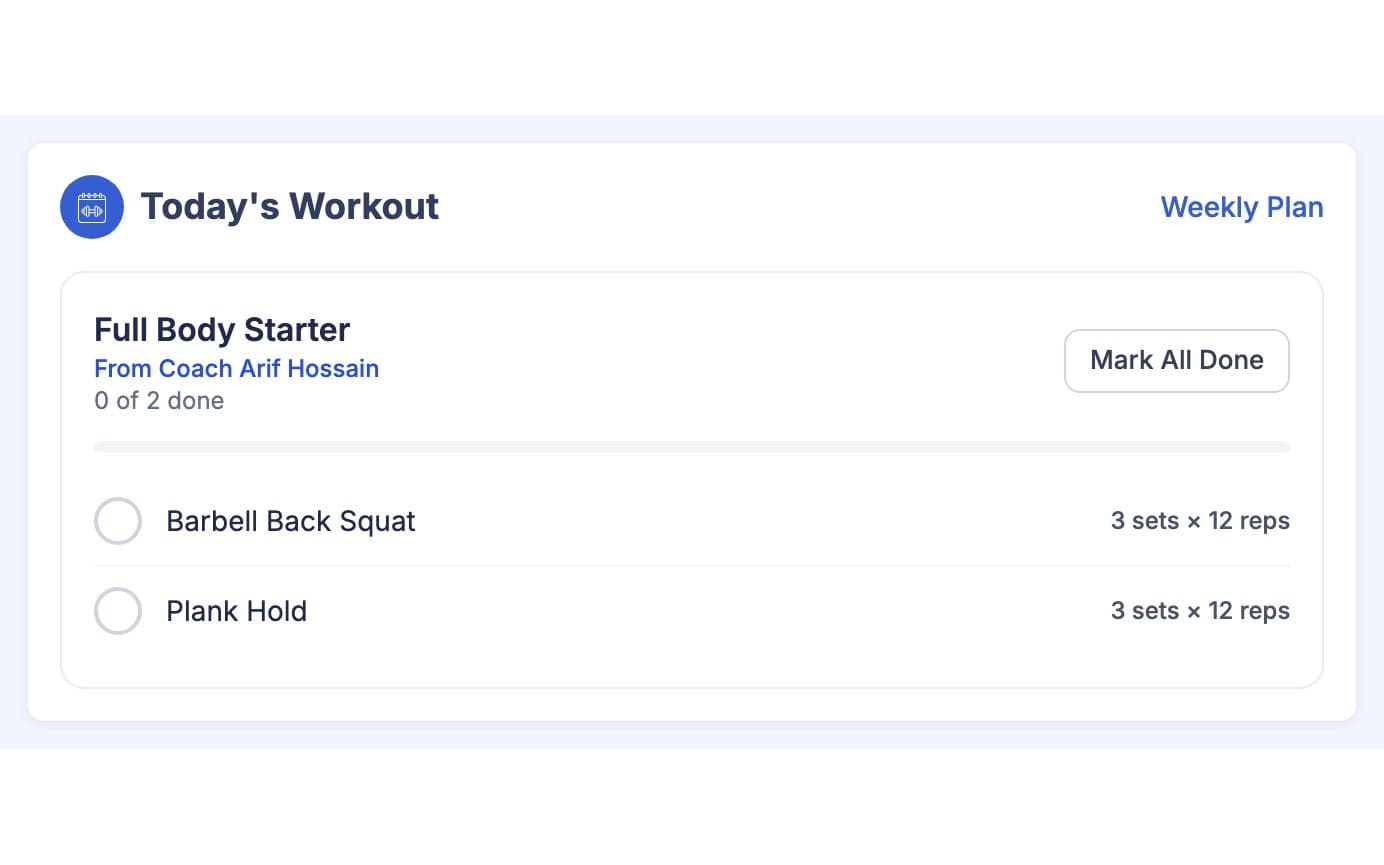
Her coach adds a workout for Sunday, Tuesday and Thursday. She opens today's workout on her phone and ticks each exercise as she goes.
- 06
Renew
She gets a reminder before her next bill, if reminders are on. Past your grace days the door stops her; once she pays, it lets her in.
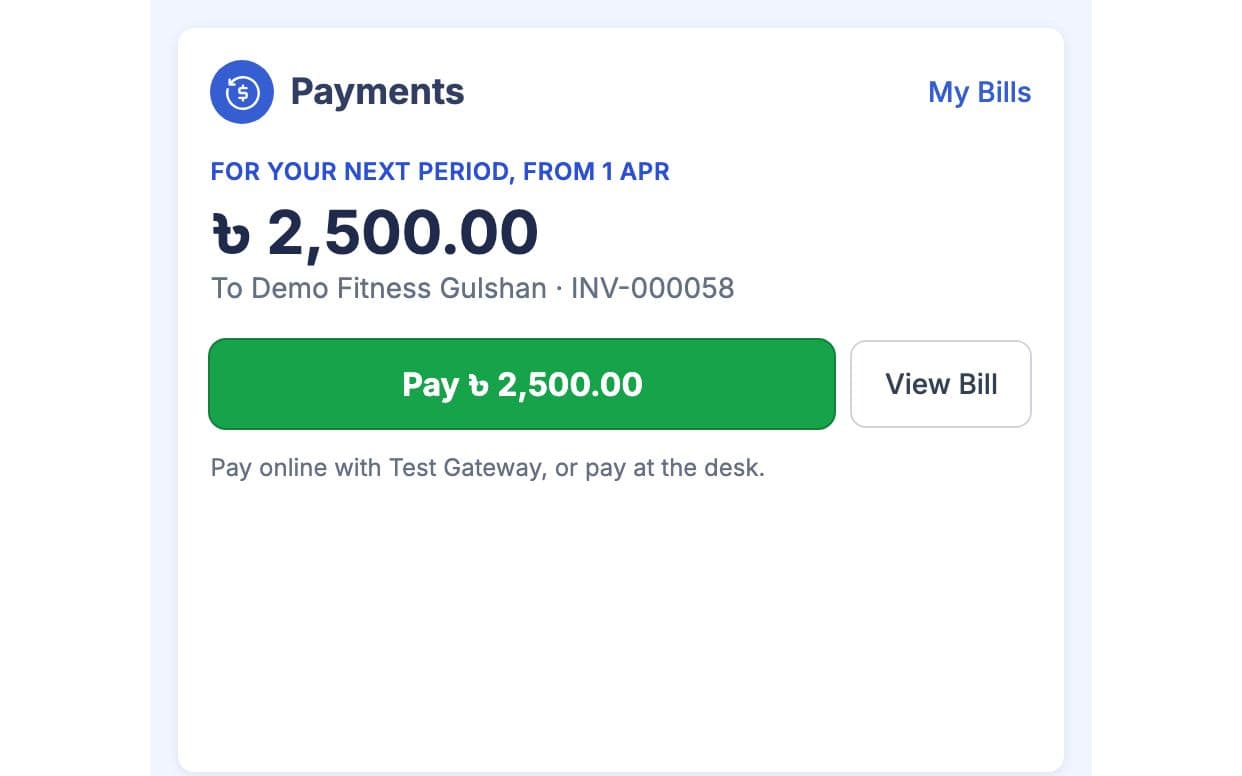
The owner sees her payment in the daily cash close and her visit in the attendance chart.
What Your Team Sees First
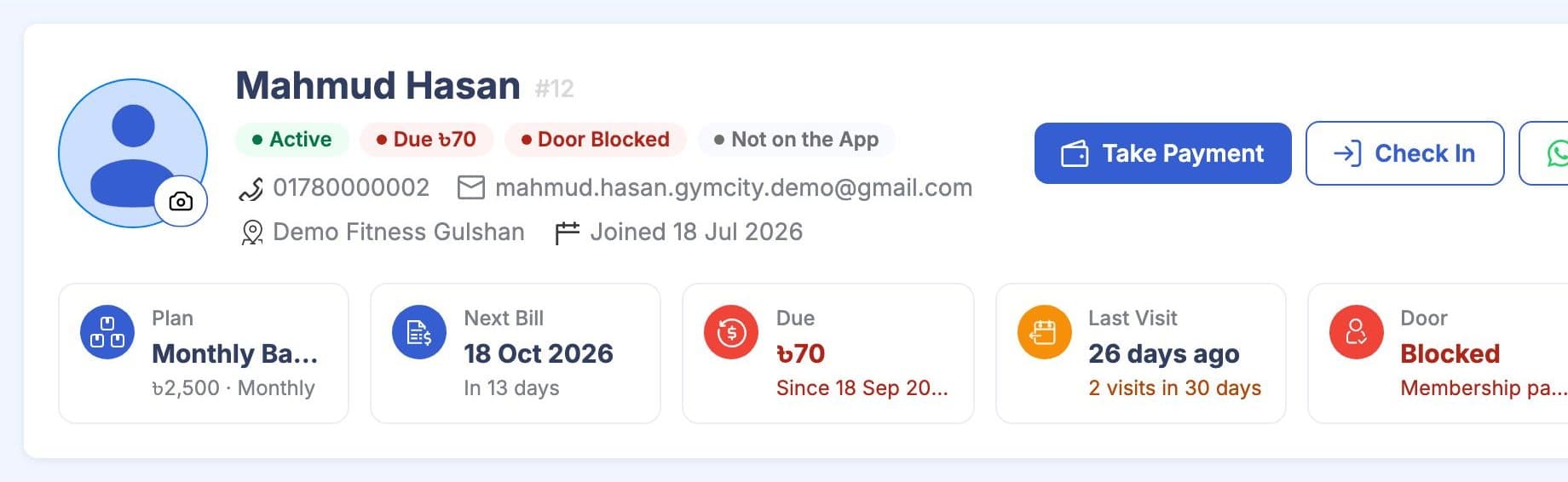
Every member profile opens with the same header: plan, next bill, amount due, last visit, door access and coach. The screenshot uses made-up demo members.
“Dues used to take my evenings on WhatsApp. Now members see what they owe and most pay before I ask.” a gym owner in Mirpur
List Free. Add Tools When You Need Them.
Your gym profile is free with no time limit. Paid plans add the management tools, paid monthly or yearly. Prices show in your local currency.
Free Listing
- Public profile with photos, timings and location
- A place in GymCity search and city pages
- Member requests in your GymCity inbox
- Reviews from your members
Paid Plans
- Members, plans and invoices
- Payments, reminders and online member payments
- Attendance and fingerprint door access
- Branches, staff roles, workout and diet plans
Setup, Support and Pricing
You set GymCity up yourself from the dashboard. Listing your gym is free; paid plans start from ৳3,500 a month, and the pricing page shows what each plan includes.
Create your gym account and publish your free profile. It takes about 10 minutes.
Add your plans and services with their prices.
Add members one by one, including people who send requests from your page. For a long member list, contact us and we will help you bring it in.
Add your ZKTeco fingerprint devices to each branch and link members in bulk.
Choose a paid plan when you need the tools it adds, paid monthly or yearly.
Paying yearly saves you up to 40%. You pay for your plan by card or mobile wallet; the pricing page shows the options for your country. See current prices and what each plan includes on the pricing page.
The GymCity team answers Saturday to Thursday, 10am to 7pm through the contact page. If you mainly want new members, see how getting found in search works.
Questions About Gym Software
What owners ask before they move their gym onto GymCity.
See All QuestionsYes, partly. GymCity's public profile, search listing, member requests and reviews are free for every gym, with no time limit, and some management tools are free too. Others need a paid plan, from ৳1,500 a month. The pricing page lists what each plan includes, so you can start free and upgrade only when the free tools stop being enough.
Yes, partly. GymCity's public profile, search listing, member requests and reviews are free for every gym, with no time limit, and some management tools are free too. Others need a paid plan, from ৳1,500 a month. The pricing page lists what each plan includes, so you can start free and upgrade only when the free tools stop being enough.
Check five things: whether it tracks dues and part payments the way your desk takes money, whether it works with your door or fingerprint device, whether staff get their own logins, whether members can see their own bills, and whether it handles more than one branch. Then check local details such as currency, mobile payments and SMS reminders.
Check five things: whether it tracks dues and part payments the way your desk takes money, whether it works with your door or fingerprint device, whether staff get their own logins, whether members can see their own bills, and whether it handles more than one branch. Then check local details such as currency, mobile payments and SMS reminders.
Yes. Add members one by one with their name, phone number and plan, including people who send requests from your public page. For a long member list, contact the GymCity team and we will help you bring it in. Members do not have to use the app straight away; they can start using their login later.
GymCity works with ZKTeco fingerprint devices that connect to a cloud server (ADMS), for branches in Bangladesh. Each device belongs to a branch and follows one door rule: member status, any manual allow or block, then billing with your grace days. Without a device, staff can still check members in by hand or import a CSV file.
No. Members pay you directly: at the desk, to your own mobile wallet, or online through your own payment account. GymCity never holds members' money and takes no share of it. You pay GymCity only for your own plan, monthly or yearly, and get a receipt for each payment.
Yes. Each staff member signs in with their own username on the staff login. You create roles, tick what each role can create, view, update or delete in every part of the app, and set the largest discount each role can give. Branch staff see only their own branch, while the owner sees all of them.

Run Your Gym on GymCity
List your gym free today, compare the plans, and move members, payments and attendance over when it suits you.