Payments & Invoices
GymCity Payments & Invoices shows what every member or client owes and records how they paid. Gym owners, front-desk staff and independent personal trainers use it to collect fees, and the money always goes to them, never to GymCity.
What is GymCity Payments & Invoices?
GymCity Payments & Invoices creates invoices from each member's plan and records every payment: cash, card, bKash, Nagad or another method at the desk, mobile payments that members report and staff approve, and online payments into your own gateway account. GymCity never holds members' money, and voids and refunds stay in the history.
Why Gyms and Trainers Use Payments & Invoices
Missing Cash
At closing time the cash box never matches the receipt book, and nobody knows which payment was missed.
Daily Cash Close totals each payment method for the day.bKash Screenshots in Chats
Members send bKash screenshots on WhatsApp and we lose track of which ones somebody checked.
Members report the payment with its transaction ID, and staff approve or reject it.Edited History
Someone changed an amount in the spreadsheet and we couldn't tell what it said before.
Payments are never edited or deleted; voids and refunds keep a reason and a history.Payments & Invoices in 3 Steps
Invoices Follow the Plan
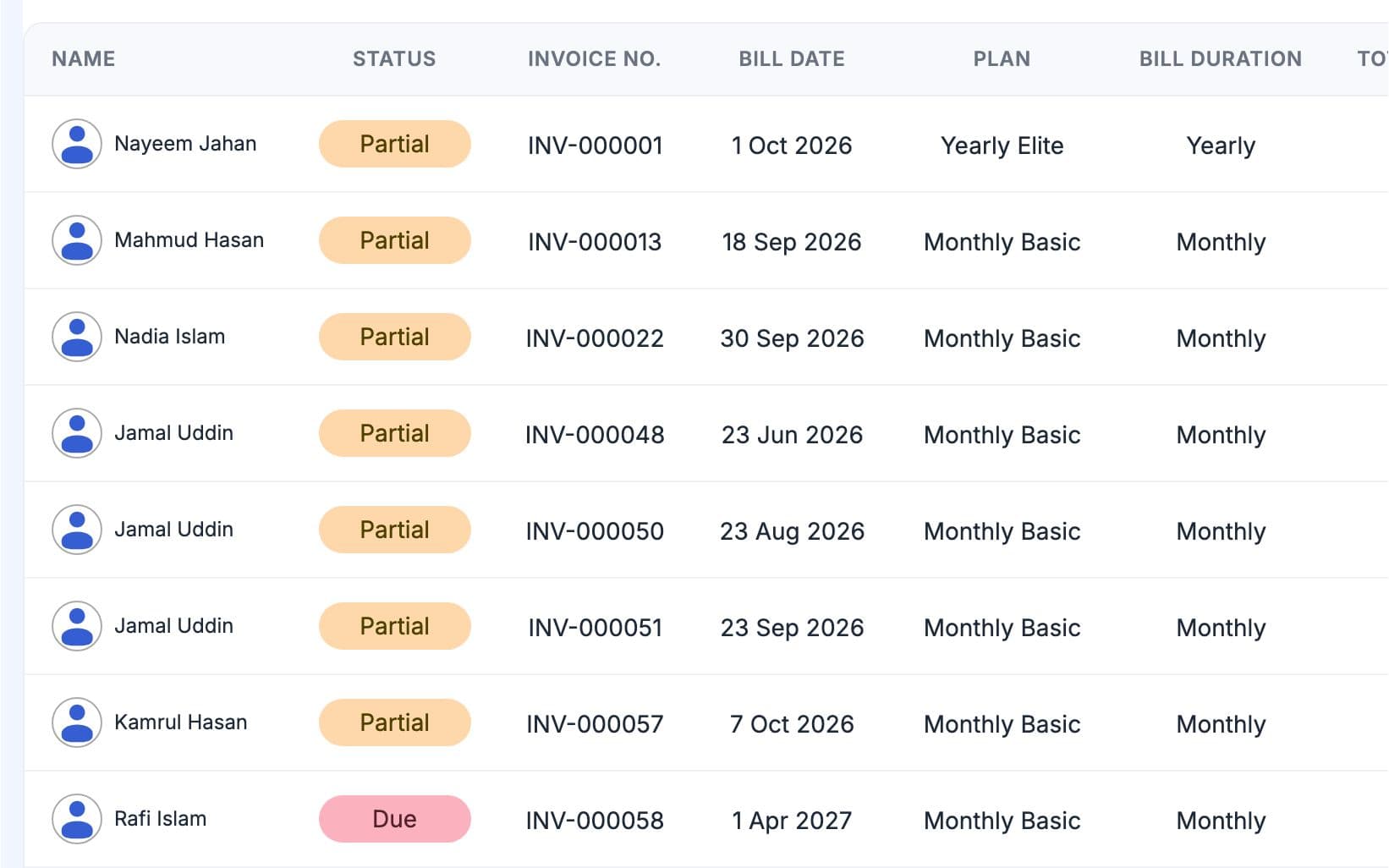
Each member's plan sets the fee and billing cycle. GymCity creates the next invoice a few days before the next bill date, numbered for your gym or for you as a trainer. The Unpaid Invoices list shows every bill still owed, and the member's profile shows the amount due and since when. Staff can add a discount within their role's limit or email the invoice to the member.
Take Payment Your Way
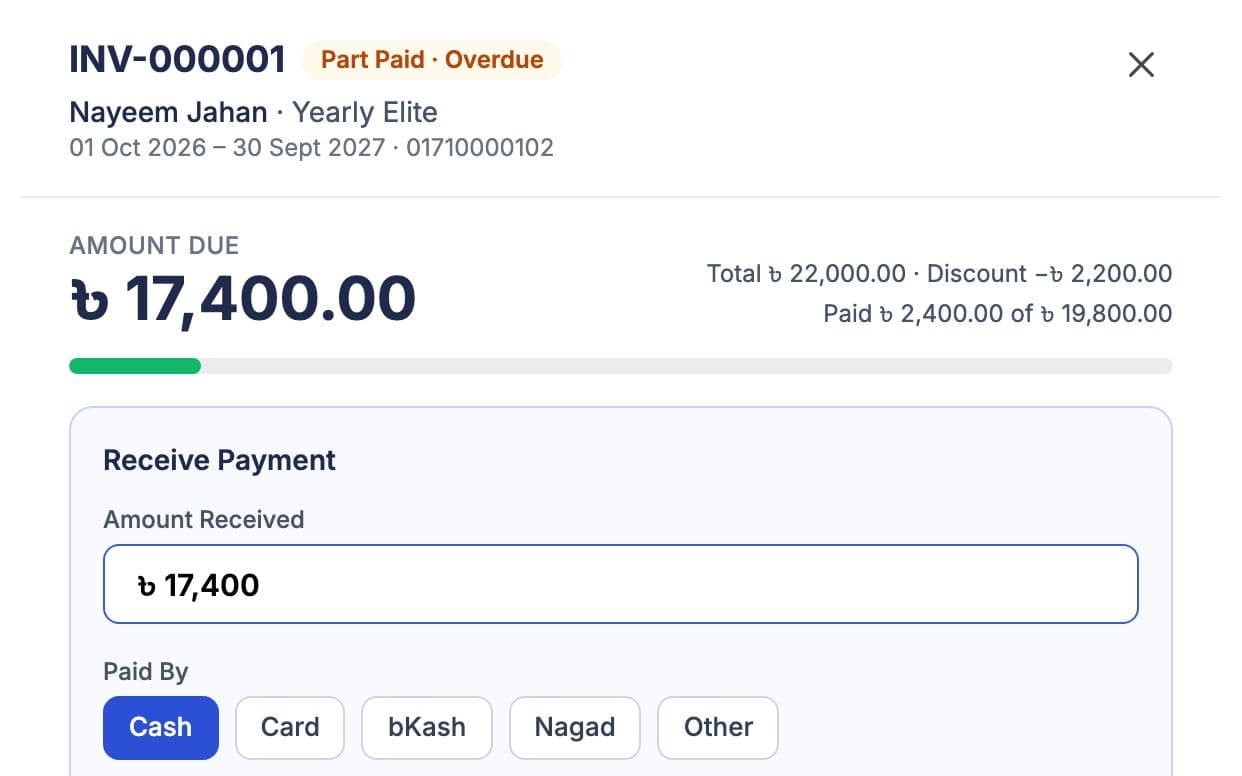
At the desk, staff record cash, card, bKash, Nagad or another method, including part payments. Members can also send money to your bKash or Nagad number and report it with the transaction ID, which staff approve under Payment Approvals. If your plan includes Online Member Payments, members pay the full amount online through your own gateway account. Every payment gets a numbered receipt.
Check and Correct
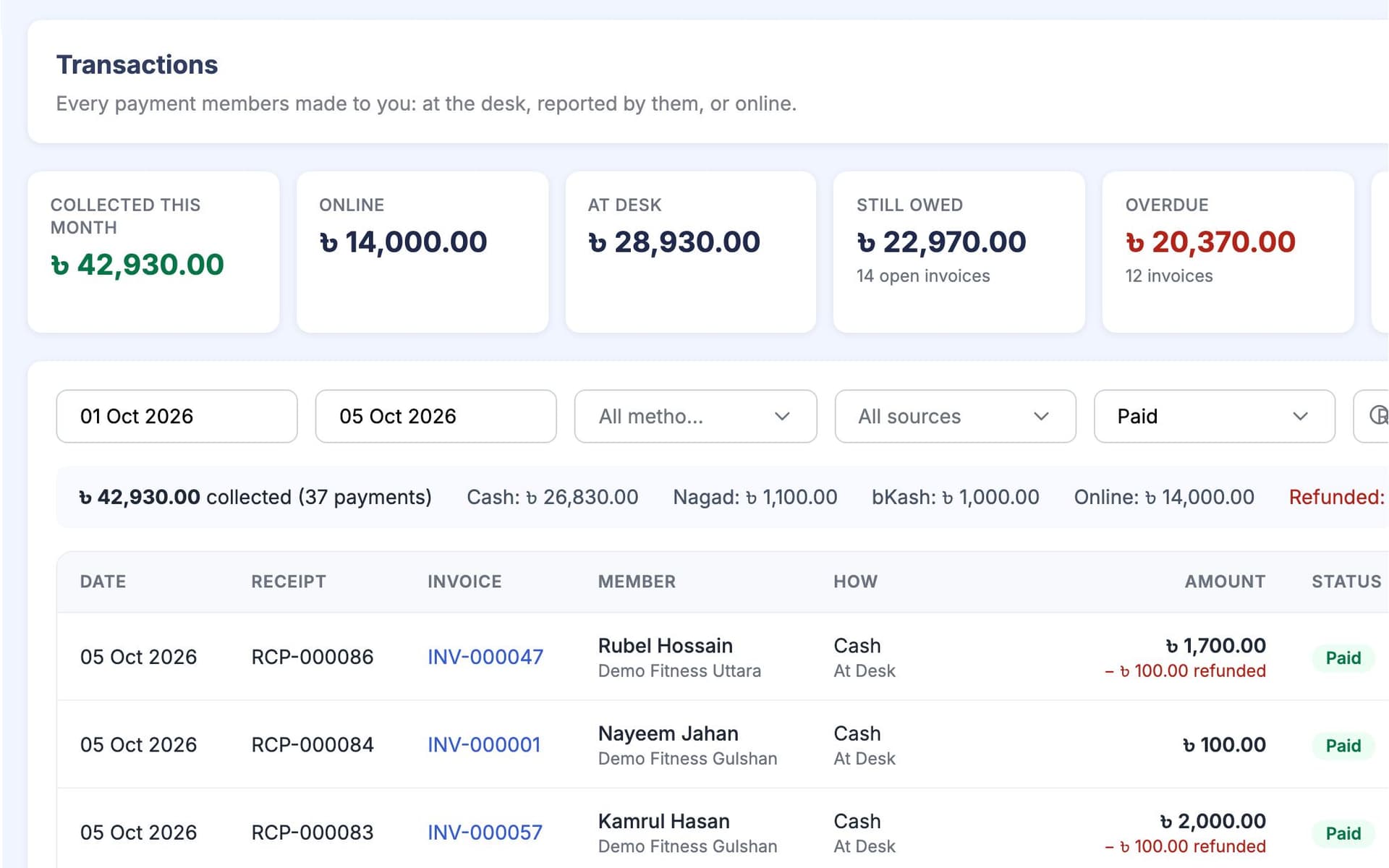
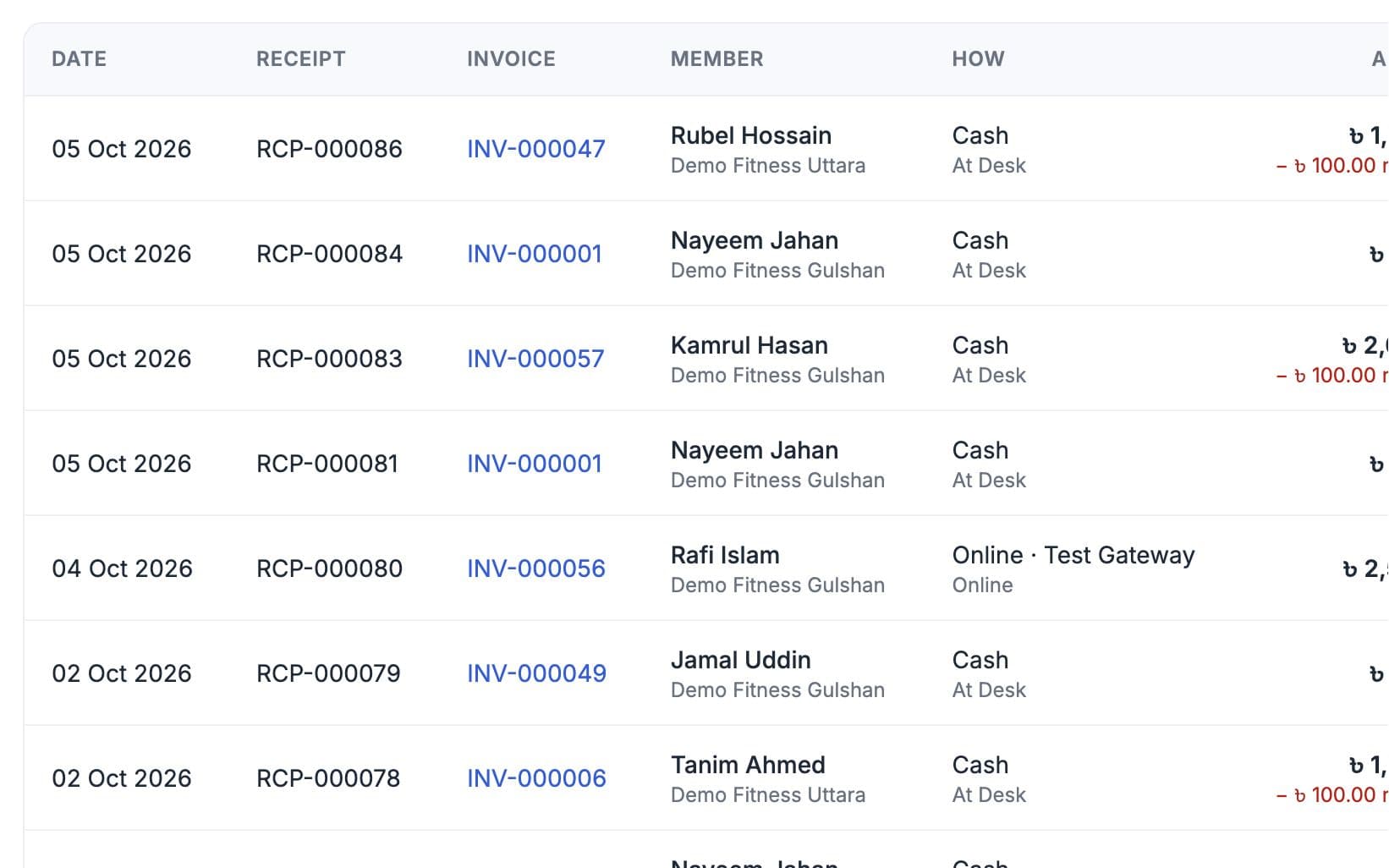
Transactions lists what came in by method and date, and you can export it as a CSV file for your accountant. Daily Cash Close shows today's total for each method before you lock up. A desk mistake is voided and real money going back is recorded as a refund, each with a reason. Extra money a member pays can stay as credit for the next bill.
Made for How You Work
Each payment locks the invoice while it is recorded, so a double click or a late gateway message cannot pay the same bill twice.
See the day's cash, card, bKash and Nagad totals and check them against the cash box before you lock up.
Set the largest discount each staff role may give. Every discount records a reason.
What You Get With Payments & Invoices
Payments & Invoices FAQ
Short answers to what gym owners and trainers ask most.
All Questions →No. Members always pay you directly: cash at your desk, your own bKash or Nagad number, or your own online payment account. GymCity only charges gyms and trainers for their GymCity plan. Online payments are checked with your gateway, using your own account, before they are recorded, so the money and the record both stay with you.
No. Online checkout always asks for the full amount still owed on that invoice. Part payments are taken at the desk, where staff record what the member paid and the rest stays on the invoice as due. If a member pays more than they owe, staff can keep the extra as credit for the next bill.
You add your bKash and Nagad numbers in Billing Settings. The member sends money to that number from their own phone, then reports it in My Bills with the transaction ID. The report waits under Payment Approvals until staff check it against your account and approve or reject it. Only an approved report counts as paid.
In Bangladesh you can connect your own SSLCommerz or bKash merchant account. Outside Bangladesh, members pay through your own Stripe account. Online Member Payments is a plan option, so check the pricing page to see which plans include it. Invoices, desk payments and bKash or Nagad reports work on every plan without it.
Void it. Desk payments are never edited or deleted; a void cancels the entry and keeps it in the invoice history with your reason. If real money has to go back to the member, record a refund instead, either through the gateway or as money returned outside GymCity. The history shows who changed what and when.
Yes. Staff can email an invoice to a member from the invoice screen. Member Notifications can also send due-soon, overdue and receipt messages by email, by WhatsApp, or by SMS to Bangladesh numbers, following the settings you choose and your plan's message allowance. Members also see what they owe on their own home screen.
Works Even Better Together
Last updated 15 October 2026Written by Sarwar HossainScreens show demo data only
Try Payments & Invoices With Your Gym or Clients
List your gym or training business free today and turn on the tools you need when you are ready.