Reviews and Ratings From Your Real Members
A visitor comparing two gyms trusts other members more than any description you write. GymCity only lets your own members and clients review you, and you decide which reviews appear.
What is GymCity Reviews & Ratings?
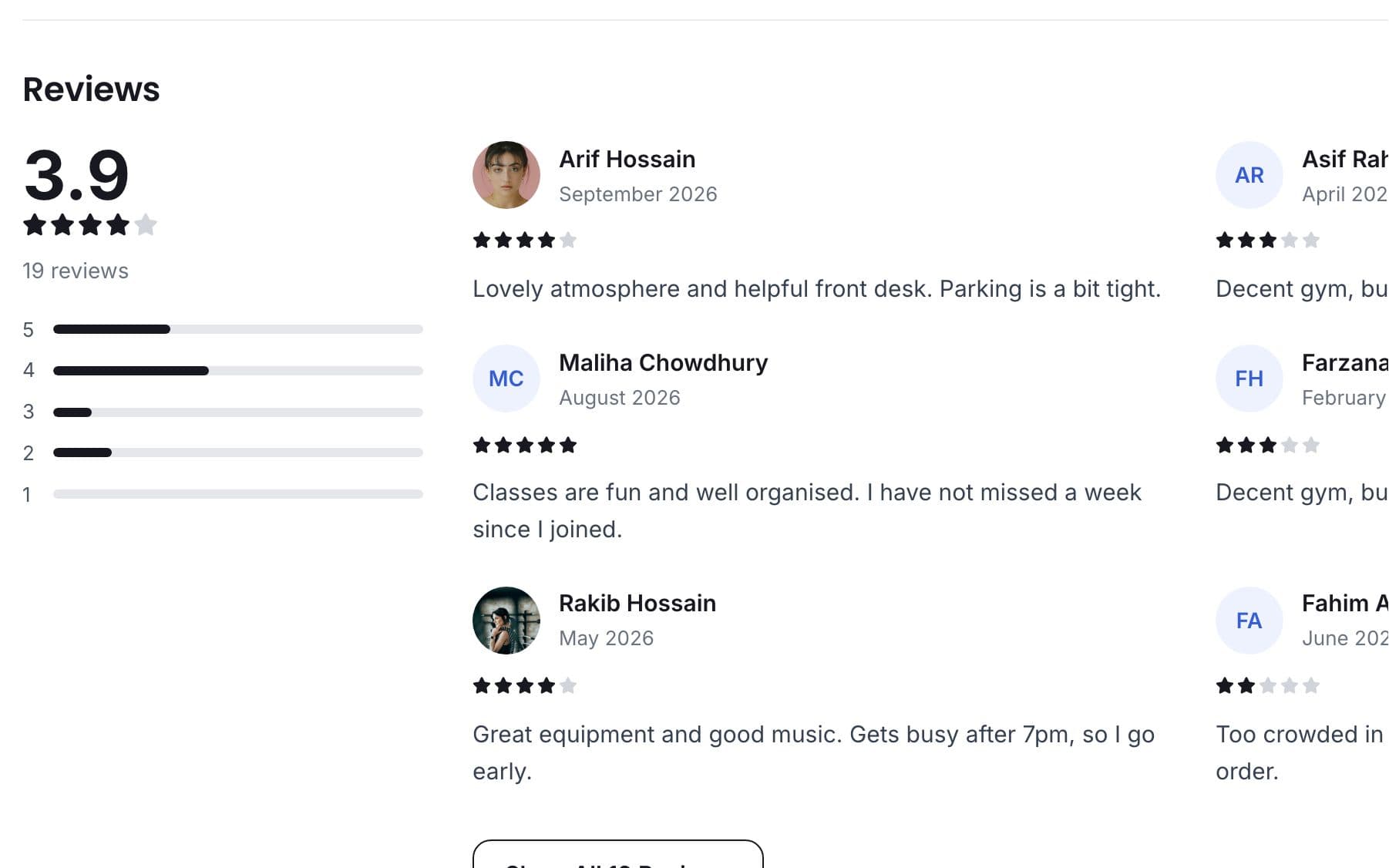
GymCity Reviews & Ratings lets your gym's members or your training clients give a one to five star rating with a written review. Only people on your member or client list can post. Reviews show on your public page with your average rating, and you can switch any single review off.
Why Gyms and Trainers Use Reviews & Ratings
No Proof
From photos alone, a new visitor can't tell a busy, well-run gym from a quiet one. They need to hear from people who train there.
Real member reviews sit next to your plans.Scattered Feedback
Praise and complaints are spread across Facebook comments, Google and WhatsApp chats.
Every GymCity review on one Reviews page.Unknown Issues
Members often leave quietly over a broken machine or a crowded evening slot. You hear about it after they've gone.
Read reviews and fix problems early.Reviews & Ratings in 3 Steps
Invite Members to Review
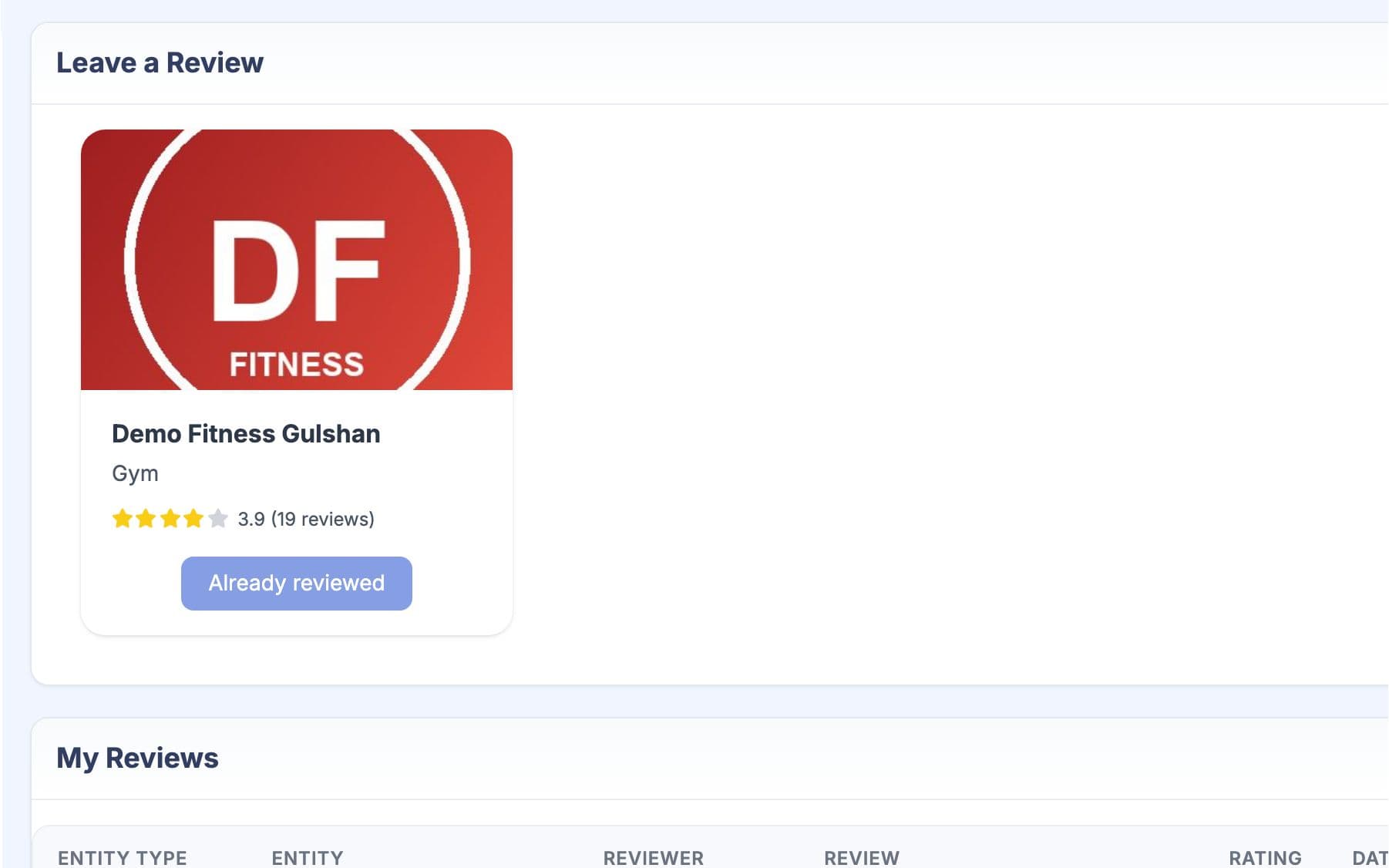
Copy your review link from Share and Promote and send it on WhatsApp, or let members find the Reviews menu in their own account. They log in, give a star rating and a few words, and can add photos. GymCity only accepts a review from your gym's members or your own clients. Each person reviews you once and can edit it later.
Choose What Shows
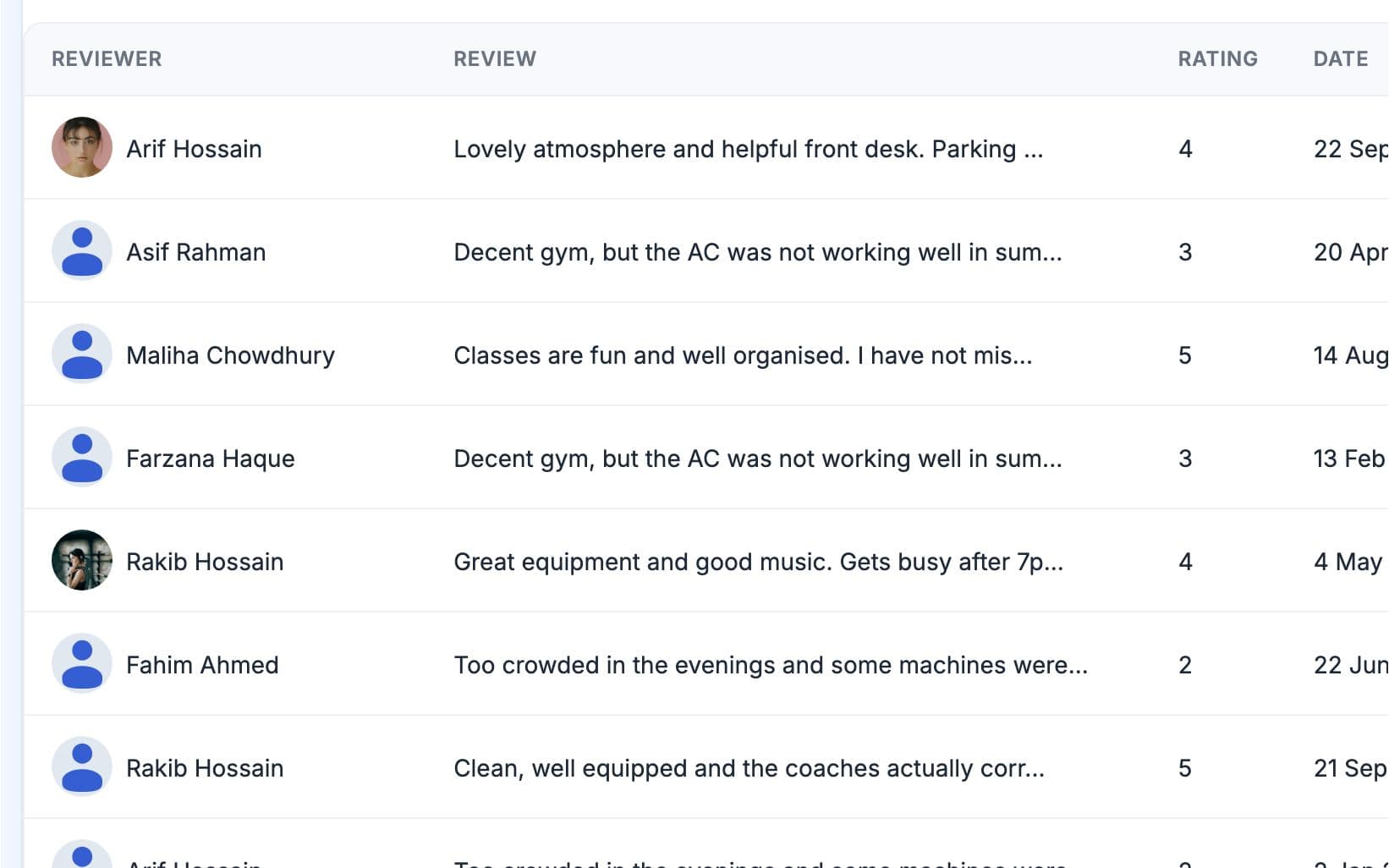
Every review lands on the Reviews page in your GymCity account. New reviews show on your public page straight away, and each one has its own switch to hide it. You can also hide the whole ratings section in Public Page settings. Hiding never changes what the member wrote.
Visitors Read Them
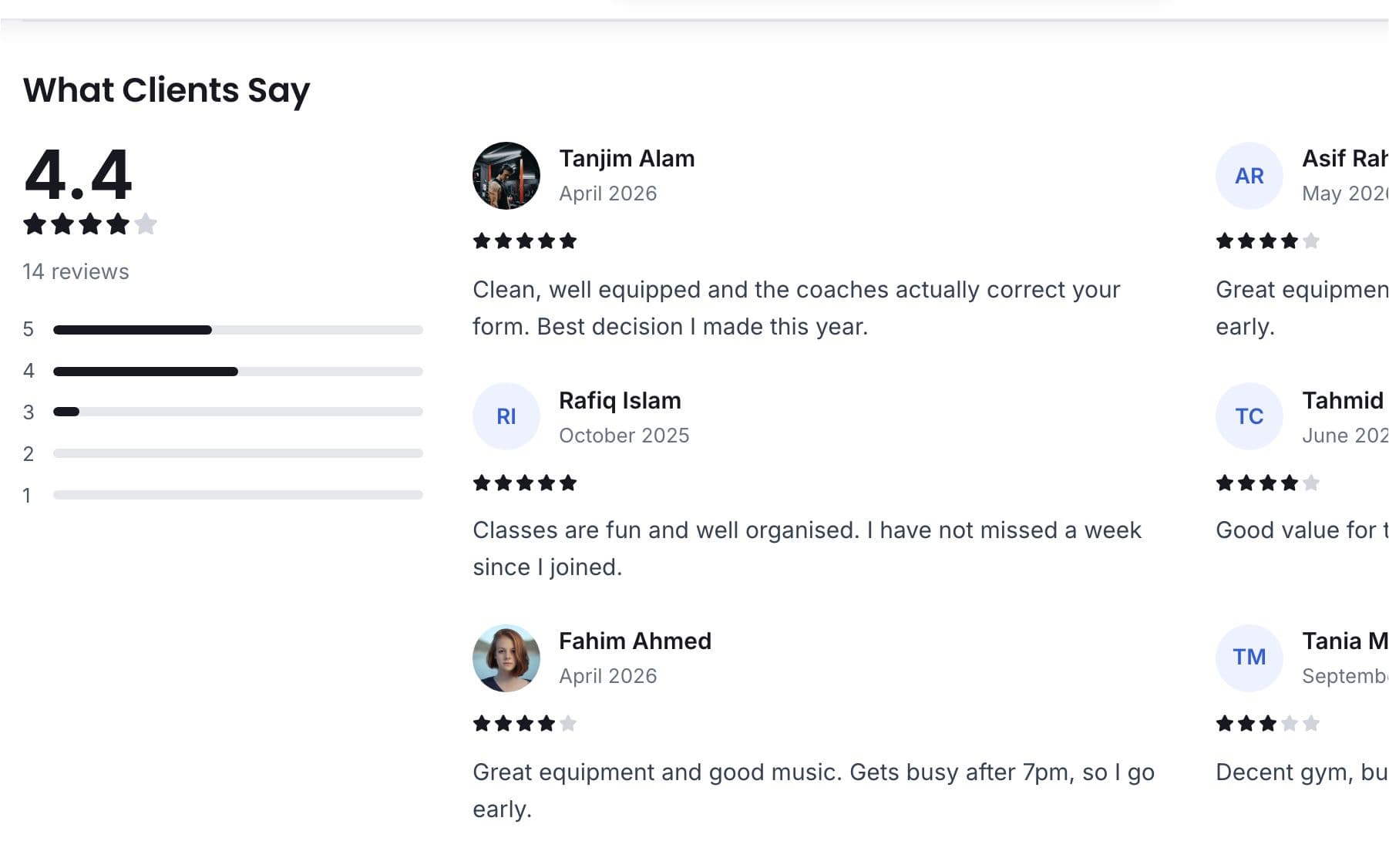
Your public page shows your average rating, the number of reviews and a bar for each star level. A separate reviews page lists every shown review with the reviewer's name. Your rating also appears on your search card, and visitors can filter or sort results by rating.
Made for How You Work
Only people on your member list can post, so visitors read real experiences.
Every review on one page in your account.
A run of low ratings tells you what to fix before members leave.
What You Get With Reviews & Ratings
Reviews & Ratings FAQ
Short answers to what gym owners and trainers ask most.
All Questions →Only your own members or clients, signed in to GymCity. The review link you share asks them to log in first, and GymCity checks they belong to your gym or train with you before they can post. Each person leaves one review per gym or trainer and can edit it later. Visitors who aren't members can't post.
You can hide any single review from your public page with its switch, or hide the ratings section completely. You can't change what a member wrote. Our advice: talk to the member, fix the problem, and leave honest reviews up. A page with only perfect scores and no detail convinces visitors less than a fair mix.
On your public page, as your average rating, star bars and recent reviews, and on a separate reviews page that lists them all. Your rating also shows on your card in GymCity search. Search engines can read the rating too, but only when there are real reviews and your page shows them.
No. GymCity shows only reviews written on GymCity by your own members and clients. Ratings from other sites aren't copied in, so every star on your page came from someone who trains with you. To build reviews faster, send your review link to active members after a good week.
It's a label on your search card and profile when your average rating meets the rule GymCity sets. It is worked out from GymCity reviews only, so no one can buy it, and it never shows when you hide your ratings. Collect a few honest reviews from regular members and it can follow.
Works Even Better Together
Last updated 15 October 2026Written by Sarwar HossainScreens show demo data only
Try Reviews & Ratings With Your Gym or Clients
List your gym or training business free today and turn on the tools you need when you are ready.